A practical guide to the best alternatives to ChatGPT for teachers—covering AI tools built specifically for lesson planning, classroom use, and real teaching workflows.
.avif)
By the time you’re searching for alternatives to ChatGPT for teachers, you’re probably past the excitement phase.
You’ve already used ChatGPT to draft a lesson, write a few questions, or reword an explanation. It worked, at least at first.
But then the real work started.
Somewhere along the way, you realized AI wasn’t saving as much time as you hoped, it was just shifting the effort.
This is the point where many teachers start looking for AI tools for teachers beyond ChatGPT. Not because ChatGPT is useless, but because teaching demands more than a general-purpose chatbot can offer.
I’ve written this guide to break down the most practical alternatives to ChatGPT for educators, based on how teachers actually plan, teach, and adapt lessons.
No hype, no generic lists, just tools that solve real classroom problems, and a clear look at which ones are worth your time once AI becomes part of your everyday teaching workflow.
If you’re like most teachers I’ve spoken to (and worked alongside), ChatGPT is usually the first AI tool you try. Not because it’s built for classrooms, but because it’s easy to access and surprisingly helpful when you’re short on time.
At its core, ChatGPT is a general-purpose AI assistant. It’s designed to respond to open-ended prompts across almost any topic. Over time, OpenAI has recognized how heavily educators use it and introduced teacher-specific and K-12 plans, along with clearer guidance around safety, classroom use, and responsible AI adoption.
In practice, though, ChatGPT still behaves more like a blank whiteboard than a teaching tool.
ChatGPT’s value shows up most clearly when you know exactly what to ask and how to guide it. Here’s how its key features usually play out in real teaching scenarios.
If you’re planning a lesson late at night and just need somewhere to start, ChatGPT helps.
You can ask: “Give me a lesson idea for teaching photosynthesis to Grade 7 students.”
It’ll give you a structure like objectives, activities, maybe an example. It won’t be classroom-ready, but it gives you momentum.
When you need practice questions, short answer prompts or sample MCQs, ChatGPT can generate them quickly. I’ve seen teachers copy the output into a doc and then spend time adjusting difficulty, wording, or alignment, but the first draft comes fast.
This is one of the most useful features if you’re willing to prompt carefully.
You can say, “explain this like I’m teaching a 10-year-old”, and ChatGPT will simplify language and examples. It’s helpful when:
But you’re still responsible for checking accuracy and appropriateness.
There’s no learning curve with ChatGPT for teachers.
So, for teachers new to AI, this familiarity lowers the barrier to entry and that’s why ChatGPT often becomes the benchmark against which alternatives to ChatGPT for educators are compared.
You can jump from Math to History, Elementary to high school or Science to Literature without switching tools. That flexibility is powerful, but it also means ChatGPT doesn’t specialize in how teaching actually works day to day.
But flexibility isn’t the same as fit, and that’s where teachers begin to feel friction.
If you’ve used ChatGPT consistently you’ve probably hit this moment:
“This is helpful… but I’m still doing a lot of work myself.”
That’s usually when teachers start looking for alternatives to ChatGPT for teachers or more AI tools for teachers beyond ChatGPT. Not because ChatGPT is bad but because teaching has very specific needs that a general-purpose AI doesn’t fully cover.

These aren’t theoretical problems. These are the issues you notice after using ChatGPT week after week.
ChatGPT doesn’t know:
So every time you open it, you end up explaining the context again. You might type:
“Create a worksheet for Grade 6 science on food chains, aligned to learning objectives, with varied difficulty.”
Then refine it, rewrite it or simplify it.
By the time the output is usable, you’ve spent almost as much time prompting as you would have planning manually.
ChatGPT gives you raw text, not teaching materials.
After generating content, you still need to:
For example, it might give you a solid explanation but not:
This is a big reason teachers start searching for alternatives to ChatGPT for educators that focus on finished outputs, not drafts.
ChatGPT doesn’t naturally think in terms of Bloom’s taxonomy, scaffolding concepts or gradual release of responsibility, unless you explicitly tell it to.
So if you want questions that move from recall to analysis or activities that build comprehension step by step, you have to design the pedagogy yourself and then instruct the AI to follow it.
That defeats the purpose for many teachers who want AI to support instructional design, not just text generation.
Each session feels like starting from scratch. ChatGPT doesn’t retain:
So even if you liked yesterday’s output, today you’re explaining everything again. Over time, that repetition becomes exhausting, especially when you’re juggling multiple classes or subjects.
This is where specialized AI tools for teachers start to feel more practical.
Teaching isn’t a one-off activity.
You often want to:
ChatGPT isn’t designed as a workspace. There’s no clear system for:
That’s a real limitation once AI becomes part of your regular teaching workflow, not just an experiment.
Here are the best alternatives to ChatGPT based on our research:
When I first tried Monsha, the difference was immediate, it didn’t feel like I was talking to an AI chatbot, it felt like I was working inside a teaching tool.
Monsha is built specifically for teachers who want to create classroom-ready materials, not just generate ideas. Instead of asking you to prompt endlessly, it asks you to work the way teachers already do - with documents, videos, links, and clear instructional goals.
Top features that make Monsha a great ChatGPT alternative:
1. Create lessons, slides, worksheets, and reading comprehension in one flow
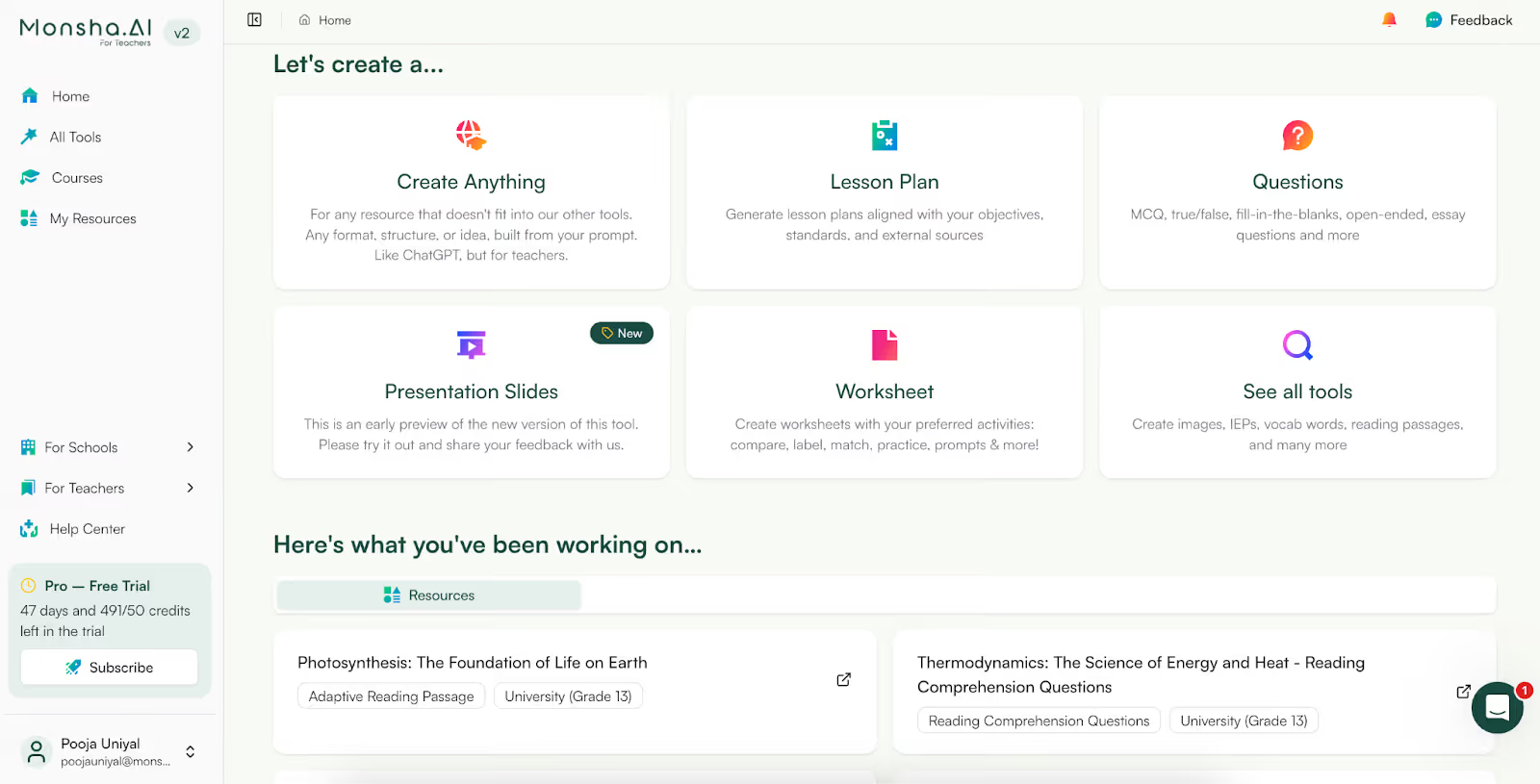
Instead of generating a paragraph and then wondering what to do next, Monsha helps you move straight to outputs you can use in class:
You’re not stitching things together from multiple tools, it’s one workflow.
2. Create multiple resources from one source
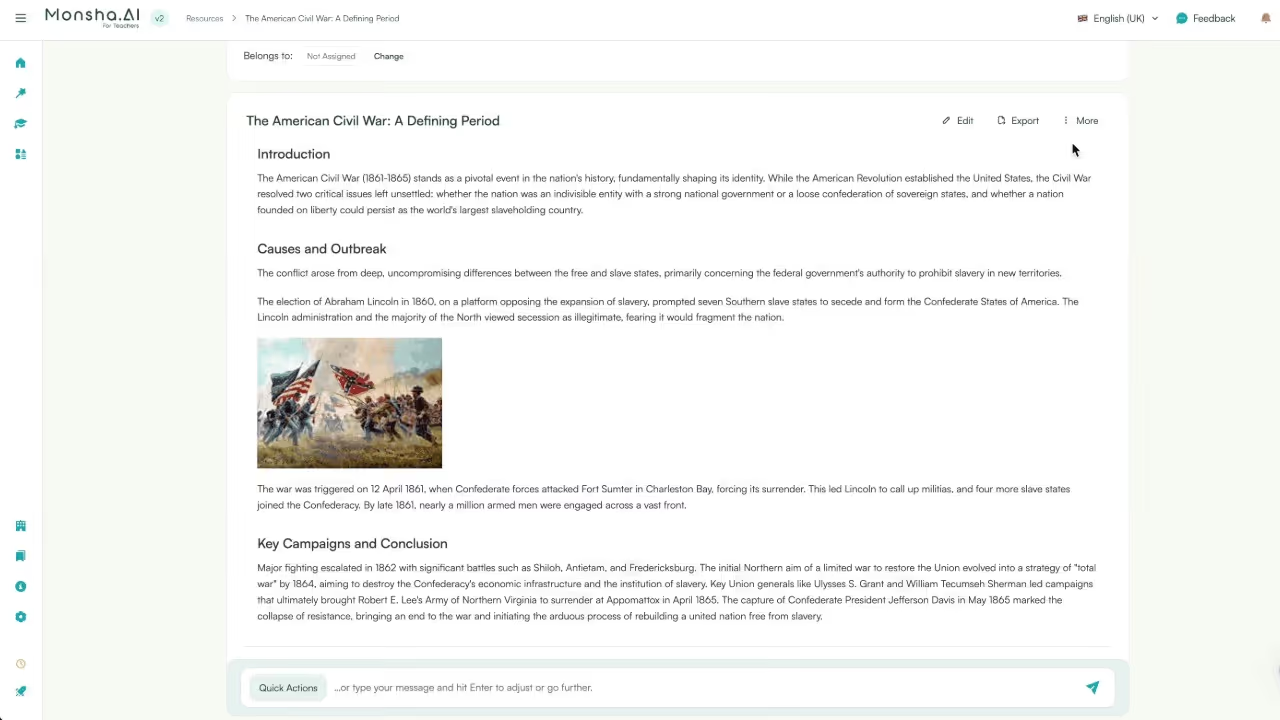
This is one of the biggest time-savers I’ve seen. Once you’ve created a resource be it a worksheet, presentation or lesson plan, you can convert it into multiple passages. For example, you can convert a worksheet into handouts or handouts to worksheets.
Similarly, you can create reading comprehensions and convert them into presentations or handouts.
3. Connect resources to each other
Teaching isn’t isolated content, it’s a sequence.
With Monsha, you can:
This makes planning feel intentional, not fragmented. ChatGPT can’t do this because it doesn’t think in terms of connected instructional resources.
4. Works from real teaching inputs (not just prompts)
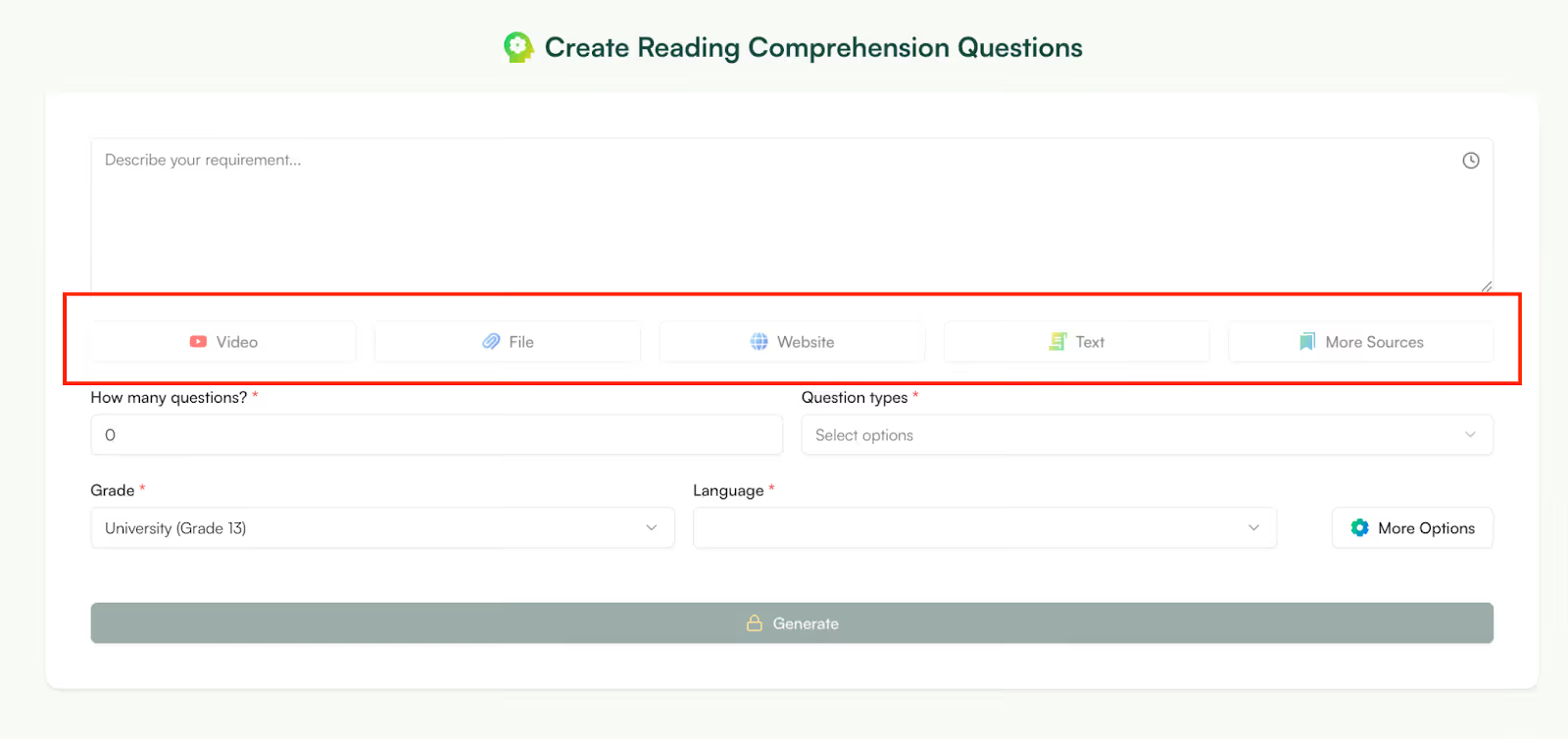
This is where Monsha really stands out among alternatives to ChatGPT for teachers. You can start from:
Instead of summarizing for you and stopping there, Monsha helps you teach from that material.
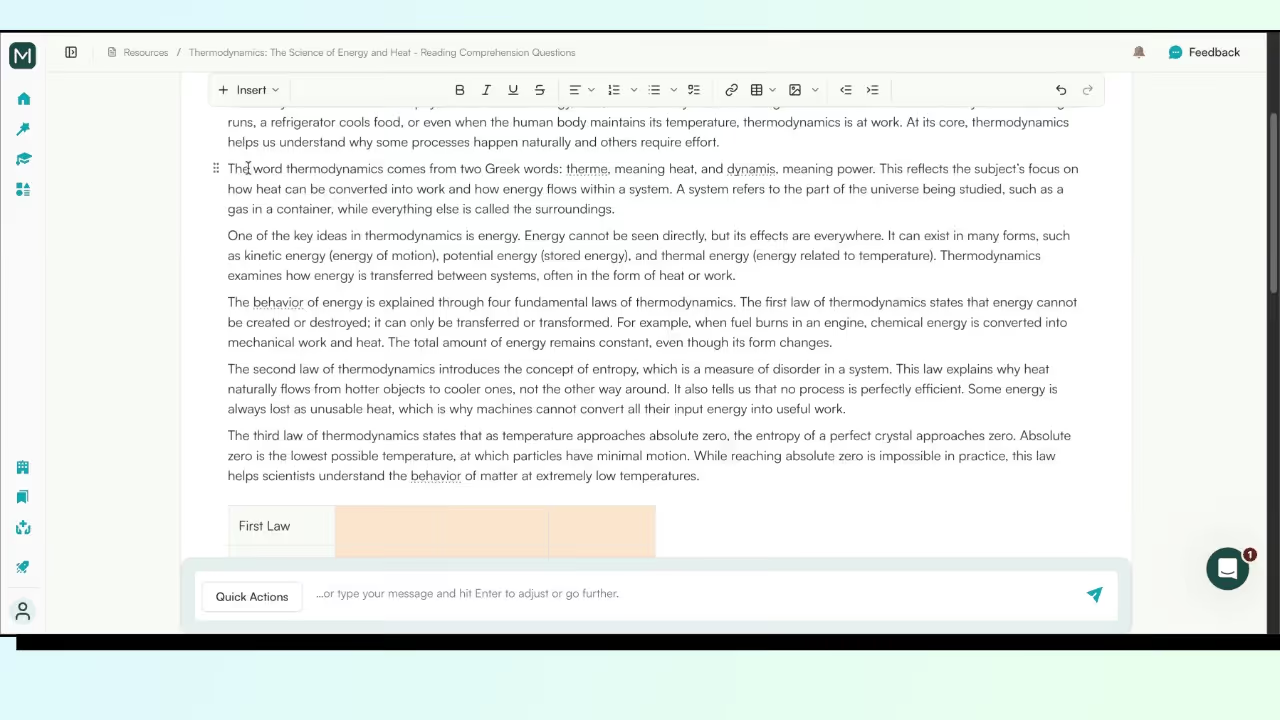
Monsha’s editor is very powerful yet very easy to use.
You can:
Designed for iteration, not regenerationWith ChatGPT, if something’s off, you often regenerate the whole thing but with Monsha, you tweak:
That saves time and mental energy, especially when you’re preparing for multiple classes.
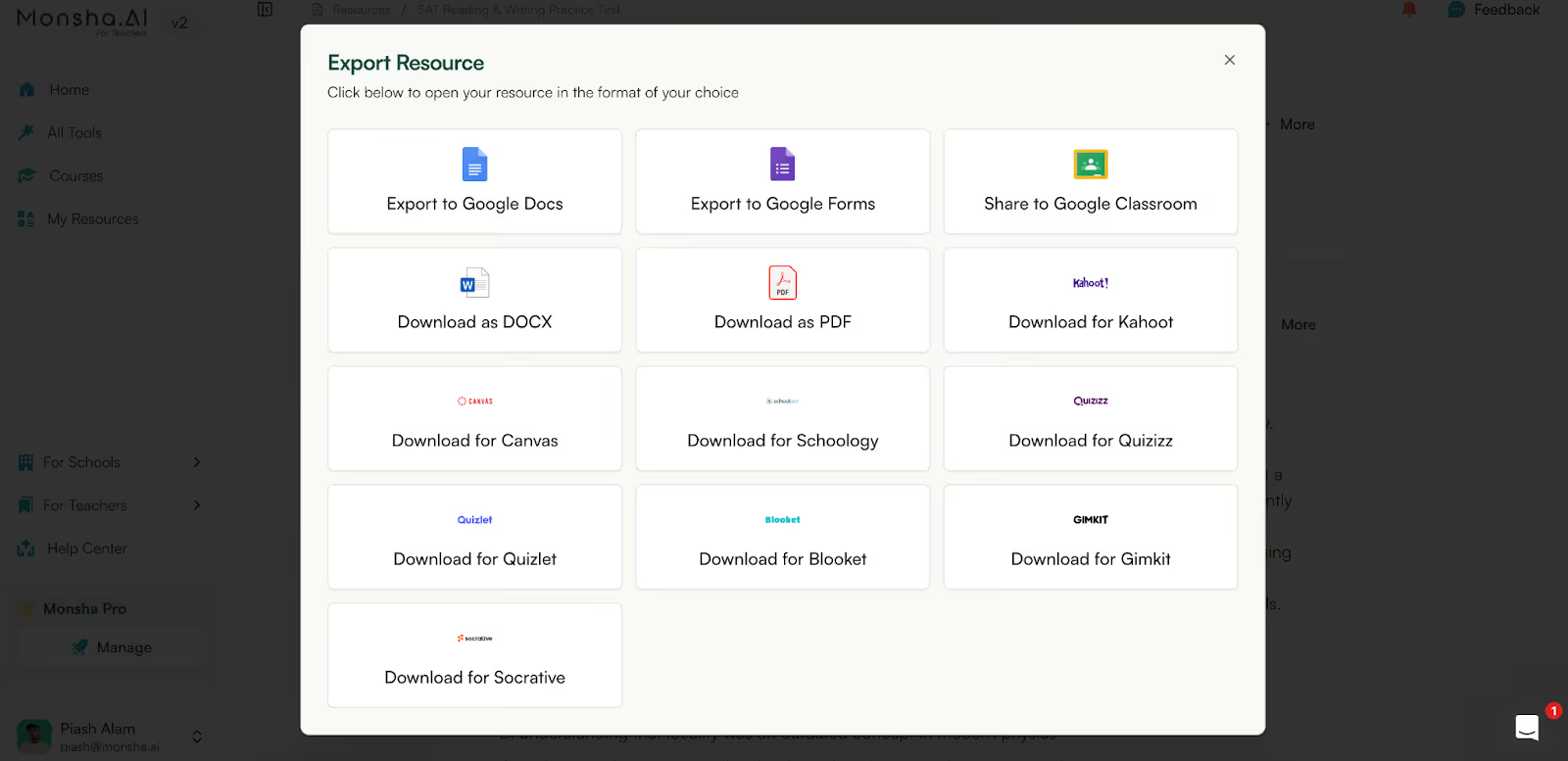
Monsha is built for the school ecosystem. While ChatGPT can only export as a PDF or .xsv file, Mosha can export your resource to Google Classroom, Kahoot, Canvas, Schoology, Quiz and many more formats.
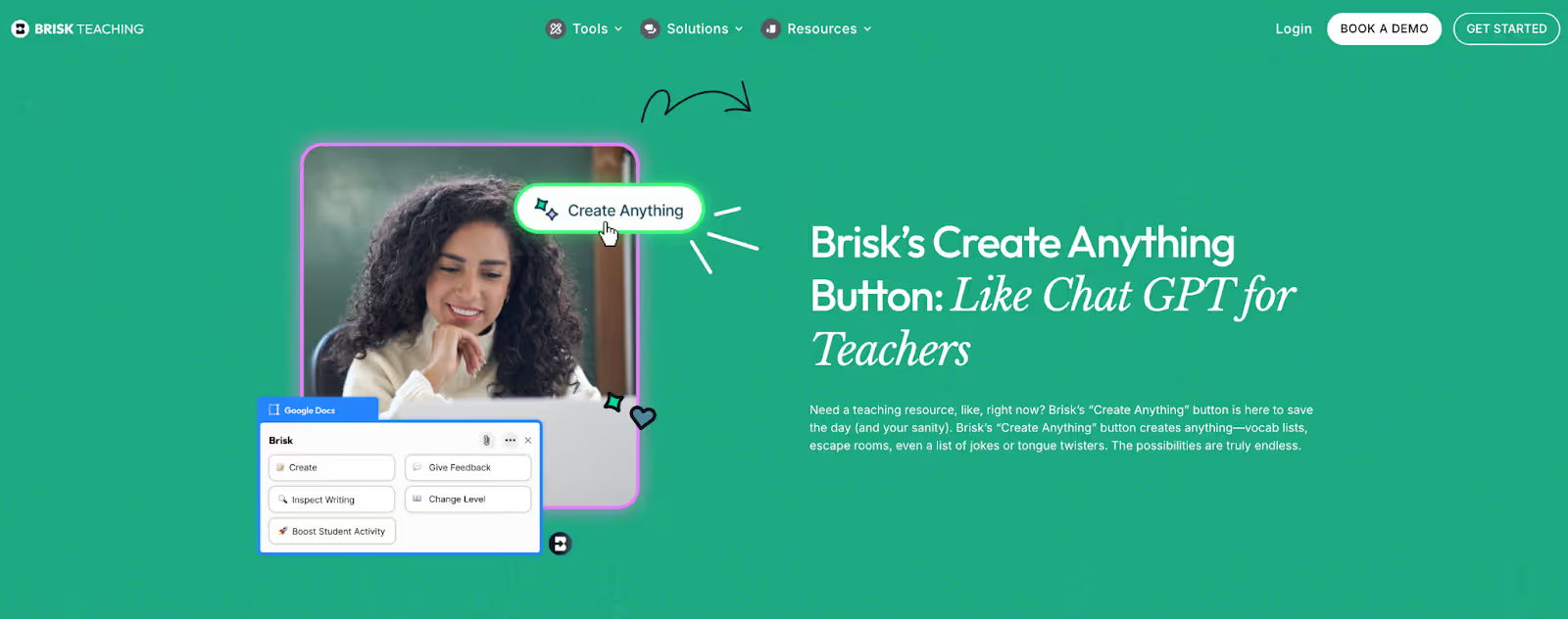
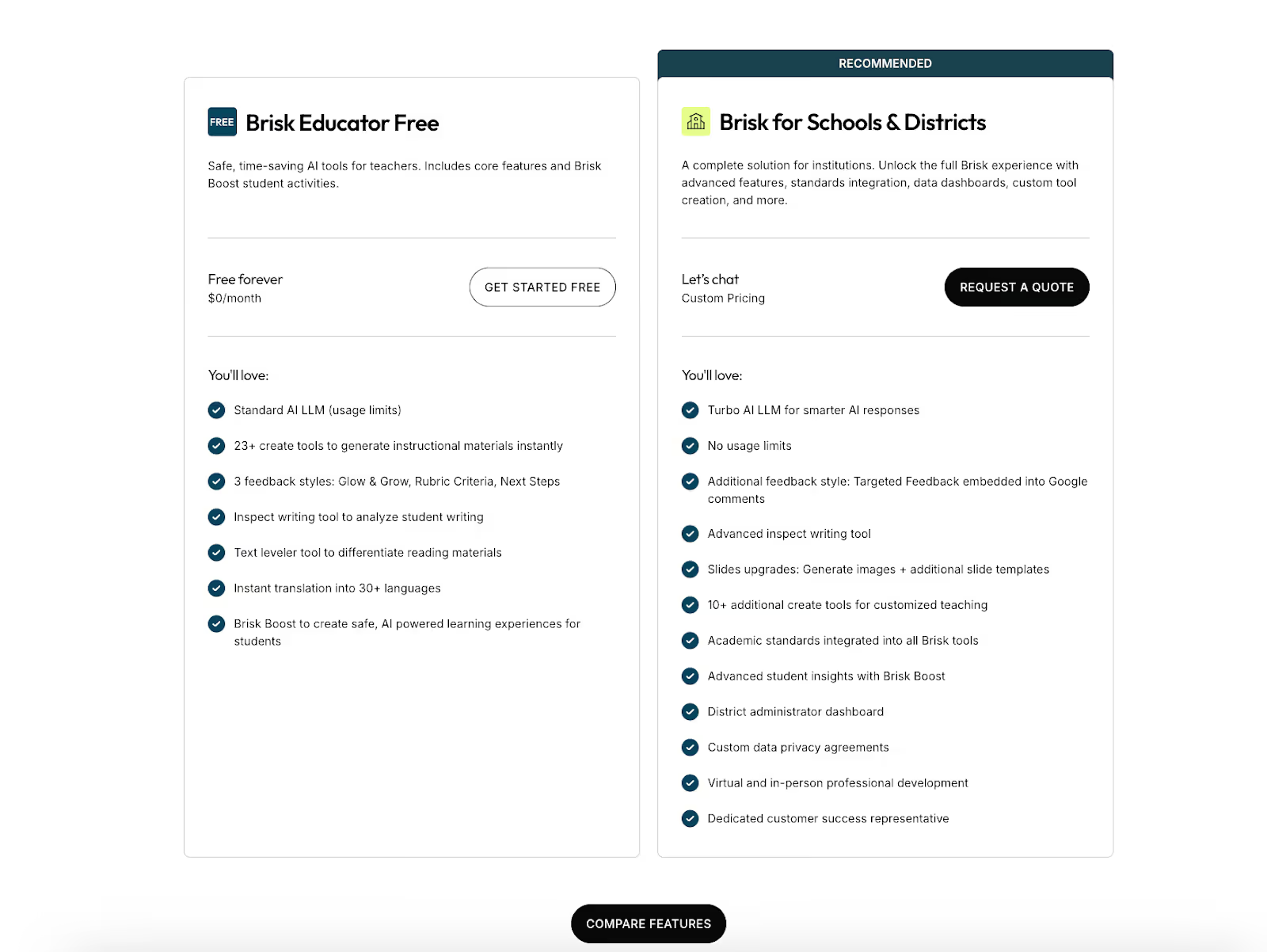
Unlike ChatGPT or more full-stack AI tools for teachers, Brisk isn’t trying to replace your planning process. It’s designed to speed up the small, repetitive tasks that quietly eat into your day - especially if you already live inside Google Docs.
1. One-click lesson planning when you’re short on time
There are days when you don’t want to design anything from scratch, you just need a plan now.
With Brisk, you can generate a lesson outline directly inside Google Docs and adjust grade level or subject with minimal setup. It’s especially useful when you’re covering for another class or adapting an existing lesson at the last minute.
2. AI feedback on student writing
This is one of the most practical features I’ve seen. Instead of manually writing the same comments again and again, Brisk helps you:
For teachers handling large class sizes, this alone can justify using Brisk as an alternative to ChatGPT for teachers.
3. Works where teachers already work (Google Docs)
There’s no new interface to learn. You open your document, click Brisk and apply changes directly.
4. Curriculum-aligned suggestions
Brisk nudges outputs toward curriculum relevance rather than generic responses, which makes it feel more classroom-aware than ChatGPT in quick-use scenarios.
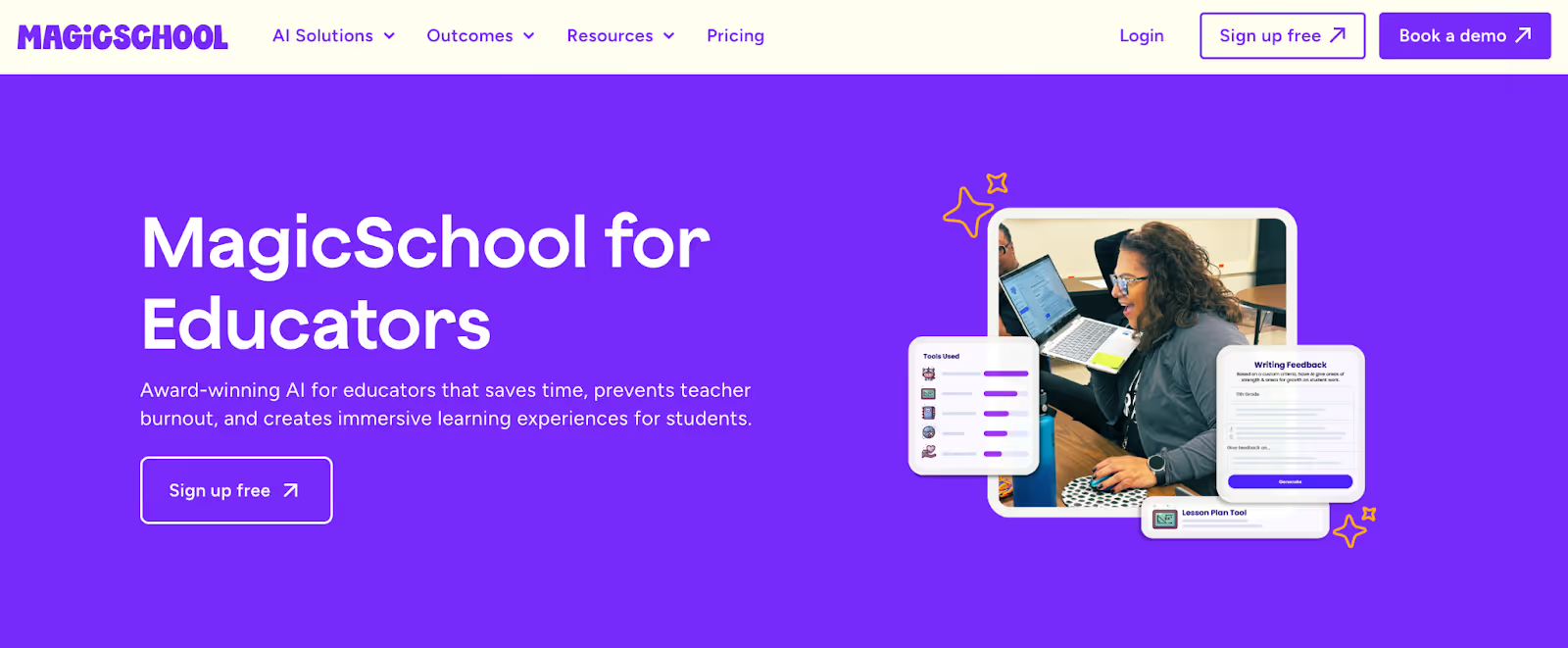
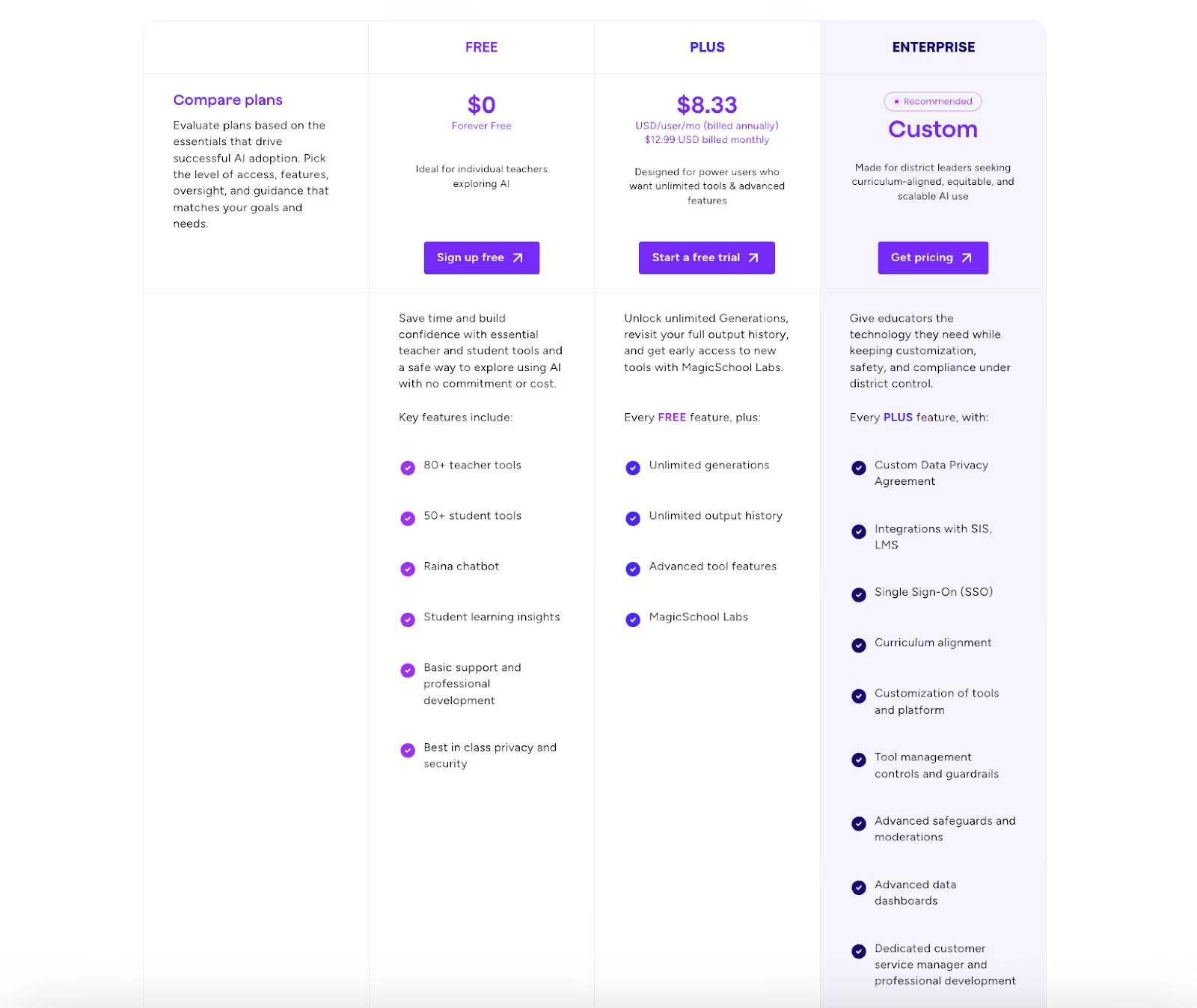
MagicSchool AI is one of those AI tools for teachers you reach for when you want something done quickly and don’t want to spend time figuring out how to ask for it.
Instead of acting like a general chatbot, MagicSchool positions itself as a task-driven alternative to ChatGPT for teachers, built around the exact things you do every week - lesson planning, assessments, rubrics, and feedback.
1. Pre-built teaching tools for specific classroom tasks
MagicSchool AI offers a large library of tools like lesson plan generators, rubric creators, multiple-choice question builders, and writing feedback tools. Instead of asking ChatGPT to “act like a teacher,” you pick the exact task you want to complete, which makes this feel like a purpose-built AI tool for teachers rather than a general assistant.
2. Guided input fields instead of open prompts
Each tool asks for structured inputs such as grade level, subject, topic, and learning goal. This removes the guesswork you often face with ChatGPT and makes MagicSchool a more accessible alternative to ChatGPT for educators who don’t want to experiment with prompts.
3. “Show an exemplar” outputs
One feature that stood out while using MagicSchool is the ability to view sample outputs before generating your own. This helps you quickly understand the expected quality and structure of results, which is especially useful if you’re using AI tools for teachers beyond ChatGPT for the first time.
4. Tools for feedback, differentiation, and student support
MagicSchool includes dedicated tools for writing student feedback, supporting IEP-related tasks, and differentiating instruction. These aren’t generic text generators—they’re framed around real classroom scenarios teachers deal with regularly.
5. Classroom-appropriate focus and safeguards
MagicSchool positions itself clearly for school use, with content framed around responsible, age-appropriate classroom application. That focus makes it easier to trust in teaching contexts compared to adapting a general-purpose AI tool.
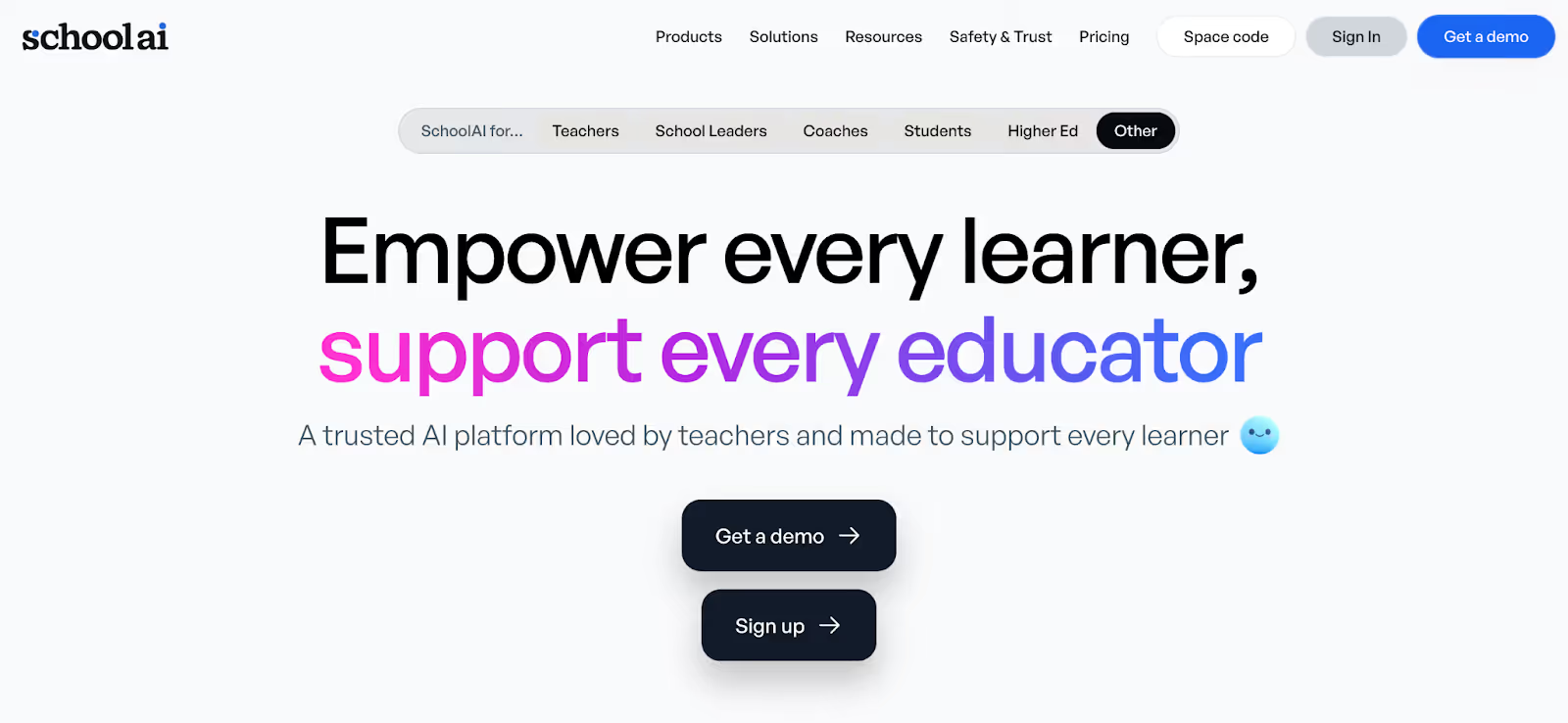
Instead of focusing mainly on lesson creation or worksheets, SchoolAI is built around how students interact with AI in the classroom, with you staying firmly in control.
When I explored SchoolAI, it felt less like a planning assistant and more like a classroom engagement layer. That’s why it often comes up as an alternative to ChatGPT for educators who want AI to support learning conversations, not just content generation.
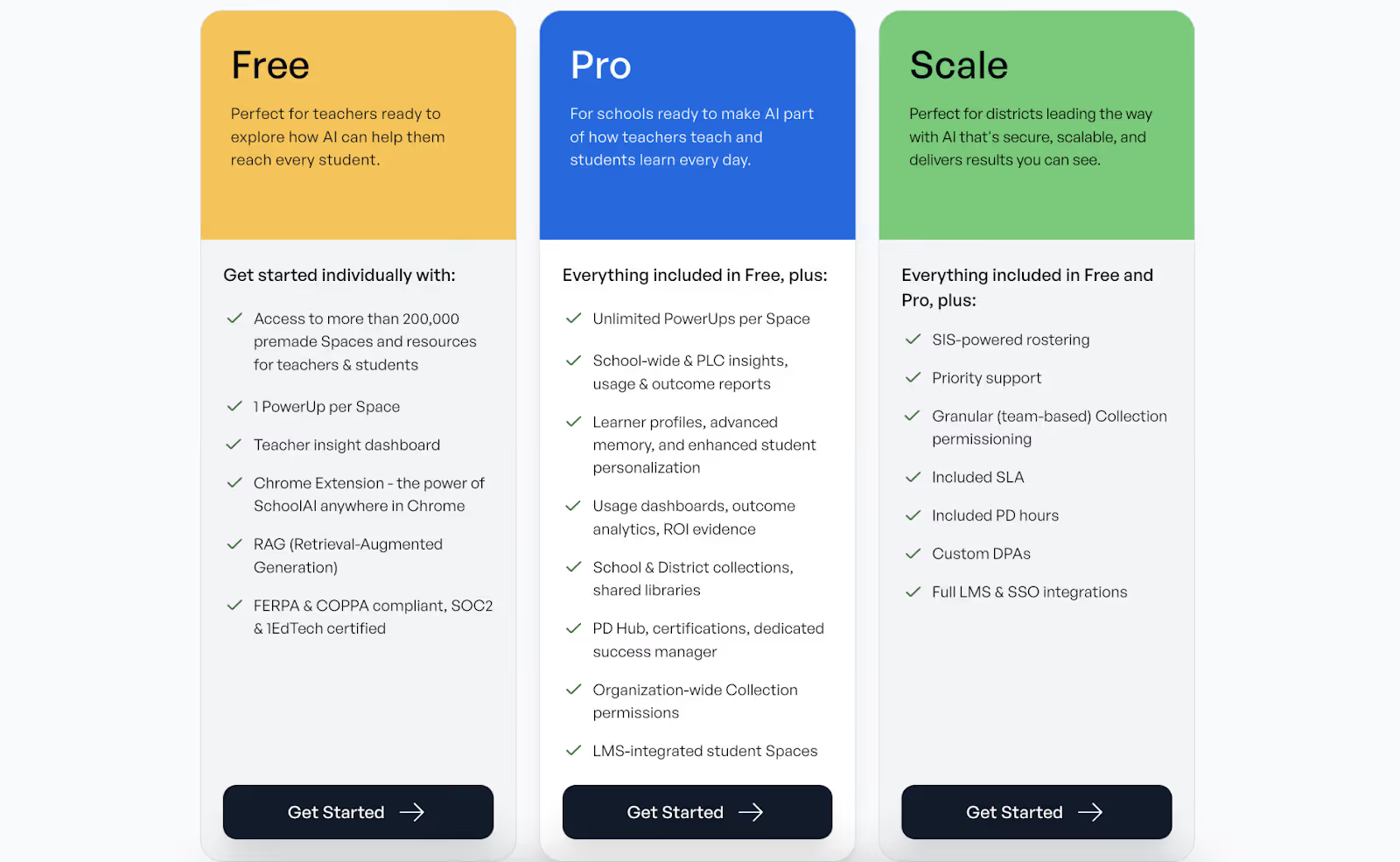
1. Teacher-controlled AI “spaces” for students
SchoolAI lets you create AI-powered spaces where students can interact with prompts you design. You decide the topic, the boundaries, and the purpose, which makes this feel far safer and more intentional than letting students use ChatGPT directly.
2. Guided student prompts aligned to learning goals
Instead of open-ended AI chats, SchoolAI allows you to frame interactions around specific objectives, like practicing explanations, exploring concepts, or reflecting on learning. This makes it easier to use AI as a teaching aid rather than a shortcut, something many teachers struggle with when relying on ChatGPT.
3. Real-time visibility into student responses
One feature that stood out when I tested SchoolAI is that you can see how students are responding as they interact with the AI. That gives you immediate insight into misconceptions, understanding, or gaps, something general-purpose tools like ChatGPT simply aren’t designed to support.
4. Designed for classroom safety and structure
SchoolAI puts strong emphasis on safe, classroom-appropriate use. Students aren’t dropped into a blank AI interface; they work within guardrails you’ve set, which is why many teachers see it as a more responsible AI tool for teachers beyond ChatGPT.
Diffit is an AI tool for teachers that’s made for differentiation.
If you’ve ever taught the same concept to students reading at very different levels, you’ll immediately see why Diffit comes up so often as an alternative to ChatGPT for educators focused on instructional rigor and accessibility.
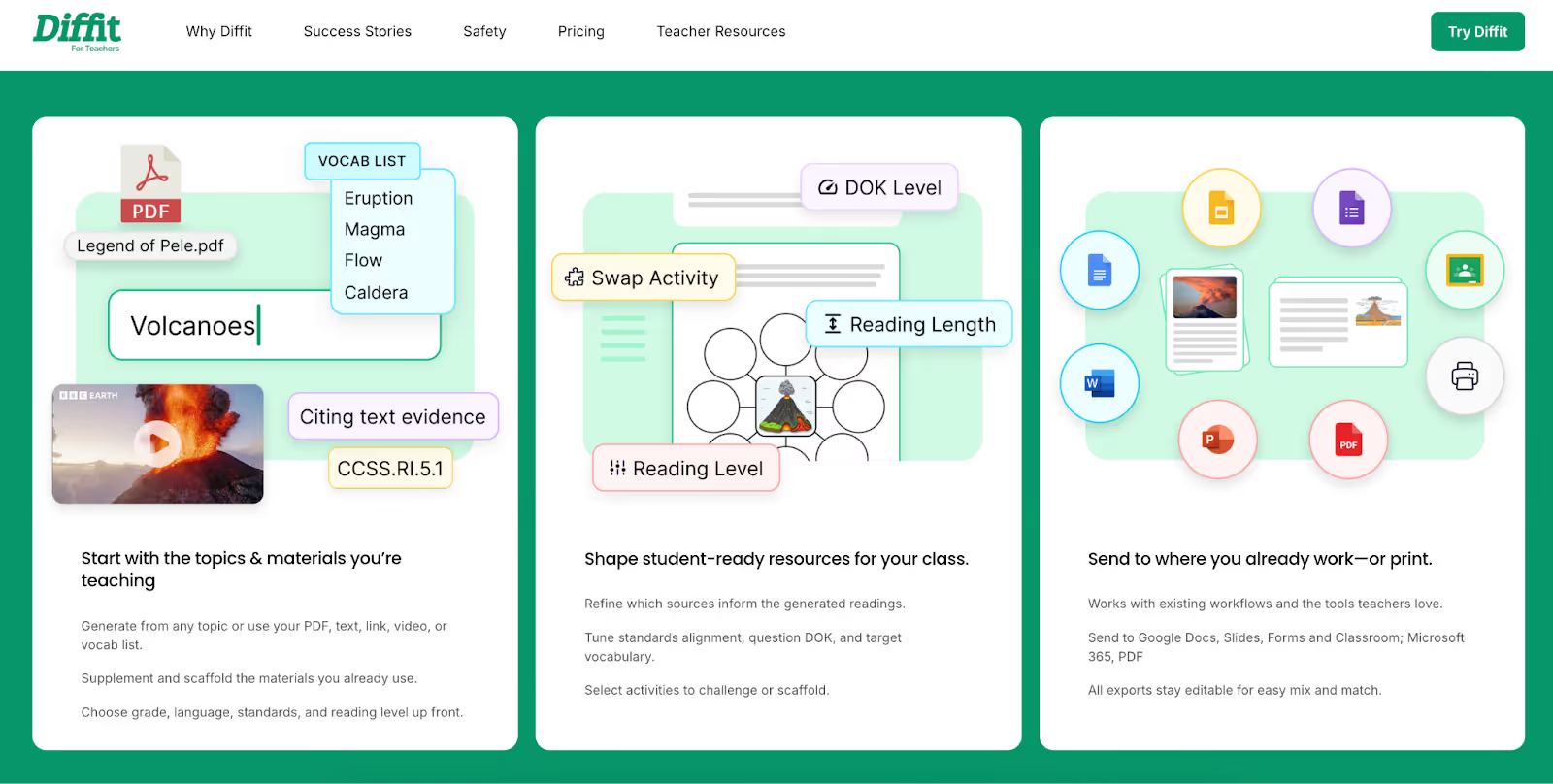
1. Adjust reading levels from a single source
With Diffit, you can take one text - an article, passage, or topic - and instantly generate versions at different reading levels. Instead of rewriting content manually or carefully prompting ChatGPT to simplify language, Diffit does this in a structured way that supports real classroom differentiation.
2. Generate text-dependent questions
Diffit doesn’t just rewrite text; it creates questions that require students to refer back to the passage. When I tested this, the questions were clearly designed to check comprehension and evidence-based reasoning, which makes Diffit especially useful for literacy-focused classrooms.
3. Support multiple levels of rigor
Diffit allows you to generate questions that move from basic understanding to deeper analysis using the same source material. This helps you scaffold instruction without creating separate resources from scratch, something that’s harder to manage when relying on ChatGPT alone.
4. Focused, instructional outputs
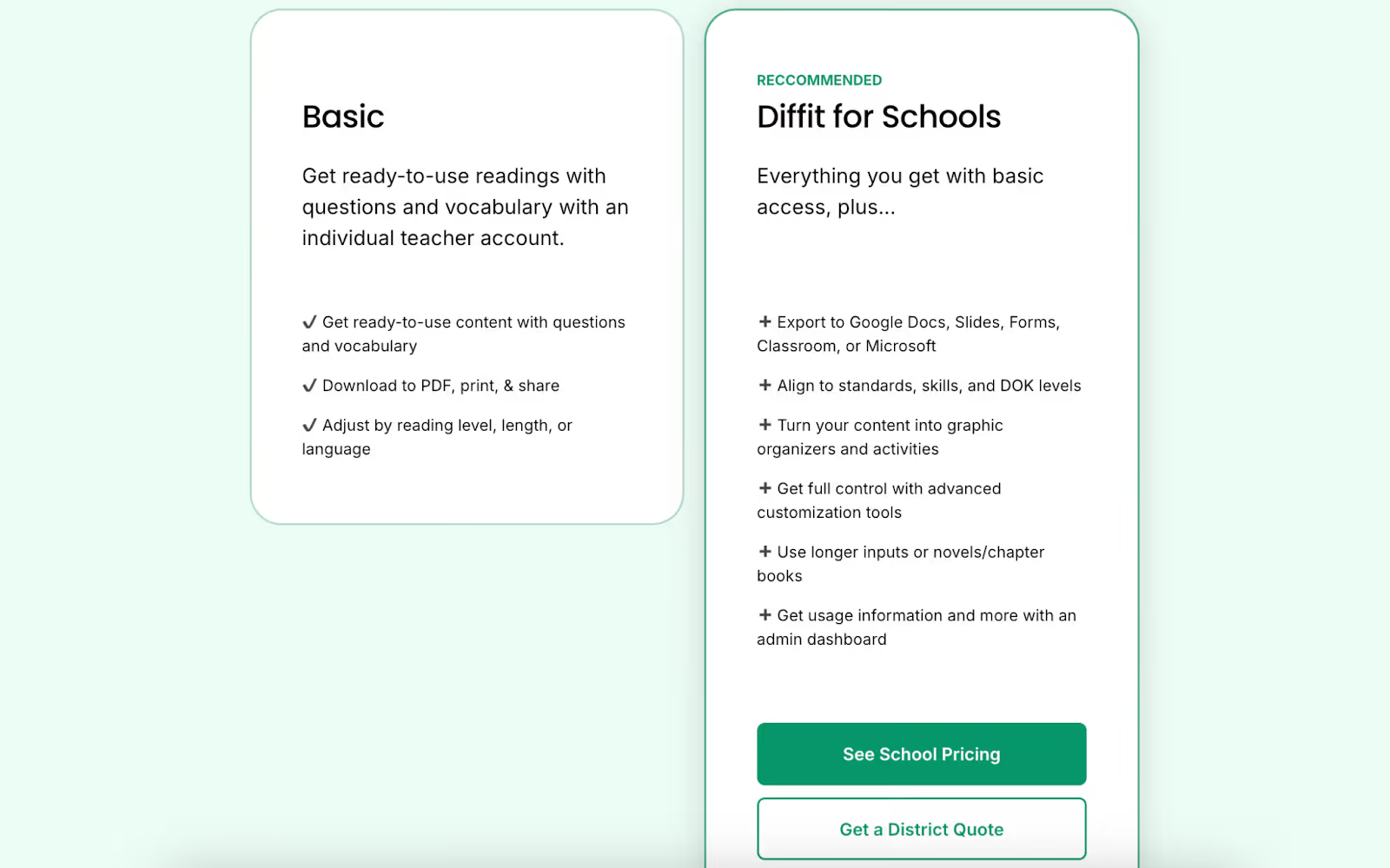
Unlike broader AI tools for teachers beyond ChatGPT, Diffit stays tightly scoped. It doesn’t try to do everything, and that’s actually its strength. The outputs are instructional by intent, not just rewritten text.
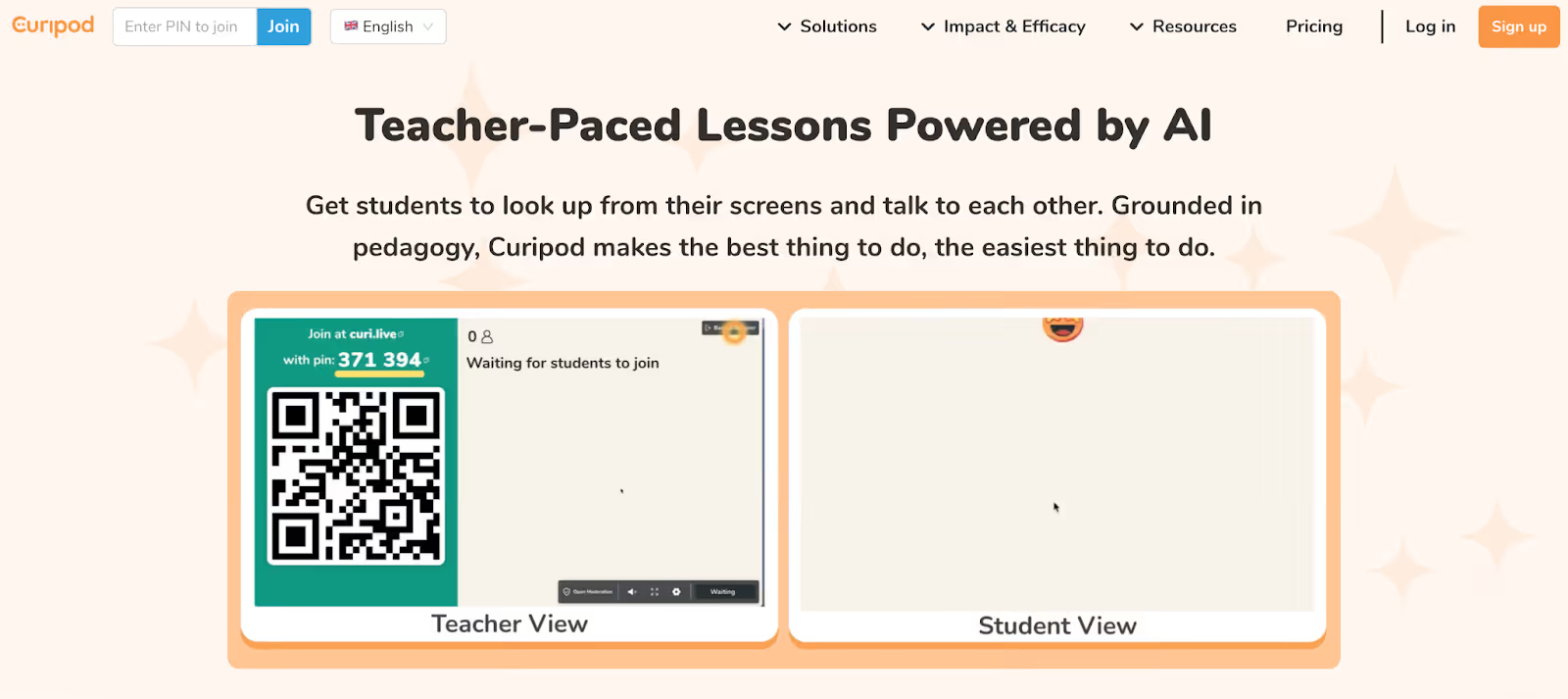
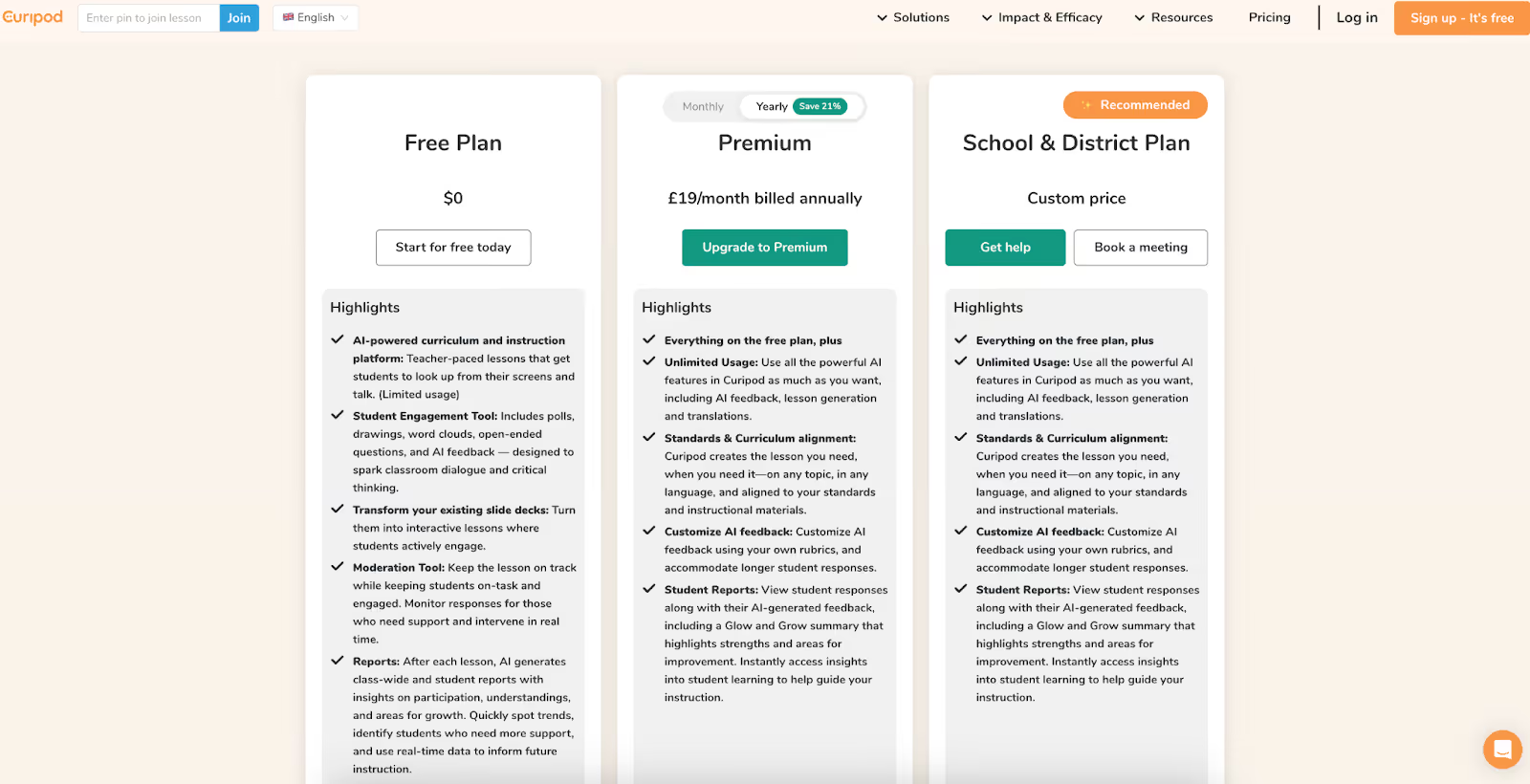
Curipod is best understood as an engagement-first AI tool for teachers. When I explored it, the focus was immediately clear: this isn’t about generating long lesson plans or worksheets, it’s about making your lessons more interactive in real time.
If ChatGPT helps you plan what to teach, Curipod helps you think about how students experience the lesson. That’s why it’s often mentioned as an alternative to ChatGPT for educators who care more about participation than content drafting.
1. AI-assisted interactive lesson creation
Curipod helps you turn a topic or idea into an interactive lesson that includes polls, open-ended questions, and discussion prompts. Instead of writing slides and then separately figuring out engagement activities, you build both together, which makes this feel very different from using ChatGPT.
2. Student-facing activities built into lessons
When you run a Curipod lesson, students respond live on their devices. As a teacher, you’re not just presenting content, you’re actively collecting responses, opinions, and reflections, which makes Curipod useful when you want AI tools for teachers beyond ChatGPT that work during class, not just before it.
3. Built-in reflection and discussion prompts
Curipod includes prompts designed to get students thinking and talking, not just answering correctly. This is particularly useful for subjects where discussion and perspective matter, something ChatGPT doesn’t naturally support in a live classroom setting.
4. Real-time visibility into student responses
As students interact with the lesson, you can see responses as they come in. That immediate feedback helps you adjust pacing or revisit concepts on the spot, something that’s hard to replicate with a general AI chatbot.
Imagine this: it’s Sunday evening, and you’re planning for the week ahead. You have a chapter PDF, a short YouTube video you want to show in class, and a rough idea of how you want students to engage with the topic.
If you use ChatGPT, you’ll likely summarize the chapter, ask some questions, then separately ask it to help with slides, copy-pasting everything into different documents and reshaping it to fit your classroom. By the end, you’ve used AI, but you’ve also done a lot of manual work.
With Monsha, that same starting point becomes one connected workflow. You upload the chapter or link the video, generate a reading passage, create comprehension questions from it, turn the same source into slides, and refine everything in one place.
You’re not asking the AI to guess how teaching works, you’re using a tool that already understands it. That’s the difference between an AI that helps you think and an AI that actually helps you teach.
ChatGPT showed teachers what AI could do. It lowered the barrier, sparked curiosity, and proved that technology could save time in planning and prep. For that, it deserves credit. But once AI becomes part of your real teaching workflow - not just something you try occasionally - the limitations become harder to ignore.
Teaching isn’t about generating text. It’s about turning ideas into lessons, lessons into activities, and activities into meaningful learning experiences. That’s where most general-purpose tools stop short. They help you start, but they don’t help you finish.
If you’re looking for AI tools for teachers beyond ChatGPT, the best options are the ones built around how teaching actually works: starting from real resources, creating multiple connected materials, and giving you control over refinement and delivery. Among all the alternatives to ChatGPT for teachers we’ve covered, Monsha stands out because it respects both your time and your expertise.
It doesn’t ask you to prompt better or work harder after the AI is done. It fits into your workflow and helps you move from planning to classroom-ready materials faster.
If ChatGPT is where you experiment, Monsha is where you commit.
Try Monsha now.
ChatGPT is helpful for brainstorming ideas, rewriting explanations, or drafting rough content. But many teachers find that it stops short when they need classroom-ready materials like slides, worksheets, or connected lesson resources. That’s why educators often look for AI tools for teachers beyond ChatGPT once AI becomes part of their regular workflow.
Most teachers don’t leave ChatGPT because it’s bad—they leave because it creates extra work. You often have to prompt repeatedly, format outputs manually, and adapt raw text into usable teaching materials. Over time, that effort adds up, leading teachers to search for alternatives to ChatGPT for educators that are built specifically for teaching tasks.
Some of the most popular ChatGPT alternatives for teachers include tools like Monsha, MagicSchool AI, SchoolAI, Diffit, and Curipod. Each serves a different purpose—lesson creation, differentiation, student engagement, or classroom interaction—so the “best” option depends on how you plan to use AI.
Many education-focused AI tools are designed with classroom safety in mind, including controlled outputs, teacher oversight, and age-appropriate usage. This is one reason teachers prefer specialized platforms over letting students use ChatGPT directly, especially in K–12 settings.
ChatGPT is a general AI assistant, while Monsha is built specifically for teaching workflows. Monsha helps you turn one source into multiple connected resources—like lessons, slides, and comprehension questions—and edit everything in one place. That focus on finished, classroom-ready materials is why many teachers see it as a stronger alternative to ChatGPT.
AI tools can significantly reduce lesson planning time, but they don’t replace teacher judgment. The best AI tools for teachers act as assistants—helping you generate, refine, and adapt materials—while you still decide what works best for your students and classroom context.
If your main challenge is adjusting reading levels or creating tiered questions from the same text, tools like Diffit are often more effective than ChatGPT. They’re designed specifically for differentiation, which is something general-purpose AI tools don’t handle well without heavy prompting.
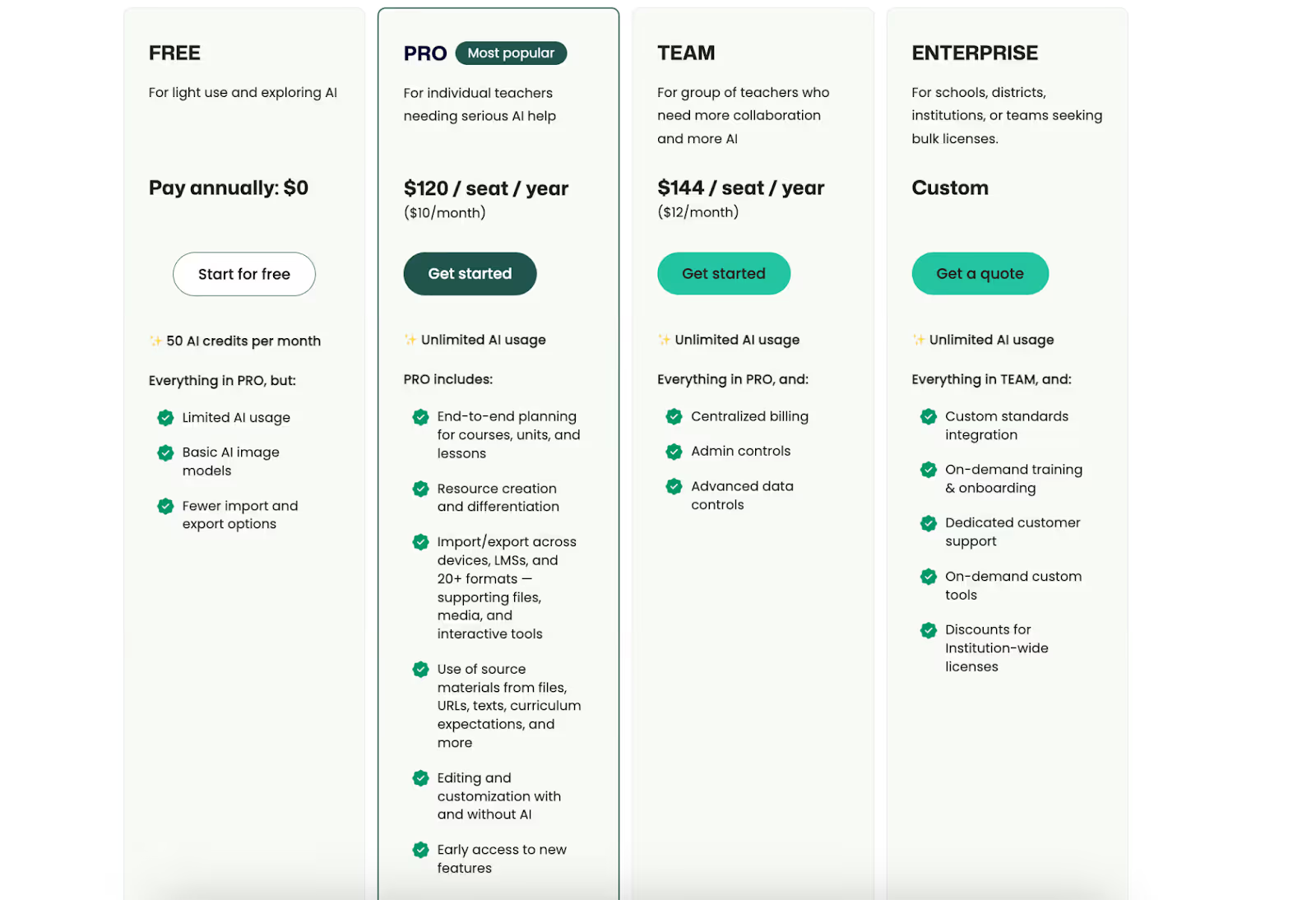
Yes. Many alternatives to ChatGPT for teachers offer free plans with limited features, including Monsha, MagicSchool AI, SchoolAI, Diffit, and Curipod. Free tiers are usually enough to test whether a tool fits your teaching style before upgrading.
It depends on your workflow. Some teachers prefer one all-in-one platform for lesson creation, while others combine tools—using one for content creation and another for student engagement. Most educators start with ChatGPT, then gradually adopt AI tools for teachers beyond ChatGPT as their needs become clearer.
The biggest mistake is expecting AI to magically save time without changing how you work. General tools like ChatGPT often shift effort rather than reduce it. Teachers who see the most benefit choose tools designed for education, with structured outputs and workflows that match real classroom needs.




AI in Education Content
Pooja Uniyal works closely with teachers and schools to understand and guide how AI is being used in real classrooms today. Her work at Monsha focuses on capturing practical teaching workflows and turning them into clear, usable guidance for educators exploring AI in their daily planning.
Join thousands of educators who use Monsha to plan courses, design units, build lessons, and create classroom-ready materials faster. Monsha brings AI-powered curriculum planning and resource creation into a simple workflow for teachers and schools.
Get started for free