A practical guide to ChatGPT for teachers—what it’s good at, where it struggles, and how educators actually use it for planning, assessment, and teaching. Includes real classroom use cases and honest limitations.
.avif)
Most conversations about ChatGPT for teachers are stuck at the surface level. Either it’s framed as a shortcut that will “save hours,” or as a threat that will break learning. Both miss the point.

The reality is, when you start teaching with ChatGPT, you’re not outsourcing instruction. You’re trying to automate the admin work that happens before students ever see the lesson. This includes planning, structuring, rewriting, and adapting.
You’re not changing what happens in the classroom; you’re changing how much time it takes to get there. So, it’s not embarrassing to use ChatGPT but you must ask yourself this: “Is ChatGPT worth it?”
“Does it really save time or does it merely shift the effort?”
Yes, if you use ChatGPT for teaching, you don’t start from a blank page but instead of spending time creating materials from scratch, you may spend time reviewing, editing, and checking whether the output actually fits your curriculum, students, and lesson flow.
In this guide, I analyze in depth the core use case of ChatGPT for teachers and are they really useful. You’ll also find an alternative option to ChatGPT that will 100% reduce the time you spend on admin work.
But first let’s understand some basic facts around ChatGPT.
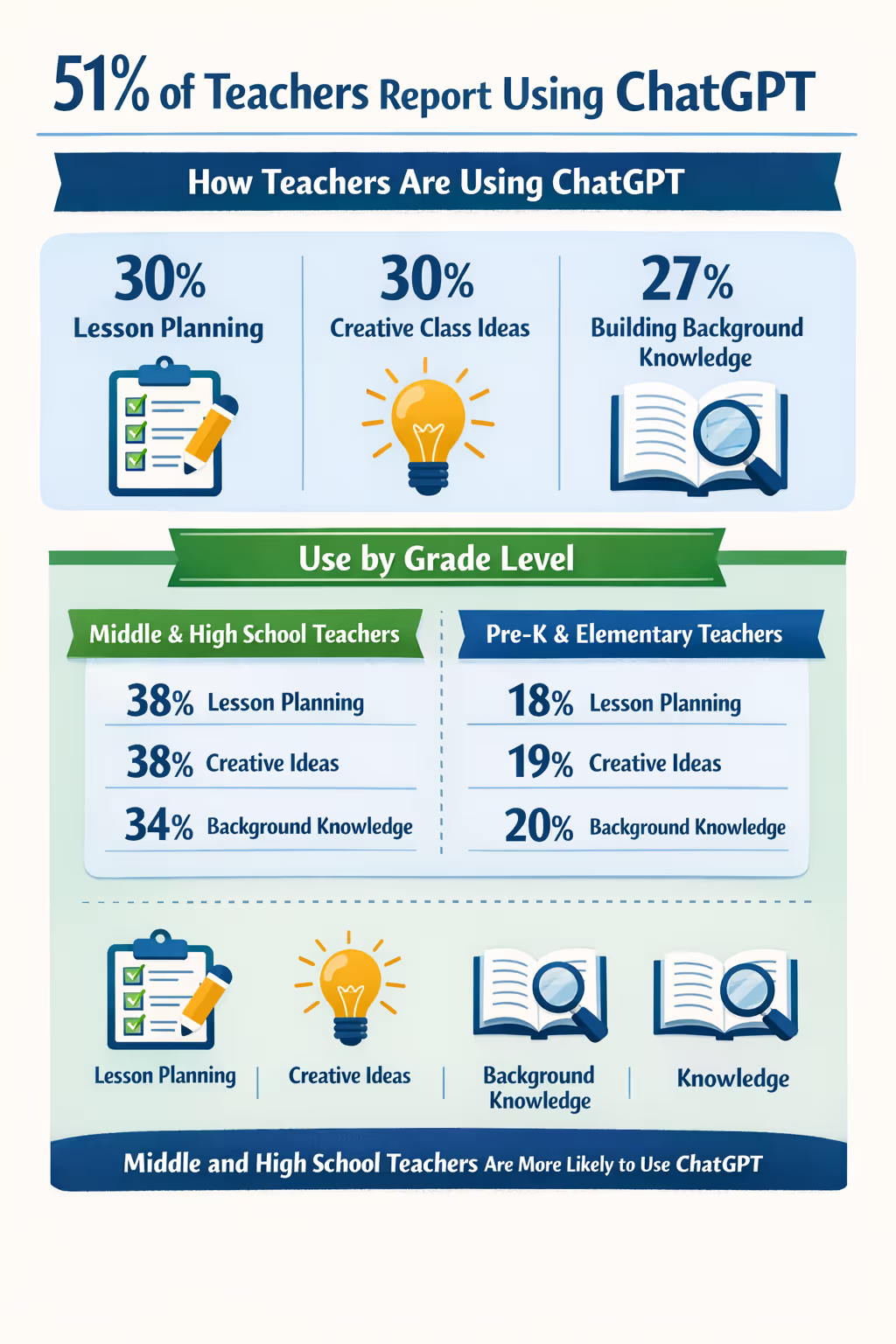
ChatGPT is a general-purpose AI tool that generates text from prompts. As per the recent Impact Research report, around 51% of teachers are using ChatGPT for their daily tasks.
Here’s an infographic on how they’re using ChatGPT for teaching:
But here’s a point most people miss: when people talk about ChatGPT for teachers, they’re not talking about a separate education product. They’re talking about how teachers bend a general AI tool to fit classroom work - often under time pressure.
So, ChatGPT becomes part of your teaching workflow, even though it wasn’t designed specifically for one.
ChatGPT works best when you already know what you want and need a fast draft to work from.
It’s useful for turning rough ideas into something structured - lesson outlines, question sets, simplified explanations - so you’re not starting from zero every time.
If you give it clear inputs (grade level, topic, constraints), it usually responds in a way that’s directionally right. From there, you step in and shape it to match your classroom.
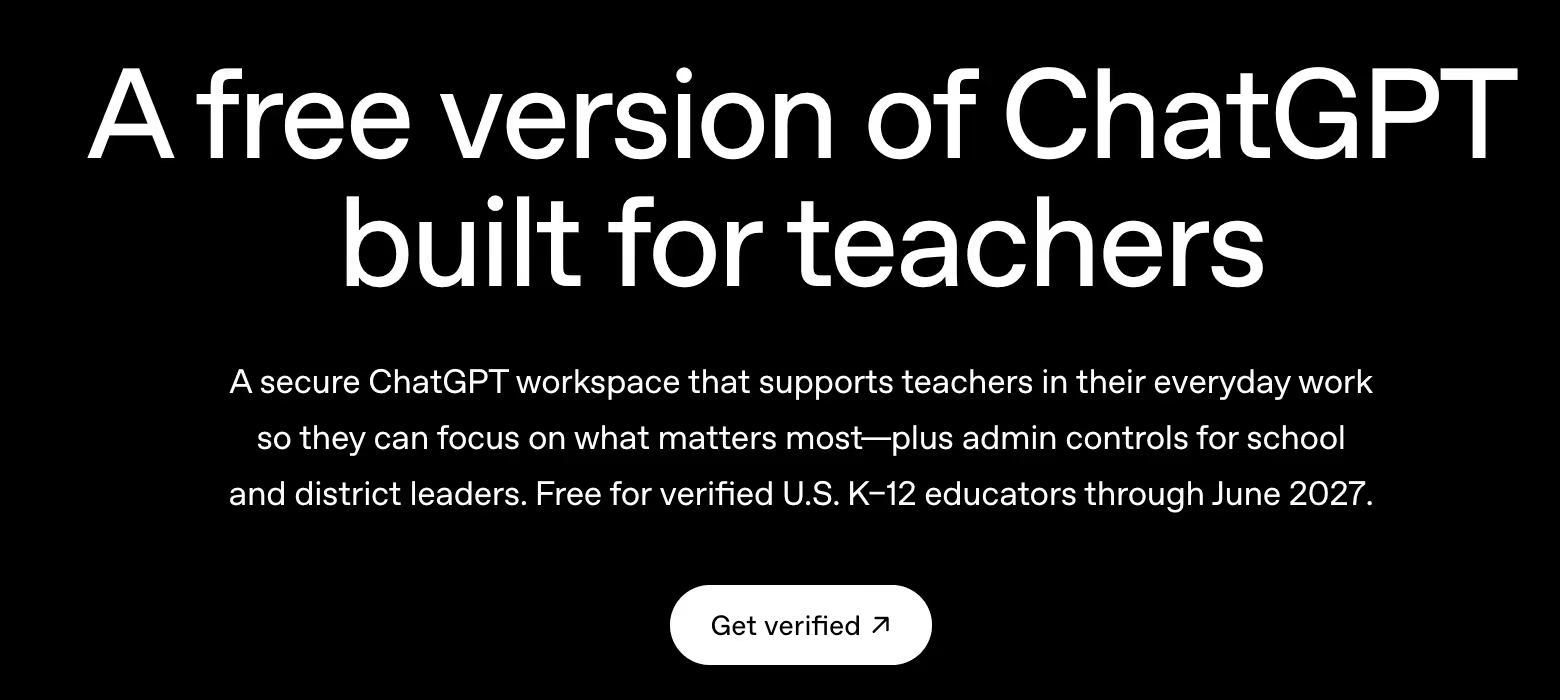
When you use ChatGPT for teaching, you’re usually trying to solve a very specific problem: lack of time, uneven student levels, or repetitive admin work.
The use cases below are written around real classroom situations, so you can clearly see where ChatGPT fits, and where it doesn’t.
When you’re short on time and need to create a lesson plan by tomorrow, you can use ChatGPT to get a first draft quickly. You give it your grade level, subject, learning objective, and class duration, and it generates a structured lesson outline that you can refine.
You need a 45-minute science lesson for Grade 7 aligned to a specific standard. You input the standard and class duration, and ChatGPT gives you a lesson flow with an introduction, activity, discussion, and exit task.
ChatGPT doesn’t truly understand your curriculum or district expectations. You often have to manually check whether the lesson actually aligns with the specific standards you teach, and even then, activities may feel generic or disconnected from how you usually run your class.
Sometimes a topic stretches across weeks and you need a clear teaching sequence. In that case, you can use ChatGPT to break a broad topic into a logical unit plan.
You’re teaching persuasive writing over three weeks. You ask ChatGPT to create assessments, a week-by-week outline, then adjust it based on holidays, and your students’ pace.
While ChatGPT can suggest a sequence, it doesn’t account for real constraints like school calendars, interruptions, mixed-ability classrooms, or how concepts build across your subject over time. You still end up reworking pacing to make it realistic.
If class discussions keep falling flat, you can use ChatGPT to generate prompts that help students reason and think more deeply about the topic.
Before a history lesson, you ask ChatGPT for discussion questions. These questions start with basic understanding and move toward interpreting complex scenarios. To answer them, students need a solid grasp of the topic.
While teaching with ChatGPT, many generated questions sound good on paper but don’t always land well in class. You may find that questions are either too broad, too obvious, or don’t fully match students’ prior knowledge, so you still need to filter and adapt them.
When you know what students should learn but struggle to turn that into a clear rubric, you can use ChatGPT to draft rubric criteria.
You paste your learning objectives into ChatGPT and ask it to create rubric descriptors for different performance levels. You then edit the language to match how you grade.
Rubrics generated by ChatGPT often lack instructional nuance. Performance levels can feel vague or repetitive, and the criteria may not clearly differentiate between “good” and “excellent” work without manual refinement.
When you’re giving feedback to many students and don’t want it to sound repetitive or rushed, you can use ChatGPT to draft feedback that you personalize later.
You paste a short student response and ask ChatGPT to suggest feedback based on your rubric. You review it, adjust the tone, and add specific points before sharing it.
Feedback generated by ChatGPT can sound generic or overly polished. Without careful review, it may miss student-specific context, misunderstand intent, or give feedback that feels impersonal or misaligned with how you usually respond.
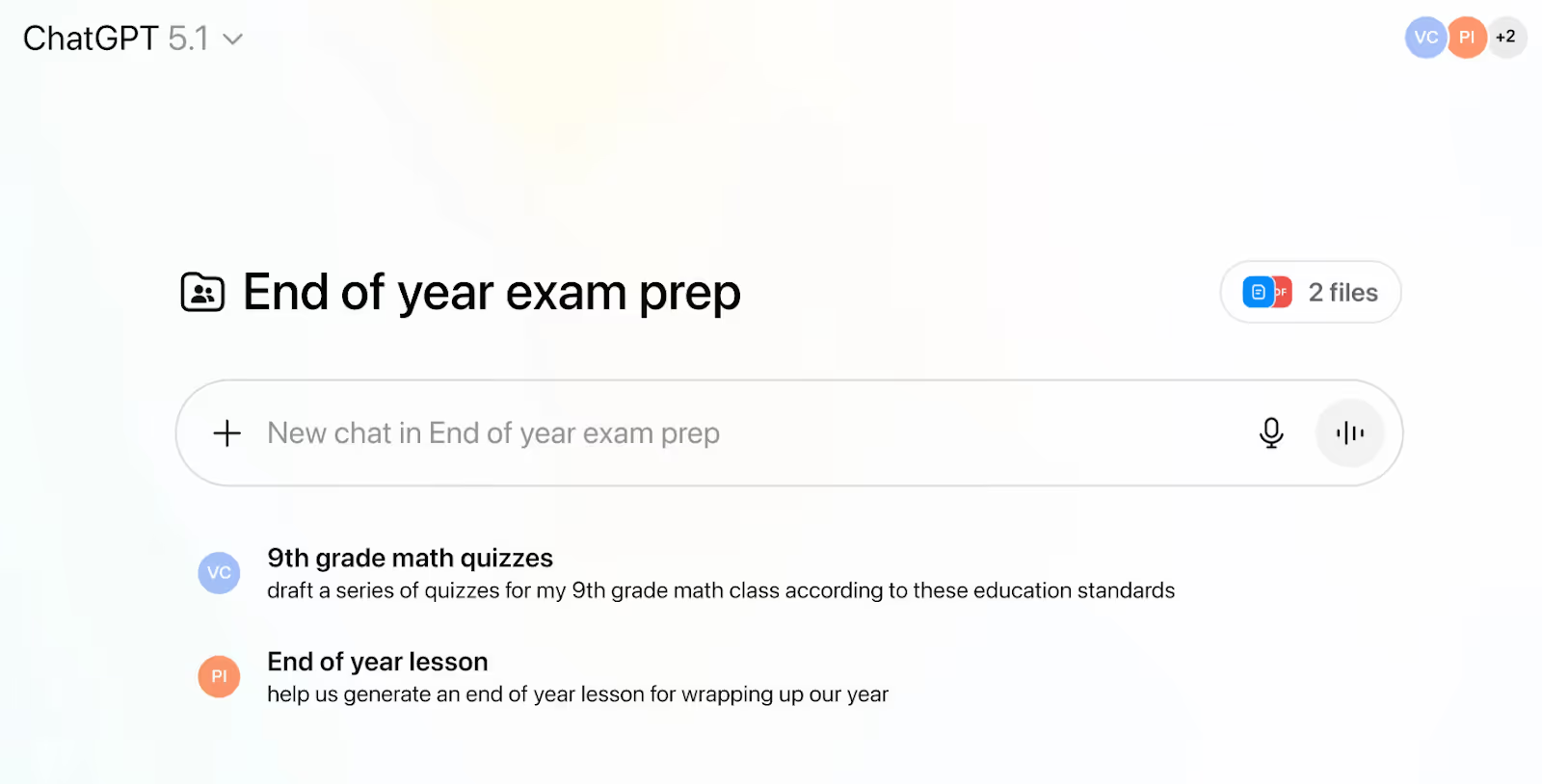
If you want a quick way to see whether students understood a lesson, you can use ChatGPT to generate practice questions or exit tickets.
After finishing a math lesson, you ask ChatGPT to create five short questions that test the main concept. You review them and use them as a quick check in class.
ChatGPT can generate questions quickly, but accuracy is not guaranteed. You still need to verify answers, difficulty level, and alignment to what was actually taught, especially in subjects that require precision.
Sometimes the content is accurate but too difficult for your students to understand. In that situation, you can use ChatGPT to rewrite the text in simpler language without changing the meaning.
You’re teaching a science concept and the textbook explanation feels too dense. You paste the paragraph into ChatGPT and ask for a simpler version that your students can follow.
While ChatGPT simplifies language, it can sometimes oversimplify ideas or remove important conceptual depth. You may need to reintroduce key terms or explanations to ensure students still learn what matters.
When one topic needs to work for students at different reading levels, you can use ChatGPT to create multiple versions of the same text.
You ask ChatGPT to rewrite the same passage at three reading levels so all students can study the same topic with appropriate support.
The rewritten versions don’t always scale cleanly across levels. You may notice inconsistent tone, uneven vocabulary control, or subtle meaning shifts that require careful comparison before using them in class.
If you’re working with ESL or ELL students, you can use ChatGPT to explain ideas using simpler sentence structures and basic vocabulary.
While using ChatGPT for teaching and learning, you ask it to explain a topic using short sentences and common words to help non-native speakers understand.
ChatGPT doesn’t fully understand your students’ language backgrounds. Explanations may still be too abstract or culturally neutral, requiring you to adapt examples or sentence structures further.
When you need to communicate clearly with parents but don’t want to overthink your wording, you can use ChatGPT to draft messages.
You write a rough message about an upcoming assessment and ask ChatGPT to rewrite it in a clear, neutral tone.
Messages can sound neutral but impersonal. Without adjustment, they may not reflect your relationship with families, your school culture, or the sensitivity of certain situations.
Unclear instructions often lead to confusion. You can use ChatGPT to rewrite assignment instructions in simple, step-by-step language.
You paste your assignment description and ask ChatGPT to make the instructions clearer so students know exactly what to do.
ChatGPT often rewrites instructions more clearly, but sometimes adds unnecessary detail or removes emphasis on what you consider most important. You still need to ensure instructions match how you explain things verbally.
When you’re absent and need to leave clear instructions, you can use ChatGPT to structure your substitute plan.
You ask ChatGPT to organize your lesson objectives, activities, and materials into a simple substitute plan that’s easy to follow.
Generated plans may look complete but miss practical classroom realities, like behavior expectations, transitions, or school-specific routines. Sub plans still need your contextual input to be truly usable.
ChatGPT works well in isolation but the moment you expect ChatGPT to think like a teacher, it falls short. It doesn’t know your curriculum, your students, or how concepts are supposed to build over time in your subject.
You’ll often notice that:
So while ChatGPT is useful as an AI tool for teachers, it shifts work rather than eliminating it. You spend less time drafting, but still invest time reviewing, correcting, and reshaping content.

When I first tried Monsha, the difference was immediate, it didn’t feel like I was talking to an AI chatbot, it felt like I was working inside a teaching tool.
Monsha is built specifically for teachers who want to create classroom-ready materials, not just generate ideas. Instead of asking you to prompt endlessly, it asks you to work the way teachers already do - with documents, videos, links, and clear instructional goals.
You can creating creating resources from:
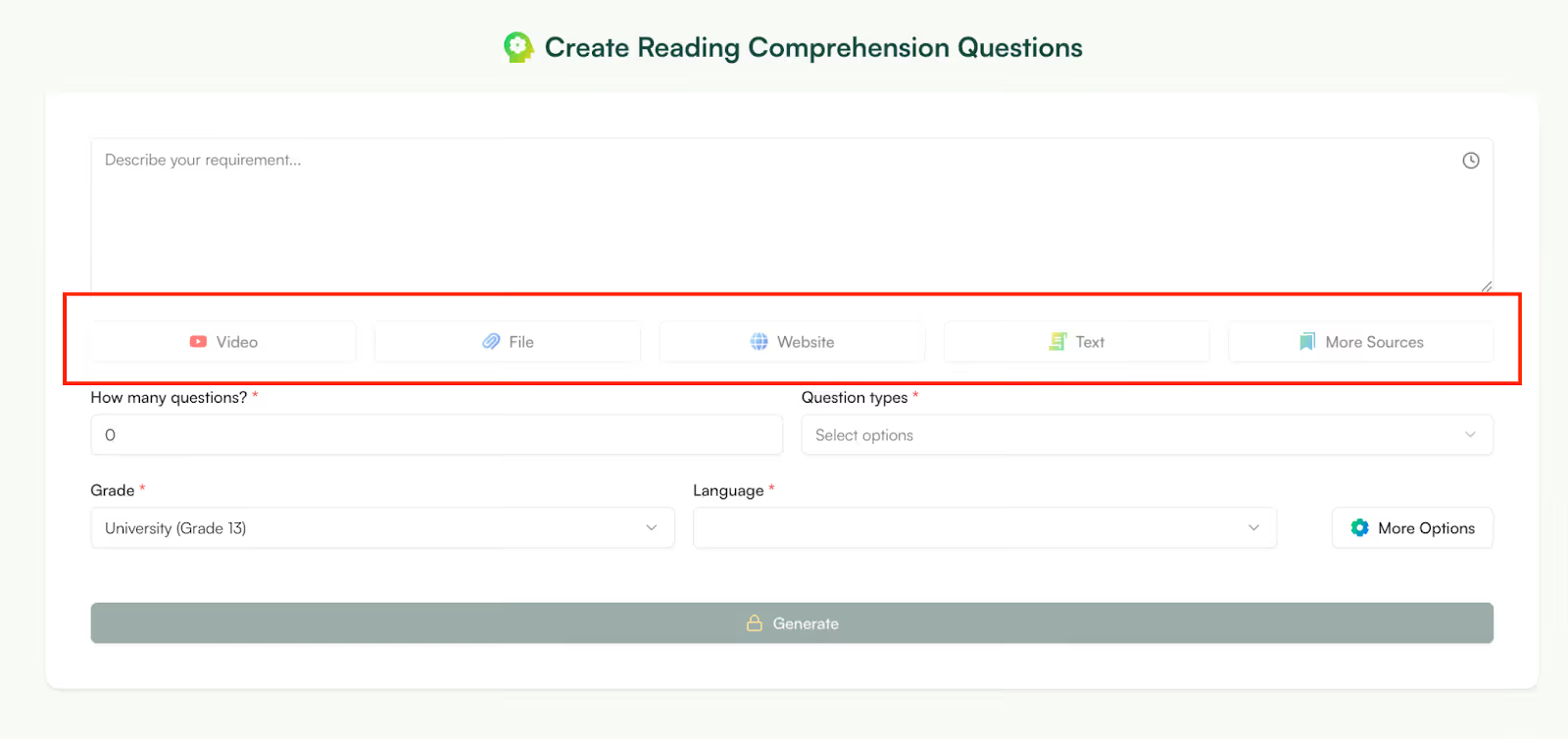
Instead of summarizing for you and stopping there, Monsha helps you teach from that material.
Instead of generating a paragraph and then wondering what to do next, Monsha helps you move straight to outputs you can use in class:
You’re not stitching things together from multiple tools, it’s one workflow.
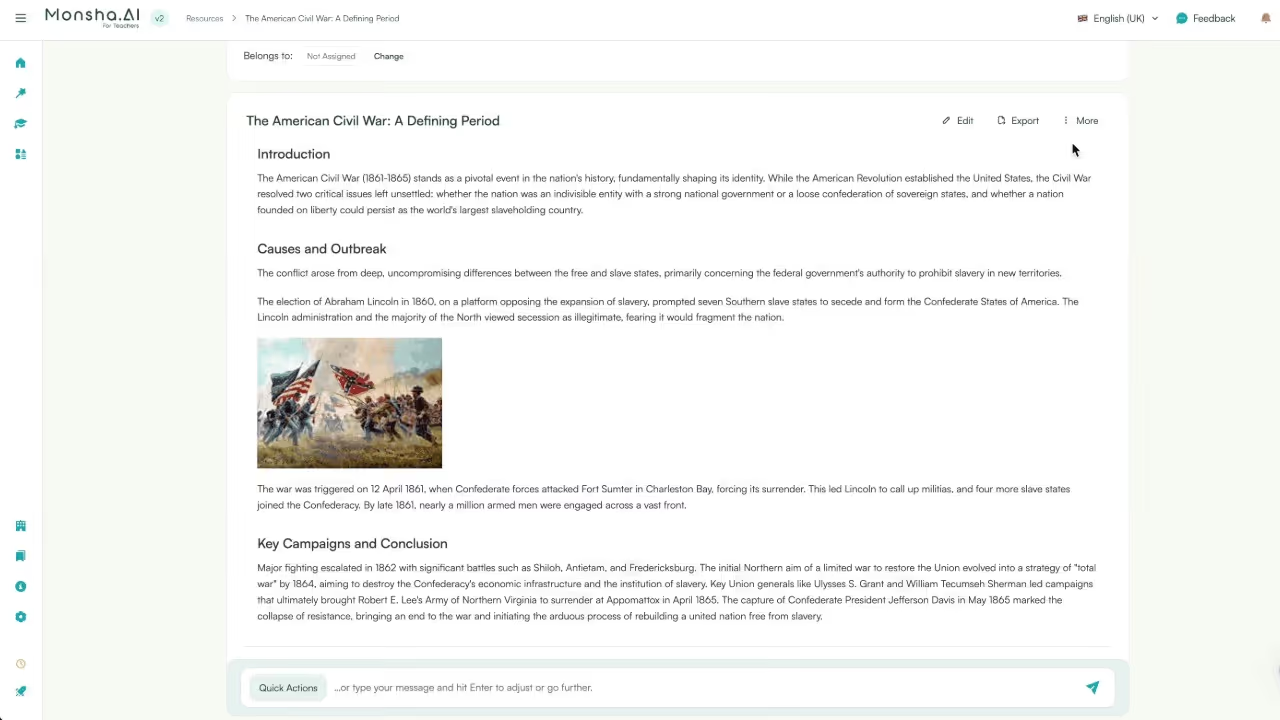
This is one of the biggest time-savers I’ve seen. Once you’ve created a resource be it a worksheet, presentation or lesson plan, you can convert it into multiple passages. For example, you can convert a worksheet into handouts or handouts to worksheets.
ChatGPT can’t do this because it doesn’t think in terms of connected instructional resources.
Monsha’s editor is very powerful yet very easy to use. With ChatGPT, if something’s off, you often regenerate the whole thing but with Monsha, you tweak:
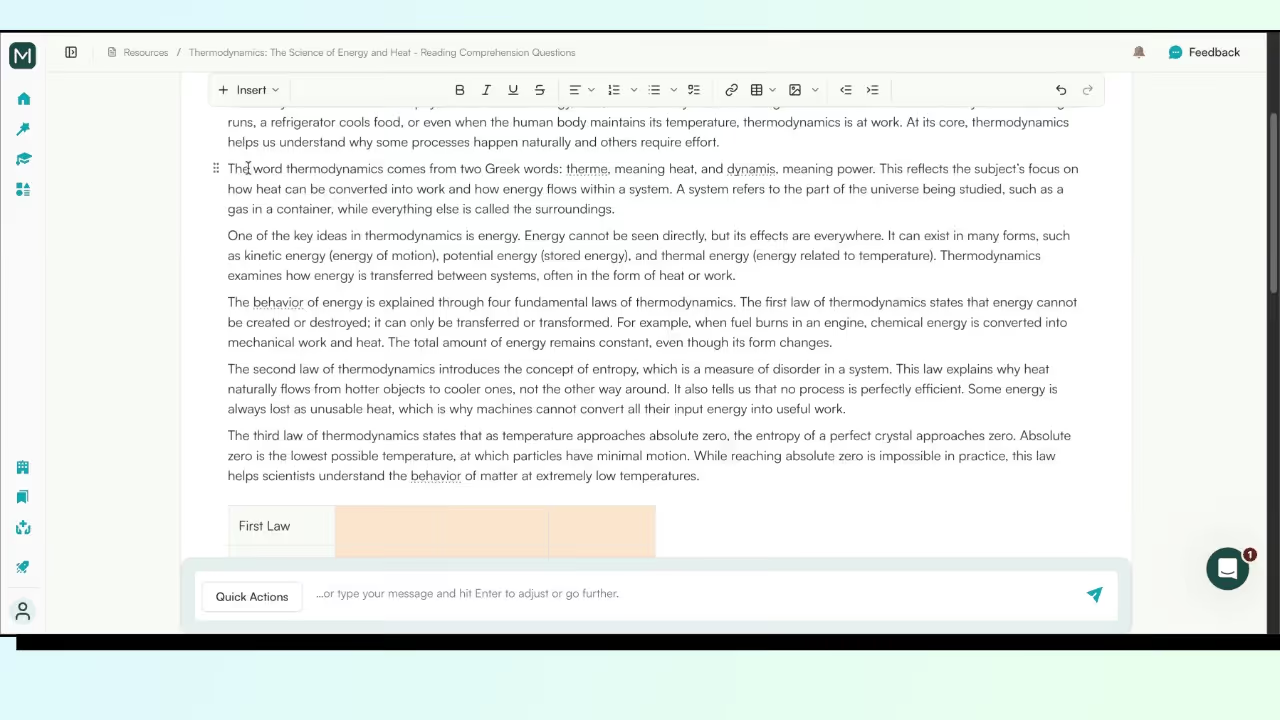
That saves time and mental energy, especially when you’re preparing for multiple classes.
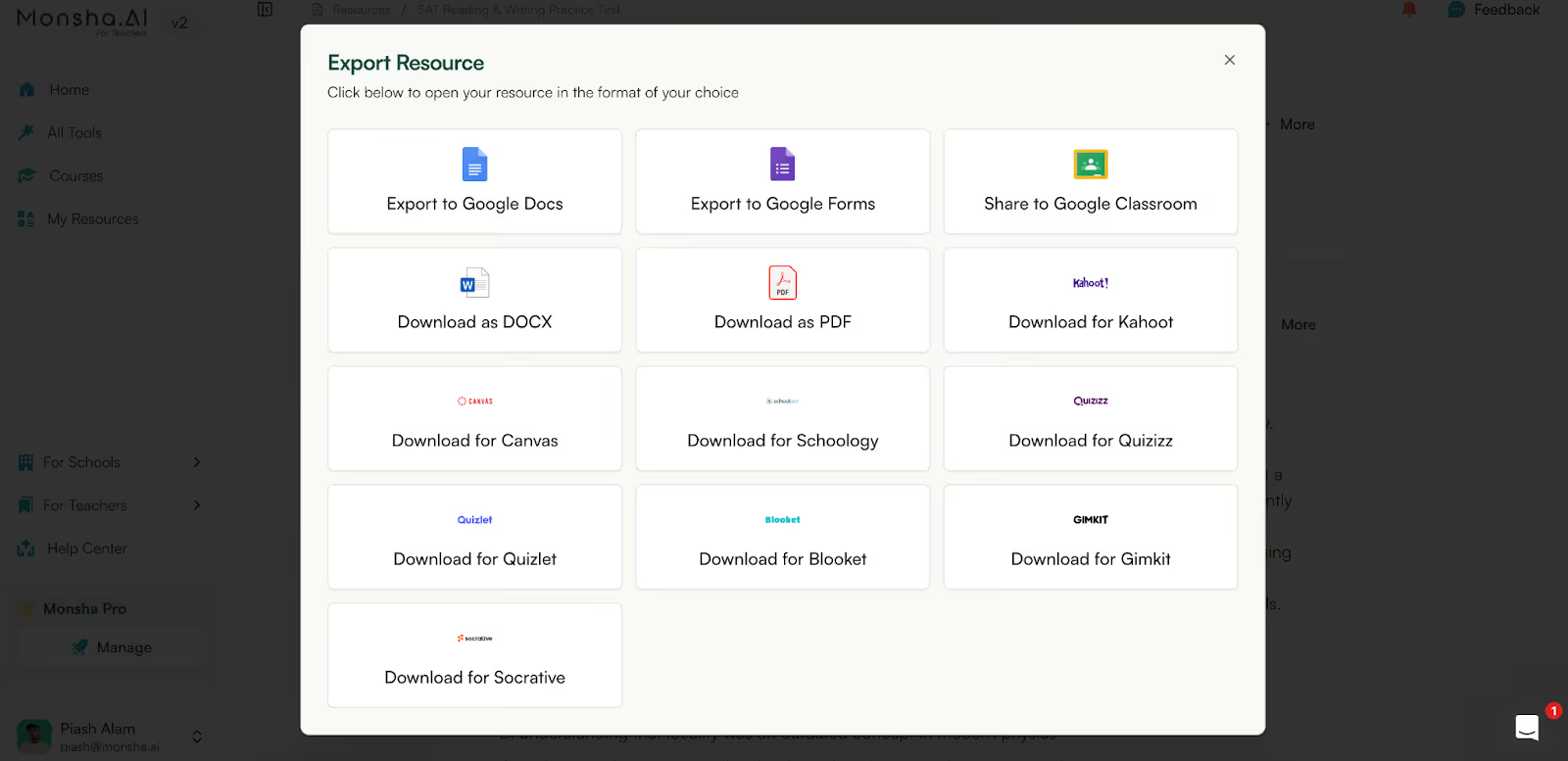
Monsha is built for the school ecosystem. While ChatGPT can only export as a PDF or .xsv file, Mosha can export your resource to Google Classroom, Kahoot, Canvas, Schoology, Quiz and many more formats.
Here’s a Table on How Monsha is a Great Alternative to ChatGPT:
Yes, ChatGPT is worth using as a teacher if you’re willing to do the additional work it requires. You save time upfront but it often reappears as review, alignment, formatting, and instructional judgment. If you’re comfortable with that trade-off, ChatGPT can be a useful part of your workflow.
That said, many teachers eventually realize they want less fixing and more classroom-ready output. This is where tools built specifically for teaching start to make more sense.
Platforms like Monsha are designed around instructional structure so lesson materials, questions, and activities come out organized, aligned, and easier to use without heavy editing.
You’re not just generating text; you’re generating teaching resources.
The practical takeaway is simple: use ChatGPT when you need flexibility and quick drafts. Use teaching-first tools when you want structure, consistency, and fewer manual steps.
And if you’re unsure which approach fits you best, Monsha is free to use, so you can try it yourself and decide what actually works in your classroom.
Yes. ChatGPT for teachers is free to use at the basic level, and many educators start there to experiment with lesson planning, questions, and content adaptation. However, free access comes with limitations like usage caps and fewer controls, which is why some teachers later explore tools built specifically for teaching.
Most teachers use ChatGPT outside the classroom, not during live instruction. Common uses include lesson planning, creating discussion questions, rewriting texts, drafting feedback, and preparing assignments. Teaching with ChatGPT usually supports preparation and differentiation rather than replacing instruction.
Yes. Using ChatGPT for teaching often starts with lesson planning. You can provide grade level, topic, objectives, and time constraints to get a lesson outline. That said, teachers still need to review alignment with standards and adapt activities to their students.
ChatGPT is not always reliable. It can produce confident-sounding but incorrect information, especially in factual or technical subjects. Teachers should always verify content before using it in class, which is why ChatGPT works best as a drafting tool—not a source of truth.
Yes. ChatGPT for teaching English is commonly used to generate reading passages, discussion prompts, writing exercises, grammar explanations, and simplified texts. Teachers often use it to adapt content for different reading levels or ESL learners, while still reviewing tone and accuracy.
It can, if expectations aren’t clear. Many teachers worry about misuse, which is why schools emphasize transparency and AI literacy. When students are taught how to use ChatGPT for idea generation, revision, and explanation—not final answers—it supports learning rather than replacing it.
ChatGPT is most commonly used by teachers in middle school, high school, and higher education. For younger grades, teachers tend to use it behind the scenes for planning and material creation rather than direct student use.
The biggest limitations are lack of instructional context, inconsistent structure, and the need for manual review. ChatGPT doesn’t understand your curriculum, pacing, or students, so teachers often spend time fixing outputs to make them classroom-ready.
ChatGPT is flexible, but it’s not designed specifically for teaching. Many educators eventually prefer AI tools for teachers that are built around lesson structure, assessment formats, and classroom workflows, especially when they want ready-to-use materials.
ChatGPT works best as a support tool, not a teaching solution. When used intentionally—for drafting, adapting, and brainstorming—it can reduce workload. When relied on too heavily, it can increase review effort and create instructional gaps.




AI in Education Content
Pooja Uniyal works closely with teachers and schools to understand and guide how AI is being used in real classrooms today. Her work at Monsha focuses on capturing practical teaching workflows and turning them into clear, usable guidance for educators exploring AI in their daily planning.
Join thousands of educators who use Monsha to plan courses, design units, build lessons, and create classroom-ready materials faster. Monsha brings AI-powered curriculum planning and resource creation into a simple workflow for teachers and schools.
Get started for free


.avif)