A short, honest guide to seven free websites for teaching resources, with a clear note on what is genuinely free and what is locked on each one.
.png)
There is no shortage of free websites for teaching resources. Type the phrase into Google and you will get thousands of them, plus a stack of lists rounding up fifty or a hundred sites at a time.
That is exactly the problem, because finding free materials was never really about how many sites exist. It is about time. You open a few tabs, end up in a Pinterest rabbit hole that loops back to Pinterest, find a passage that looks perfect, then hit a sign-up wall for something that costs a dollar. By the time you give up and type "water cycle passage free pdf" into Google, prep has quietly eaten your evening. If that loop sounds familiar, you are not alone.
So the useful question is not "where is everything." It is "which few sites are actually worth keeping open." Thankfully, the honest answer is a lot shorter than the mega-lists make it look. I have spent a while sorting the sites worth bookmarking from the ones that waste your time, and judging each one by the same plain test: what is genuinely free, and what is locked behind a paywall.
Below are seven worth keeping, each good at one specific job, with a straight note on what you actually get for free.
Before you get to the seven, here's how I judged each one.
For every site I checked the same four things. Basically, they're the same things you're already weighing in the second before you click:
That second one is where most lists let you down quietly. A site gets called "free," you find the perfect passage, you start building a lesson around it, and then the download asks for three dollars or an upgrade. Now, the few dollars are not really the problem. The problem is the fifteen minutes you already spent before you found out. Sometimes the "free" access is a colleague's login too, and that goes away the day they leave. So for every site below, I'll say plainly what's free and what isn't.
Below is a quick table of all seven so you can grab a bookmark in a few seconds, then a full review of each.
Some days you don't have time to read seven reviews. You've got a minute between classes and you just need to know which site to open. So here's the whole list in one view.
Each row is one site, the one job it does best, what you actually get for free, and the grades and subjects it suits. Find the row that matches what you need right now and feel free to stop there. The full reviews are right below it, for when you've got a quieter minute.
If you only keep one open, start with the first row.
Of the seven, this is the one that replaces the most tabs. It's a directory of free, classroom-ready resources you can use as-is, all in one place at monsha.ai/resources, not a wall of links that loops back to Pinterest and not a marketplace where the good version costs three dollars.
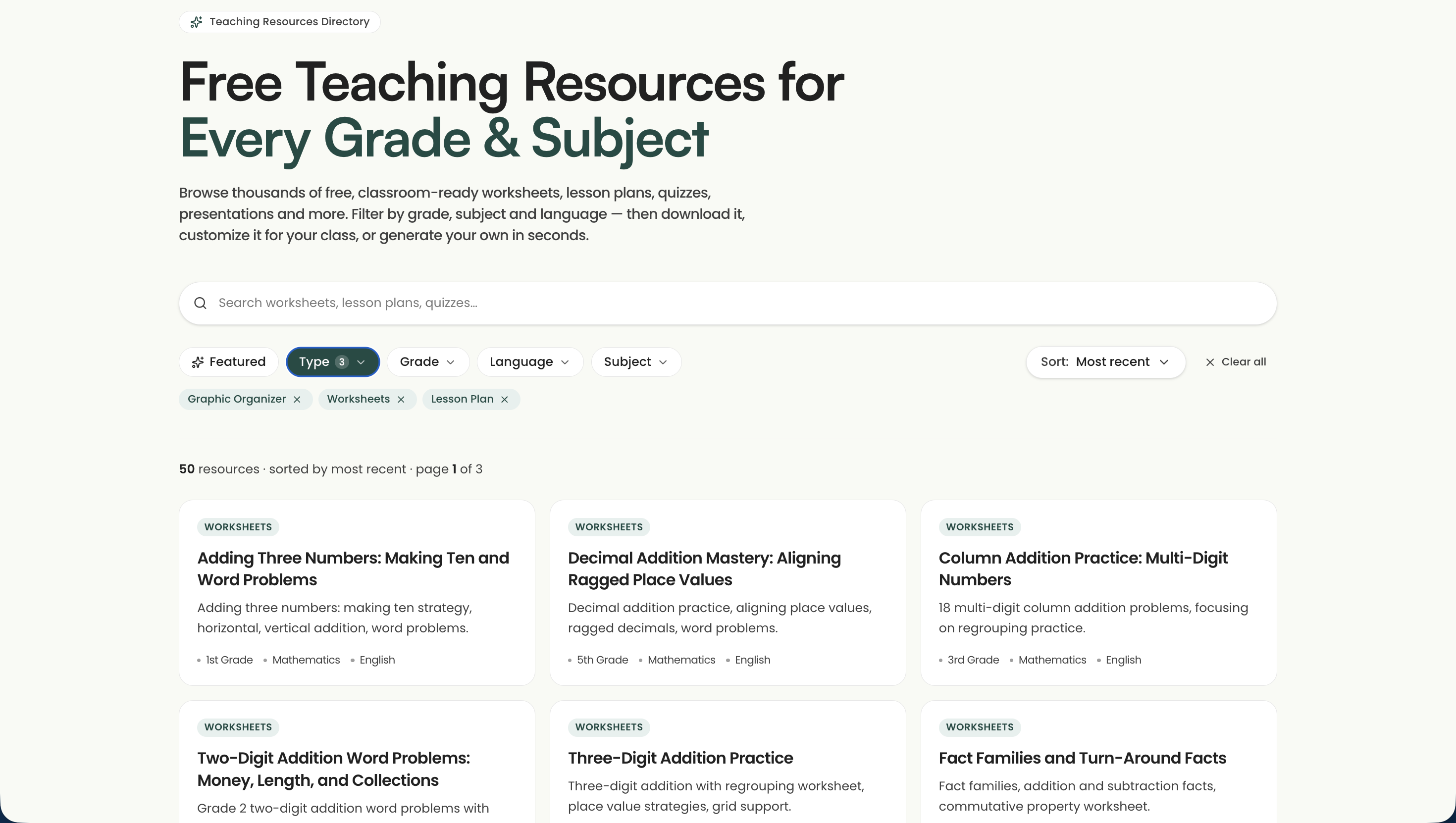
Worksheets, lesson plans, quizzes, presentations, graphic organizers, mind maps. Basically you browse, find what you need, and download it. What makes it quick is the filtering: you narrow by type, grade, subject, and language, or search for the exact thing, and you're looking at a shortlist in a few seconds instead of scrolling a hundred results. There are grade and subject pages too, so a link like monsha.ai/resources/grade/5th-grade, or the science page, drops you straight into just those resources.
Every resource is built by teachers for real classes and checked before it goes up, which matters more than it sounds. You're not squinting at a worksheet for the misspelling that gives away the AI junk, or the big-headed clip art that tells you nobody built it for actual kids. Grab one, download it, share it with your students, no account needed and no card field. For a lot of teachers, that's the whole job done right there.
You're not stuck with what you find. Say that water cycle mind map is tagged 8th grade and you teach 5th. On most sites, that's a dead end. Here, though, you open it and tell it what to change, in plain English:
"Drop this to 5th grade.""Lower the reading level and add a word bank.""Translate the labels to Spanish."
A minute later you've got the same diagram, re-leveled, in the language you asked for. And when it's right, you can export it to Google Docs, Slides, Word, PowerPoint, or PDF, print it, duplicate it to keep your own copy, or assign it to a class.

Then don't keep scrolling. The Create your own box builds it from a description, "a one-page cause-and-effect organizer on deforestation for 5th grade," in the grade and language you pick. That's the honest fix for the 9pm problem where the worksheet you need doesn't exist free anywhere and you were about to rebuild it by hand in Google Slides.
And the library is new, so it's smaller today than a site that's been piling up uploads for ten years. It grows every week, and because it's teachers adding what they built for their own classes, what's there was made by someone who actually taught it. Build something your kids love and you can add it back for the next teacher. That make-your-own half is also where Monsha stops being a directory and turns into a full set of creation tools, and there's more on that near the end of this article.
The test this whole list runs on is simple: can you walk away with something useful without paying? Here, yes. Viewing, downloading, and sharing any public resource is free, and you don't need an account to do it. A free account, also no cost, is what lets you edit a resource or build your own. A few of the heavier tools sit behind a PRO plan, but browsing, customizing, and everyday creating aren't among them. So you can open monsha.ai/resources right now, grab something, and download it without a card field ever showing up. Changing it costs nothing either.
Almost every site on this list will be new to somebody, but Khan Academy probably isn't. It's been the free, no-catch place for student practice for years, and it's still the first thing to reach for when you need kids working on their own, or a concept retaught in a way that isn't your voice for the third time.

Practice, mostly, and math above all. Point a student at a course like 5th grade math, or drill down to a single skill like adding fractions with unlike denominators, and they get a short explainer video and a set of auto-graded exercises that keep going until it clicks. And you grade none of it. Set up a class and the teacher dashboard shows you who breezed through and who's stuck on the same step, which is the part that actually saves you the evening. It goes deep in math and also covers science, history, economics, and reading and grammar, but math is where it's strongest and where you'll keep coming back.
For the youngest kids, grab the separate Khan Academy Kids app: free for ages 2 to 8, with early reading, phonics, and counting built with Stanford's learning team. No ads, no subscription, which is rare for anything aimed at a 5-year-old.
Yes, and it's the clean kind of free. The whole library, every video and every exercise, is free with no ads and no upgrade nagging you mid-lesson. The free account is only there so progress saves and you can see the class dashboard. The one thing that costs money is Khanmigo, the AI tutor, at about $4 a month for families, though it's free for teachers. So everything you'd actually assign a class costs nothing.
Reach for Khan when you need practice, not a printable. If it's a worksheet you want in your hand, the next few picks are closer.
Say you need a passage about space at a first-grade reading level. You search for twenty minutes, and everything you find is written for fourth graders or sitting behind a sign-up wall. So at 9pm you give up and start writing your own. One teacher described it exactly: "I just sit there for an hour and write my own reading passage and comprehension questions." ReadWorks is the site that hands that hour back.
Reading passages, and the comprehension questions that come with them. It's a nonprofit sitting on a library of more than 6,000 articles and passages, fiction and nonfiction, across science, social studies, poetry, and more, each one paired with a question set you'd otherwise be writing yourself. The part that solves the first-grade-space-passage problem is text leveling. Plenty of passages come at several reading levels, so the same topic can go to a struggling reader and a strong one on the same day, and you're not hunting down two separate texts to make it happen.
Here's how you'd pull an on-level passage:
None of that is you writing the passage by hand.
Yes, fully. It's a nonprofit, so there's no premium tier waiting to catch you three passages in. You do set up a free account to assign work and see how students did, but nothing costs money and no card field ever shows up. Thankfully, it's the plain kind of free this whole list is built to find.
So the day you'd otherwise be writing a passage by hand is the day to open ReadWorks first.
"I was surprised to find that math worksheets are not necessarily easy to find free online," one teacher wrote, and plenty of elementary teachers know the feeling. You'd think a basic two-digit addition page would be free everywhere. Then you go looking, and half of them want a sign-up or come buried in clip art. K5 Learning is the plain fix. It's a library of free, printable worksheets for kindergarten through grade 5, heavy on math and reading, built to print and hand out.
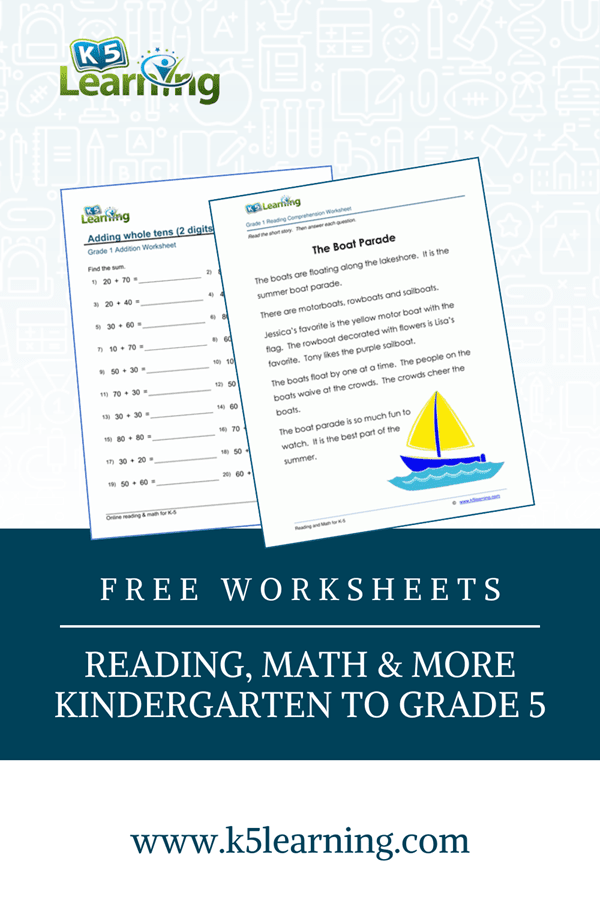
Printables you can hold, over 10,000 of them, sorted by grade and skill, with an answer key on almost every one. For something this plain, the range is actually pretty wide.
Say you're teaching regrouping to second graders and you need practice for tomorrow. You open Math, pick grade 2, click into addition, and there are loads of two-digit-with-regrouping worksheets, answer keys attached. Pick one, print it, and you're done. You're not decoding a slideshow of images or hunting for the copy that isn't locked.
The plain look is the point. Clean fonts, the Arial-and-Times kind, not the loopy cutesy ones a struggling reader has to fight through before they even get to the math. For young kids especially, boring is a feature.
Yes, and it's about as clean as free gets. When I checked, the worksheets download with no login and the answer sheets come with them, so you can grab one on your phone in the parking lot if it comes to that. It runs on ads, which is the honest catch. There's an optional membership at $24 a year if you want the ads gone and a bit of member-only content, and the workbooks in their store are paid, from around $1.79, but you never need either one. Everything a K-5 teacher actually prints is free.
So when the job is a solid worksheet in your hand and nothing fancier, K5 is the one to open. If it's the reading passage you're after rather than a skills page, reach for ReadWorks up above instead.
Some things don't land as a worksheet. You can hand out a page on volcanoes or the three branches of government, and for a chunk of the class it stays flat words on paper until they see the thing move. PBS LearningMedia is the free library for exactly that: short, standards-aligned video and interactive media across subjects, Pre-K through 12, built from the PBS shows teachers already trust. When a topic needs a two-minute clip instead of another handout, this is the tab to open.
Video and interactives, and it earns its slot where a math-and-reading bookmark set runs thin: science and social studies. The clips come from PBS programs, NOVA, Nature, American Experience, and the rest, tagged by grade and standard and paired with the classroom scaffolding around them, discussion questions, background reading, a lesson plan you can actually run. That last part is what saves you the prep.
Here's what that looks like in practice:
Teaching ecosystems to a 4th-grade class. You search "ecosystems," filter to grades 3-5, and open a four-minute Nature clip that comes with a companion lesson plan and a handful of discussion questions already written. Send it to Google Classroom and you're set for tomorrow.
And that's the whole job: a credible visual on the topic you're teaching, plus the parts around it, instead of you scrubbing a YouTube video for the ninety usable seconds and praying the recommended-videos bar behaves while the class watches.
The free account also opens a few make-your-own tools, a Puzzle Builder, a Quiz Maker, and a Storyboard maker, for the days you want to wrap the clip in something students do rather than just sit and watch.
Yes, it's free! The media, the lesson plans, the maker tools, none of it sits behind a paid tier. You do register a free educator account to save resources, download them, and use the tools, but it doesn't cost a thing and no card comes into it. I went looking for the catch and the closest thing to one is PBS TeacherLine, their graduate-level PD courses, which cost money, though you'd never wander into those by accident or need them to teach Tuesday's lesson.
So when the next topic is one kids need to see, not read, PBS is the bookmark that covers the subjects the rest of this list mostly leaves out.
Share My Lesson is run by the American Federation of Teachers, and it's a completely free library of full lesson plans and units, Pre-K through 12. These are whole lessons, not single worksheets, built by the teachers who taught them. There are more than 500,000 of them now, with over 2.1 million teachers and educators signed up. Set up a free account and it's all yours to download.

This is the pick for the week you get handed a unit you didn't plan and have no time to build from scratch. That week, a single worksheet won't cover it. You need the plan, the activities, the slides, and a quick way to check they got it. And that's exactly what Share My Lesson is built for.
Say you're teaching main idea to a third-grade class next week and starting from nothing. Search main idea 3rd grade, filter to your grade, and you'll pull full lesson packs: a plan with objectives, a slide deck, a practice worksheet, and an exit ticket, most of it ready to run as-is or quick to edit for your kids.
Because anyone can upload, the quality does vary, so a minute of skimming saves you a rough lesson:
Yes, all of it, and it's the rare one with no premium tier waiting at the bottom. I kept scrolling for the paywall and never hit one. A free account lets you download anything and upload your own, and you don't have to be in the union to use it. Nothing here is for sale, so there's no price filter to hunt through and no preview that turns out to be locked. The free professional development is the part people miss: live webinars all year and a full virtual conference, also free.
The whole thing runs on teachers handing other teachers what they already built for their own classes, free because that was the point all along. Hopefully one of those lessons is the one you were about to build from scratch tonight.
When the worksheet you find can't be edited, most teachers end up building it themselves: set a Google Slide to 8.5 by 11 and line the boxes up by hand. It works, but it also eats an hour you didn't have. Canva for Education is the free tool made for exactly that, and the thing you build actually looks like you meant it. You start from a template instead of a blank page and make the printable, graphic organizer, slide deck, or worksheet yourself.
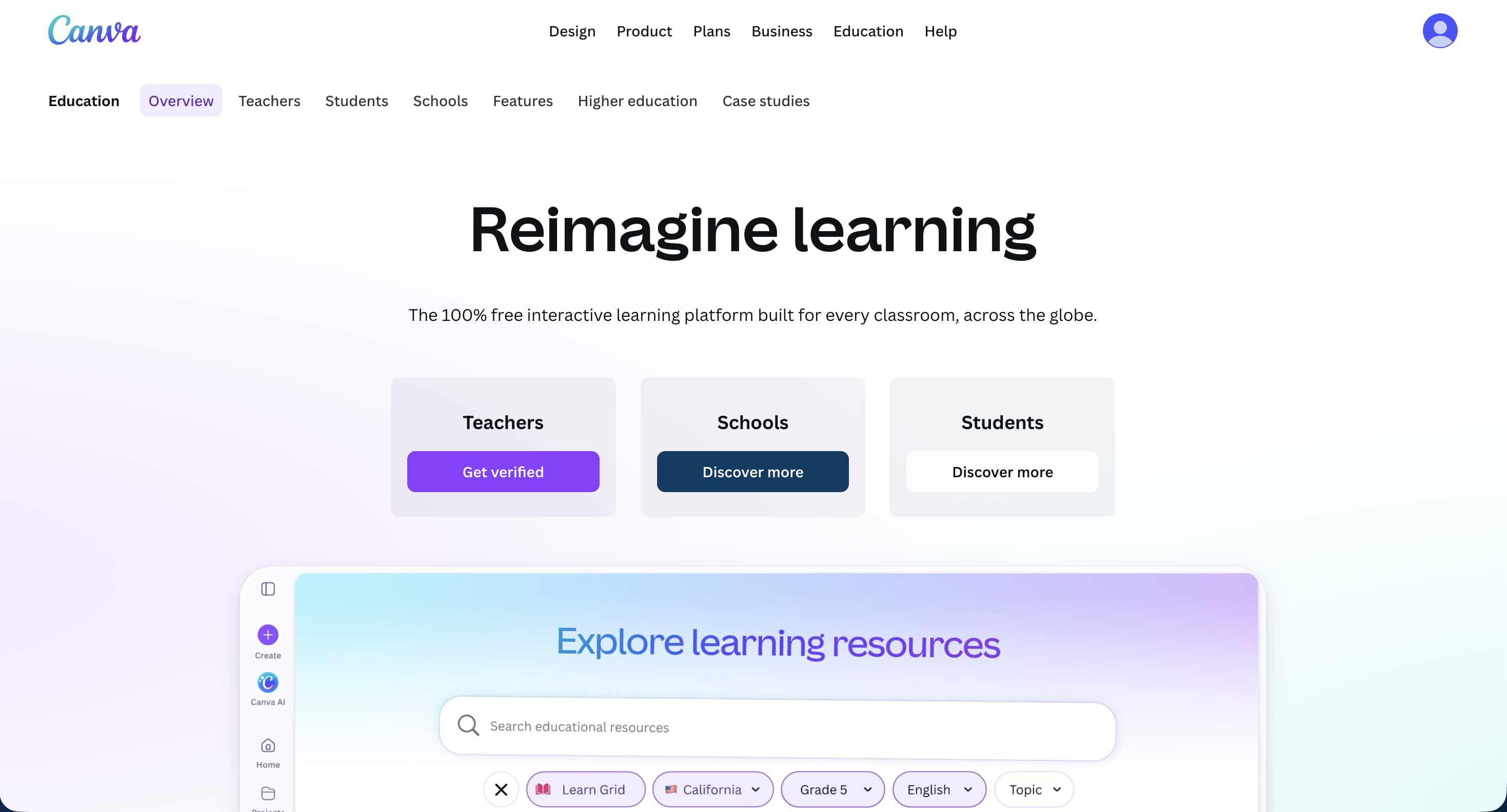
Making things that look right. Canva gives you thousands of ready education templates, graphic organizers, worksheets, station labels, anchor charts, slides, and you drop your own content in with a drag-and-drop editor. It answers the complaint teachers repeat most about "free" resources: "Everything I'm coming across isn't letting me customize the actual content." Here, changing it is the whole point.
Say you need a Frayer model for a second-grade vocabulary lesson tomorrow:
Ten minutes, and it looks right, not like something you fought out of Google Slides at the kitchen table. That part is hard to get free anywhere else.
Reach for Canva when nothing on the other six sites fits and you'd rather build it yourself. If you just need a solid worksheet in your hand right now, the ready-made picks above are faster.
Yes, and it's the one pick here with a real gate, though not the kind you're bracing for. Canva for Education is 100% free for verified K-12 teachers, and "verified" is the catch. You sign up with your school email or upload proof you teach. When I did it, that was a couple of days and then I was in. Is that a hassle? A little, and only the once. After it clears, the premium tools a personal plan charges for are free, along with the education templates and the links into Google Classroom and the rest.
The plain free version anyone can grab is more limited, and it keeps nudging you toward paying. The teacher version doesn't do that. So get verified once, and you won't hit a locked button partway through a design.
You probably noticed three big names missing from the seven: Teachers Pay Teachers, Twinkl, and Education.com. They turn up on nearly every list like this one, and I left them off on purpose. There's good material on all three. The trouble is that "free" isn't really the right word for any of them, and being straight about that is the whole point of this list.
Teachers Pay Teachers is a marketplace, and the name is honest about how it works: most of what's on it is paid. It's still where a lot of teachers find things, so the free move is worth knowing. The quality is hit or miss too, one teacher called it "such a gamble," so preview before you print. Twinkl and Education.com are freemium, which sounds better than it is. The free tier is thin, and the good stuff sits behind a subscription.
Here's how to still get real value out of each one without paying:
A few narrower ones are worth a bookmark for the one job they do well: CommonLit for reading passages at grade 3 and up, Reading Rockets for early-literacy strategies, and FCRR for K-5 reading center activities. Those are free the whole way through.
And if you'd rather skip the hunt and just make what you need, that's what AI tools are starting to do. I put together a separate rundown of the best AI tools for teachers if you want to go that route.

So how do you tell, before you've sunk fifteen minutes into a site, whether the "free" is the real kind? A few tells give it away, and once you know them you can read a site in about ten seconds.
The catch is almost never in the fine print. It's in how far a site lets you get before it asks for something. If you get all the way to a downloaded file with nothing asked of you, then it's genuinely free. If you hit a wall the moment you want the actual file, then it isn't. Here's what to watch for.
The quick check that catches all four: try to download one thing. Not browse, not add to a cart, actually download it. If a card field or a hard sign-up wall shows up before the file does, there's your answer, and you got it in thirty seconds instead of fifteen minutes.
Do that a few times and it becomes automatic. You spot the catch early, and the click-find-paywall loop stops eating your evening.
Some weeks none of the seven has the exact thing. You need a reading passage on honeybees at a 3rd-grade level, with comprehension questions to go with it, and it just isn't out there free, or at least not at the right level. So you fall back on the usual moves: type "honeybees reading passage free pdf" into Google, find a close sample and rebuild it, or open a blank doc and write the whole thing yourself. That last one is the same hour of hand-typing from the ReadWorks section, just with no site to save you this time.
That's the frustrating kind of free: you could see exactly what you needed, and you still spent the hour typing it out yourself, because the copy you found was locked or written for the wrong grade.
This is the other half of what Monsha is for. The directory from pick one hands you ready-made resources. These tools build the ones it doesn't have yet, in the same place, on the same free account, and anything you make can go back into the library for the next teacher. Here's how the two work together.
Then you adapt it instead of rebuilding it. Search monsha.ai/resources and filter by grade, subject, type, and language. If a honeybees passage is already there but it's written for 5th grade, open it and tell it what to change, the same plain-English editing from pick one, and a minute later it's a 3rd-grade passage. You start from a finished resource and shape it to your class instead of typing one from scratch.
Then you pick the tool for the job and tell it what you need. For that honeybees passage, the Reading Passage tool writes one from a one-line prompt in the grade and language you set, and the Comprehension Questions tool builds the question set to go with it. I ran that exact prompt, and the passage came back in under a minute, questions and all.
The catalog goes well past passages:
If what you need doesn't fit any of those, Create Anything builds it straight from your prompt, and they add new tools every couple of weeks. You can try it below right here:
Same answer as pick one. Browsing and downloading are free with no account, a free account covers customizing and everyday creating, and a few of the heavier tools and higher-volume days sit on a paid PRO plan. The everyday worksheet, lesson, and quiz work isn't among them.
So the night nothing's out there free, you're not staring at a blank page. You either adapt something close or describe what you need, and print what comes back.
A few questions come up over and over, the ones you'd type straight into Google. Short answers to each.
There isn't one. There's a best one for each job, which is the whole reason this list runs seven deep and not one. If you want the closest thing to a one-stop bookmark, start with the Monsha Resources Directory, the only pick that both hands you a ready resource and lets you make your own for free. For student practice, Khan Academy. For reading passages, ReadWorks.
The seven in this article cover most of it: ReadWorks for passages, K5 Learning for printable worksheets, Khan Academy for practice, PBS LearningMedia for video, Share My Lesson for full lessons, Canva for Education for making your own, and the Monsha Resources Directory to browse or generate resources in one place. Beyond the named sites, teacher Facebook groups swap a lot of files over Google Drive, and typing "[your topic] free pdf" into Google still turns up more than you'd think.
No, not really. It's a marketplace, and most of what's on it is paid. There's a genuinely free corner if you know where to look: set the price filter to Free, or sort price low to high, and you'll turn up thousands of free downloads the paid results usually bury. Preview before you print, since the quality is hit or miss.
For K-5, K5 Learning. Thousands of plain math and reading worksheets, answer keys attached, and they download without a login. If it's a reading passage with comprehension questions you want rather than a skills page, ReadWorks is the better call. Both are genuinely free the whole way through.
For whole lessons built and ready to run, Share My Lesson, the American Federation of Teachers' library of full plans and units, all free. PBS LearningMedia pairs its video clips with lesson plans around them. And when the exact lesson doesn't exist yet, the Monsha Resources Directory lets you generate and customize one to fit your class.
The tab-spiral doesn't really end because someone builds a better list, though. It ends when you've got a short set of sites you trust, and you know which one to open for which job. That's what the seven give you: one solid pick for each task, plus a directory you can browse or build from when nothing else has what your class needs.
So the next time there's a lesson to build and an evening you'd rather keep, you can skip the forty open tabs and just open the one or two that fit the job. The Monsha Resources Directory is the one I'd bookmark first, since it covers both the grab-it and the make-it halves in one place.
Free is the easy promise, and plenty of free websites for teaching resources make it. The ones that are free and actually worth your time make a much shorter list. Hopefully these seven hand you back a few of those evenings.




AI for Teachers
We’re the Monsha Team—a group of educators, engineers, and designers building tools to help teachers combat burnout and get back to life.. Our blogs reflect real classroom needs, drawn from conversations with educators around the world and our own journey building Monsha.
Join thousands of educators who use Monsha to plan courses, design units, build lessons, and create classroom-ready materials faster. Monsha brings AI-powered curriculum planning and resource creation into a simple workflow for teachers and schools.
Get started for free

.avif)