Generate detailed, personalised writing feedback for any student essay or assignment with the best AI writing feedback generator. Choose exactly what to include, from strengths and growth areas to inline annotations on specific passages and rewrite suggestions with before-and-after examples. Apply one of 15 prebuilt rubrics or upload your own, and get feedback that references your student's actual writing, not generic comments.
Monsha makes feedback writing flexible, powerful, and refreshingly simple.

Paste or upload the writing task and the student's work into separate fields. Select a rubric from the prebuilt library or add your own, then toggle which feedback components to include.

Monsha generates personalised feedback that references specific parts of the student's writing. Strengths, areas for growth, next steps, inline annotations, rewrite suggestions, and more, based on your configuration.

Adjust tone, expand sections, or switch to teacher-facing mode with one-click Quick Prompts. Export to Google Docs, PDF, or share directly with students and parents.
Monsha doesn't just generate feedback and leave you to figure out the rest. From rubric selection to differentiation to export, every step of the feedback process lives in one place.
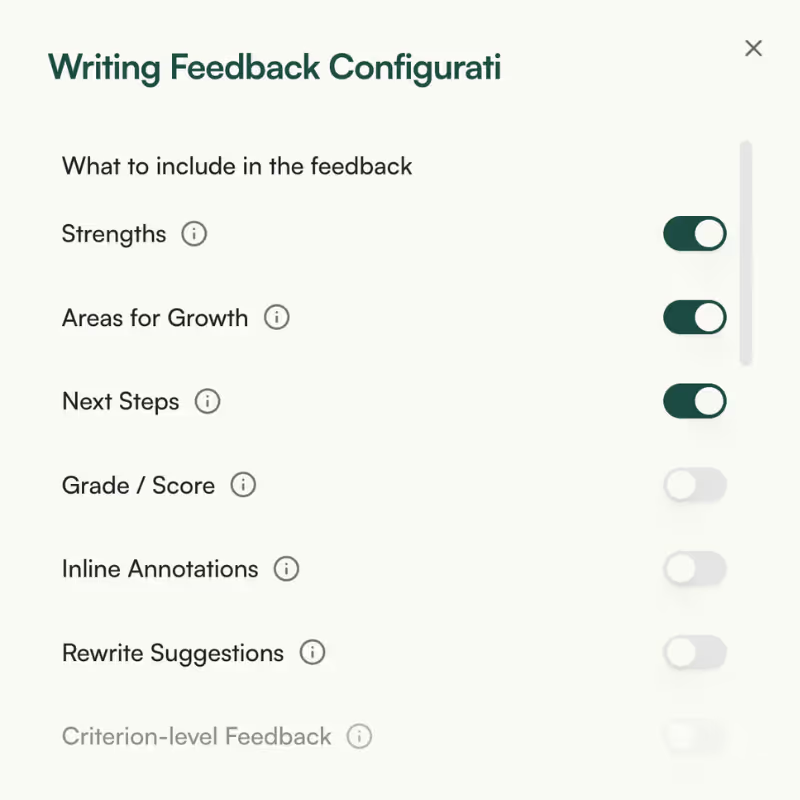
Choose exactly which types of feedback to include. Toggle on strengths, areas for growth, and next steps for a quick overview, or go deeper with inline annotations on specific passages, rewrite suggestions with before-and-after examples, and criterion-level breakdowns per rubric area. You control the output, not the AI.


Pick from 15+ prebuilt rubrics covering narrative, argumentative, research, creative, literary analysis, and more, each with criteria you can preview before selecting. If your school or department uses a custom rubric, paste it in or upload a file. No rubric at all? Monsha adapts feedback to grade-level writing standards automatically.
Both the assignment and submission fields accept whatever format you have. Upload a scanned essay, paste text from Google Docs, link a YouTube video as the writing prompt, or pull in an existing Monsha resource. Writing feedback needs two inputs, the task and the student's work, and both fields support the full range of sources.

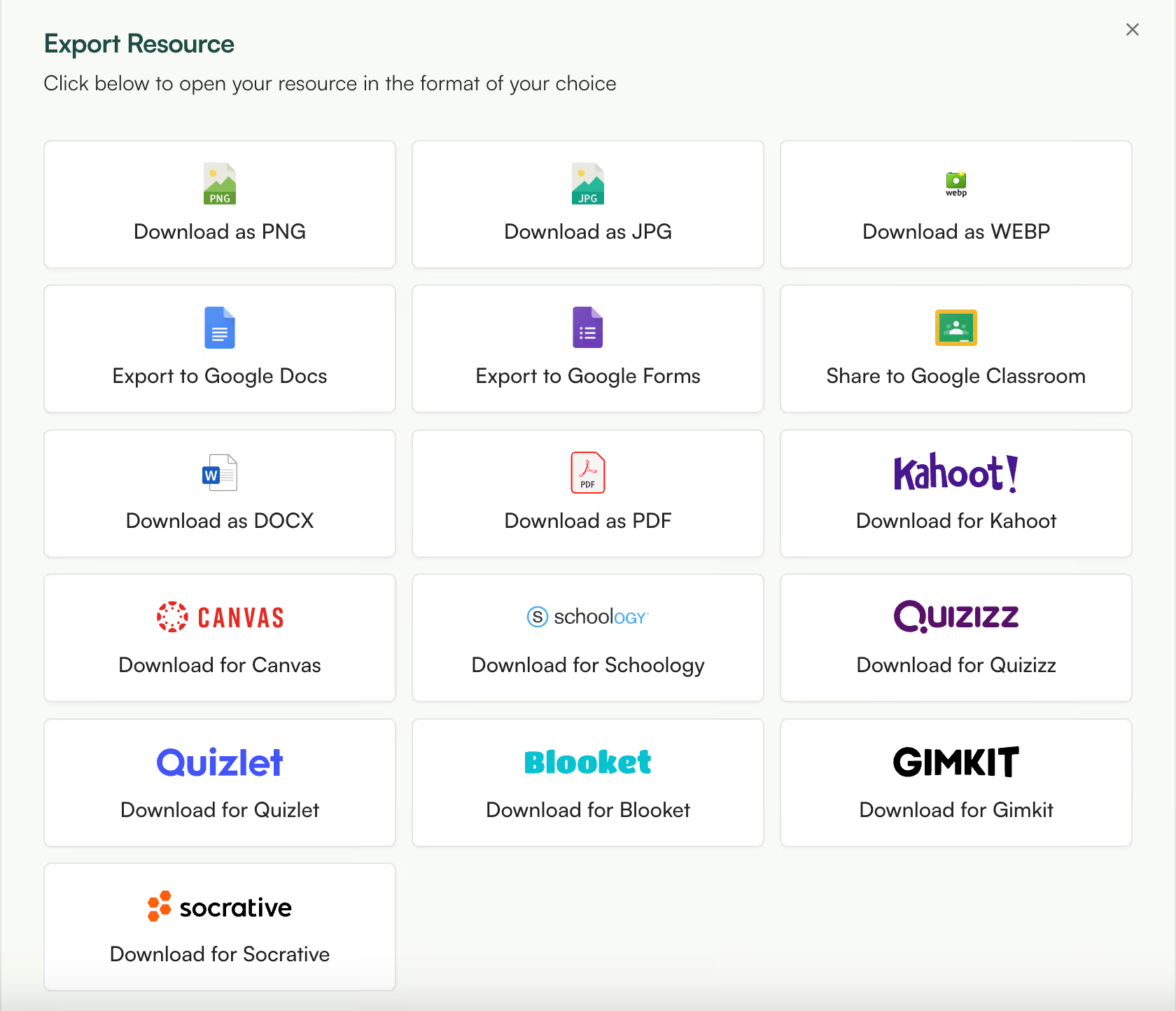
Adapt the feedback for different learners with one click. Translate to 60+ languages for ELL students, adjust the grade level, or shift the reading complexity. Export to Google Docs or PDF for student portfolios and parent conferences, or turn the feedback into a follow-up writing worksheet, mini-lesson, or rubric using any other Monsha tool.
This writing feedback generator is part of the AI tools created for teachers by Monsha. Whether you're grading essays, reviewing creative writing, or giving feedback on research papers, you can use Monsha as the all-in-one hub for curriculum and lesson planning, daily teaching resources, and quick differentiation.
Try it nowAn AI writing feedback generator is a tool that reads a student's writing submission, analyzes it against the assignment context and optionally a rubric, and produces structured feedback. The output typically covers strengths, areas for improvement, and actionable next steps. More advanced generators like Monsha's also provide inline annotations on specific passages, rewrite suggestions, and criterion-level breakdowns rather than just general comments.
Any type of student writing. Monsha's Writing Feedback Generator works with essays, narratives, research papers, creative writing, opinion pieces, literary analysis, reflective journals, summaries, and more. The 15 prebuilt rubrics cover specific genres like argumentative writing, informational writing, and compare-and-contrast essays, but you can also upload your own rubric or skip the rubric entirely and let the tool generate feedback based on general writing quality for the selected grade level.
How do I give writing feedback to students faster?
The biggest time sink in writing feedback is reading each paper closely enough to cite specific passages, then writing comments that are constructive, specific, and appropriately toned. An AI writing feedback tool handles the first draft of this process. With Monsha, you paste or upload the student's work and the assignment prompt, configure what types of feedback you want, and get a detailed response in seconds. You review, adjust tone or specificity with Quick Prompts, and share. The feedback references the student's actual writing, so you spend your time refining rather than writing from scratch.
What is rubric-based writing feedback?
Rubric-based feedback maps comments directly to the criteria in a scoring rubric. Instead of general observations, the student sees how they performed on each dimension, such as Organisation, Evidence, Voice, or Conventions, with specific references to their writing under each criterion. Monsha supports this through the criterion-level feedback toggle, which produces a short paragraph per rubric criterion citing evidence from the student's submission.
How does Monsha's Writing Feedback Generator work?
You provide two inputs: the assignment (the writing task or prompt) and the student's submission. Both fields accept pasted text, uploaded files, Google Drive documents, website URLs, or YouTube videos. Optionally, select a prebuilt rubric or upload your own. Then configure which feedback components to include, such as strengths, areas for growth, next steps, inline annotations, or rewrite suggestions, and hit Generate. Monsha produces personalised, evidence-based feedback that references specific parts of the student's writing.
Can I use my own rubric with the Writing Feedback Generator?
Yes. The Configure Resource panel includes an "Add Mine" option where you can paste rubric text directly or upload a file. Monsha reads your rubric and aligns feedback to its criteria. If you enable criterion-level feedback, the output breaks down into a paragraph per criterion with evidence from the student's writing. You can also choose from 15 prebuilt rubrics if you prefer not to upload your own.
What prebuilt rubrics are available?
Monsha includes 15+ prebuilt rubrics: Narrative Writing, Argumentative/Persuasive Writing, Informational/Expository Writing, Opinion Writing, Research Paper, Compare and Contrast Essay, Literary Analysis, Creative Writing, Reflective/Personal Writing, Summary Writing, 6+1 Writing Traits, RACES Strategy, PEEL Paragraph Structure, STAAR Writing Rubric, and Common Core Aligned Writing. Each rubric shows its criteria as preview labels before you select it, so you can confirm it fits your assignment.
Can the AI reference specific parts of my student's writing?
Yes, through the Inline Annotations feature. When toggled on, Monsha quotes short excerpts (5-10 words) from the student's submission and attaches targeted feedback to each one. This means instead of "Your introduction could be stronger," the student sees a specific passage quoted with an explanation of what to improve and why. The AI only references text that actually appears in the submission.
Can I choose what type of feedback to include?
Monsha gives you seven feedback components you can toggle on or off before generating. Strengths, Areas for Growth, and Next Steps are on by default. You can also enable Grade/Score, Inline Annotations, Rewrite Suggestions, and Criterion-level Feedback (which requires a rubric). This means you can generate a quick strengths-and-growth-areas summary for a journal entry, or a deep rubric-aligned breakdown with inline annotations for a formal essay.
Can I adjust the tone of the feedback?
After generating, use Quick Prompts to shift the tone in one click. "More encouraging" warms the language while keeping the substance. "More direct" removes softening and gets straight to the point. You can also switch between simpler language (appropriate for younger students) and more specific language (grounded in concrete examples from the writing). There is also a "Teacher-facing" option that rewrites everything in third person for your own records or portfolio documentation.
Does the tool support different grade levels?
The Grade/Level selector adjusts both the depth and vocabulary of the feedback. Feedback for a Grade 3 student uses simpler sentences and more encouraging framing. Feedback for a Grade 11 student uses more analytical vocabulary and higher expectations. Monsha also supports 60+ languages, so you can generate feedback in the language that best serves your student.
Can I export the feedback to Google Docs or PDF?
Yes. You can export feedback to Google Docs, PDF, DOCX, or share it directly via a link. Teachers use this to attach feedback to student portfolios, send it to parents during conferences, or keep a record for IEP documentation. You can also copy the feedback into your LMS or email it directly.
Is the AI writing feedback accurate and reliable?
Monsha generates feedback based on the actual text in the student's submission and the assignment context you provide. It does not fabricate quotes or reference passages that don't exist. That said, AI feedback is a first draft, not a final verdict. The tool is designed to give you a strong starting point that you review, adjust, and personalise before sharing with students. Quick Prompts like Expand, Rephrase, and Adjust language help you refine without rewriting from scratch.
How is this different from an AI essay grader?
AI essay graders focus on scoring, assigning a number or letter grade based on a rubric. Monsha's Writing Feedback Generator focuses on qualitative feedback, telling students what they did well, where to improve, and exactly how to do it. You can optionally include a grade or score, but the core output is detailed, passage-specific comments designed to help students improve their writing. Grading tells a student where they landed. Feedback shows them where to go next.
Is student data safe when using AI writing feedback tools?
Monsha does not use student submissions to train AI models. The writing your students submit is processed to generate feedback and is not stored for any purpose beyond delivering results to you. Monsha is designed for classroom use and takes student data privacy seriously. For specific details on data handling, you can review Monsha's privacy policy on the website.
Is Monsha's Writing Feedback Generator free?
Monsha offers a free plan that includes access to the Writing Feedback Generator and other AI tools for teachers. You can sign up for a free Monsha account and start generating feedback immediately. No credit card required.

Palm Beach County School District, Florida

I’ve been speaking to everyone about the ease of your site. I enjoyed the fact that there were different question types and that you were able to modify the question levels or styles without much effort. Using it almost every day to redo and update assignments.
I really am enjoying Monsha and can’t wait to spread the word about it.

Central Holmes Christian School, Lexington, MS
I use Monsha a lot. Sometimes I even feel like I’m bothering y’all with how often I’m on it 😅 but I really appreciate this app so much. Even during summer break, I’m using it to get ahead on lessons for next year.
.avif)
Ohse Home School, Oklahoma
I love this platform - this has made homeschooling easier for me from planning lessons to creating spelling, reading and English worksheets.
It's been a life-saver for my school year no matter what your religion may God bless you all!

Zenith International School, Malaysia
Your presentation content is great based on the pdf file I provided. I teach maths in my case i needed to make presentation more interesting for the kids, not boring blank pages with text. Like artworks, graphics or real images that relate to my subject. Thank you for that 😍

Professional Learning Developer
This tool is fantastic! This really makes it more of an all-in-one-stop shop for me now that you've added the PPT tool upon my request.
It is very intuitive as far as the prompt is concerned. And I like the options to add links, content, previous resources, and especially the YouTube feature.

High school math teacher in the US
The worksheets look great. Thank you so much for taking care of this, it's so rare to find a resource that works with latex for math! I'm thrilled!

Khuangnapittayakun School, Thailand
I can create an entire course to include grading rubric within minutes when before it would take me weeks.
In S.E. Asia, the resources are whatever teachers can pirate but Monsha has changed that for me.. now I can create and enjoy the task for a change.

Italian teacher and trainer
Monsha was a wonderful discovery, and I always recommend it in my AI training courses!
The tools they offer are all very effective, but my favorite is "Comprehension Questions," one of the best I've tried across various platforms! Great work!

Maths Teacher, The Teach for Nigeria
I've shared this tool to my colleagues here in Nigeria and they are already falling in love with it.
I actually do use Monsha for everything. From baseline assessment to lesson planning to formative evaluations and of course to summative assessment.

English Teacher, Educación de la prov. Argentina
I was fortunate to chat directly with you guys (creators). Every suggestion I shared was received with enthusiasm, you worked on it and got back sincerely.
I have been impressed with how you improve it based on the actual needs of educators. And kept it clean and simple.
Join thousands of educators who use Monsha to plan courses, design units, build lessons, and create classroom-ready materials faster. Monsha brings AI-powered curriculum planning and resource creation into a simple workflow for teachers and schools.
Get started for free
