If you already use Monsha, this guide shows how teachers go beyond individual tools and use it as a complete workflow for planning, teaching, adapting, and sharing classroom materials.

You probably know Monsha as a platform to generate lesson plans, worksheets, or questions faster. But, Monsha isn’t just a collection of tools. It’s a workflow.
Most teaching work doesn’t happen in neat boxes. You plan a lesson, realise you need a handout, adjust the reading level, create practice questions, revise before exams, export for submission, tweak wording, and sometimes ask another teacher, “How are you doing this?”
Monsha quietly supports all of that - not as isolated features, but as connected steps. You can start with one idea and move through planning, teaching, practice, assessment, revision, differentiation, and sharing without constantly switching tools or rebuilding work.
This blog isn’t about discovering new features. It’s about realising how much of your teaching workflow already fits inside Monsha - if you use it intentionally.
Before diving into details, here's a presentation on how you can use Monsha as a teacher:
Let's discuss details now! There are so many use cases for Monsha as a teacher, but below are our top picks which are also popular among our users.
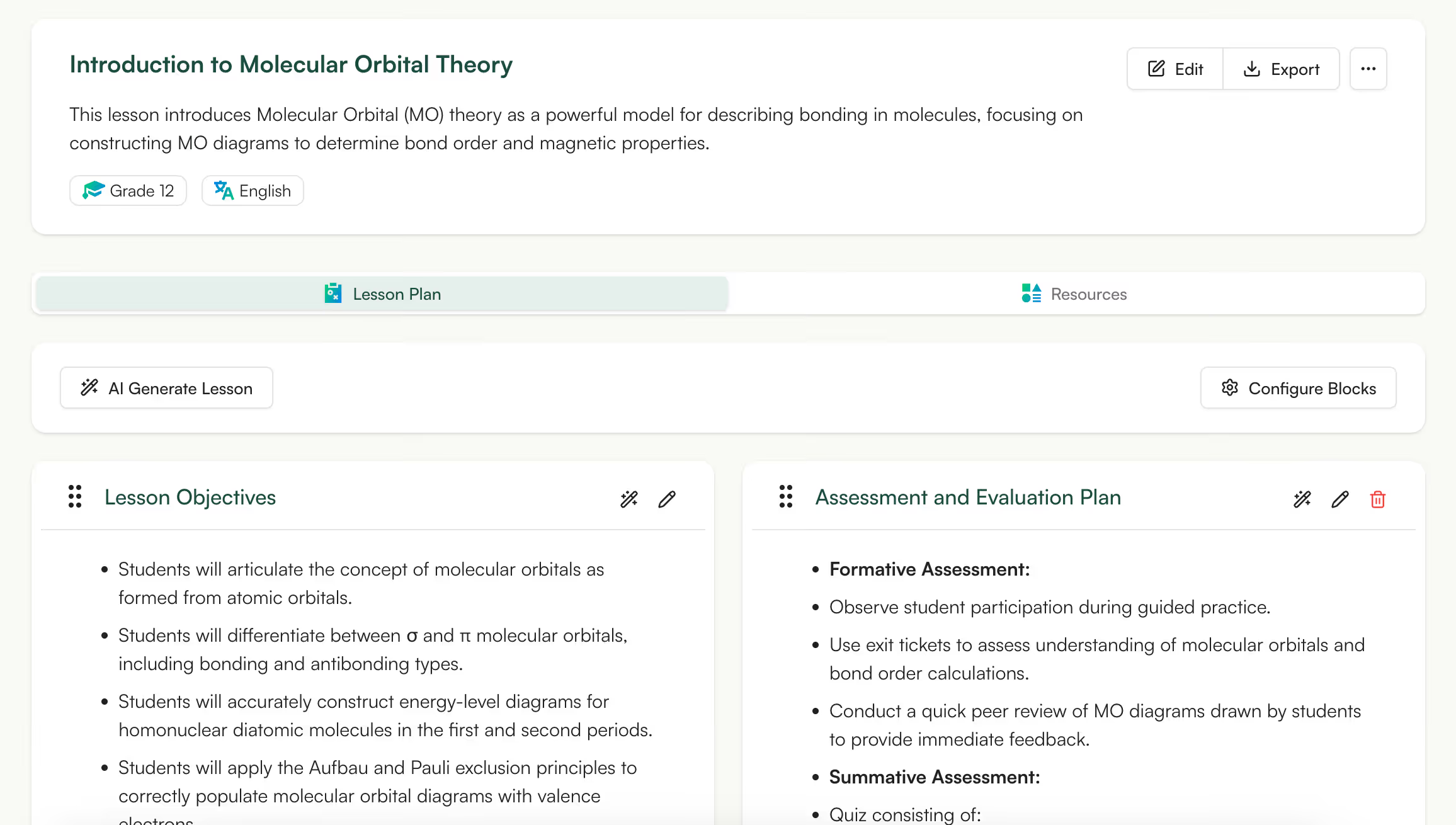
This is the most sought after use case for Monsha - turning a single topic into a fully structured lesson plan without starting from a blank page.
You can use a Youtube URL, an article link, file, or simple text to generate any resource. Just enter the topic, grade level, and class duration.
Instead of giving you raw text or vague ideas, Monsha generates a lesson plan that’s already organized the way teachers think: clear learning objectives, step-by-step teaching flow, guided activities, and a logical wrap-up.
What makes this genuinely useful is that your output is classroom-ready. You’re not forced to re-prompt or rewrite everything to make it usable.
👉 Try creating tomorrow’s lesson plan in Monsha
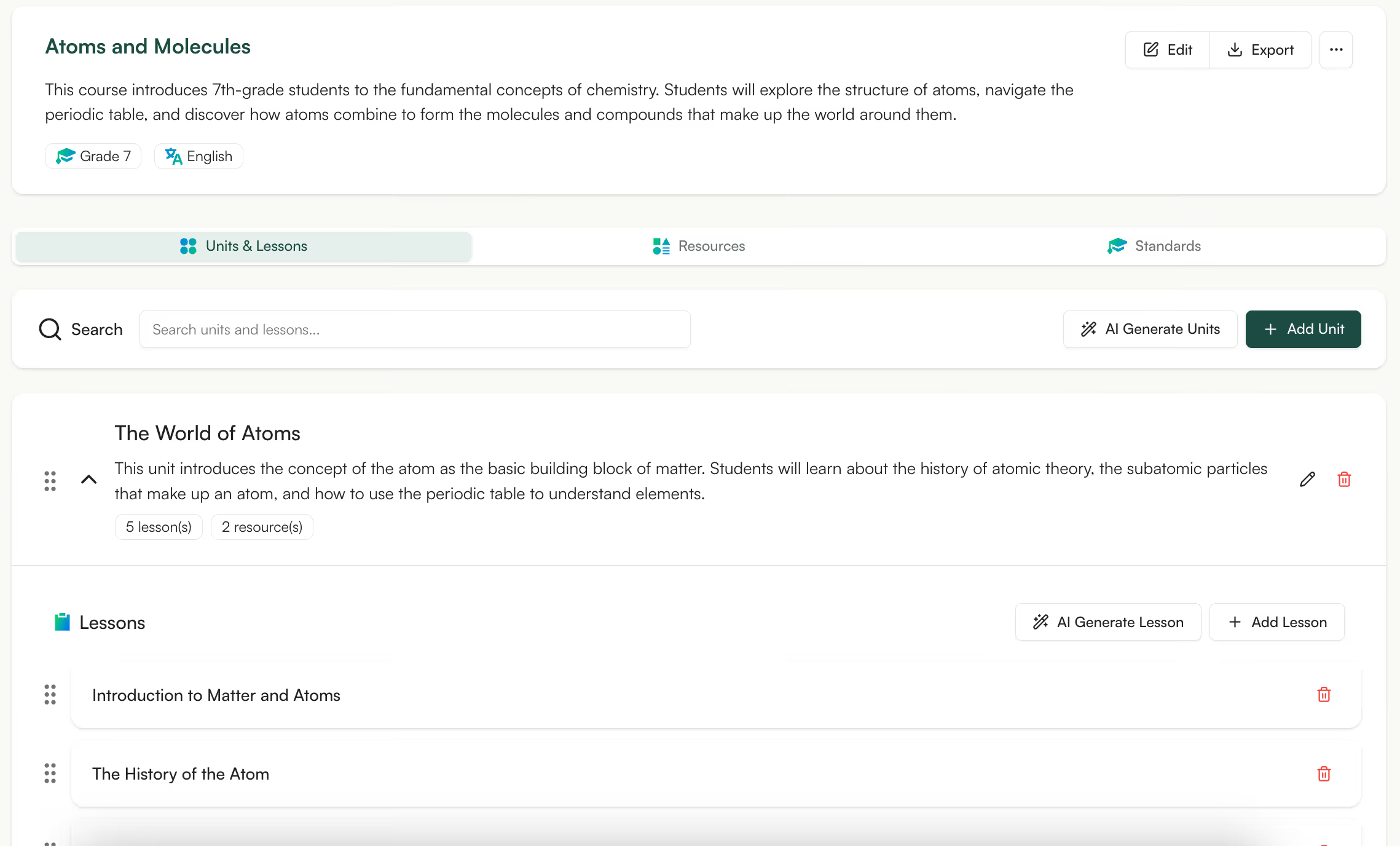
Planning individual lessons is one thing. But you also have to make sure that those lessons actually connect across units.
In Monsha, you can build unit plans, and generate a sequence of lessons.
For example, a math unit might progress from foundational concepts to problem-solving, while a literature unit might move from context to analysis to evaluation.
A unit plan gives you clarity about what comes next. It acts as a teaching roadmap that shows how each lesson fits into the bigger learning goal.
👉 Use Monsha to connect multiple lessons.
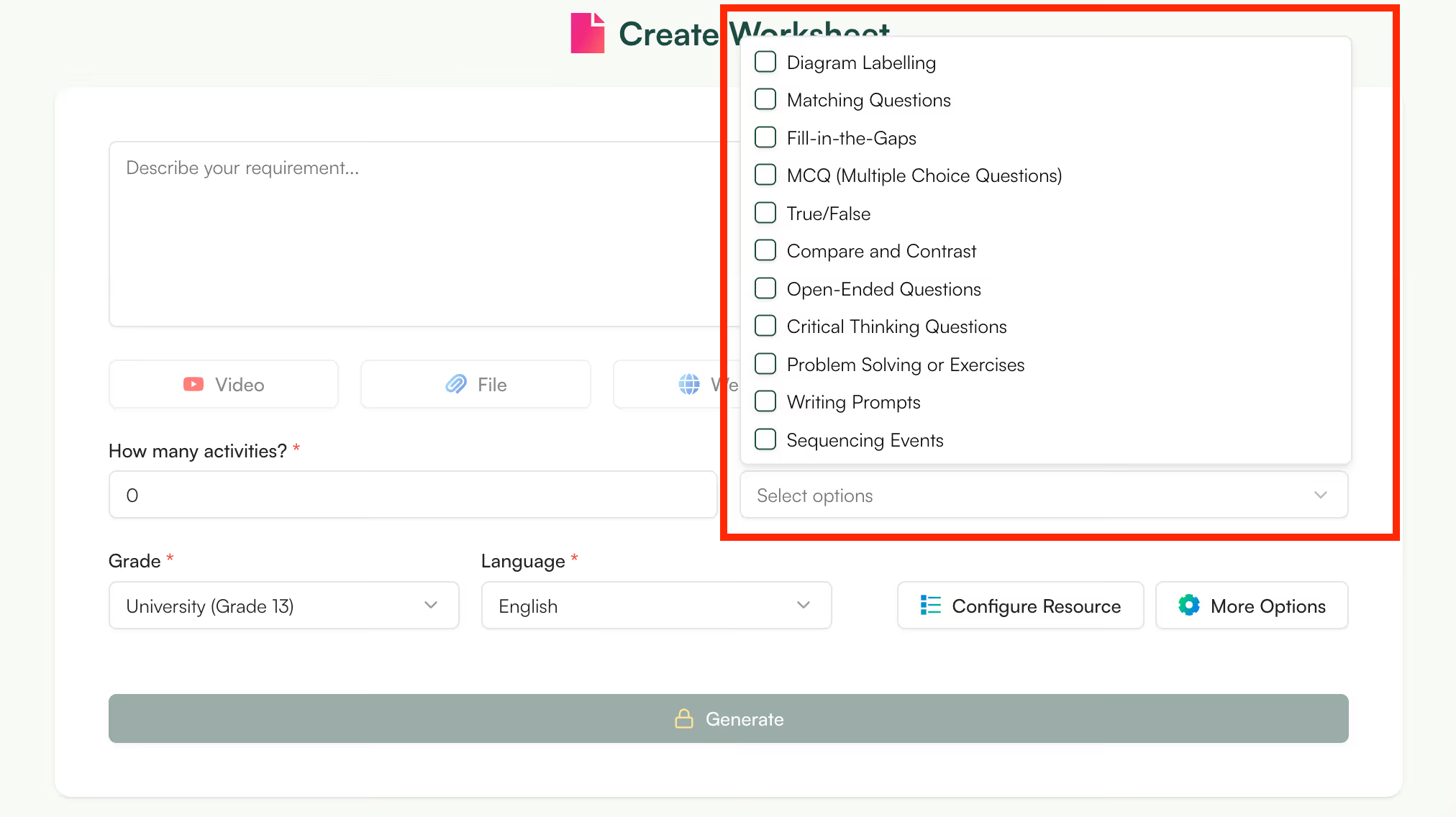
With Monsha, you can create worksheets based on a Youtube video, document, online article or simple text.
You can use this right after teaching a lesson. Instead of adapting someone else’s worksheet, you generate one that mirrors your language, examples, and expectations.
You can also create multiple versions of a worksheet for different purposes - in-class practice, homework, or revision - without rewriting everything.
👉 Create a worksheet that actually matches what you taught today.
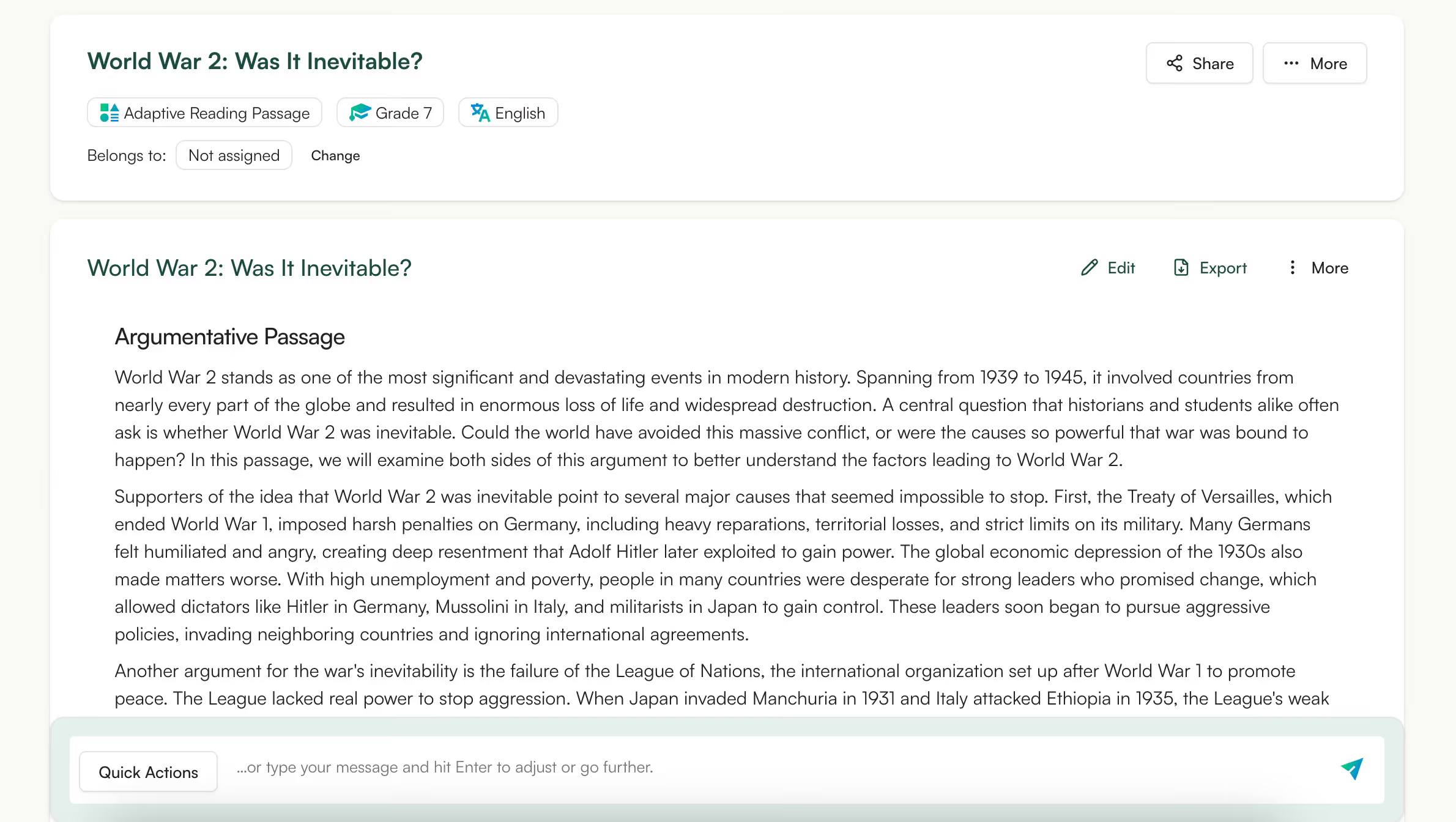
Finding reading material that fits a specific topic, grade, and classroom context is surprisingly hard.
With Monsha, you generate original reading passages tailored to your subject and students. It helps with subjects like subjects like STEM, social studies, or interdisciplinary lessons where textbook language may feel complicated.
The best part is, you can tweak tone, length, or complexity of the passage using the Monsha editor. Or, add images, charts or graphs to make them more visually appealing.
👉 Generate a reading passage that fits your lesson
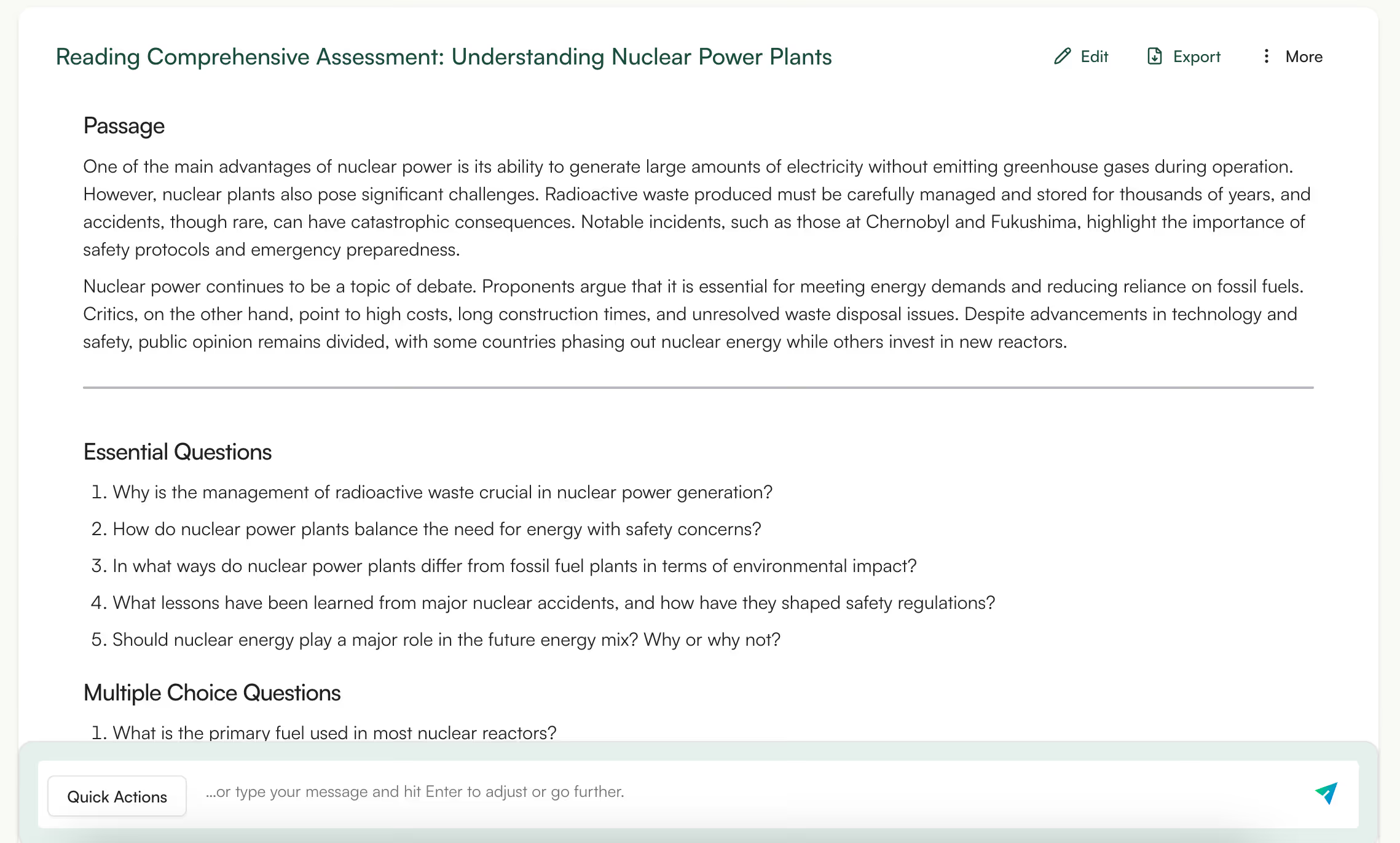
After creating a reading comprehension, the next challenge is creating good comprehension questions.
Monsha helps teachers generate comprehension questions that are tied directly to the passage. You can create questions that range from basic understanding to deeper interpretation, depending on the lesson goal.
This is particularly useful when you’re short on time. Instead of drafting questions manually or reusing the same formats, teachers can generate a set of questions and then refine them.
👉 Turn any passage into meaningful comprehension questions in minutes.

With Monsha, you can generate quizzes for every subject, grade, and intent (quick check, practice, or assessment).
For example, when you finish a lesson and want to share some homework with students, you can quickly generate a first draft quiz, make light edits and share with your students.
This helps your students understand the lesson better, before moving on to the next concept.
Because you’re generating the quiz inside the same workflow as lessons and worksheets, everything stays consistent - language, examples, and level of difficulty.
👉 Create your next quiz in Monsha and keep it aligned with your teaching.
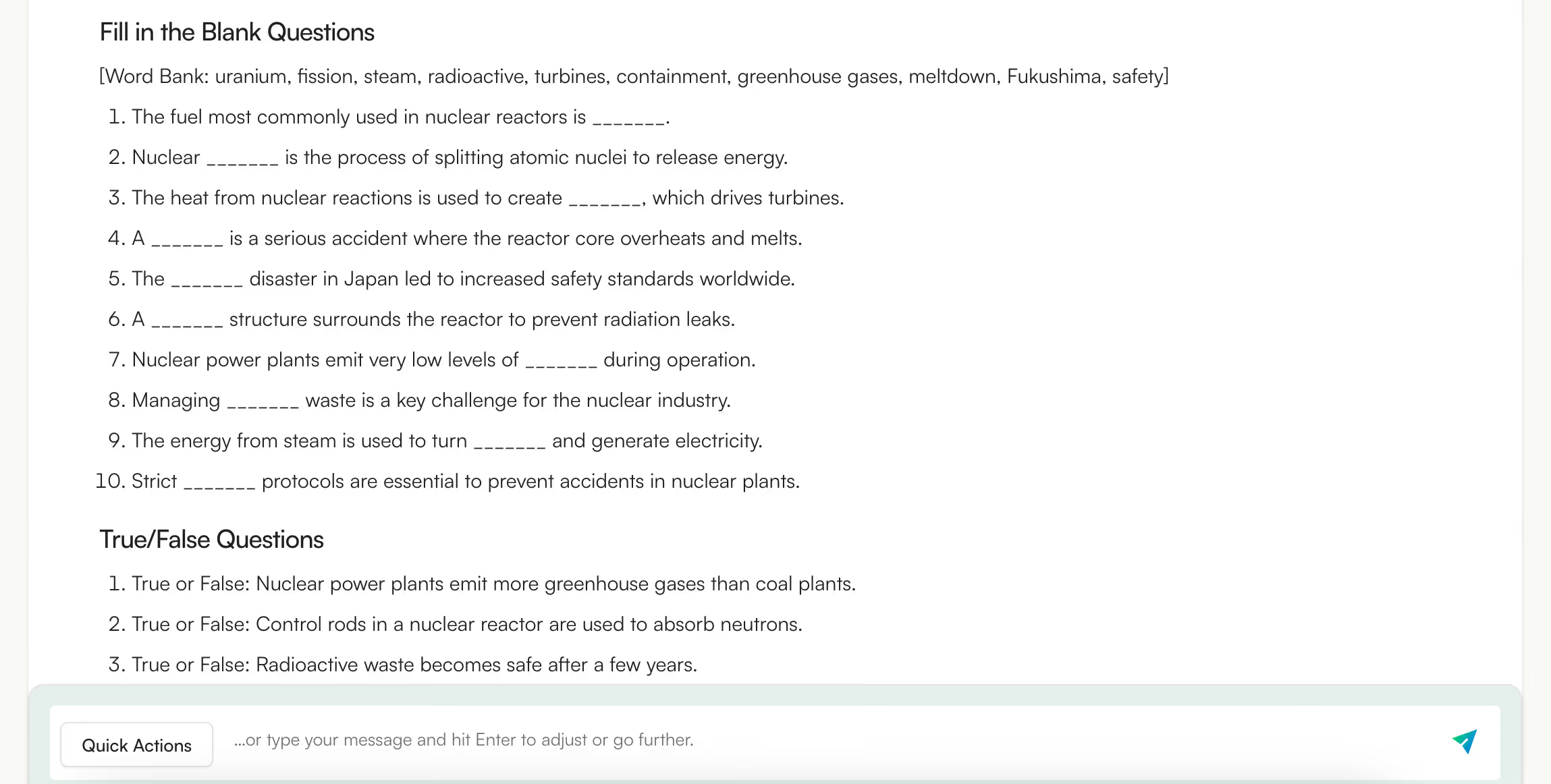
You may often skip formative assessments or rely on informal questioning because creating structured checks feels like extra work.
Monsha makes it easier to design short, focused formative assessments that fit naturally into a lesson. These aren’t full tests. They’re quick questions or small activities designed to answer one question: Did students understand this part?
For example, after explaining a concept, you can generate a small set of questions to see whether students are ready to move on or need reinforcement.
👉 Use Monsha to create assessments and worksheets.
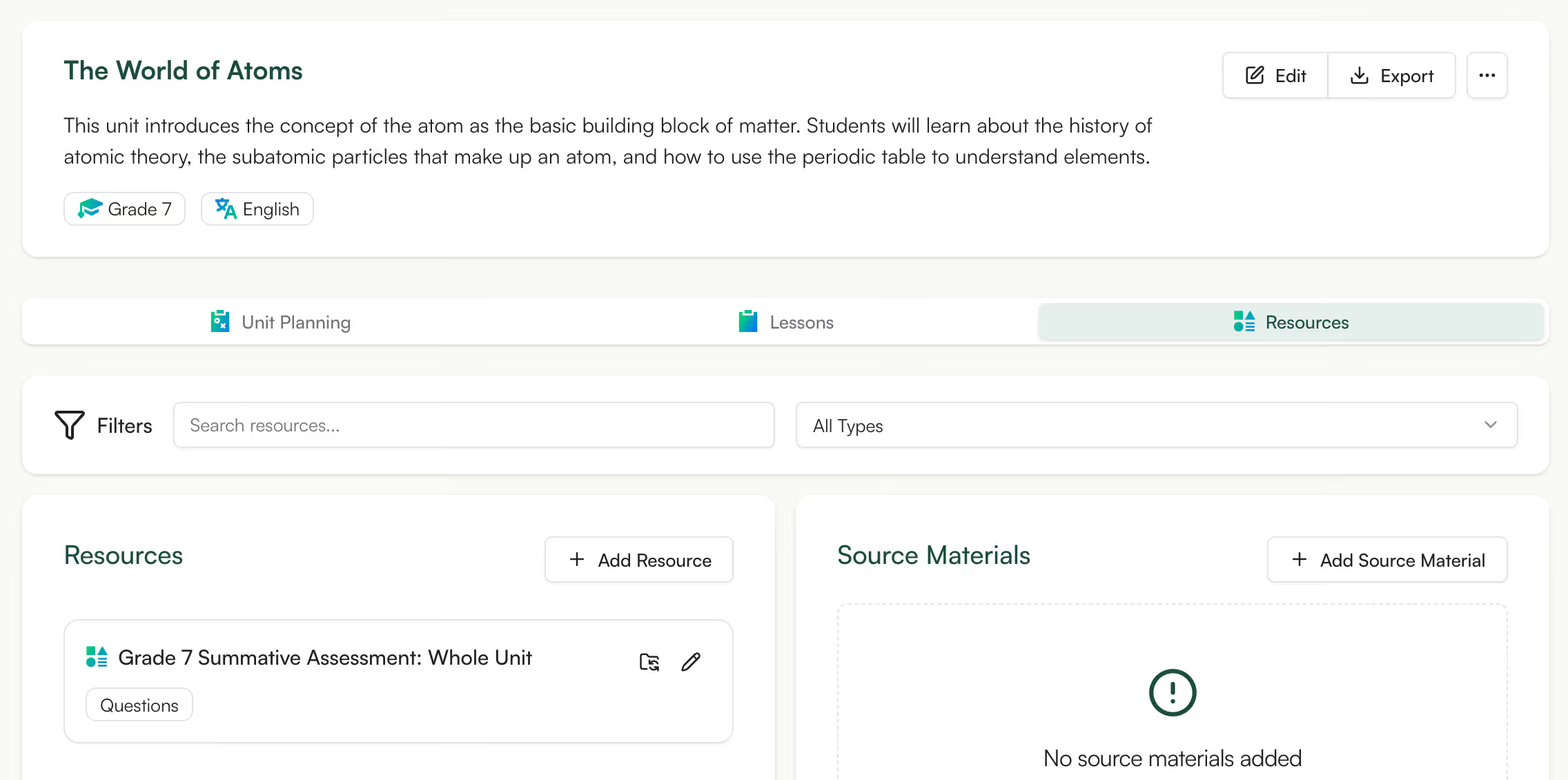
You’ve finished a 4-week unit which covered 6 lessons, multiple concepts and different skill types.
Now you need one test that represents the whole unit. You can pick questions from the last 1–2 lessons or reuse an old paper that doesn’t fully match what was taught.
But with Monsha, you select the unit (not a single topic) and it generates a single assessment that:
👉 Build summative assessments that truly reflect your unit goals
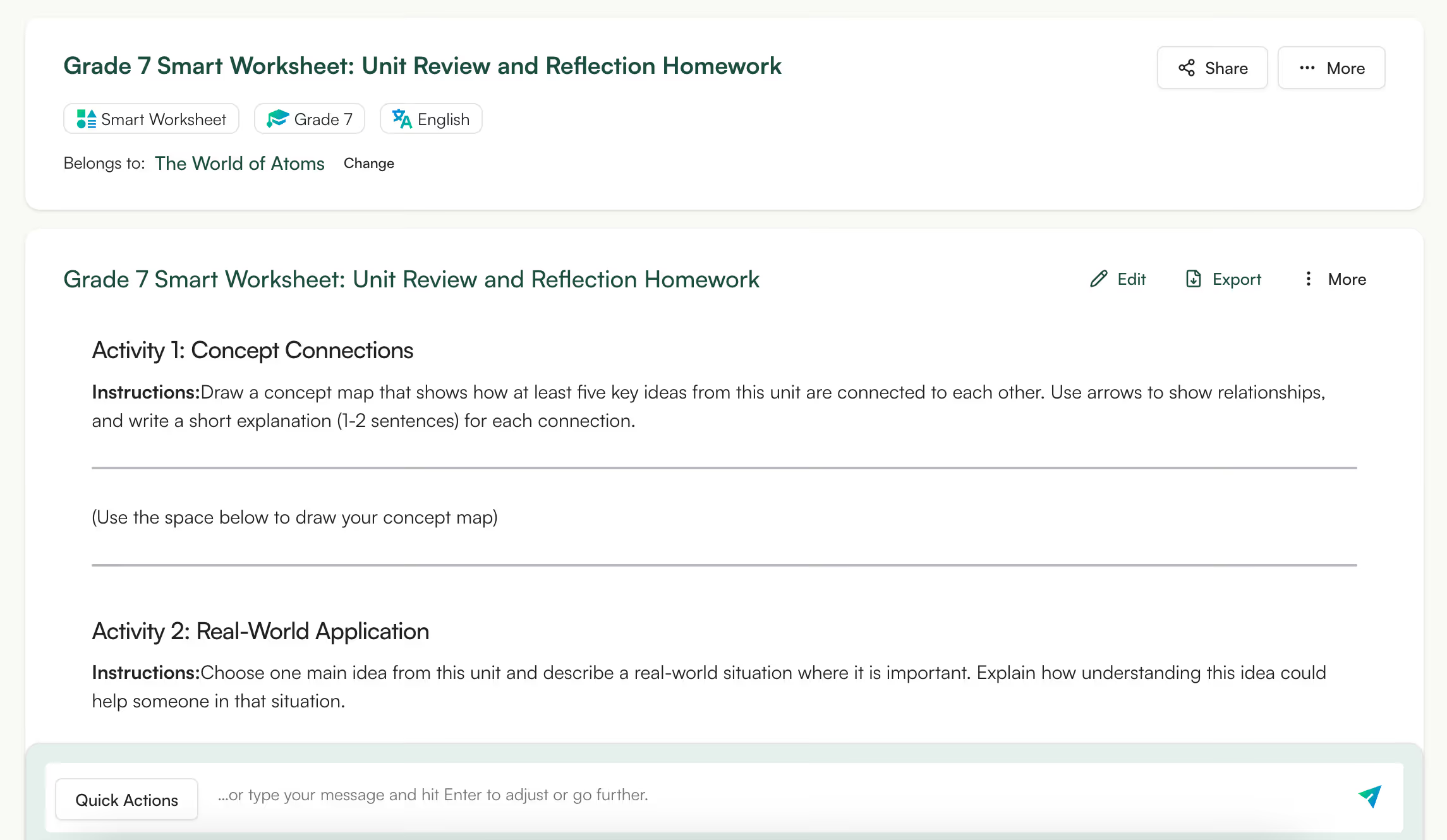
With Monsha, you can create homework that reinforces exactly what was taught, instead of assigning generic problem sets. This way, your homework supports learning rather than confusing students or parents.
You can generate homework immediately after planning a lesson or worksheet. Because everything is created in the same environment, the language, examples, and difficulty level remain consistent.
This is especially helpful when students need reinforcement at home without access to teacher support.
👉 Create homework that supports learning
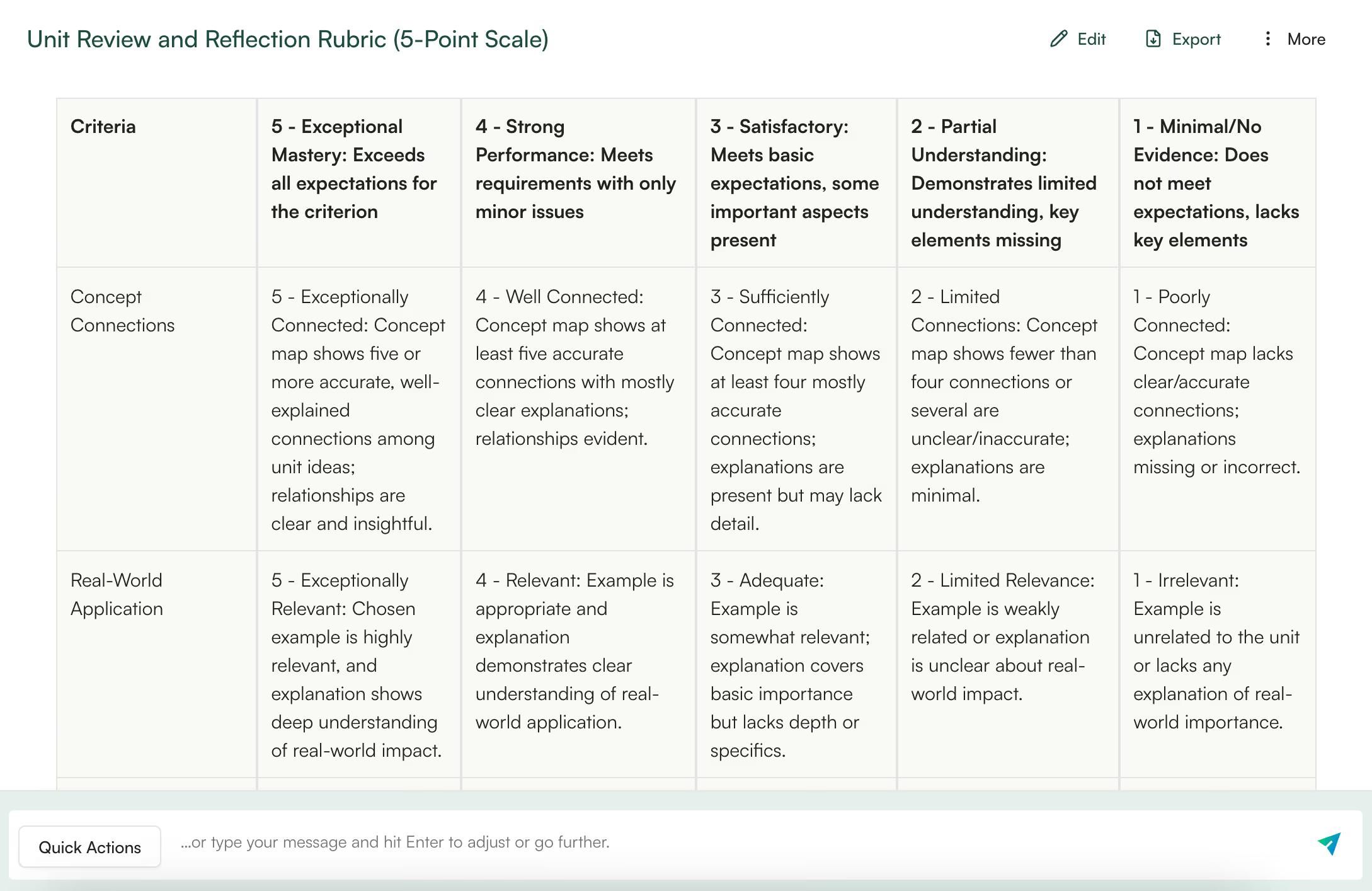
Rubrics are essential for transparency, but you often leave them for last, or reuse older ones without fully matching the assignment.
But with Monsha, you can generate assignment-specific grading rubrics that clearly define expectations before students begin their work. Instead of vague criteria, rubrics outline what success looks like at different levels.
You can generate, customize, and export Google Classroom-compatible rubrics aligned with your assignments, grade levels, curriculum standards, and frameworks like Bloom’s Taxonomy or DOK.
👉 Create clear rubrics before assigning your next project.
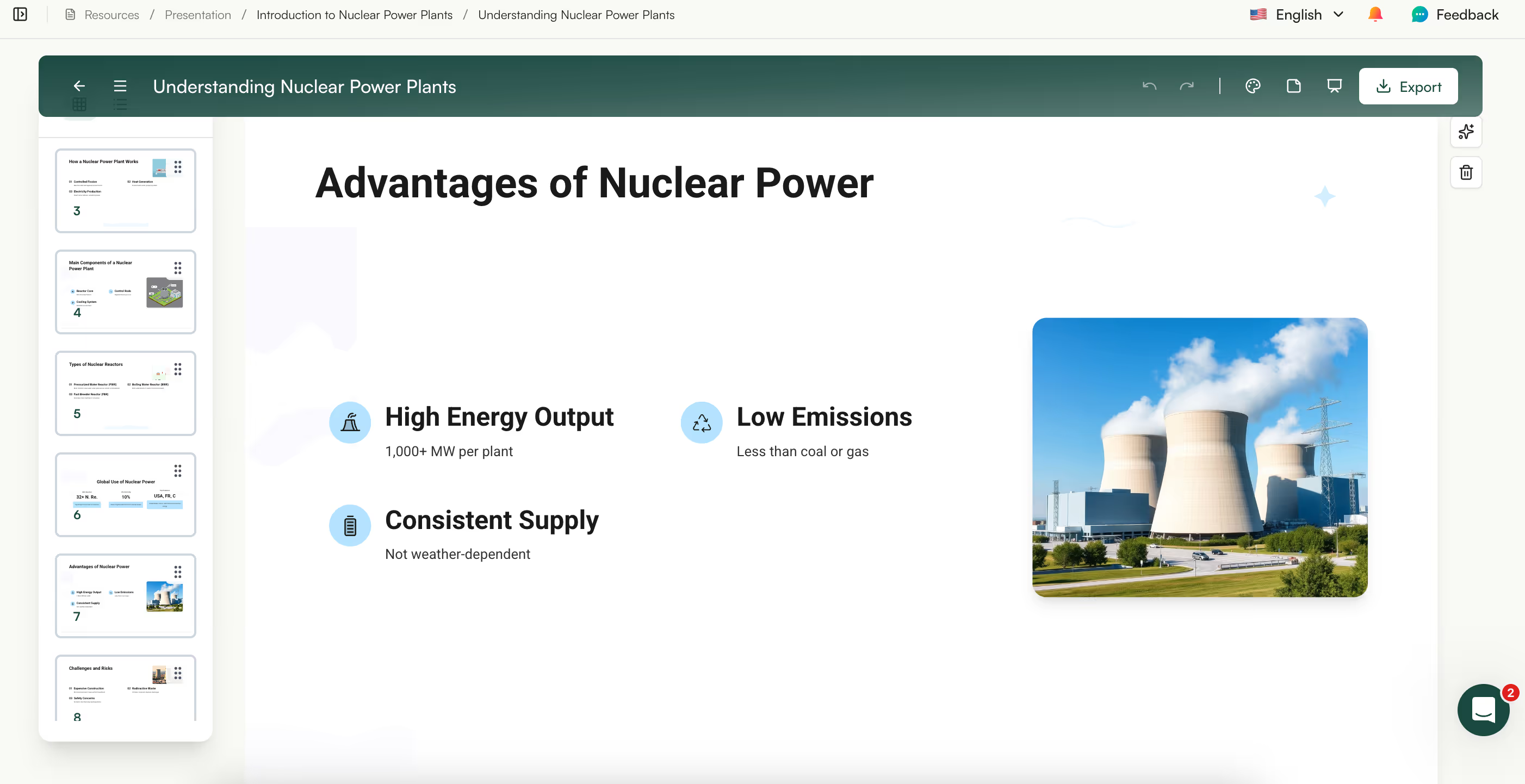
You can upload a topic, file, or even a link and Monsha will instantly create a visual presentation for you, so you spend less time formatting slides and more time teaching.
You can also convert your presentations into lesson plans by typing in your topic and it builds a complete lesson plan so you can go from idea to classroom-ready content in minutes.
Monsha also lets you translate into 60+ languages, adjust complexity based on grade level, Lexile level, Depth of Knowledge (DOK), or align slides with Bloom’s taxonomy to match your learning objectives.
👉 Create your next presentation with Monsha
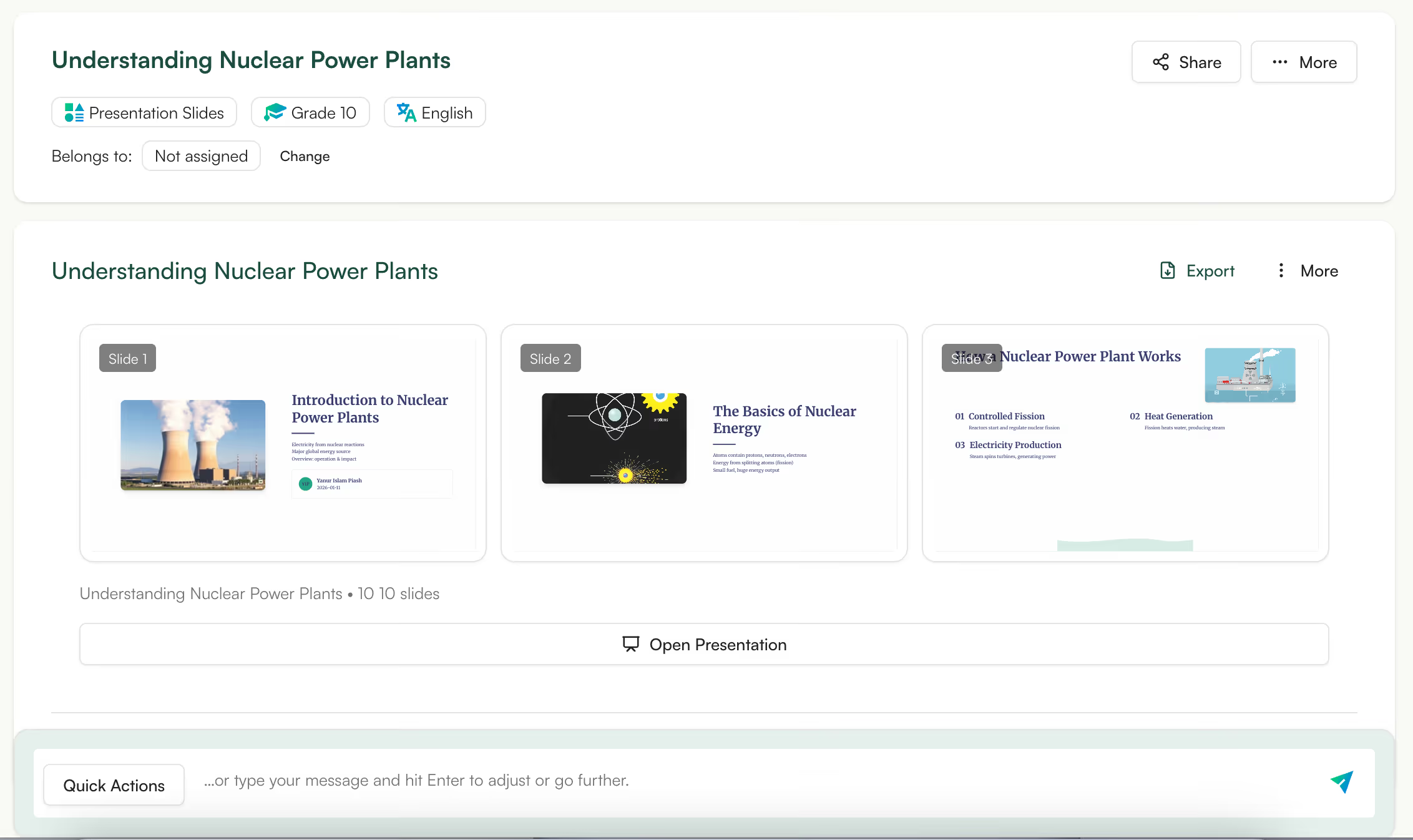
Many teachers already have content - handwritten notes, typed explanations, or rough outlines.
Monsha lets you convert this existing text into a structured presentation. You can simply paste notes or upload content and Monsha turns that into a presentation.
This is especially useful for experienced teachers who have strong content but outdated slides, or for teachers moving from in-person notes to digital teaching.
Once you convert your written material into ppts, you can easily tweak slide wording, add visuals, or adjust sequencing using the editor.
👉 Turn your notes into slides without reworking everything.
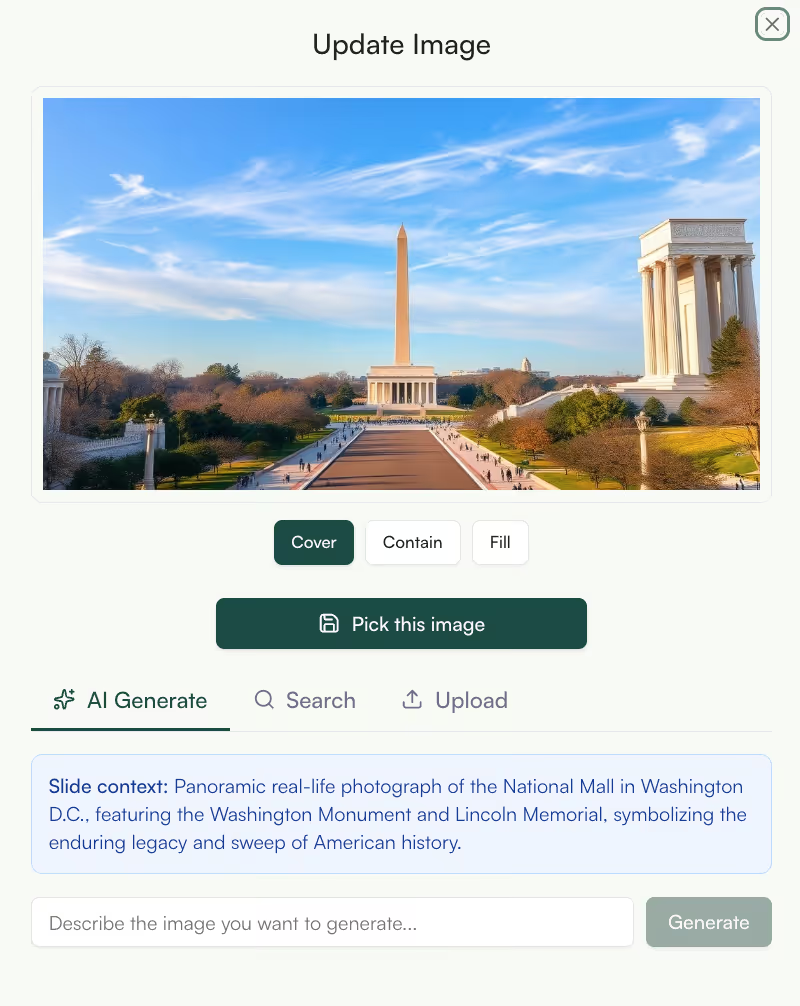
Visuals matter - especially for younger learners. But finding the right image for each topic is often harder than it sounds.
Monsha’s AI image generator generates exact images that match the concept being taught. You can turn your text into images, diagrams, maps, illustrations.
For example, a science teacher might generate a simple visual to explain a process, while a social studies teacher might create an image that sets historical context. You can also customize or re-generate your images until it’s 100% perfect.
Adapt, differentiate, or create follow-up resources based on the images, and export in PNG/JPEG, DOC or other formats.
👉 Add visuals with Monsha that actually support learning

When you introduce a new topic, students often get stuck on terms, ask repeatedly what something means, or quietly stop following along. Words like photosynthesis, constitutional amendment, or quadratic coefficient can slow students down before they even get to the idea.
Instead of manually scanning your material and deciding which words to pre-teach, you can use Monsha’s Vocabulary Words Generator to generate a list of key terms with clear definitions written at the right level.
You can also opt for images Monsha will generate images to showcase each word so students fully understand them.
👉 Generate a vocabulary list that matches your lesson
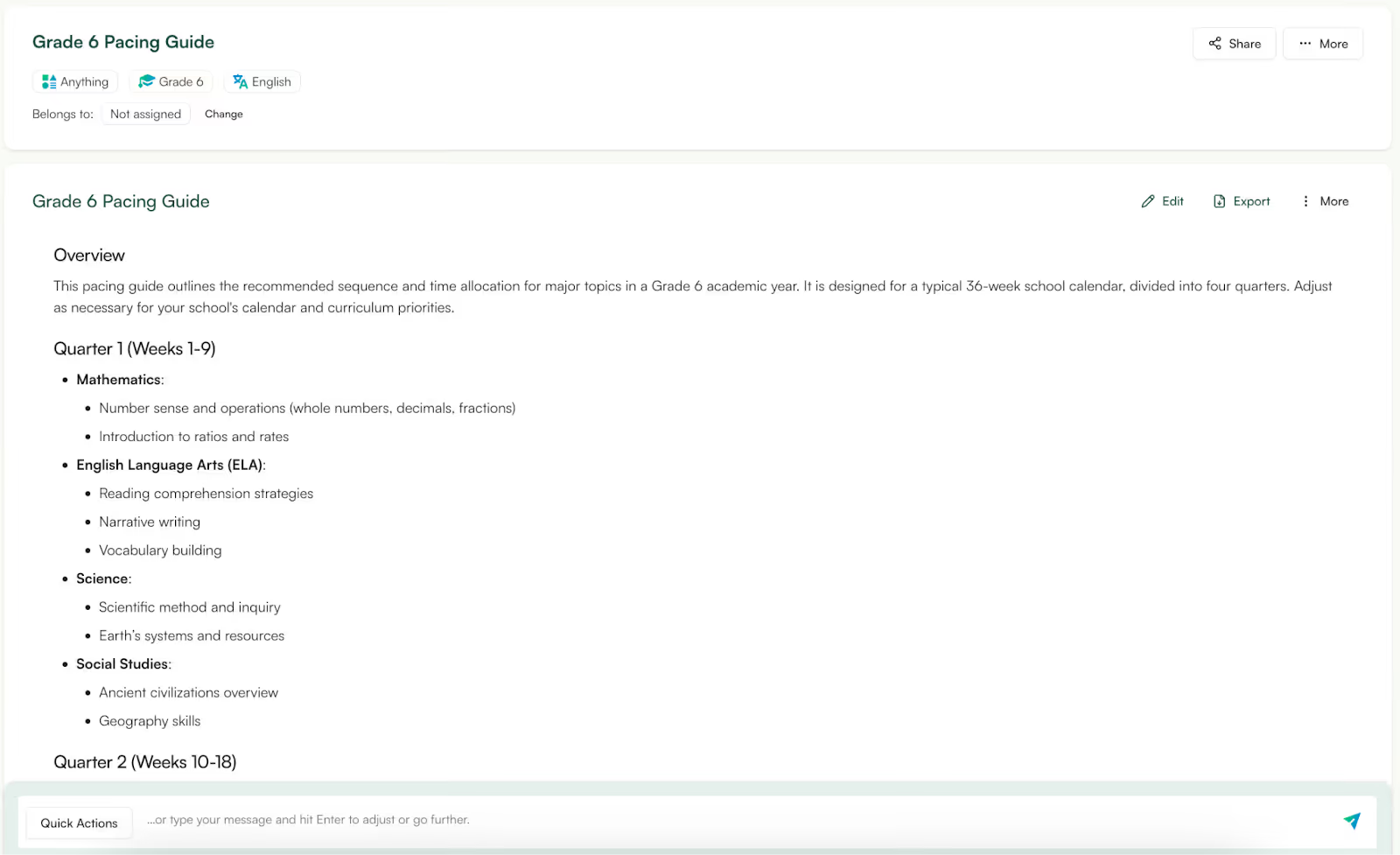
Pacing is one of the hardest parts of teaching. Go too fast and students fall behind. Go too slow and you run out of time.
Monsha gives you pacing guides that outline what to teach over weeks or an entire term. This gives a realistic teaching roadmap instead of a vague plan.
In practice, teachers use pacing guides at the start of a term or when revising curriculum. The guide helps them see how lessons, assessments, and revision fit together over time.
This is especially valuable for new teachers, shared classrooms, or departments that need consistency across sections. A pacing guide provides structure while still allowing flexibility.
You can use it as a reference point to make informed adjustments when classes move faster or slower than expected.
👉 Plan your term with clarity with pacing guides
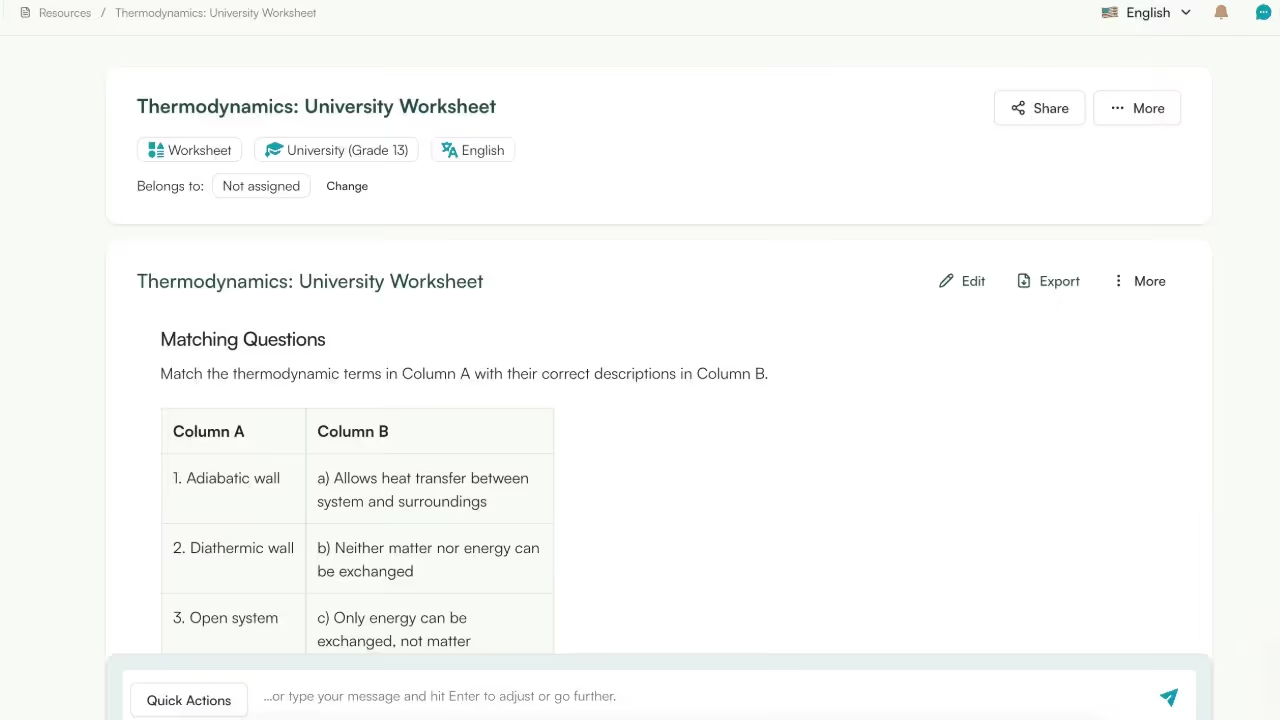
You can create focused revision worksheets that align directly with what students have already learned. Instead of introducing new formats or unfamiliar question styles, the revision material reinforces key concepts, common mistakes, and exam-relevant thinking.
You generate these worksheets a week or two before exams to help students consolidate learning. Monsha supports this by structuring revision material around core ideas rather than dumping long problem sets.
Another common use case is targeted revision. If your class struggled with a specific concept, you can generate revision worksheets just for that area instead of redoing the entire unit.
Monsha’s worksheet generator doesn't hallucinate and generates questions within the same teaching context.
👉 Create revision material that reinforces learning.
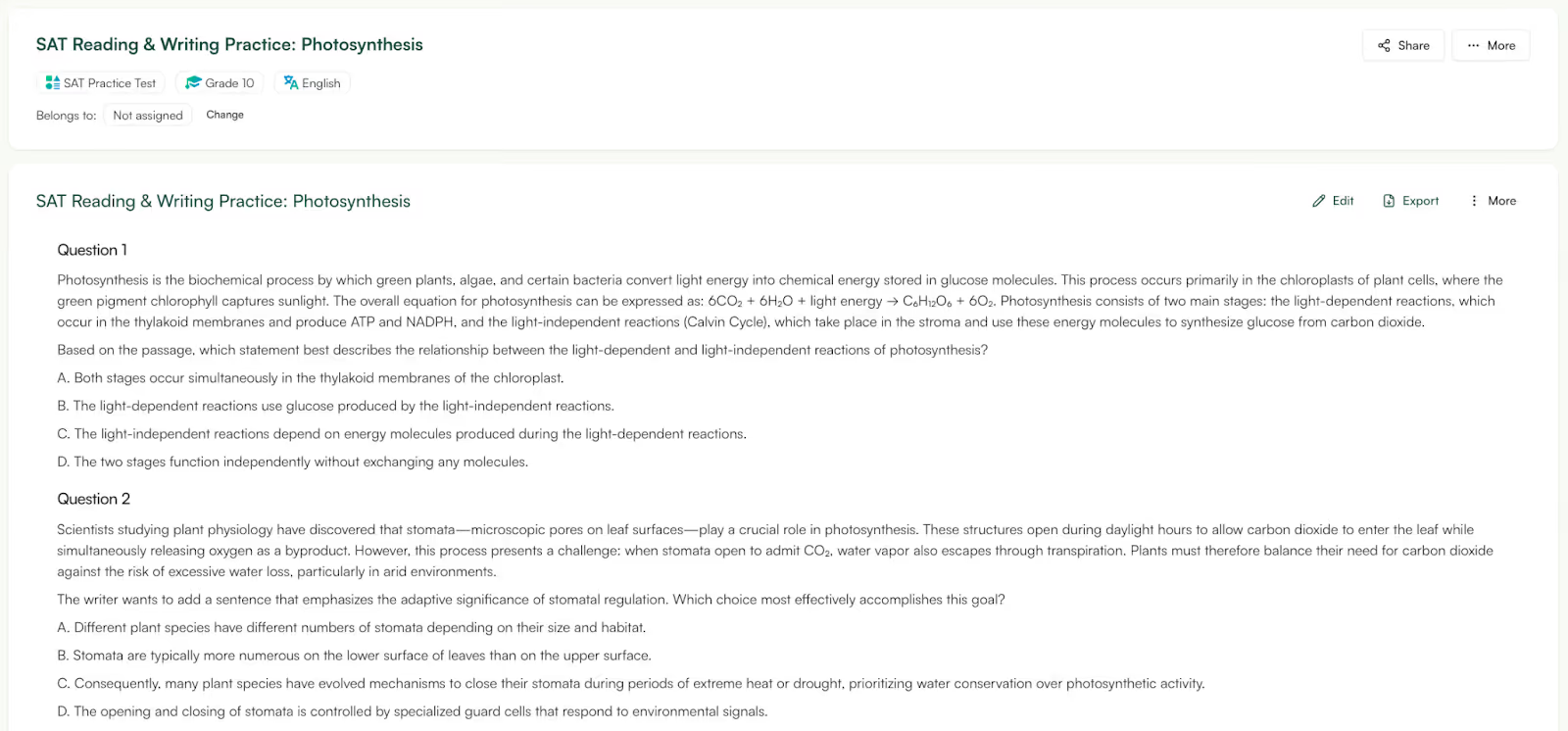
If you teach SAT prep, you already know the problem isn’t just finding questions. You need to explain the concept, give students practice, and then show them how that same concept appears in actual SAT questions. Doing that usually means pulling material from three different places.
With Monsha, you can start with a single SAT topic or section and generate all three parts together - a short lesson plan to teach the concept, worksheets for practice, and SAT-style questions that follow the exam format.
Instead of hunting for a lesson from one site, a worksheet from another, and questions from somewhere else, everything comes from the same starting point. That keeps the explanation, practice, and exam questions in sync.
It’s especially useful when you have limited time.
👉 Plan SAT prep lessons and practice in one place
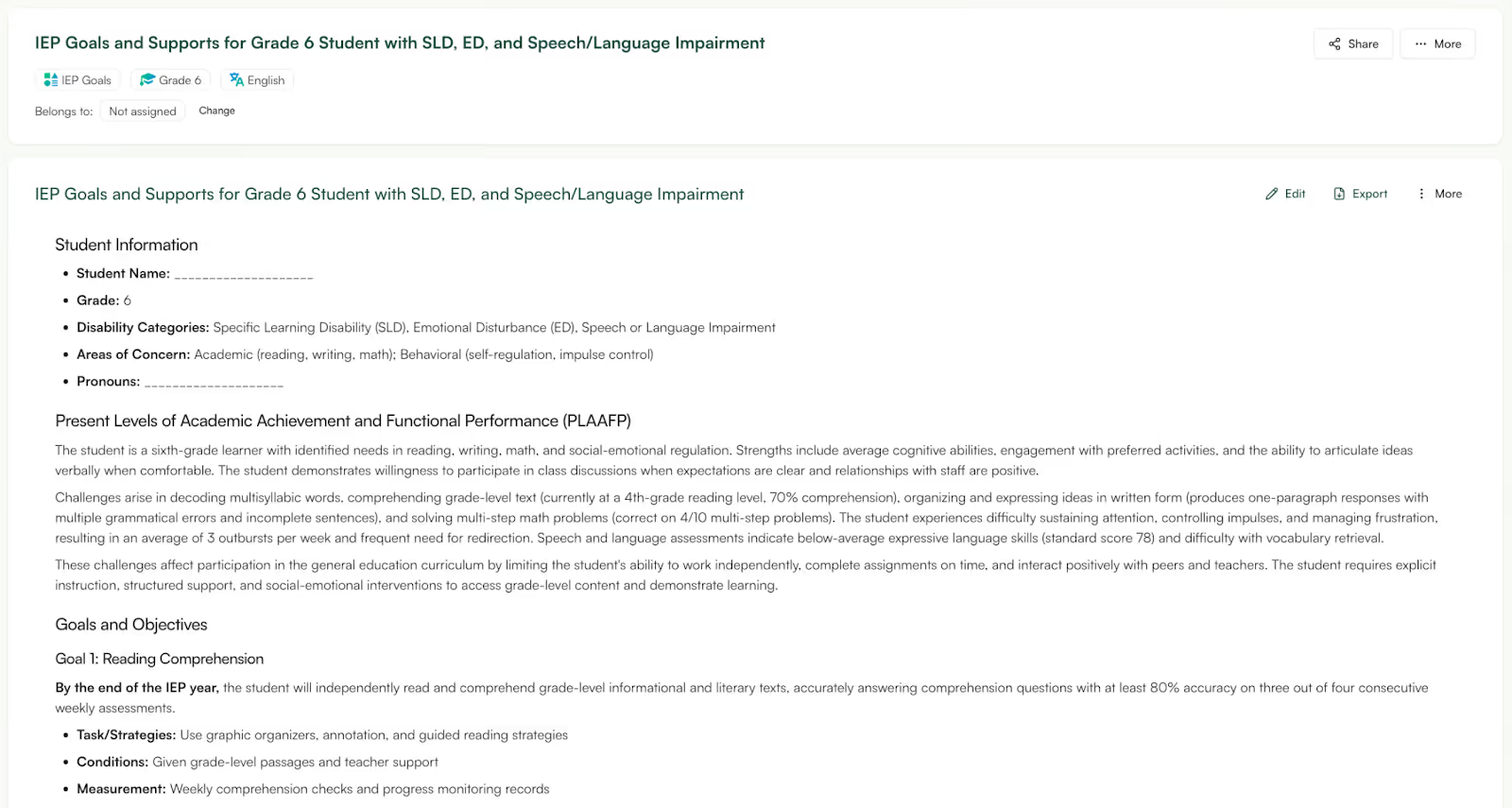
When you’re writing IEP documentation, the hardest part is often the wording. You have to make sure the goals are written clearly, follow the expected structure, and sound measurable instead of vague.
Monsha’s IEP Generator is designed specifically for that step. You enter the focus area and basic details, and it generates IEP-style goals and objectives written in clear, structured language.
It doesn’t try to manage the entire IEP process or replace professional judgment, it simply helps with drafting goals in a format that’s usable.
Teachers treat this as a drafting aid, not a final answer. They review the generated goals, adjust them based on the student’s needs, and use them as part of their broader IEP documentation.
👉 Generate a clear first draft of IEP goals
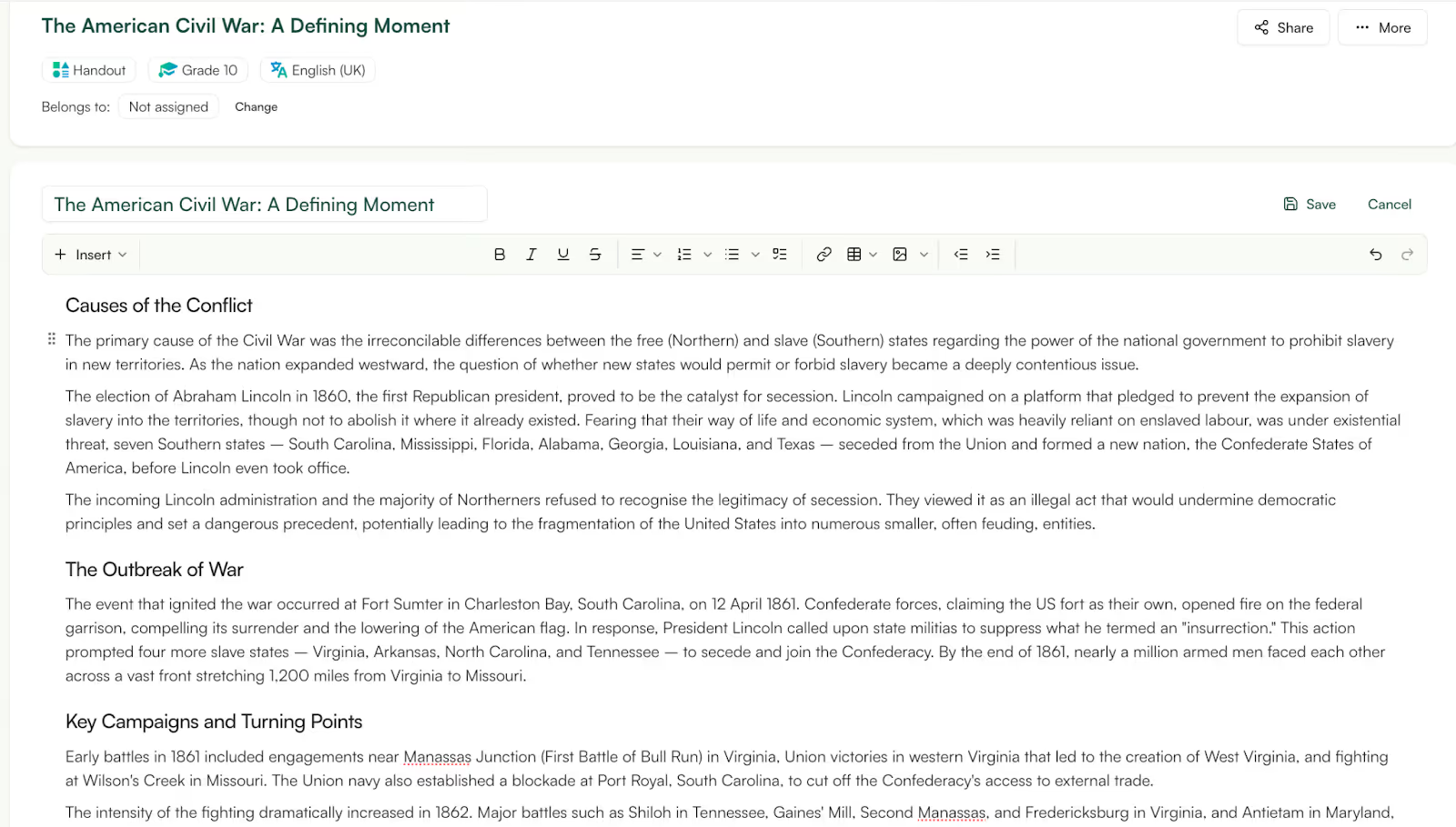
Sometimes you don’t want a worksheet or a full presentation. You just need a one-page handout students can read, refer to, or take home.
Monsha’s Handout Generator does exactly that. You enter a topic or lesson focus, and it generates a clear, structured handout that explains the key ideas in plain language. There’s no extra activity design or question formats baked in.
Handouts are super useful when you want to give students something they can quickly refer back to during independent work or revision. These handouts are generated directly from the lesson topic, the language stays consistent with how the concept is taught in class.
👉 Create a fresh handout today
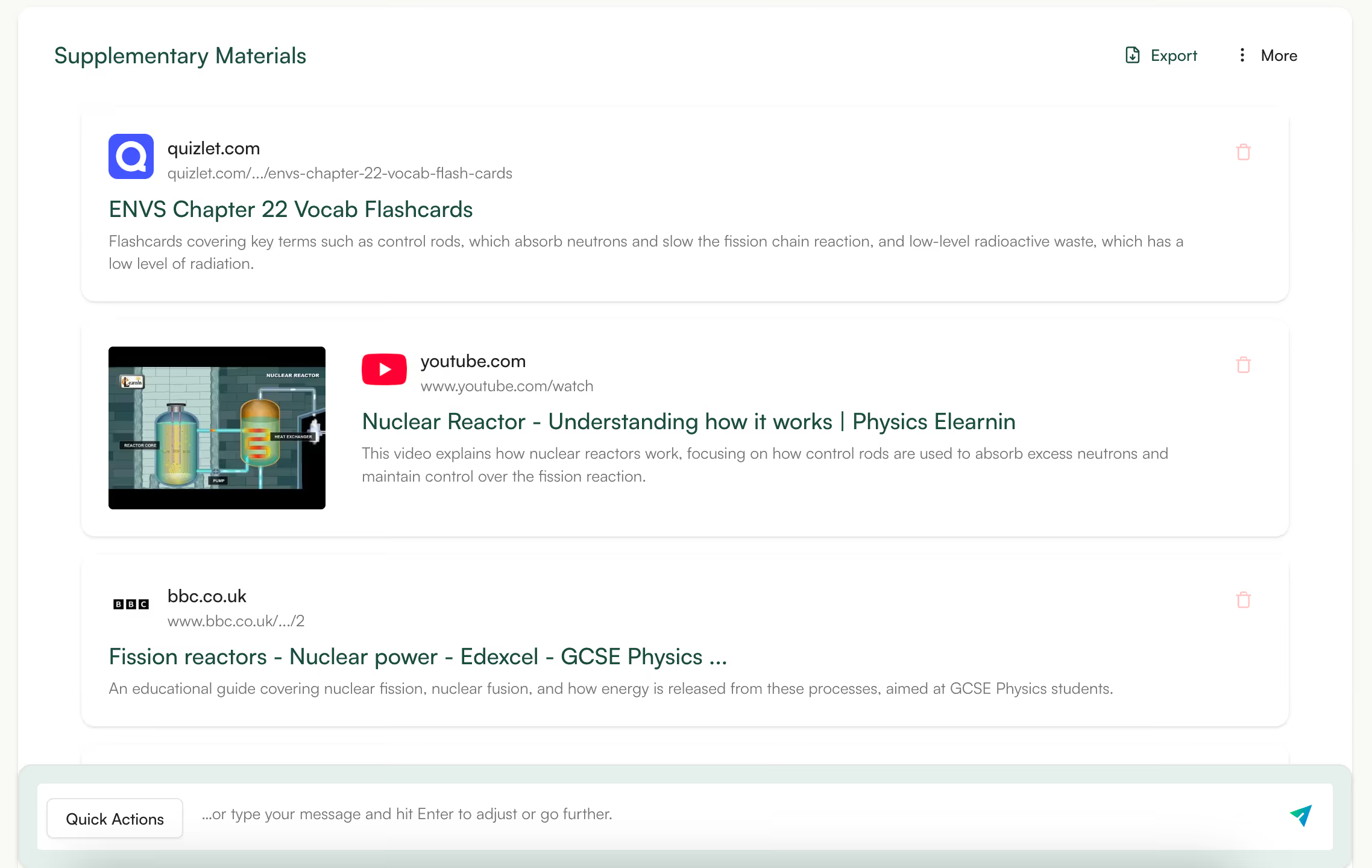
Sometimes you need extra help on top of your lesson plan - an article for deeper reading, a quick reference, or something students can explore independently.
Monsha’s Supplementary Materials Finder helps with that exact step. You enter your lesson topic, and the tool finds relevant supporting materials you can use alongside your main lesson. This could be additional explanations, reading material, or resources that reinforce the same concept from a slightly different angle.
Instead of searching endlessly online and vetting random links, you can use Monsha to find materials that stay aligned with the lesson focus.
👉 Find supplementary materials that actually match your lesson topic
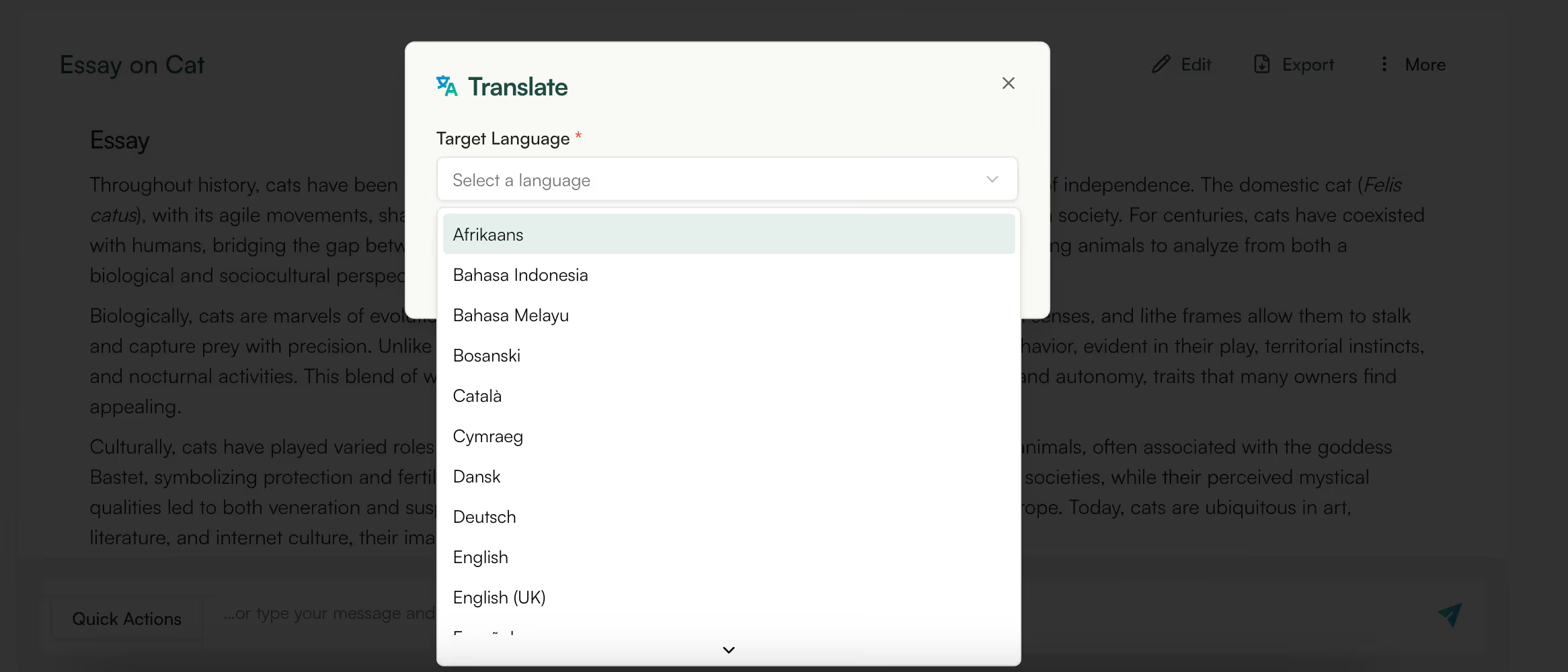
In many classrooms, students understand the concept but struggle because the language itself is a barrier. This is common in multilingual classrooms, international schools, or regions where instruction happens in a second language.
You can use Monsha to adapt the same lesson or worksheet into 60+ languages without changing the academic intent.
Just prepare one lesson and then generate language-adapted versions for specific students or groups. This helps students stay part of the same learning experience rather than being pulled into parallel tracks.
👉 Start differentiating for multilingual students
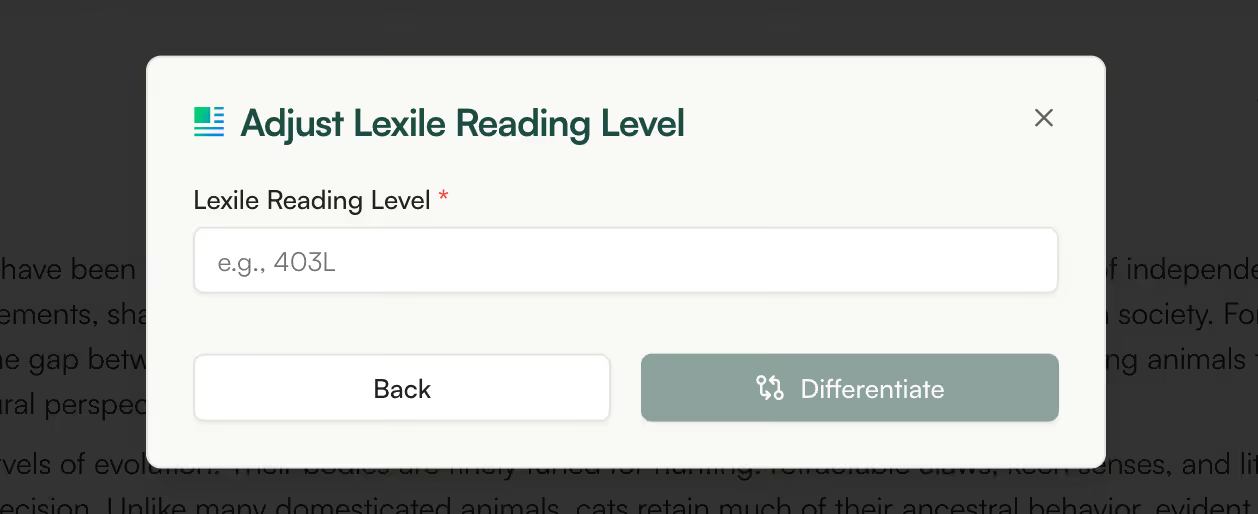
A single reading passage rarely works for every student. Some find it too easy, others too challenging.
With Monsha, you can adjust the reading level (Lexile) of the same passage while keeping the topic and meaning intact. This allows all students to engage with the same idea at a level that suits them.
You can assign different versions of the same text to different groups or use an easier version for pre-reading and a more complex one later.
This is especially valuable for mixed-ability classrooms and inclusive teaching, where differentiation needs to feel natural.
👉 Differentiate your resources by Lexile levels
.avif)
In real classrooms, most questions end up sitting at one level - usually recall or basic understanding - not because teachers want that, but because writing higher-order questions takes time.
With Monsha, you can generate separate sets of questions for the same topic at different DOK levels. For example, you can create one set that checks whether students remember or understand a concept, and another set that asks them to apply it, explain their reasoning, or work through a more complex problem.
Teachers use this in very practical ways. One common pattern is using lower-DOK questions during teaching or revision, and higher-DOK questions for homework, assessments, or class discussions.
Another is giving different DOK-level questions to different groups in the same class, depending on readiness, without rewriting the lesson or creating a second worksheet from scratch.
The value isn’t the taxonomy itself. It’s the ability to control the level of thinking a task demands, instead of guessing or defaulting to the easiest option.
👉 Create questions based on DOK levels
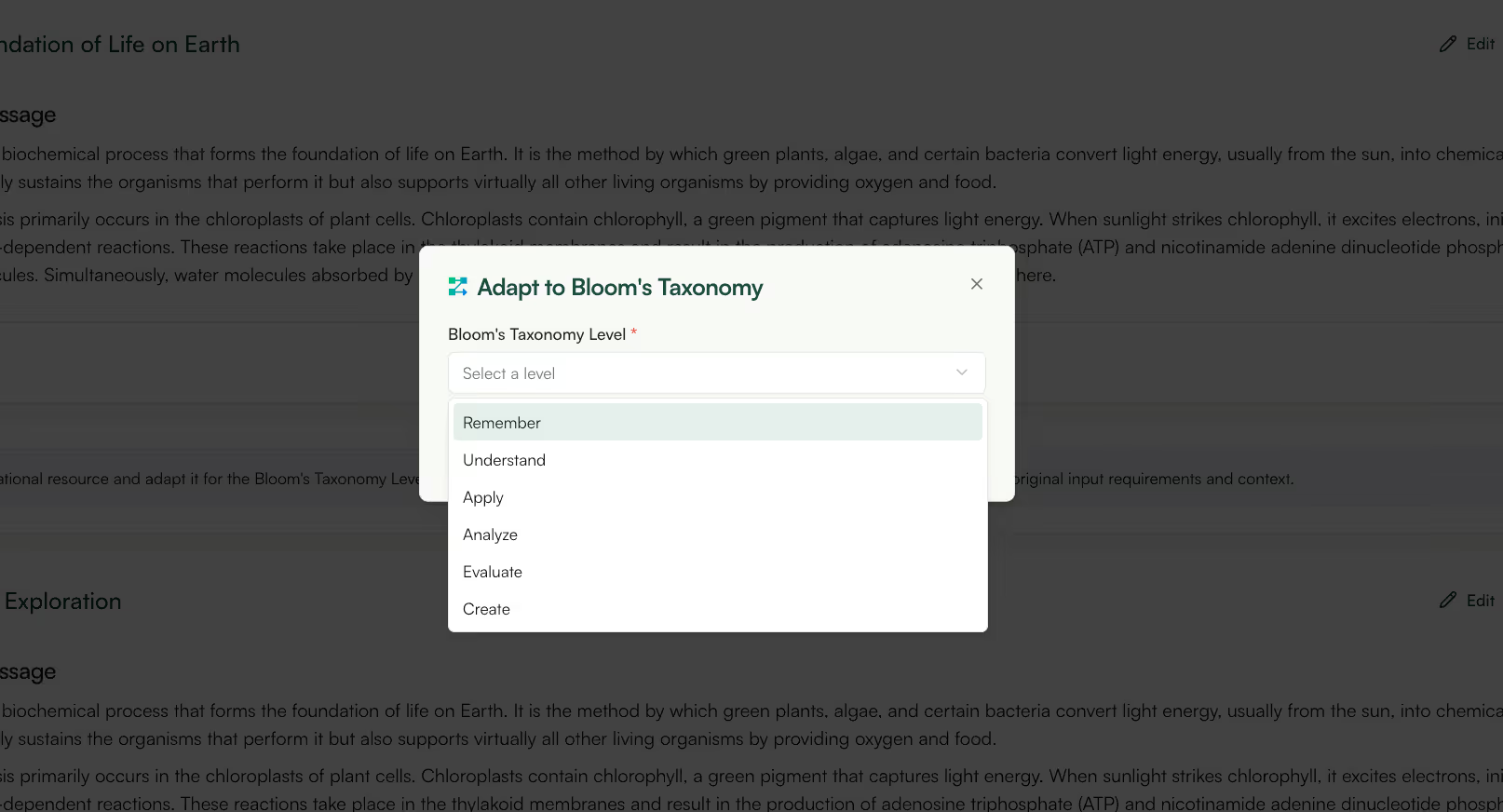
When teachers plan questions, they intend to move beyond recall, but when you’re short on time, most questions end up asking students to define, list, or identify.
With Monsha, you can generate questions or activities explicitly at a chosen Bloom’s level for the same topic. For example, you can ask Monsha to create recall-level questions to introduce a concept, application-level questions for practice, and analysis or evaluation questions for discussion or assessment.
You can use lower-level Bloom’s questions during teaching to check understanding, then switch to higher-level questions for class discussions, written responses, or projects.
Another is to mix Bloom’s levels within a single worksheet so students aren’t stuck doing only one type of thinking.
👉 Generate questions aligned with Bloom’s Taxonomy
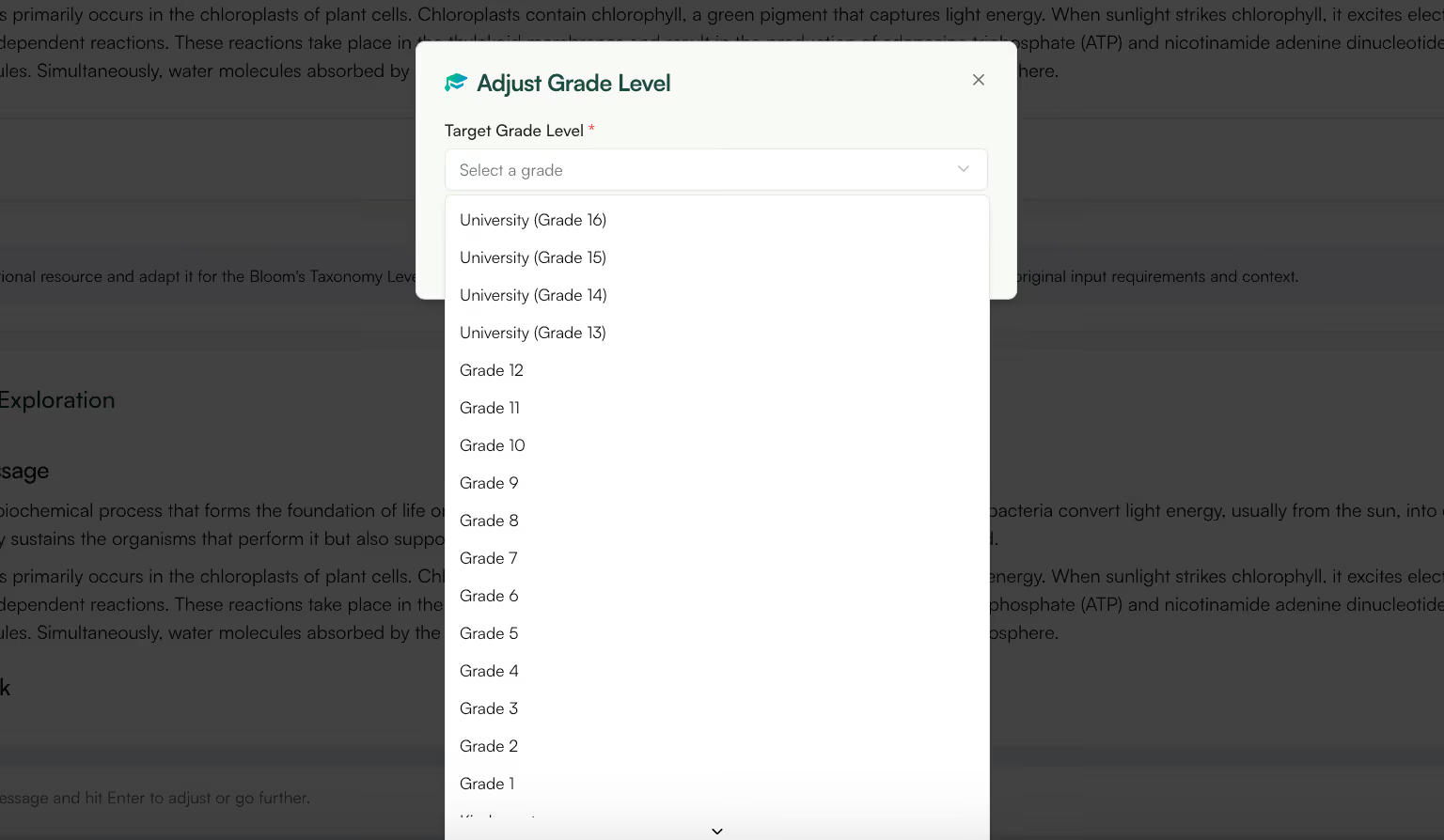
Many topics don’t belong to just one grade. They show up again and again at a different complexity level each time.
With Monsha, you can take one concept and generate versions of the same material for different grade levels. The idea stays the same, but the language, question types, and expectations change to match the grade.
This is especially useful if you teach more than one grade or work with colleagues across grades. Instead of rewriting lessons from scratch each time, you start with one version and adapt it - simpler for younger students, more detailed or demanding for older ones.
That way, you’re not duplicating work, and the content stays consistent across grades while still being appropriate for the students in front of you.
👉 Create grade-appropriate versions of the same lesson without starting over.
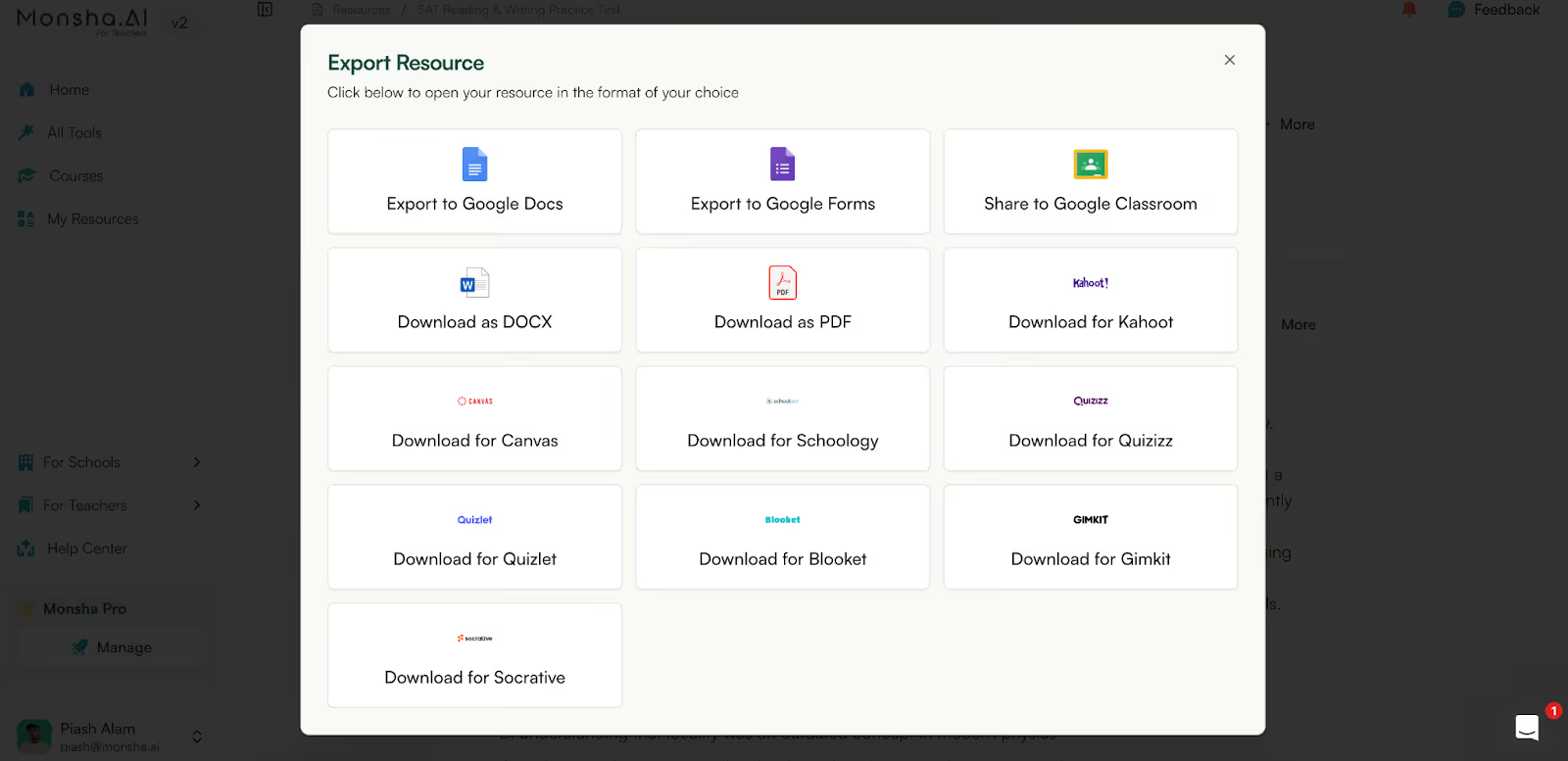
When you create something in Monsha, the next step is almost always external. You need to upload it to Canvas, Schoology or Google Classroom, email it to students, submit it to a coordinator, or print it.
Monsha lets you export lessons, worksheets, handouts, and presentations in standard formats like Google Docs, PDFs, Google Classroom, and slide files. You can export quizzes and other assessments in Google Forms and quiz platforms like Kahoot , Quizlet, and more! That means you don’t have to copy content into another tool just to make it usable.
This matters in very practical situations: submitting lesson plans, sharing materials with a substitute, uploading worksheets to an LMS, or printing for class. You generate the content once and export it in the format your school already expects.
👉 Export your materials in the format you already use at school.
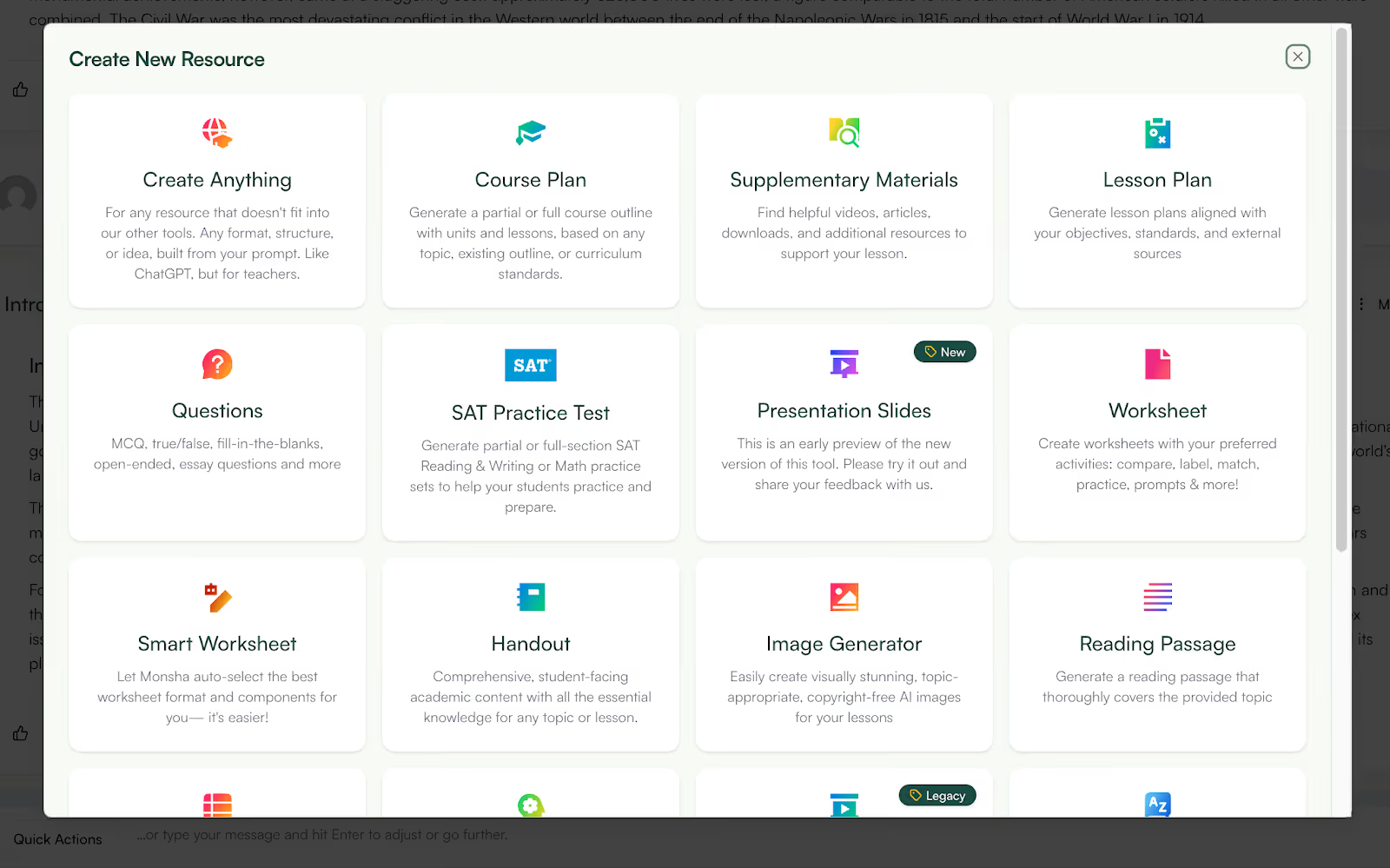
Teaching rarely uses one resource in isolation. You explain something, give practice, then revise it later - all using the same underlying content.
In Monsha, you can start with one resource (for example, a worksheet or lesson topic) and generate other materials from that same source like a handout, a presentation, or revision questions. You’re not starting fresh each time.
This is useful when you want consistency. The explanation students see on slides matches the wording in the worksheet and the revision material. You’re not accidentally teaching one version and testing another.
👉 Build your lesson, practice, and revision from one starting point.
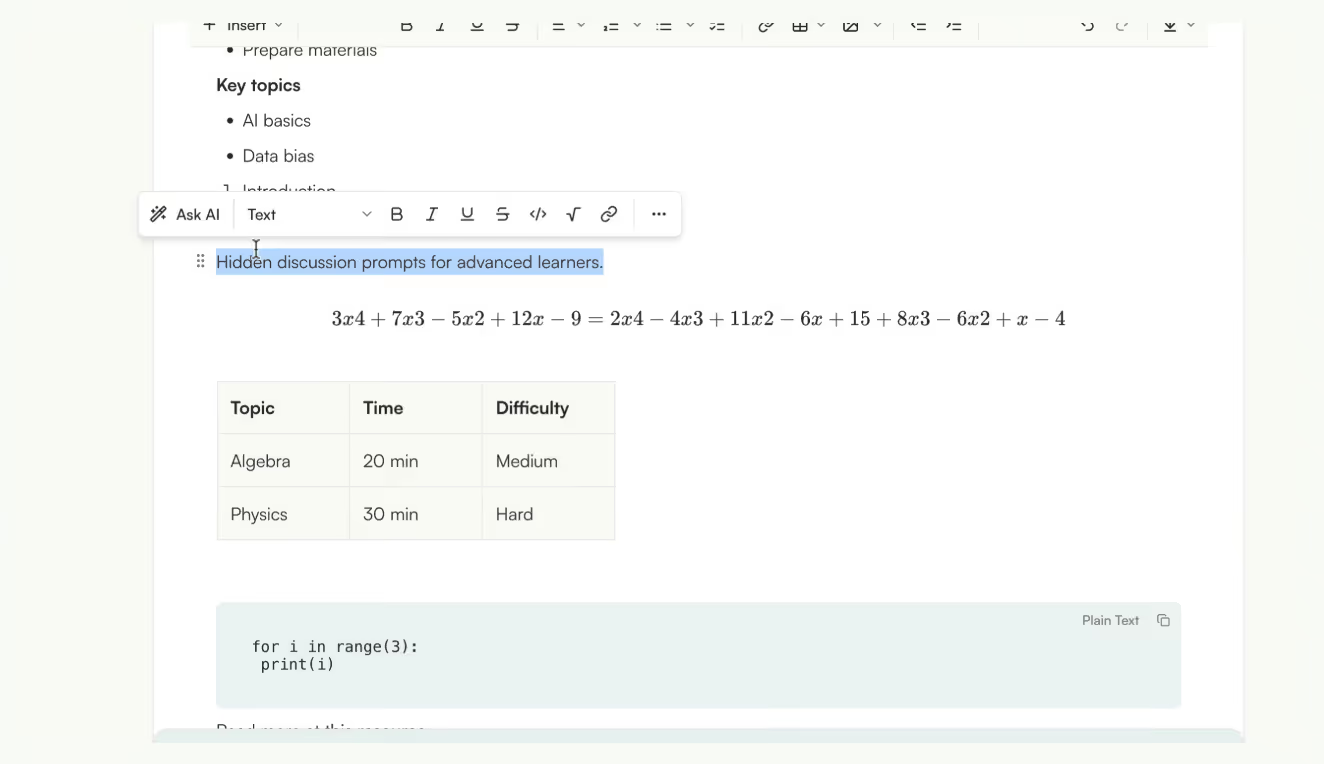
Monsha now has a built-in editor where you can edit, customize, and clean up what you generate, without leaving the platform. That includes content that’s normally painful to format, like tables, equations, or structured lists.
If your worksheet has a table, you can add or remove rows and columns, rearrange them, and adjust things properly. You can also use different kinds of lists, add quotes, or include code blocks if you need them. Basically, the kinds of things teachers usually fix after exporting are now editable right there.
For STEM subjects, this matters even more. Writing equations or scientific notation is much smoother now, and the formatting stays clean instead of breaking when you edit.
You can also embed images, videos, or links directly into your content. Upload an image, drop in a YouTube link, or hyperlink text, all without switching tools.
One of the most useful parts is how editing with AI works. If there’s just one paragraph or question you don’t like, you can select only that part and ask AI to change it. Monsha rewrites just that section, instead of regenerating the entire document and undoing work you’ve already done.
Everything in the editor works in blocks, so you can drag sections around instead of cutting and pasting endlessly.
👉 Edit effortlessly with Monsha’s editor
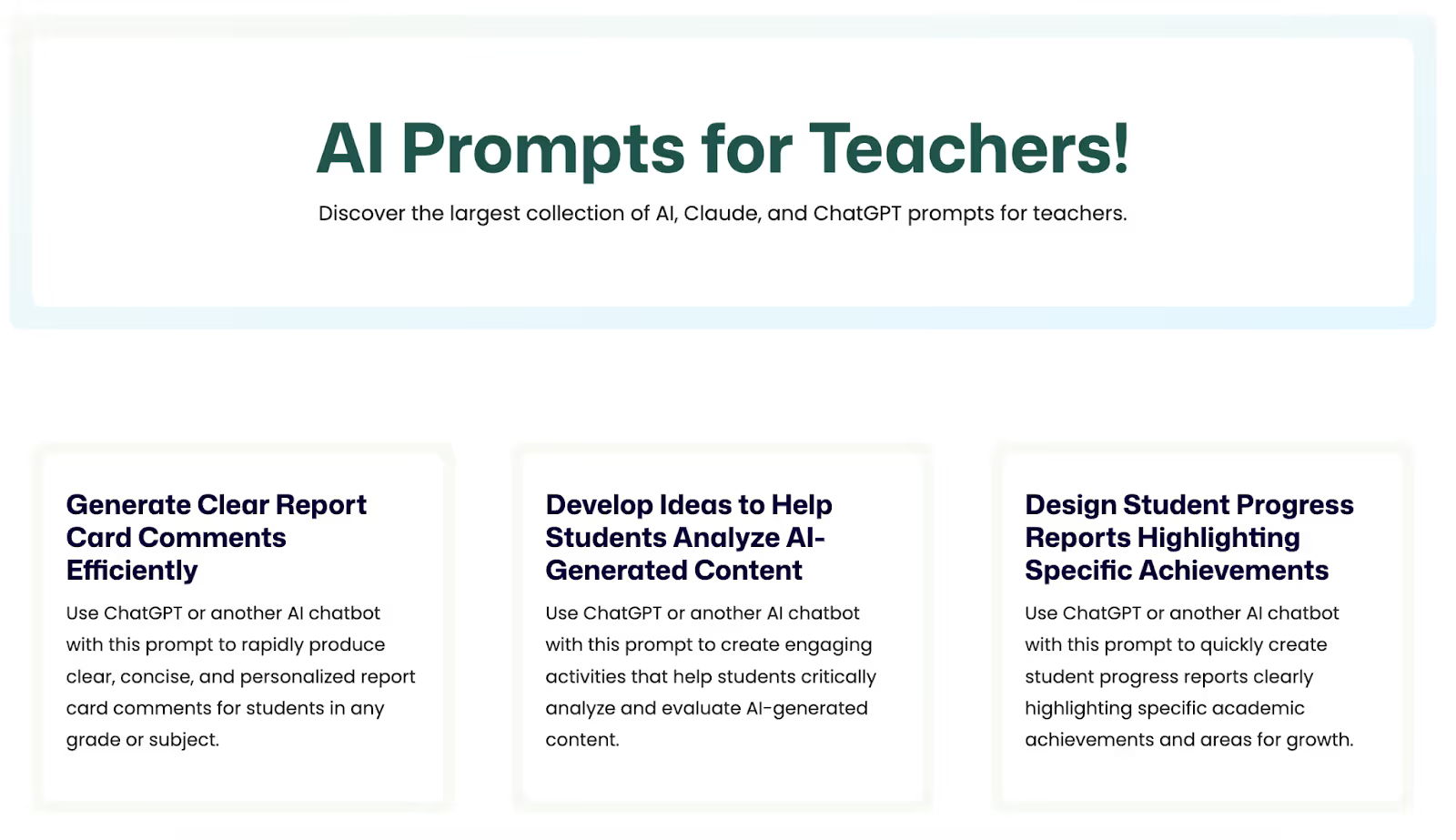
We understand that you may want to use ChatGPT sometimes - for quick resource creation. So, we created a prompt library so you can get the best possible outputs.
Monsha’s prompt library gives you education-specific prompts that are already written to produce usable teaching materials. Instead of experimenting with phrasing or trial-and-error prompts, you start with ones designed for classroom tasks.
This is especially useful when you’re trying to create something outside the obvious templates or when you want consistent results without tweaking prompts repeatedly.
👉 Check out the AI prompt library.
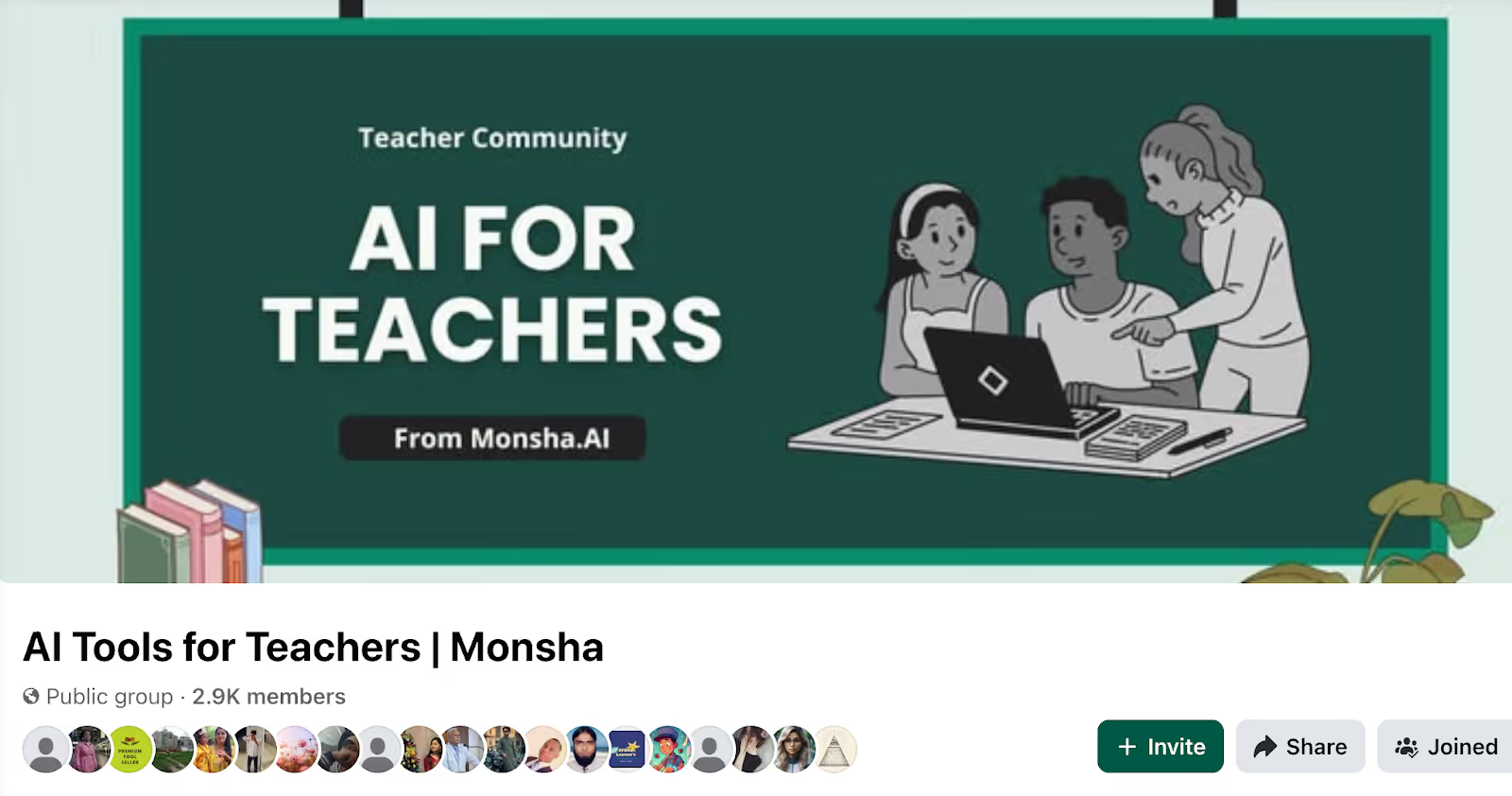
Using AI in teaching can feel isolating at first. You might be trying things out on your own, wondering what’s acceptable at your school, or unsure how other teachers are actually using tools like Monsha in real classrooms.
That’s where the Monsha Facebook community comes in.
Teachers use the community to see how other educators are using AI day to day - not polished case studies, but real examples. Someone shares how they used Monsha to plan a lesson faster. Someone else asks how others are handling AI policies at their school. Others share prompts, workflows, or even mistakes they’ve learned from.
A big part of the value is support. If you’re stuck, unsure whether a resource “counts,” or trying to convince your school to allow AI tools, the community gives you real perspectives from teachers facing the same questions.
People share school and district policies, what’s allowed, what’s not, and how they’ve adapted - which is incredibly useful when AI is still new territory.
And honestly, it’s also about connection. Teaching can be lonely, and experimenting with AI even more so. The community gives you a place to talk, ask, help others, and make teaching friends who are navigating the same changes you are.

👉 Join the Monsha Facebook community
Once you step back and look at everything you can do with Monsha, a pattern becomes clear.
You don’t just use it to “generate content.” You use it to move from idea to classroom-ready materials, adjust them for your students, reuse what works, and share or export everything without jumping between tools.
That’s what turns Monsha from a helpful tool into a full workflow support system. You don’t have to use every tool at once. Most teachers don’t.
But the value of Monsha shows up when you stop treating each feature as separate and start using it as the place where your teaching work comes together.
Whatever you know about Monsha, we’re sure there’s a lot more to explore. And it’s totally free to try.
So try Monsha now.
.avif)




AI in Education Content
Pooja Uniyal works closely with teachers and schools to understand and guide how AI is being used in real classrooms today. Her work at Monsha focuses on capturing practical teaching workflows and turning them into clear, usable guidance for educators exploring AI in their daily planning.
Join thousands of educators who use Monsha to plan courses, design units, build lessons, and create classroom-ready materials faster. Monsha brings AI-powered curriculum planning and resource creation into a simple workflow for teachers and schools.
Get started for free


.avif)
.avif)