Best Exemplar and Answer Key Tools for Teachers (That Actually Save Time)
A practical comparison of the best exemplar and answer key tools for teachers. Learn how to create clear exemplars, math exemplars, and answer keys for worksheets without extra work.
You’ve finished creating a worksheet. Now comes the part no one talks about enough: writing the answer key and figuring out how to show students what a strong response actually looks like.
A simple answer key isn’t enough - especially for math, science, or long-answer questions - but creating a full Exemplar for every worksheet feels unrealistic when you’re already short on time.
So you do what most teachers do:
You write quick answer keys for worksheets
You explain the reasoning verbally in class
You hope students “get it”
But there’s no clear, reusable Exemplar they can go back to.
This is where an AI exemplar and answer key generator changes the workflow. Instead of forcing you to choose between a quick answer key or a full exemplar, it helps you generate both - accurately, intentionally, and in the right format for each question.
Whether you need clean answer keys for worksheets, a step-by-step math exemplar, or a model response that shows quality and reasoning, these tools are built specifically to support Exemplars in education - without adding more work to your plate.
The Best Tools to Generate Exemplars and Answer Sheet
Based on our research, here are the top tools you can use to generate Exemplars and answer keys for your classroom:
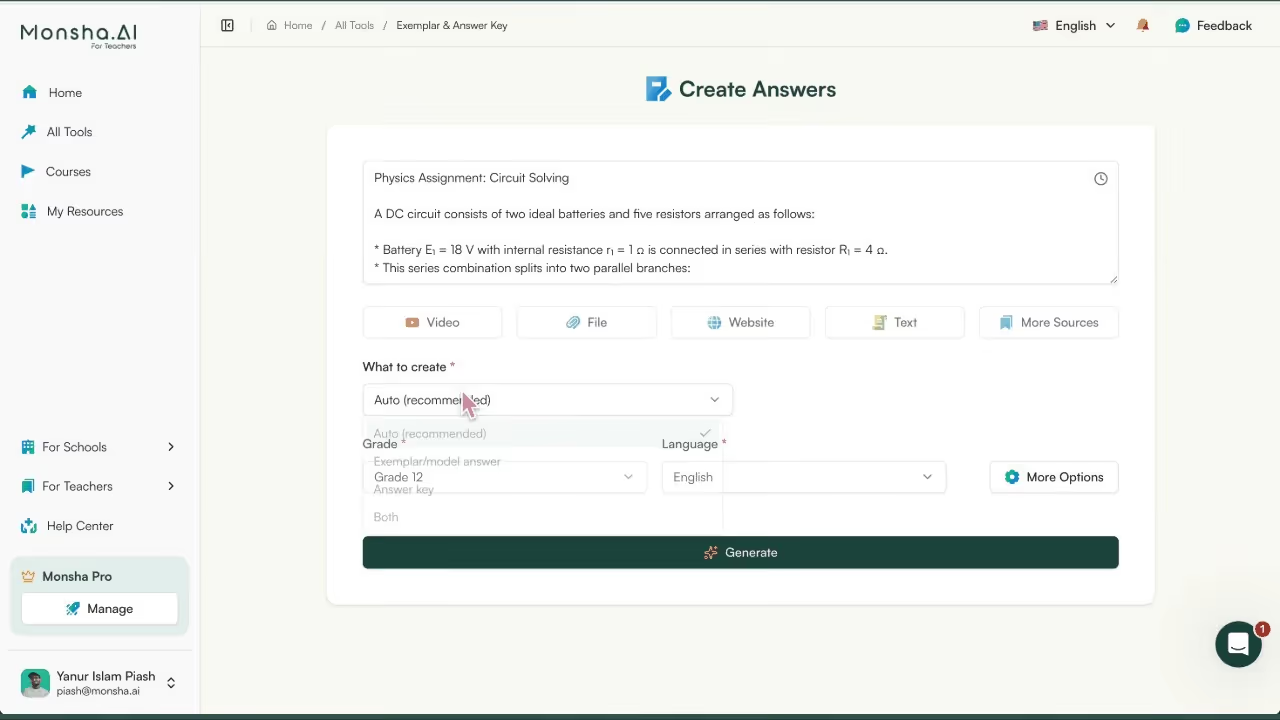
Monsha: Exemplar & Answer Key Tool
Creating Exemplars and answer keys shouldn’t feel like two separate jobs - but in most classrooms, they are. You write worksheets, then separately draft answer keys, then again try to explain what a strong response looks like. Monsha’s Exemplar & Answer Key tool brings all of that into one workflow.
Instead of forcing you to choose between a quick answer key or a fully worked solution, Monsha understands the difference between Exemplars and answer keys for worksheets, and generates the right output based on the question, subject, and teaching context.
Key features:
Smart distinction between Exemplars and answer keys: Monsha doesn’t treat every question the same. For simple or objective questions, it generates clean, accurate answer keys for worksheets. For complex or long-answer questions, it creates full Exemplars that show reasoning, structure, and quality. You can also explicitly choose Exemplar, Answer Key, or Both, or let Monsha decide automatically per question.
Step-by-step reasoning for strong Exemplars: When you need more than just the final answer, Monsha can expand responses to show clear, step-by-step reasoning. This is critical for a math exemplar, where students need to understand how the solution works, not just what the answer is. You can toggle between detailed explanations and concise reasoning depending on how much scaffolding your students need.
Final-answers-only mode for quick grading: Sometimes, you just need speed. Monsha lets you switch to a “final answers only” view, giving you a clean, no-explanation answer key. This is ideal when you’re quickly checking worksheets or preparing answer keys for substitute teachers or internal reference. .
Non-exemplary answers and common mistakes: Exemplars in education are more powerful when students can see what not to do. Monsha can add non-exemplary or incorrect sample responses that highlight common mistakes and misconceptions. This helps you proactively address errors during instruction instead of waiting for them to appear in grading.
Alignment to rubrics and key criteria: Monsha can explicitly highlight where an exemplar meets rubric criteria or marking expectations. You can also convert an exemplar into a point-by-point marking guide, making it easier to grade consistently and explain scores to students. This turns Exemplars into living answer references, not just sample responses.
Multiple valid solution approaches: Especially in math and problem-solving subjects, there’s rarely only one correct way to solve a problem. Monsha can generate multiple valid approaches for the same question, helping you show students that strong thinking can look different while still being correct, a core principle of effective exemplar use.
Adjustable difficulty and tone: You can simplify Exemplars for struggling learners or make them more advanced to challenge high performers. You can also switch between student-facing Exemplars (clear, instructional language) and teacher-facing versions (concise, grading-focused). This flexibility makes Monsha useful across grade levels and learning contexts.
Built for accuracy and trust: The tool is designed with a strict requirement for correctness, especially for math and technical subjects. Monsha prioritizes accuracy in both answer keys and Exemplars, so you can confidently share outputs with students without second-guessing the solution path.
MagicSchool.ai helps teachers create Exemplars and answer keys quickly using AI. It’s especially useful when teachers need model responses for writing, math, or short-answer worksheets without manually drafting multiple versions.
Key features:
Exemplar and non-exemplar generation: Teachers can generate clear examples of strong and weak responses for the same prompt. This makes Exemplars in education more concrete, helping students understand expectations before they begin an assignment.
Rubric creation as structured answer keys: For open-ended worksheets and writing tasks, rubrics act as answer keys by explaining how work is evaluated, not just what the correct response is.
Assessment and worksheet question generation: Teachers can generate worksheet questions along with expected answers, making it easier to build answer keys for worksheets without extra prep.
Grade-level and skill targeting: Exemplars can be aligned to specific grades, ensuring that model answers reflect realistic classroom expectations.
Editable outputs for teacher control: AI-generated Exemplars can be refined to match curriculum language, teaching style, or school standards.
Exemplars
Exemplars is purpose-built for exemplar-based instruction, providing authentic student work samples that show what quality looks like across performance levels.
Key features:
Performance-based assessment tasks: These tasks naturally require Exemplars, especially in math and science, where teachers often need more than a single correct answer.
Anchor papers across proficiency levels: Teachers can show multiple student responses side-by-side, helping students see how work improves from basic to advanced, a core practice in Exemplar in education.
Rubrics tied directly to student work: Each rubric explains why a response meets or exceeds expectations, making it easier to justify grades and clarify answer keys.
Strong math exemplar support: Especially valuable for math, where showing reasoning is as important as the final answer.
Instructional guidance for using Exemplars: Helps teachers model how to discuss Exemplars with students during instruction and review.
Quizizz (now Wayground)
When you’re creating worksheets or quick checks for understanding, writing and maintaining answer keys can quietly eat up a lot of your prep time. Quizizz helps you skip that manual step. It automatically generates and manages answer keys for worksheets and formative assessments, making it easier for you to focus on teaching instead of correcting.
Key features:
AI-generated questions with built-in answer keys: When you create a worksheet or quiz in Quizizz, the correct answers are baked in from the start. This means you don’t have to separately write or format answer keys for worksheets, they’re created alongside the questions. This is especially useful for math worksheets, where having a clear, correct solution is essential.
Auto-grading that doubles as an instant answer key: As soon as students submit their responses, Quizizz automatically grades them and shows the correct answers. Instead of answer keys living in a separate document, they become part of the learning flow. You can immediately review solutions with the class or assign the worksheet knowing the answer key is already handled.
Answer review that supports Exemplars in education: After an activity, you can go back and review responses question by question. This makes it easy to highlight correct answers and explain why they work. Over time, these reviewed answers function as mini Exemplars, showing students what strong, accurate responses look like.
Performance data to surface exemplar responses: Quizizz doesn’t just tell you who got an answer right, it shows patterns. You can quickly see which questions most students struggled with and which ones produced strong responses. Those high-performing answers can be used as Exemplars in education, especially when you want to model correct reasoning or problem-solving approaches.
Reusable worksheets and answer keys: Once you’ve created a worksheet, both the questions and the answer keys are saved. You can reuse them next year, adapt them for a different class, or tweak them to create new math Exemplars or practice sets without starting from scratch.
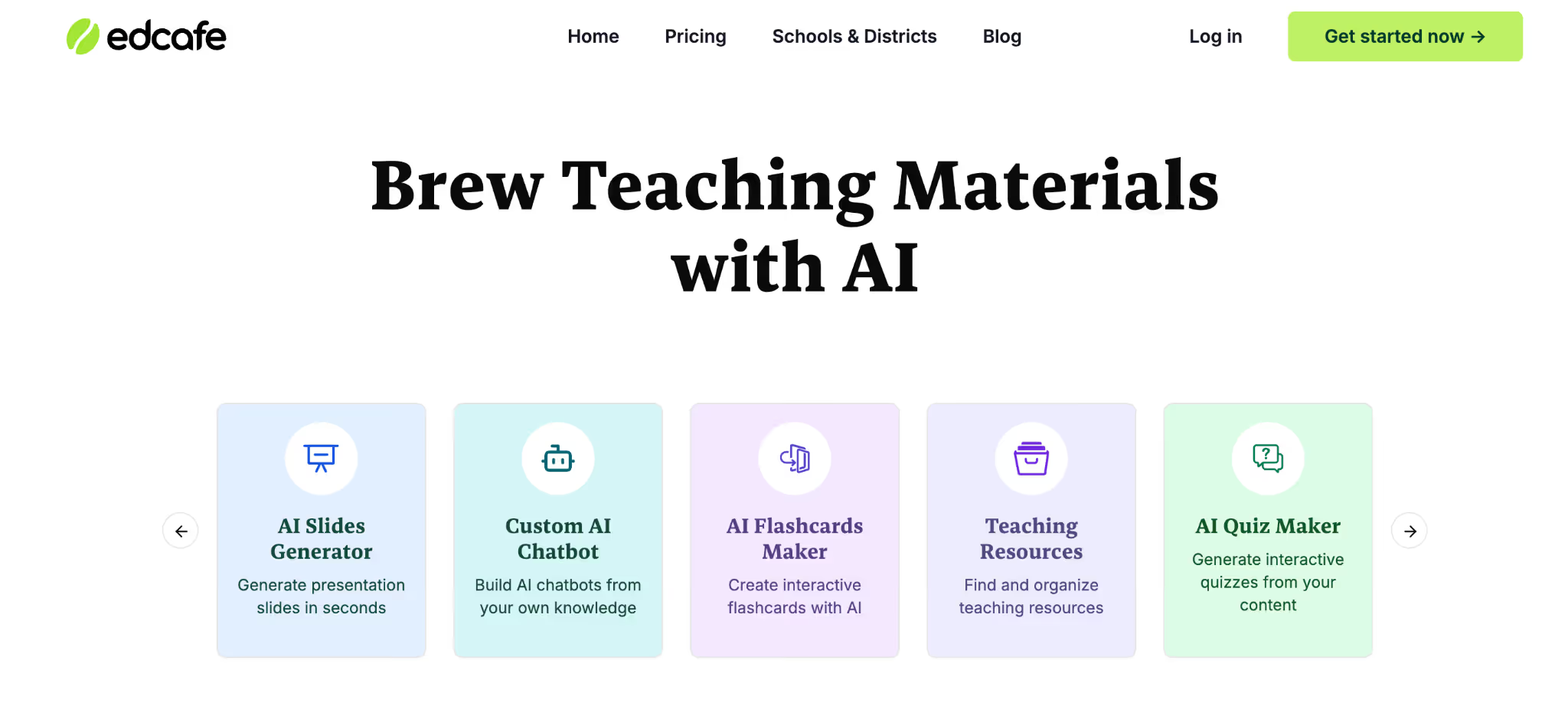
Edcafe AI
If you often find yourself juggling worksheet creation, answer keys, and follow-up explanations, Edcafe AI helps bring all of that into one flow. Instead of treating Exemplars and answer keys as an afterthought, Edcafe supports you while you’re designing assessments, which makes it easier to create clear expectations from the start.
Key features:
Question generation with suggested answers: When you create worksheet questions in Edcafe, the tool also suggests correct answers. This makes building answer keys for worksheets much faster, especially when you’re creating multiple practice sets or assessments in one sitting. For math worksheets, these suggested answers give you a reliable starting point for building a math exemplar that shows both accuracy and method.
Rubric creation to define what “exemplary” means: Not every worksheet has a single right answer. Edcafe’s rubric tools help you spell out what a strong response looks like, which is essential for Exemplars in education. You can use these rubrics as structured answer keys for open-ended questions, explaining how student work is evaluated, not just what the final answer is.
Standards-aligned assessment design: Edcafe helps you align questions, answers, and rubrics to learning standards. This makes your Exemplars more meaningful, because students aren’t just seeing a “correct” answer, they’re seeing an example of work that actually meets grade-level expectations.
Explanatory feedback you can reuse as Exemplars: The feedback Edcafe generates isn’t just for grading. You can reuse well-written explanations as model responses or post-assessment Exemplars. Over time, this helps you build a library of examples that show students why an answer works, not just that it’s correct.
Centralized library for worksheets, Exemplars, and answer keys: Instead of answer keys living in scattered documents, Edcafe lets you keep everything in one place. You can store worksheets, their answer keys, and related Exemplars together, making it easier to reuse and refine them across lessons or school years.
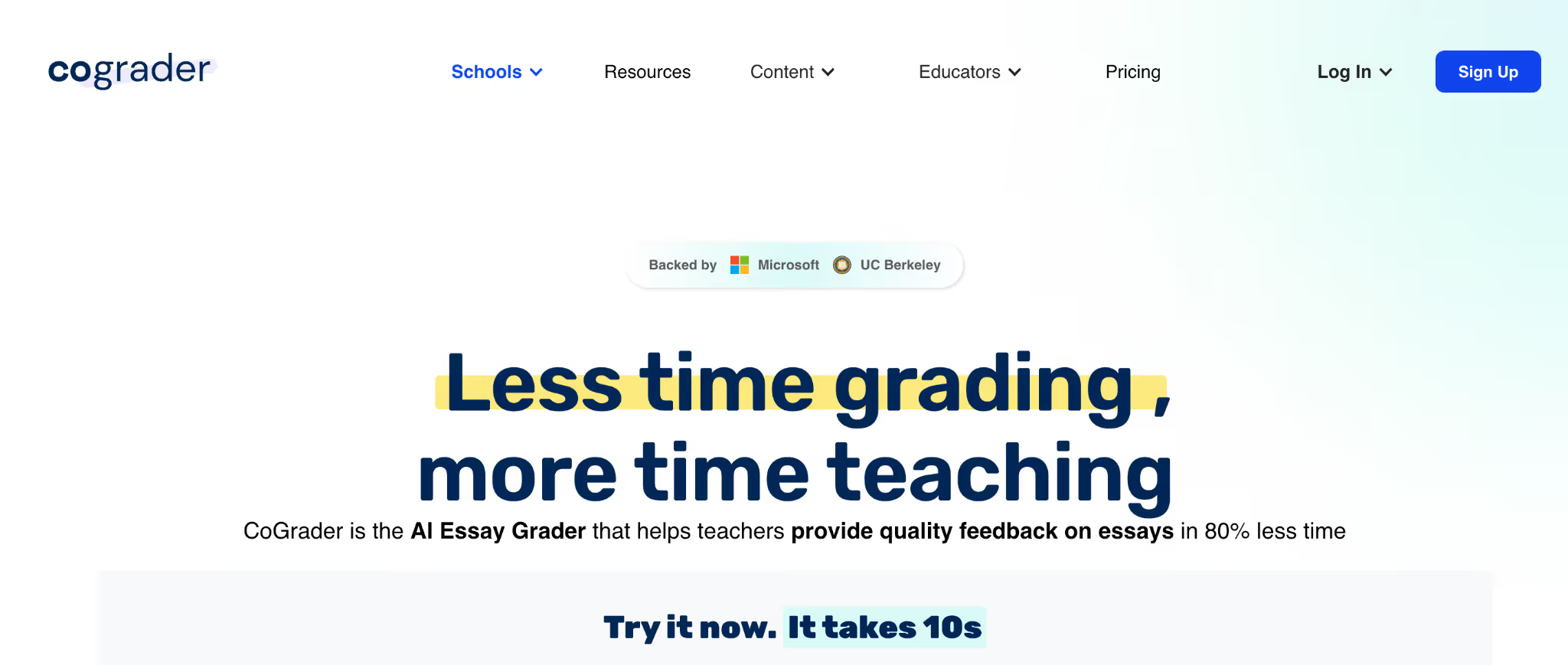
CoGrader
If you already have worksheets, assignments, and answer keys but struggle to consistently explain what “good work” looks like, CoGrader helps you close that gap. Instead of just grading student responses, it helps you evaluate them against clear criteria, making it much easier to identify and reuse strong responses as Exemplars in education.
Key features:
Rubric-based grading that acts like a structured answer key: CoGrader grades student work using your rubric, which means the rubric itself becomes a detailed answer key. This is especially useful for open-ended worksheets where there isn’t a single correct response. You’re not just marking answers right or wrong, you’re clearly defining what an exemplary response includes.
Identifying high-quality student work for exemplars: As CoGrader reviews submissions, it helps surface responses that strongly align with your rubric. These responses can be saved and reused as Exemplars, so students can see real examples of work that meets or exceeds expectations.
Clear feedback that explains why an answer works: The feedback CoGrader generates goes beyond scores. It explains reasoning, structure, and clarity, which you can later turn into written Exemplars or explanation keys for worksheets. Over time, this builds stronger Exemplars in education because students understand the thinking behind correct answers.
Support for math Exemplars beyond final answers: For math worksheets, CoGrader is especially helpful because it evaluates processes, not just results. This allows you to highlight math Exemplars that show correct reasoning, step-by-step logic, and problem-solving strategies, not just the final number.
Class-level insights to refine answer keys: By spotting common mistakes across the class, CoGrader helps you improve your answer keys for worksheets. You can update them to address frequent misconceptions and add clarifying notes or exemplar solutions where students typically struggle.
Why Monsha Is the Best Choice for Exemplar and Answer Keys?
Most tools help you do one part of the job. Some generate answer keys for worksheets. Others help with grading or rubrics. A few can create sample responses - but only if you prompt them carefully or clean up the output afterward. That’s the real gap teachers feel every day: stitching together multiple tools just to show students what “good work” actually looks like.
Monsha is different because it’s built specifically around how exemplars work in education. It understands that not every question needs a long explanation, and not every task can be reduced to a single correct answer. With Monsha, you can generate clean answer keys for worksheets, detailed Exemplar for complex questions, and step-by-step math Exemplar - all from the same input, without rewriting or reformatting your work.
What truly sets Monsha apart is control. You decide when students see full reasoning, when they only need final answers, and when showing common mistakes will help learning more than another explanation. You can align Exemplar to rubrics, adjust difficulty, and even generate multiple valid solution paths - something most tools simply don’t handle well.
If you’re tired of creating worksheets first and figuring out Exemplar later, Monsha gives you a better workflow. One where Exemplar, answer keys, and teaching clarity are built together - not patched on at the end.
1. What exactly is an exemplar and when should I use one?
An exemplar is a clearly annotated sample of student work that shows what high-quality responses look like and helps clarify grading expectations for students and substitutes. It’s used most often to make sure students understand what success looks like on open-ended or performance tasks.
2. Do I need to create an answer key for every worksheet or quiz?
Many teachers make answer keys - especially for multiple choice or short answer items - so they can grade consistently and quickly check student work. Others prefer rubrics for longer responses to encourage deeper thinking. Real classroom discussions show answer keys help with consistency and transparency in grading.
3. Can exemplars help my students understand assessment expectations?
Yes, exemplars are especially powerful for showing quality work in context, helping students see not just what the answer is but what makes it good. This builds clearer understanding of criteria and reduces confusion about performance tasks.
4. Should students see the answer key or exemplar before they submit work?
This is debated. Some teachers hold answer keys back so students think independently, while others share them as a learning tool alongside feedback. Either way, answer keys can be a useful reference when used intentionally to support learning rather than replace it.
5. What’s the difference between an answer key and a rubric?
An answer key usually lists correct answers or detailed solutions for specific questions. A rubric outlines scoring criteria or performance levels for student responses, especially on essays and projects. Many teachers use both together - answer keys for accuracy and rubrics for qualitative feedback.
6. Why do teachers use exemplars instead of just giving the answer key?
Many educators use exemplars because they show what quality work looks like, not just the correct answer. This helps students understand expectations rather than simply memorize answers.
7. Is it normal to make your own answer key for constructed responses or essays?
Some teachers make detailed answer keys or rubrics for longer responses to ensure consistency in grading, especially when the “correct” answer isn’t a single response.
8. Should I give students the answer key before or after they try their work?
Teachers debate this: some share answer keys after students attempt the work to encourage thinking first, while others post them for review so students can self-correct and learn from mistakes.
9. How can I post an answer key that students won’t just copy and cheat from?
Teachers often look for ways to share answer keys (e.g., interactive formats or delayed posting) that support learning without encouraging copying or low-effort work.
10. Do answer keys really help students learn, or just help with grading?
Some educators ask whether answer keys support student learning or mainly serve the teacher’s grading efficiency - especially when students “still get it wrong even with the answer sheet.”
Pooja Uniyal
AI in Education Content
Pooja Uniyal works closely with teachers and schools to understand and guide how AI is being used in real classrooms today. Her work at Monsha focuses on capturing practical teaching workflows and turning them into clear, usable guidance for educators exploring AI in their daily planning.
AI lesson planning and teaching resources in one place
Join thousands of educators who use Monsha to plan courses, design units, build lessons, and create classroom-ready materials faster. Monsha brings AI-powered curriculum planning and resource creation into a simple workflow for teachers and schools.
.avif)









.avif)
.avif)