Discover how teachers can create clear exemplars and answer keys for worksheets using AI. This guide explains the why, the research-backed benefits, and a practical step-by-step workflow—especially for math exemplars and everyday classroom use with Monsha.
.avif)
You’ve already planned the lesson. You’ve already taught the concept. Now you’re expected to write a clear Exemplar, a step-by-step answer key for worksheets, and make sure it aligns with your rubric, your method, and your students’ level. For something like a math Exemplar, that often means rewriting the same logic multiple times just to make the thinking visible. It’s repetitive, time-consuming, and honestly, exhausting.
When an Exemplar isn’t clear - or when answer keys are rushed - students don’t learn how to think. They only see the final answer. That leads to more confusion, more “I don’t get it” questions, and more time spent reteaching instead of moving forward.
This is where AI changes the game.
In this blog, you’ll see a step-by-step process to create Exemplars and answer keys using AI with Monsha, in a way that supports real classroom teaching.
.avif)
If you’re unsure whether using AI to create Exemplars and answer keys for worksheets is actually worth it, this section is for you. This isn’t about hype, it’s about what research and real classrooms are showing now.
A 2023 study by the University of Cambridge Faculty of Education examined teacher workload across planning, assessment design, and feedback. One clear finding:
“Teachers spend 6–8 hours per week creating assessment materials, with a significant portion going into writing model answers, marking schemes, and Exemplars”
Creating a single high-quality math exemplar - especially one that explains reasoning step by step - can take 20–40 minutes on its own. Multiply that across multiple questions, worksheets, and classes, and the time adds up fast.
AI changes this workflow. Instead of starting from a blank page, you start with a ready-made draft:
When you create answer keys and exemplars manually, subtle variation creeps in:
Over time, this affects grading fairness, especially in subjective or multi-step answers.
AI-generated Exemplars help by applying the same logic and structure every time. When used correctly:
Most classrooms today aren’t teaching a single “average” learner. You’ve got:
And manually creating multiple versions of Exemplars and answer keys for worksheets is time-intensive, so it often doesn’t happen.
AI, on the other hand, generates:
This is especially powerful in education use cases. Students can see what success looks like at their level, instead of comparing themselves to a single “perfect” answer that feels out of reach.
The best way to create an Exemplar or Answer key for your worksheets or assignments is using Monsha.
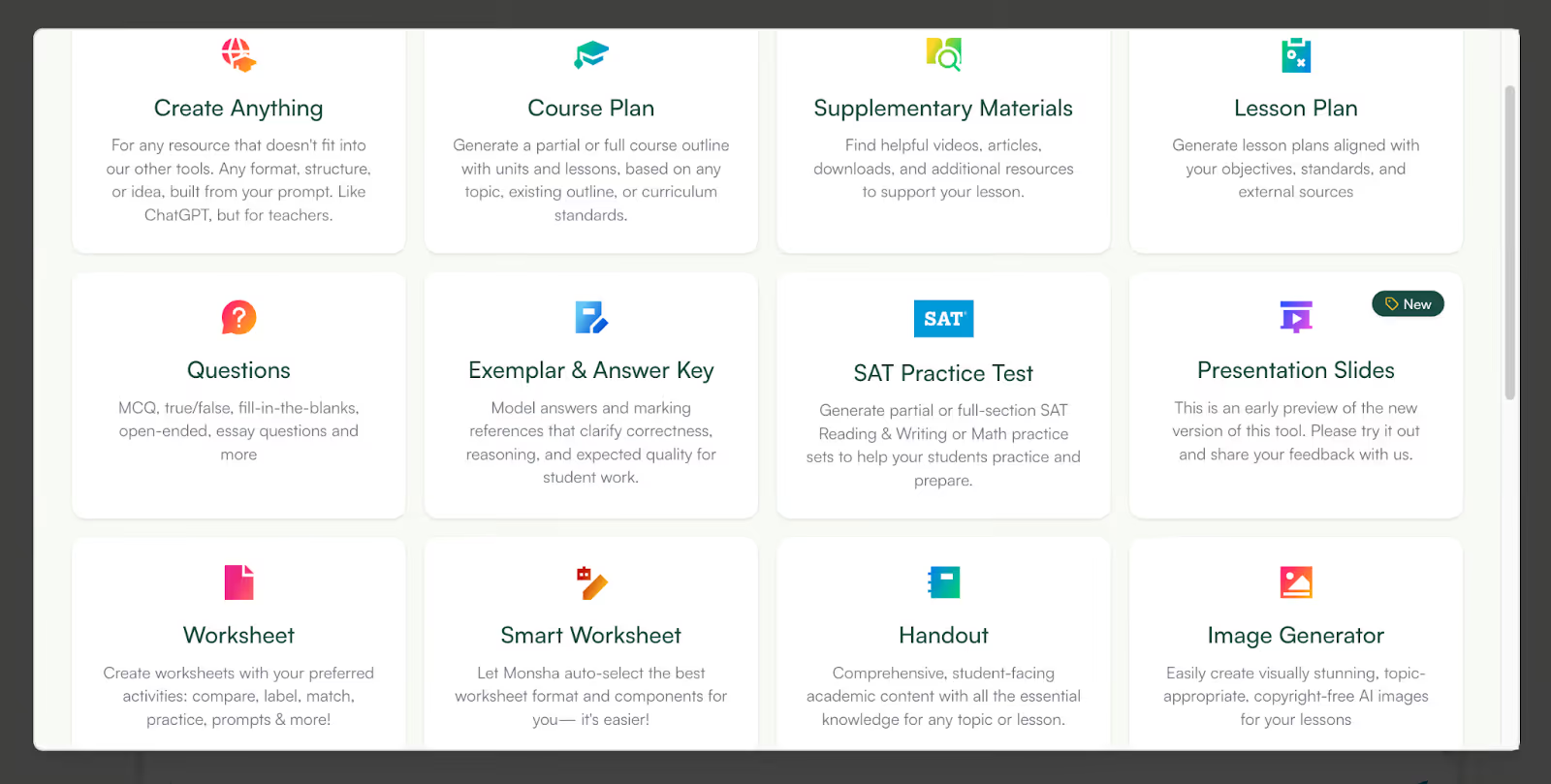
Monsha is an AI tool for teachers that lets you create multiple teaching resources like presentation slides, lesson plan, worksheets, handouts, reading passages and many more.
The platform is an end-to-end AI teaching assistant that helps you with resource creation, editing and export. Just like many other teaching resources, you can create Exemplar and answer keys with Monsha.
Here’s the step by step process to use Monsha AI to create Exemplar and answer key:
1. Log in to ‘Monsha’ and find ‘Exemplar and Answer key’ in the ‘all tools’ section.
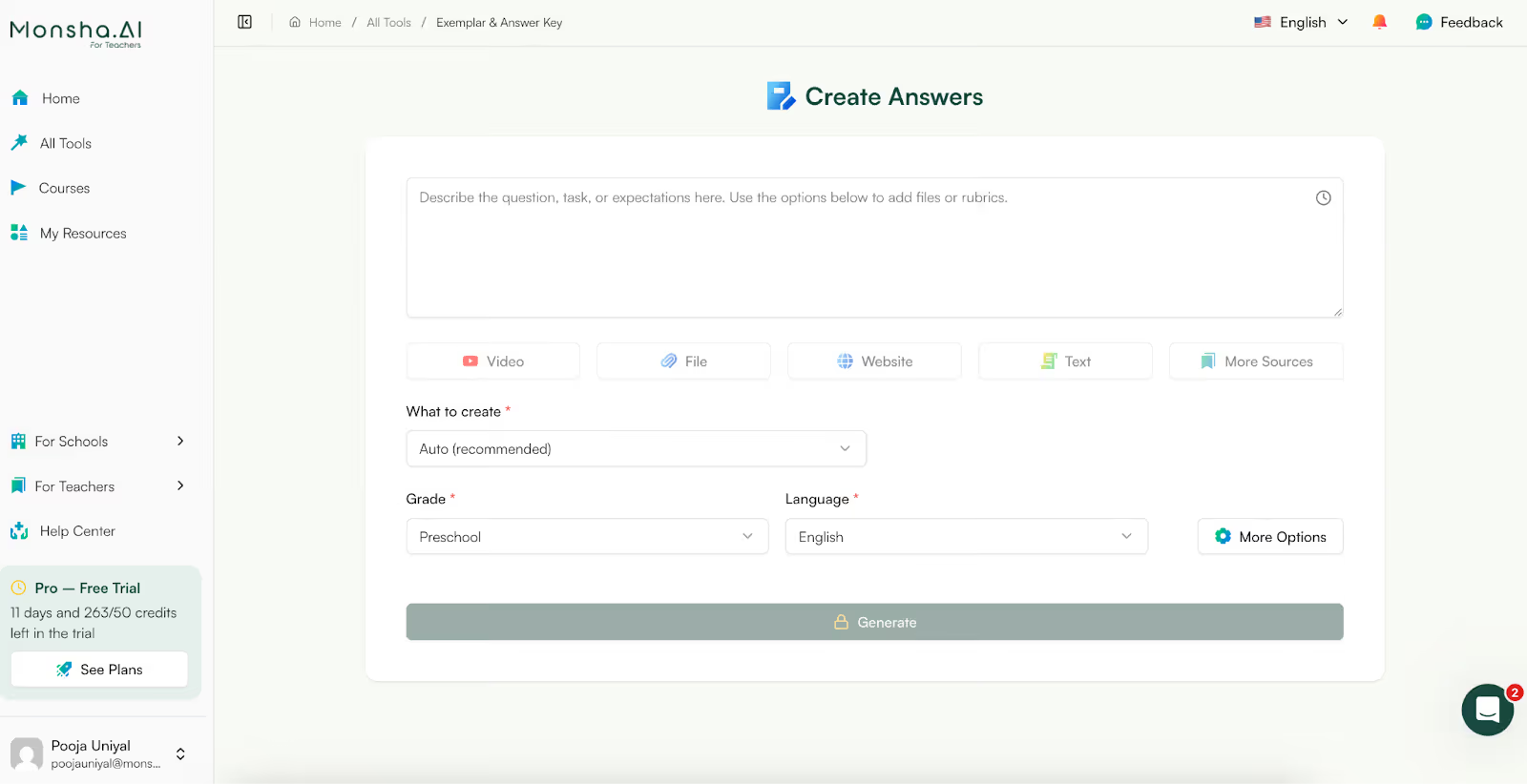
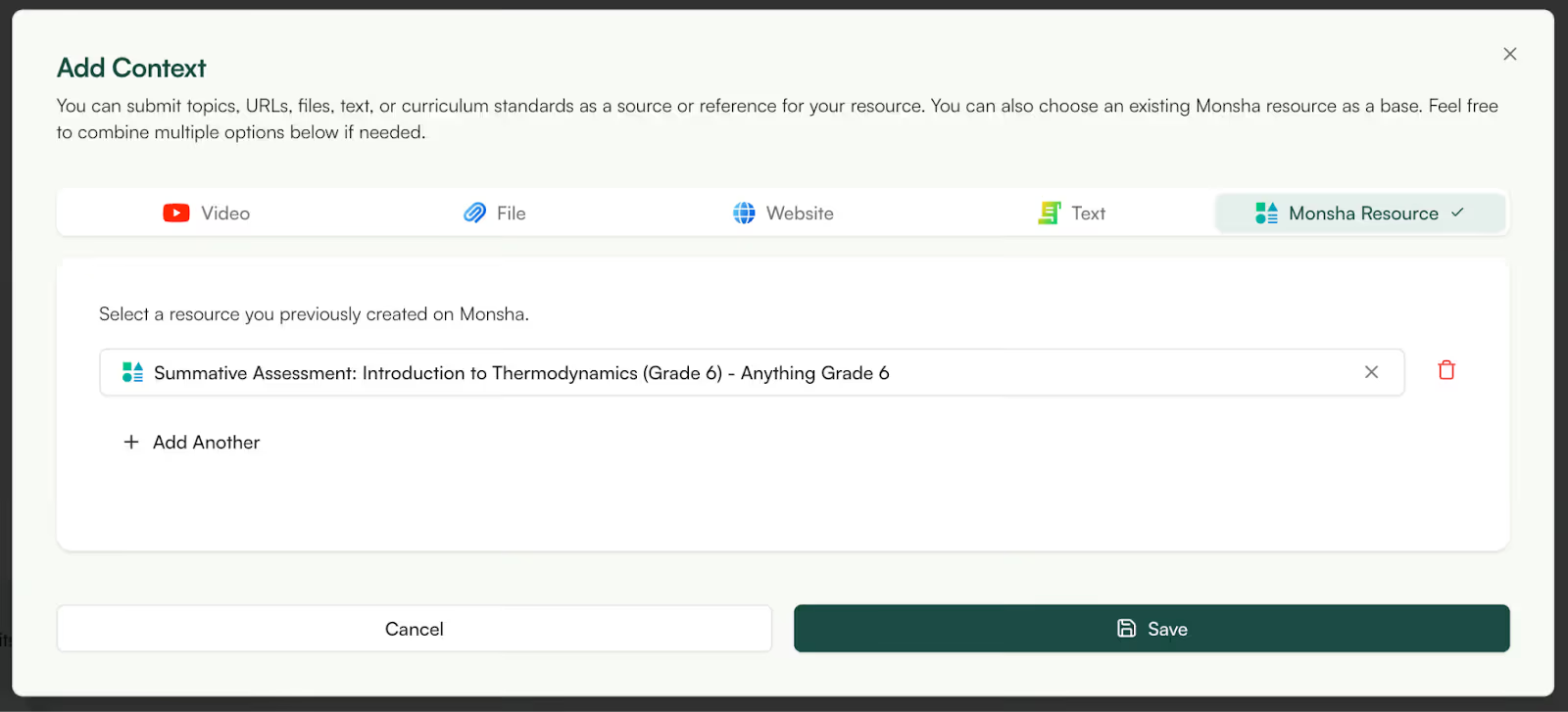
2. Then, give a topic to Monsha for which you want to create an Exemplar, answer or both. You can use a Youtube video link, file, website, simple text or any of your Monsha resources. Here’s I’ve selected a previous Monsha resource - an assessment - for which I want an Exemplar and answer key.
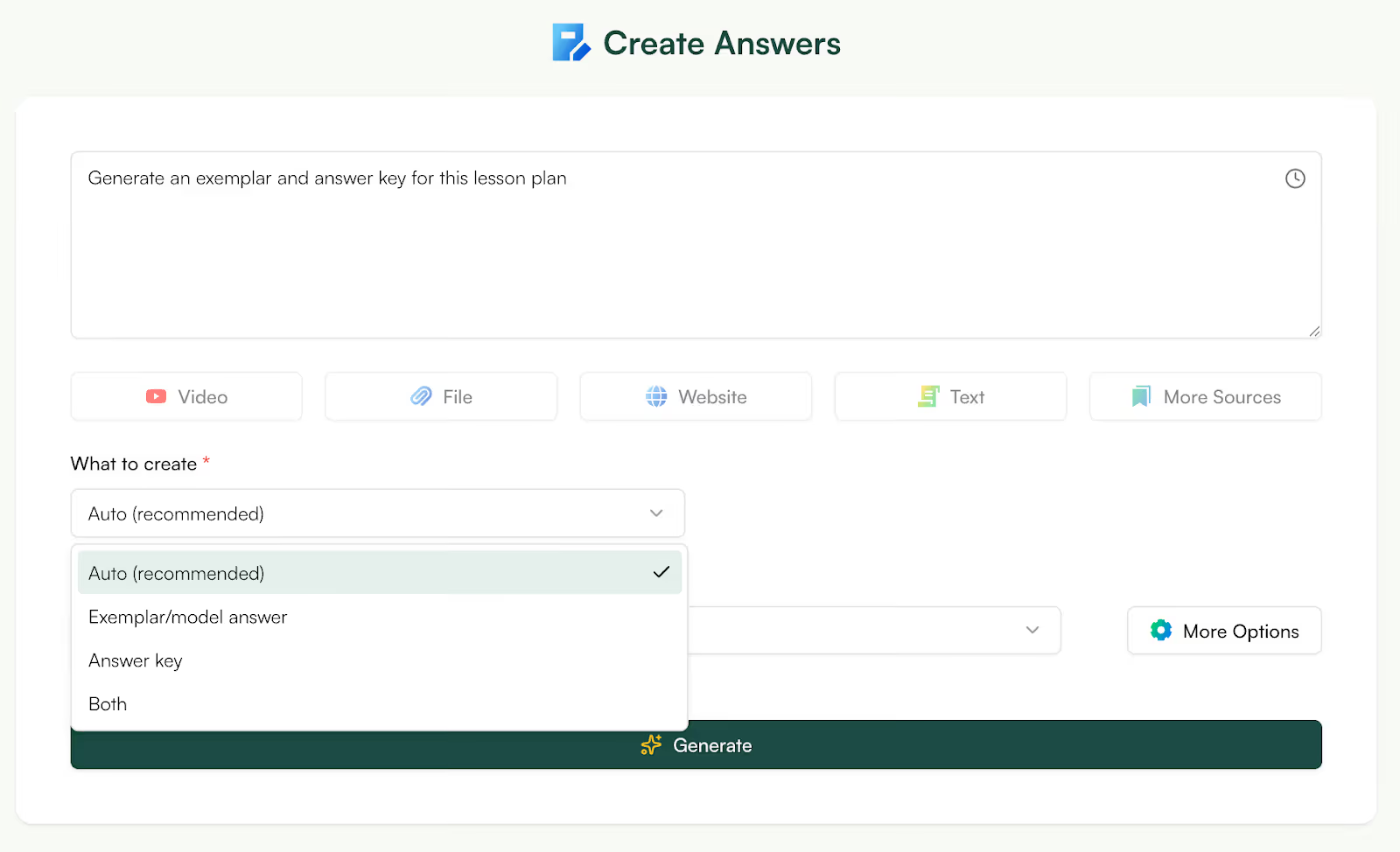
3. Now, you can select whether you want to generate Exemplar, answer key or both for your topic. This is optional as if you don’t select one option, Monsha will automatically generate both.
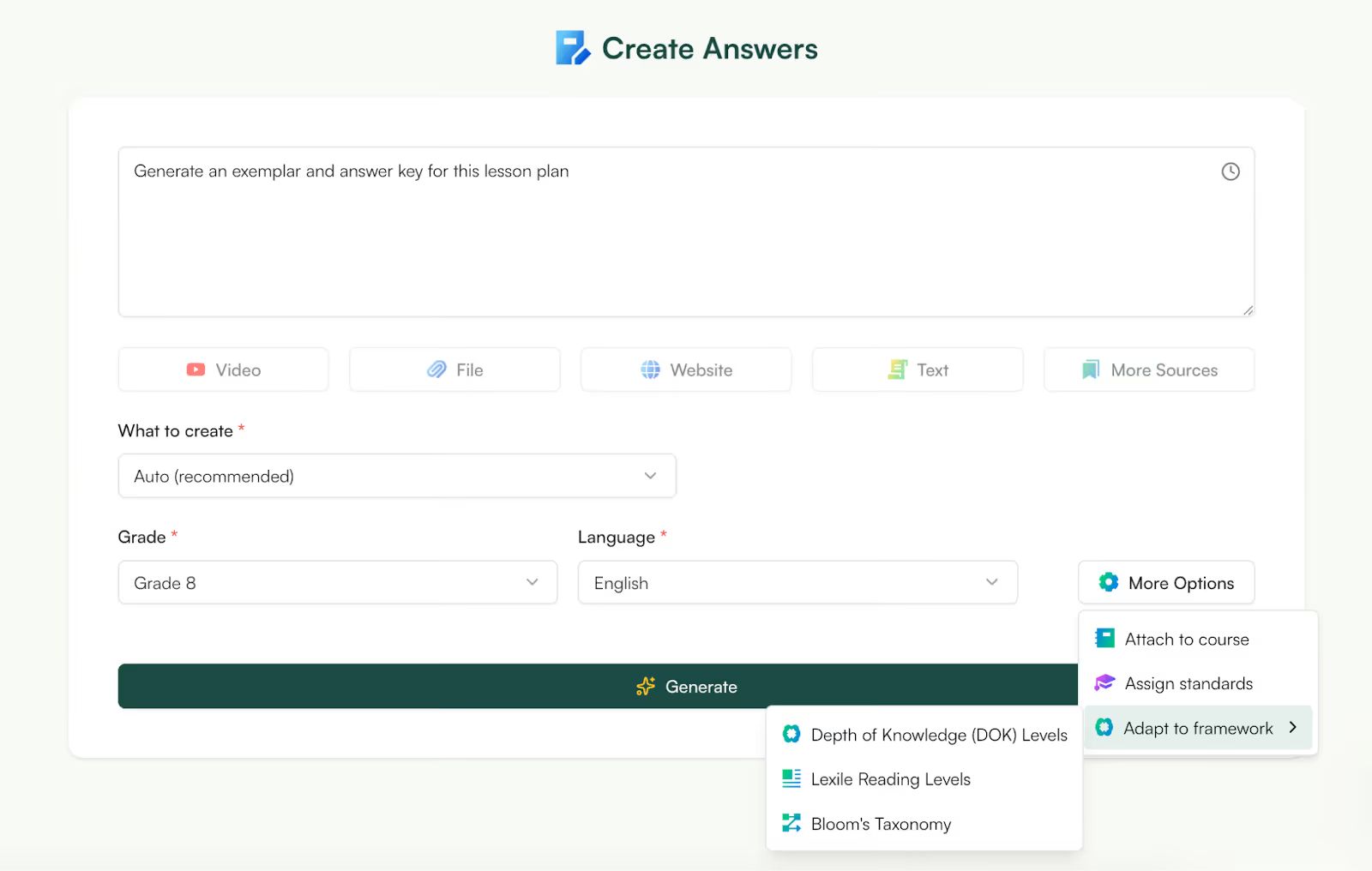
4. Now, at this point you can customize the grade, language and difficulty level of your Exemplar and answer key. Select grades from preschool to university level, choose for 60+ languages and differentiate your worksheet answer key by adapting a learning framework like DOK, Bloom’s Taxonomy or Lexile level.
5. Now, click on ‘generate’, wait a few seconds and your Exemplar and answer key will appear.
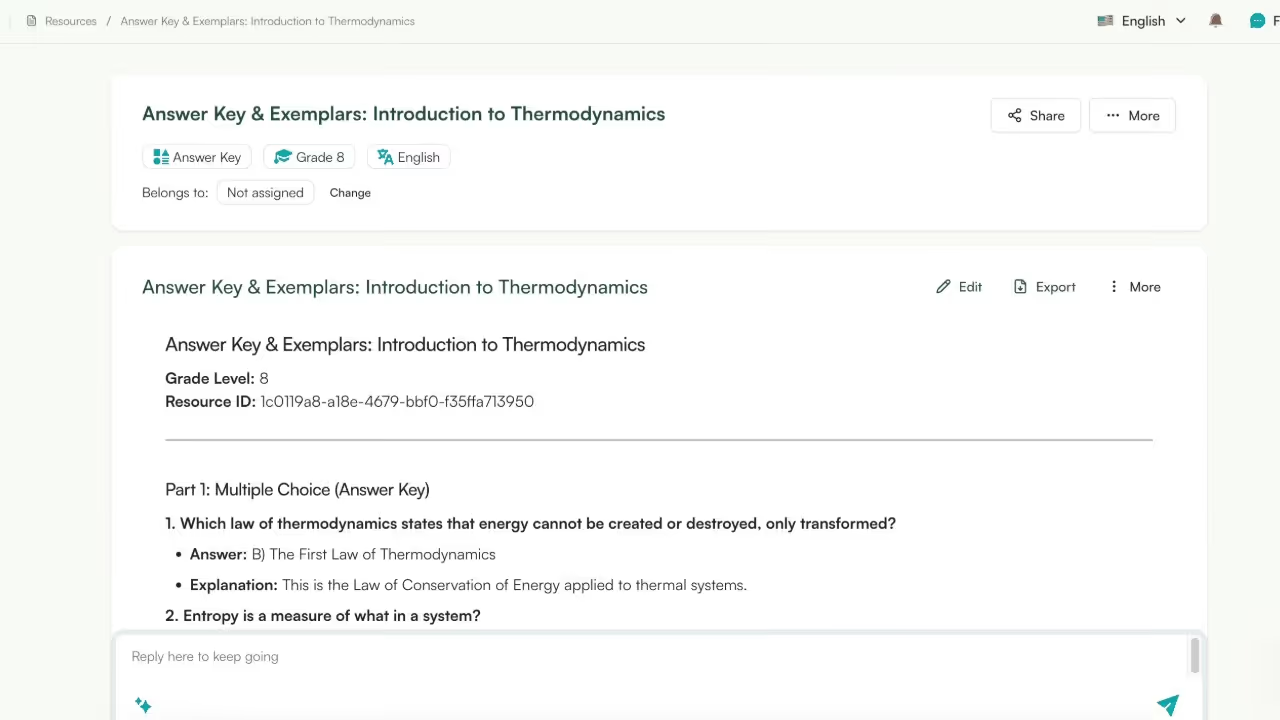
6. The options to generate the perfect Exemplar doesn’t end here. You can edit your Exemplar and answer key by adding more images, URLs, tables etc.
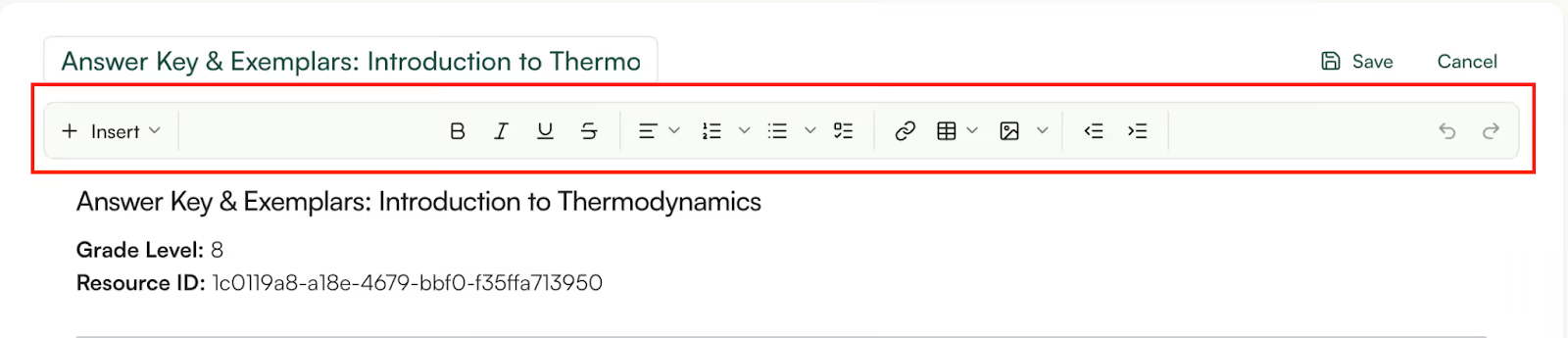
7. At this point also, you can differentiate the Exemplar and answer key as per DOK, Lexile level, and Bloom’s Taxonomy.
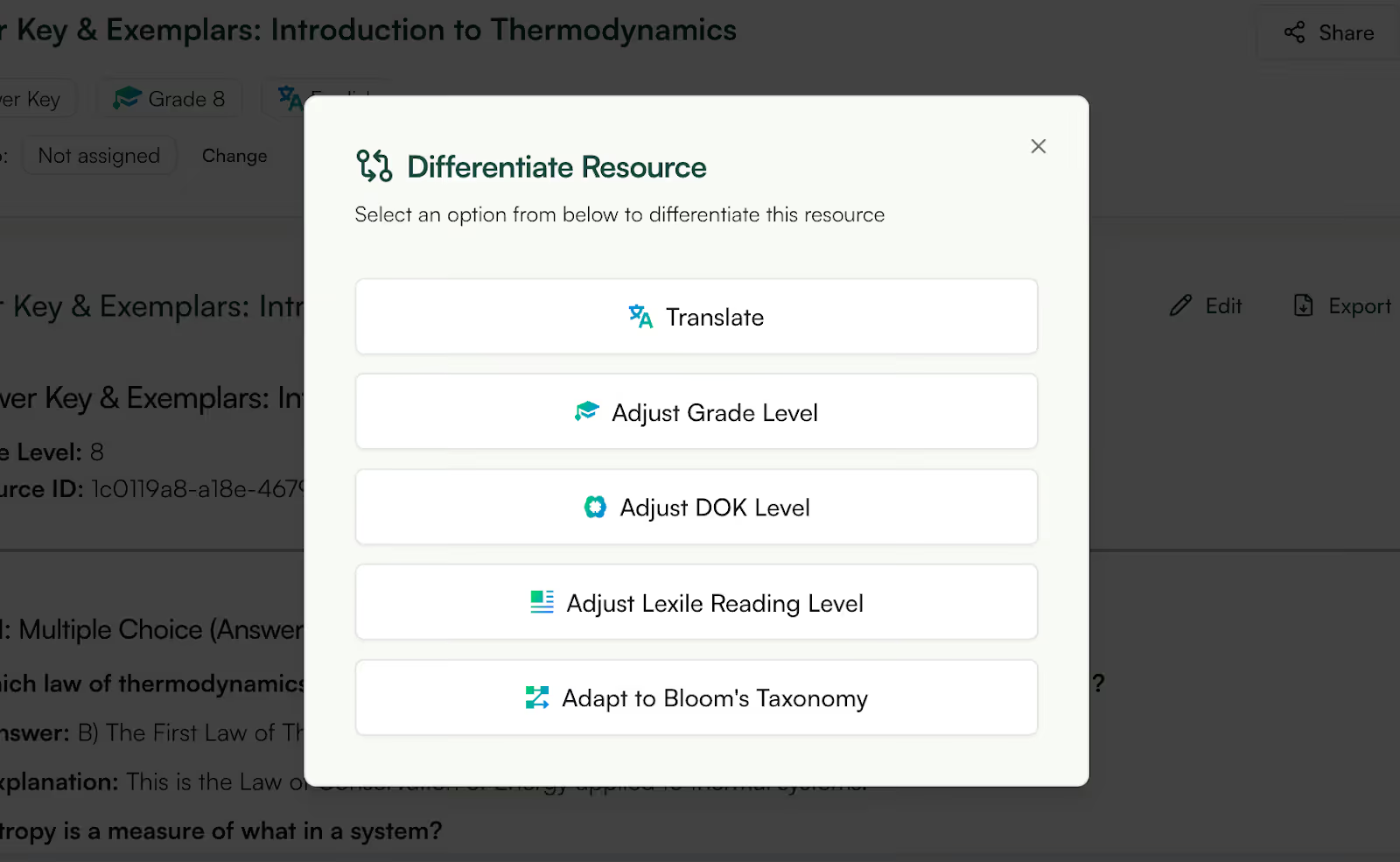
8. Once you’re satisfied with your Exemplar and answer key, you can export it to Google Docs, Google Classroom, DOCX or download and PDF.
9. You can also create more resources from your Exemplar and Answer Key like supplementary resources, worksheets, handouts etc.

AI can create Exemplar and answer keys for worksheets in seconds. But how you use them in the classroom makes all the difference.
Think of AI like a super-fast teaching assistant, not the final authority. Before you project a math exemplar on the board or upload answer keys for worksheets, take a minute to scan them.
For example, if you’re teaching long division, check whether the exemplar follows your method, not just a mathematically correct one. Students get confused when the steps don’t match what you taught, even if the final answer is right.
In real classrooms, students struggle because they don’t know how to think their way to an answer. A strong Exemplar in education shows the process clearly.
So instead of sharing only an answer key, walk students through a math exemplar that explains why each step was taken. This is especially helpful when a student asks, “Miss, but how did you know to do that?” - the Exemplar answers that question for you.
One simple habit that works incredibly well: tell students what the exemplar is proving.
For instance, you might say, “This Exemplar shows what full marks look like for explaining your reasoning.” When students see Exemplars tagged to learning objectives, they stop copying and start understanding expectations.
By now, one thing should be clear: the real challenge isn’t creating Exemplars or answer keys, it’s doing it consistently, clearly, and without burning out.
That’s where Monsha fits in so naturally.
Monsha isn’t just a tool you open when you need an Exemplar. It works the way teachers already work. You start with your question, worksheet, or assessment idea. Monsha helps you turn that into a clear Exemplar, a well-structured answer key, and most importantly something that actually reflects how you teach. You’re not fighting prompts or rewriting generic AI outputs.
You’re reviewing, refining, and moving on.
And because Monsha is built around classroom use, it doesn’t stop at exemplars:
This means less time spent recreating the same materials and more time doing what matters, teaching, supporting students, and responding to real classroom needs.
An exemplar is a clearly annotated sample of student work that shows what high-quality responses look like and helps clarify grading expectations for students and substitutes. It’s used most often to make sure students understand what success looks like on open-ended or performance tasks.
Many teachers make answer keys - especially for multiple choice or short answer items - so they can grade consistently and quickly check student work. Others prefer rubrics for longer responses to encourage deeper thinking. Real classroom discussions show answer keys help with consistency and transparency in grading.
Yes, exemplars are especially powerful for showing quality work in context, helping students see not just what the answer is but what makes it good. This builds clearer understanding of criteria and reduces confusion about performance tasks.
This is debated. Some teachers hold answer keys back so students think independently, while others share them as a learning tool alongside feedback. Either way, answer keys can be a useful reference when used intentionally to support learning rather than replace it.
An answer key usually lists correct answers or detailed solutions for specific questions. A rubric outlines scoring criteria or performance levels for student responses, especially on essays and projects. Many teachers use both together - answer keys for accuracy and rubrics for qualitative feedback.
Many educators use exemplars because they show what quality work looks like, not just the correct answer. This helps students understand expectations rather than simply memorize answers.
Some teachers make detailed answer keys or rubrics for longer responses to ensure consistency in grading, especially when the “correct” answer isn’t a single response.
Teachers debate this: some share answer keys after students attempt the work to encourage thinking first, while others post them for review so students can self-correct and learn from mistakes.
Teachers often look for ways to share answer keys (e.g., interactive formats or delayed posting) that support learning without encouraging copying or low-effort work.
Some educators ask whether answer keys support student learning or mainly serve the teacher’s grading efficiency - especially when students “still get it wrong even with the answer sheet.”




AI in Education Content
Pooja Uniyal works closely with teachers and schools to understand and guide how AI is being used in real classrooms today. Her work at Monsha focuses on capturing practical teaching workflows and turning them into clear, usable guidance for educators exploring AI in their daily planning.
Join thousands of educators who use Monsha to plan courses, design units, build lessons, and create classroom-ready materials faster. Monsha brings AI-powered curriculum planning and resource creation into a simple workflow for teachers and schools.
Get started for free

.avif)
.avif)
.avif)