This blog explains the biggest mistakes teachers make when using AI worksheet generators and shows how to create AI worksheets that are structured, differentiated, and aligned with real classroom needs.
.avif)
Creating worksheets with AI can feel like a breakthrough. You type a prompt, an AI worksheet maker generates content in seconds, and a task that once took hours suddenly feels manageable. When you’re short on time, that speed matters.
But when you create worksheets with AI, the way you use the tool makes all the difference.
AI worksheet generating tools are very good at producing content quickly, but they do not automatically understand your lesson goals, your students’ levels, or how learning is supposed to progress in your classroom. If you rely on AI worksheets without guiding, reviewing, or adapting them, the result often looks complete but does not work as intended once students start using it.
This blog walks you through the most common mistakes you can make when using AI to create a worksheet and shows you how to avoid them. The focus is not on whether you should use AI worksheets, but on how to use them intentionally so the worksheets you create actually support student learning.
Based on our experience and customer questions, we have compiled a list of 5 common mistakes teachers make while using AI for worksheets. And we're not here to point issues here, we also share solutions:
When you try to create worksheets with AI, you sometimes start with a single, broad instruction such as “Create a worksheet on fractions” or “Generate an AI worksheet for Grade 6 mathematics.”
You may expect that an AI worksheet maker or ChatGPT will instantly produce a complete, classroom-optimized resource that you can print or share with students - but that hardly happens.
When you give a vague prompt, AI responds with a generic output. Your resulting worksheet will include uneven difficulty levels, loosely related questions, and little consideration for how students actually learn a concept.
While the worksheet may technically cover the topic, it usually lacks structure, clarity, and instructional intent. You may end up rewriting, reordering, or removing most questions from such a worksheet.
Rather than relying on a single prompt to create a worksheet from scratch, write a better prompt by breaking the task into smaller instructions
Before: A single, generic prompt
“Create a worksheet on fractions for Grade 6 students.”
After: A structured, teacher-led prompt
“Create a Grade 6 worksheet on fractions with the following structure:
• Section 1: Two worked examples explaining equivalent fractions
• Section 2: Five guided practice questions with hints
• Section 3: Five independent practice questions, medium difficulty
• Section 4: Two challenge questions for advanced learners
In Monsha, you can in fact create a good enough worksheet with a single prompt. The reason is, Monsha’s worksheet generator has multiple options like adding source - Youtube video, website URLs, articles and PDFs, choosing the number of questions, differentiating options, activity, and grade levels.
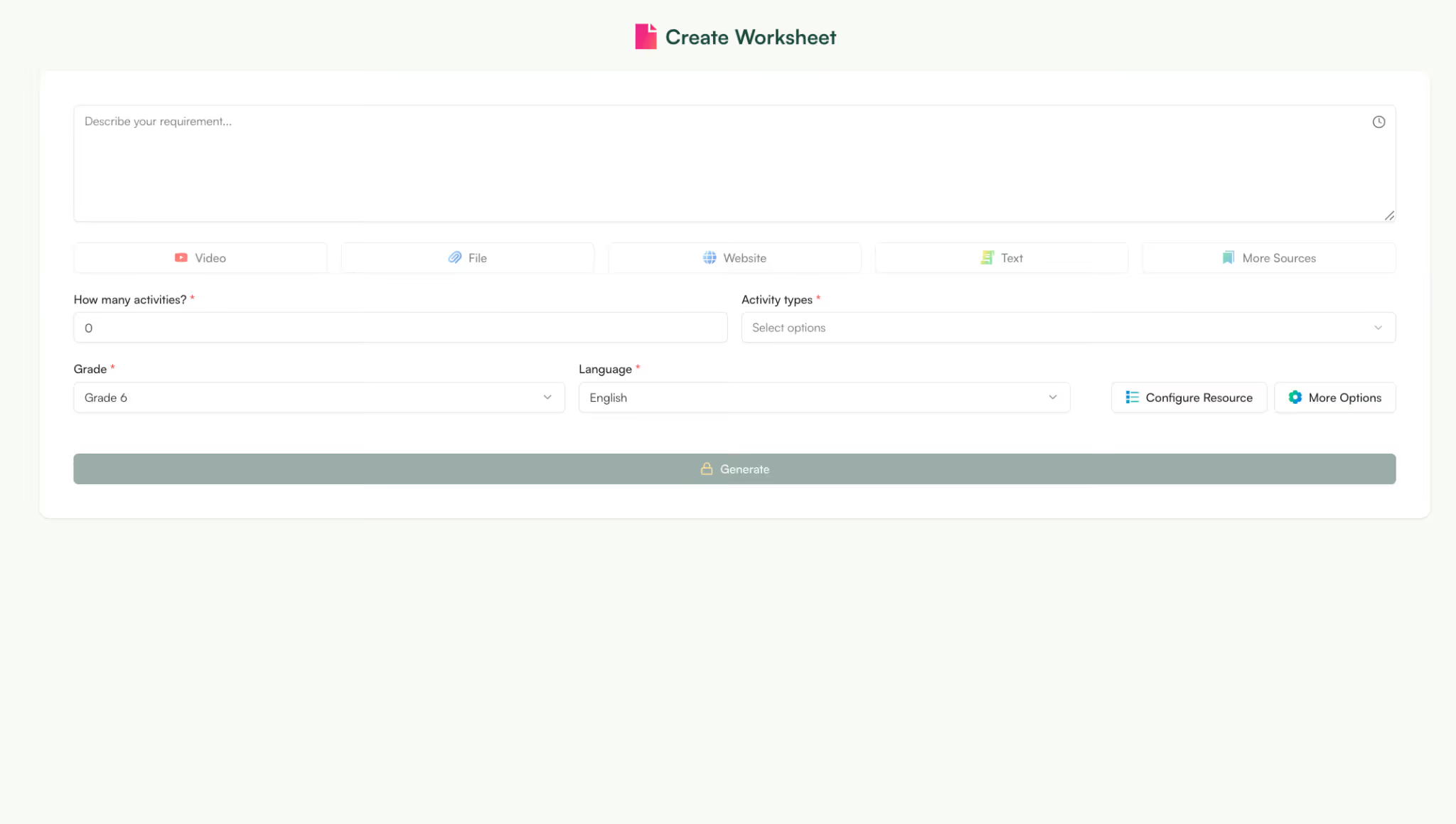
So, even if you write a single prompt, the supporting information makes the worksheet almost classroom ready. You can also edit the worksheet right within the editor so once you download it, you get a final worksheet 100% ready for your classroom. You don’t have to spend a single minute editing it.
Try it now — no need to switch tabs
Describe your worksheet topic below, pick your activity types and grade, and Monsha will build it for you in seconds.
AI tools like ChatGPT are designed to produce content, not learning sequences. If you ask ChatGPT to create a worksheet on a topic, it will focus on generating questions, not on building understanding.
Without clear instructions, the AI assumes students already know how to approach each problem and the worksheet becomes an assessment rather than a practice tool.
Start by deciding:
Then instruct the AI accordingly.
Example of a scaffolded prompt:
“Create a worksheet on linear equations with the following structure:
- One worked example showing each step
- Four guided questions with hints
- Six independent practice questions, increasing in difficulty
- One reflection question asking students to explain their method”
This approach ensures that your AI worksheets support learning instead of testing students prematurely.
For more control, try creating a worksheet Monsha using a source. It can be a Youtube video, URL or a document. Unlike ChatGPT, Monsha doesn’t hallucinate. So, your worksheet will be strictly based on the sources you provide.
When you use AI to create worksheets, you can create 20, 30, or even 50 questions instantly.
But, more questions do not lead to better learning. They only make worksheets overwhelming for students and increase cognitive load.
Focus on:
You can still use AI to generate content, but you should ask for options, not bulk.
Example of a better prompt
“Generate 12 questions on the subject–verb agreement.
Include a mix of multiple-choice, sentence correction, and short answer questions.
Avoid repetition and keep difficulty appropriate for Grade 5.”
This approach allows you to use AI worksheets efficiently while maintaining control over instructional quality.

The core issue with many AI worksheet generators is they assume a single level of understanding for your students. .
But students engage with the same lesson at different levels. Some grasp the concept quickly, while others need additional support or structured practice.
That’s why you need to create differentiated worksheets. But when you use AI to create worksheets, differentiation does not happen automatically. You have to explicitly prompt for it.
You can ask an AI worksheet maker to differentiate worksheets based on:
Example of a differentiation-focused prompt
Create three versions of a worksheet on ecosystems:
• Version 1: DOK Level 1–2, simple language, short answers
• Version 2: DOK Level 2–3, grade-level vocabulary, mixed question types
• Version 3: DOK Level 3–4, higher-order questions aligned with Bloom’s analysis and evaluation
Keep the learning objective consistent across all versions.
One common issue when teachers create worksheets with AI is assuming that the first output is ready to use as-is.
But, AI worksheets are drafts by default. The tool does not know your lesson flow, how you introduced the concept, or where students typically struggle. It also cannot reliably check for subtle errors, ambiguous wording, or misalignment with your curriculum expectations.
Use the AI worksheet maker to produce the initial content, then review it the same way you would review a worksheet created by a colleague.
Before using AI worksheets in class, check for:
You can also ask AI to revise specific sections after your review, rather than regenerating the entire worksheet.
Example of a refinement-focused prompt”
“Review the following worksheet for clarity and grade-level appropriateness.
Simplify instructions where needed and adjust question difficulty to match Grade 7 expectations.
This keeps you in control while still saving time.
Instead of asking you to generate an entire worksheet in one vague step, Monsha guides you to think through structure, difficulty, and instructional intent before the worksheet is created. This ensures that the AI worksheets you generate are aligned with how you actually teach, not just what topic you are covering.
Unlike a general-purpose AI worksheet maker, Monsha is designed specifically for classroom use.
It helps you create a worksheet by breaking the process into smaller, controllable steps so the AI worksheet generates output that reflects your learning objectives, student readiness, and differentiation needs.
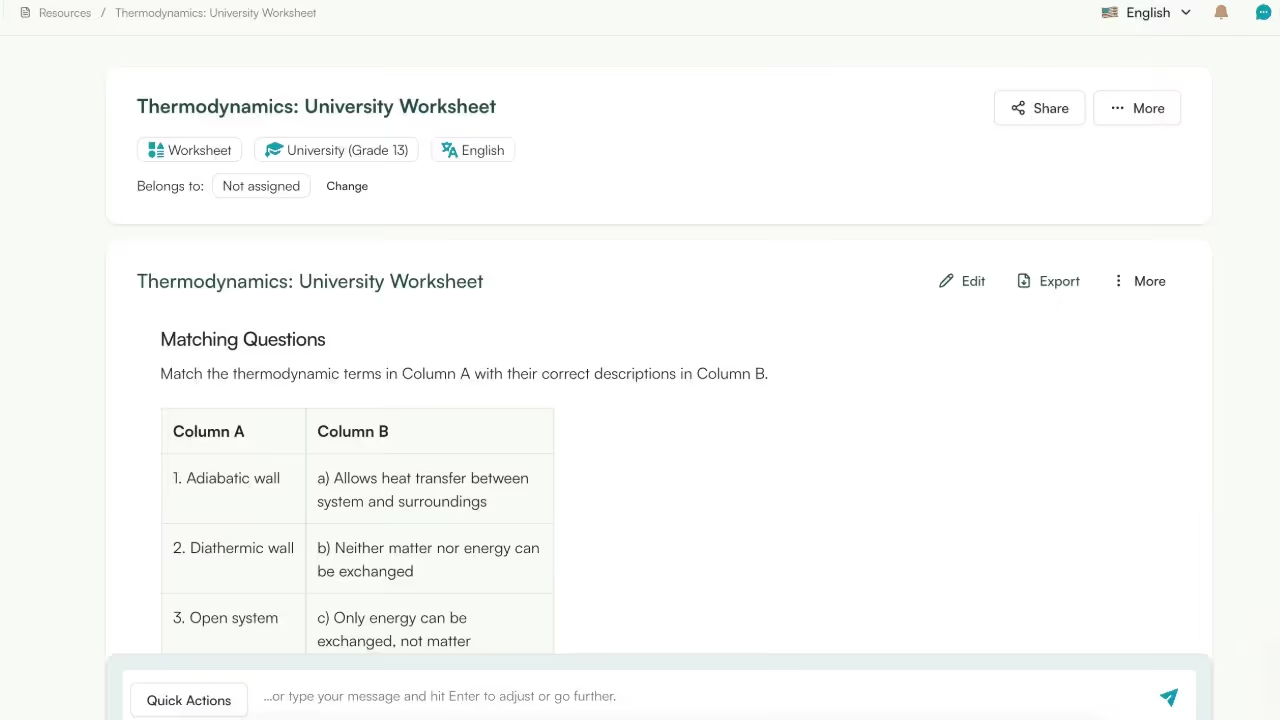
When you use Monsha to create worksheets with AI, you can:
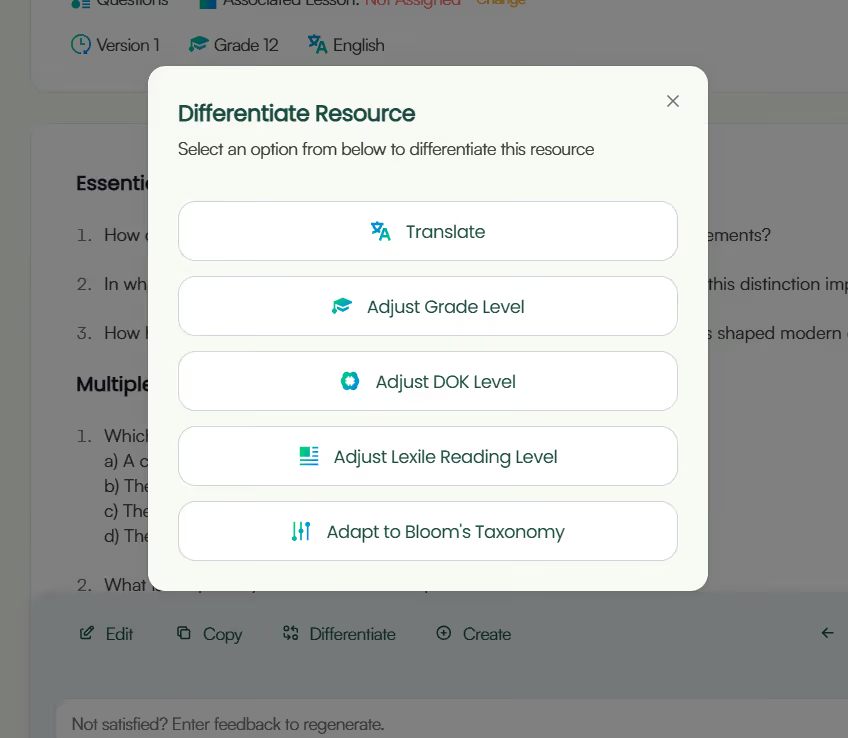
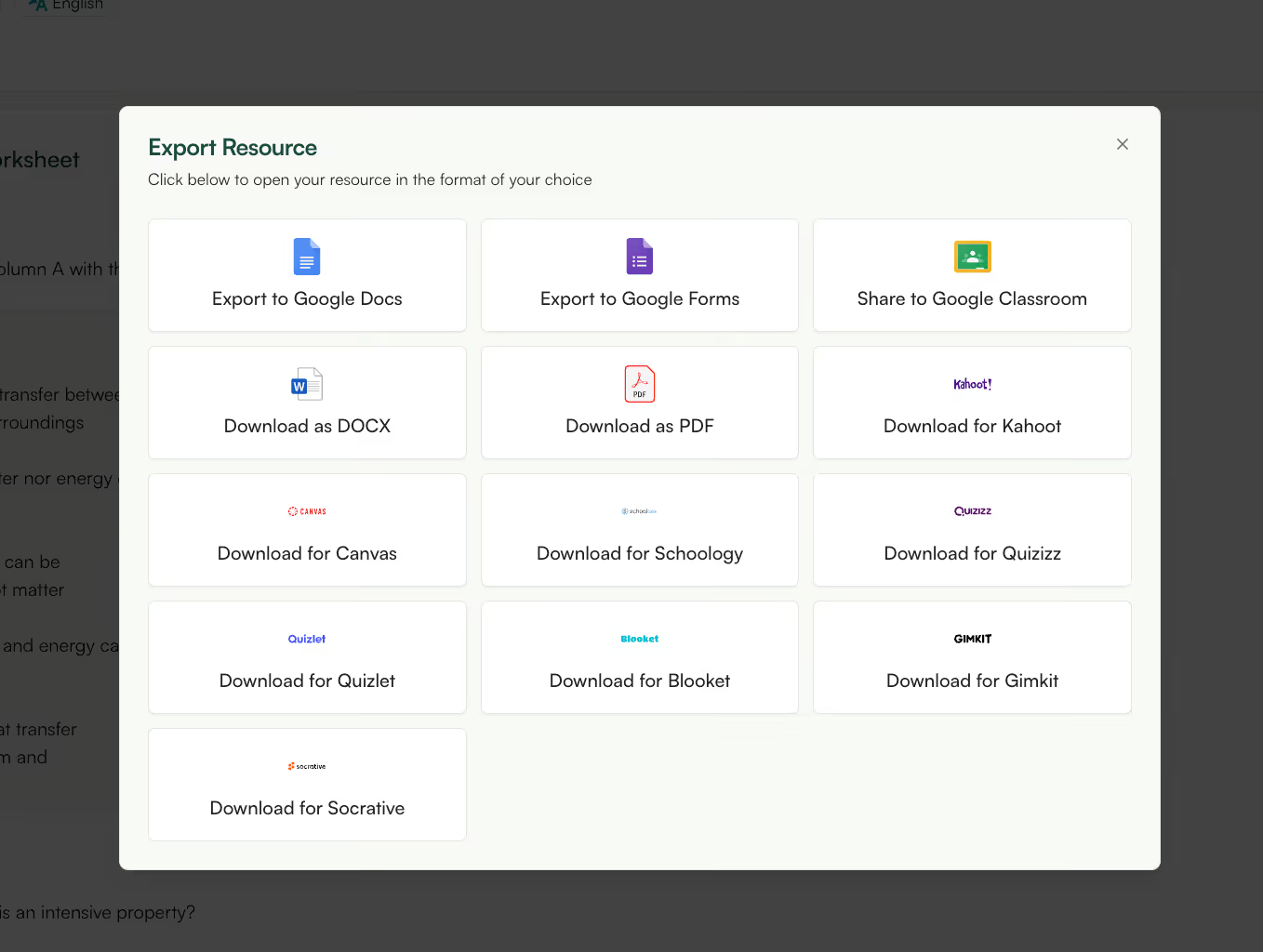
Instead of treating AI as a one-click worksheet generator, Monsha functions as a teaching assistant that supports your planning decisions. This makes it easier to create AI worksheets that are focused, differentiated, and ready to use with students.
Yes, AI can be used to create worksheets by generating questions, examples, and practice activities for different subjects and grade levels. However, AI works best when teachers provide clear instructions such as learning objectives, difficulty level, and question types. AI-generated worksheets should always be reviewed before use to ensure accuracy and alignment with classroom goals.
AI-generated worksheets can contain errors, unclear wording, or poorly structured questions. While AI is effective at producing drafts quickly, it does not reliably verify factual accuracy or instructional quality. Teachers should review AI worksheets carefully, check answers, and edit content before sharing it with students.
The main risks of using AI for worksheets include factual mistakes, lack of scaffolding, incorrect difficulty level, and one-size-fits-all content. These issues usually occur when AI output is used without guidance or review. AI should support worksheet creation, not replace instructional planning or teacher judgment.
AI worksheets often feel generic because the tool assumes a single level of understanding unless told otherwise. If prompts do not include grade level, learning objectives, or differentiation criteria, AI generates average-level content. Adding specific constraints helps produce more targeted and effective worksheets.
Yes, teachers should always review AI-generated worksheets before using them in class. Reviewing ensures the worksheet is accurate, clear, age-appropriate, and aligned with lesson objectives. AI output should be treated as a first draft rather than a finished classroom resource.
The most common mistake is asking AI to create a full worksheet with a single vague prompt. This often leads to poorly structured or misaligned content. Breaking the task into steps and specifying learning goals produces better results.
AI worksheet generators tend to prioritize quantity unless limits are specified. Without guidance, AI may produce repetitive or excessive questions. Teachers should define the number of questions and focus on quality over volume.
Teachers can avoid one-size-fits-all AI worksheets by prompting for differentiation. This includes specifying grade level, Bloom’s Taxonomy level, DOK level, or language complexity. Clear differentiation instructions allow AI to generate multiple versions for different learners.
No, AI cannot replace worksheet planning. AI can speed up content generation, but teachers are still responsible for instructional decisions such as scaffolding, differentiation, and alignment with curriculum standards. AI works best as a support tool, not a substitute.




AI in Education Content
Pooja Uniyal works closely with teachers and schools to understand and guide how AI is being used in real classrooms today. Her work at Monsha focuses on capturing practical teaching workflows and turning them into clear, usable guidance for educators exploring AI in their daily planning.
Join thousands of educators who use Monsha to plan courses, design units, build lessons, and create classroom-ready materials faster. Monsha brings AI-powered curriculum planning and resource creation into a simple workflow for teachers and schools.
Get started for free

.avif)
.avif)
.avif)