A side-by-side review of popular AI reading comprehension question generators, evaluated on real classroom use. Learn which tools are best for quick checks, close reading, and reusable assessments — and when Monsha is the right choice.
.avif)
If you’ve tried a few AI tools for reading comprehension, you already know the problem.
Most of them can generate something but very few generate questions you’d actually use without fixing, rewriting, or reformatting.
- You might have one tool that’s fast but shallow.
- Another that’s flexible but takes too much prompting.
- And maybe one that looks promising until you try to reuse the questions for another class.
This guide isn’t about whether AI can help with reading comprehension - you’ve already crossed that bridge. It’s about which tools are actually worth keeping in your workflow.
We reviewed the most commonly used AI question generators and compared them side by side: how they handle real classroom materials, how much control you get, and how usable the output really is.
The goal is simple: help you decide which tool fits how you teach, and which ones aren’t pulling their weight anymore.
There are plenty of AI tools that can technically generate questions. That doesn’t mean they work well in a real classroom.
So instead of judging tools based on flashy features or vague promises, we evaluated them the same way a teacher would use them during lesson prep with actual materials, real time constraints, and realistic expectations.
Most teachers aren’t starting from scratch. You already have:
We checked whether each tool could generate reading comprehension questions directly from these materials, without forcing teachers to rewrite or reformat content first.
Not all AI-generated questions are equal. We looked at whether the questions:
If the output felt like something a teacher would immediately rewrite, that mattered. If the questions could realistically be used for a quick comprehension check, discussion, or assessment, that's a plus.
Classrooms aren’t one-size-fits-all.
We evaluated whether teachers could:
If a tool forced the same output every time with no way to tweak it, that limited its usefulness. Tools that gave teachers clear, simple controls scored higher.
Some tools generate text that still needs a lot of work before students ever see it. We checked whether questions:
If a teacher could realistically use the output the same day, that mattered.
AI is only helpful if it saves time. We paid attention to:
If a tool took longer than writing questions manually, that was a red flag. Tools that worked quickly without much setup ranked higher.
Instead of asking “Which tool is best?”, we asked: “Which teacher is this best for?”
Some tools are great for:
We made sure each review clearly explains who will benefit, and who probably won’t.
Here are the best reading comprehension question generators based on our research:
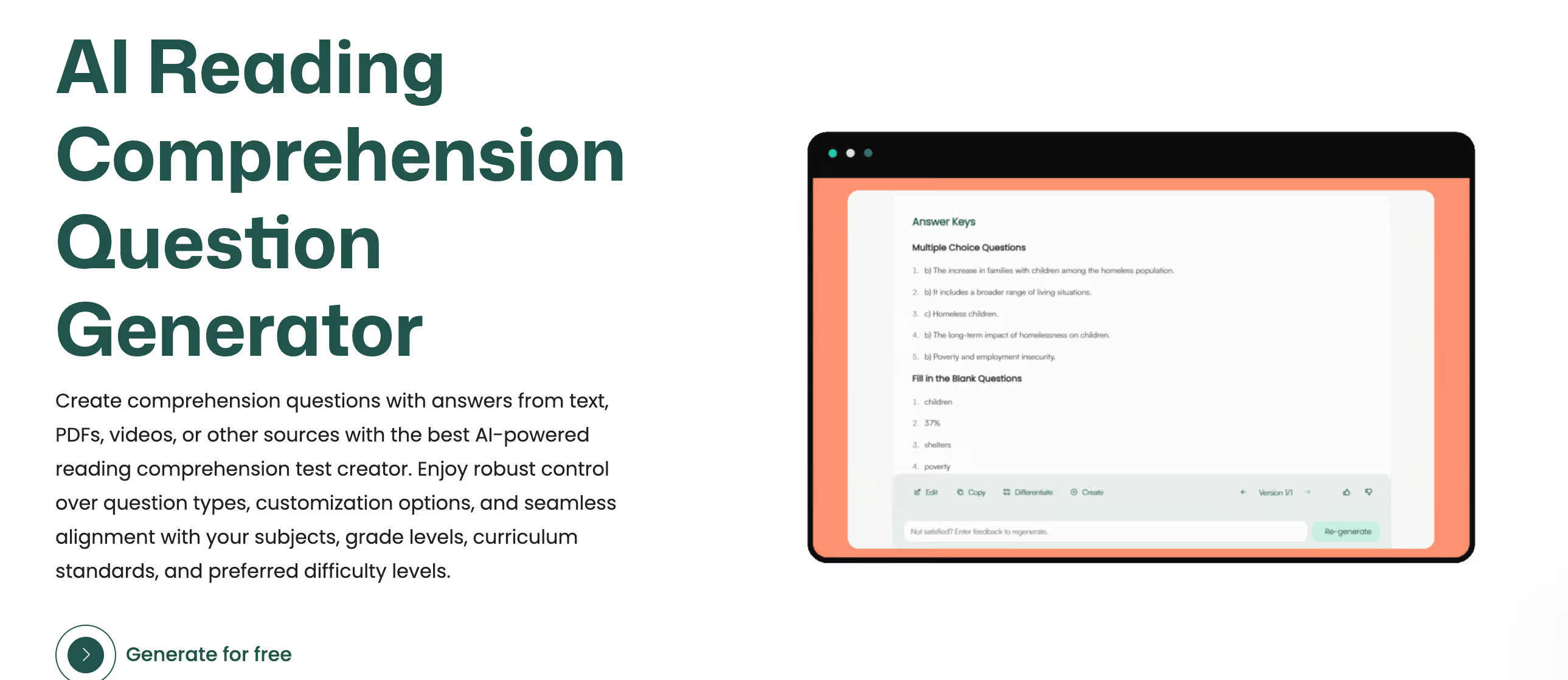
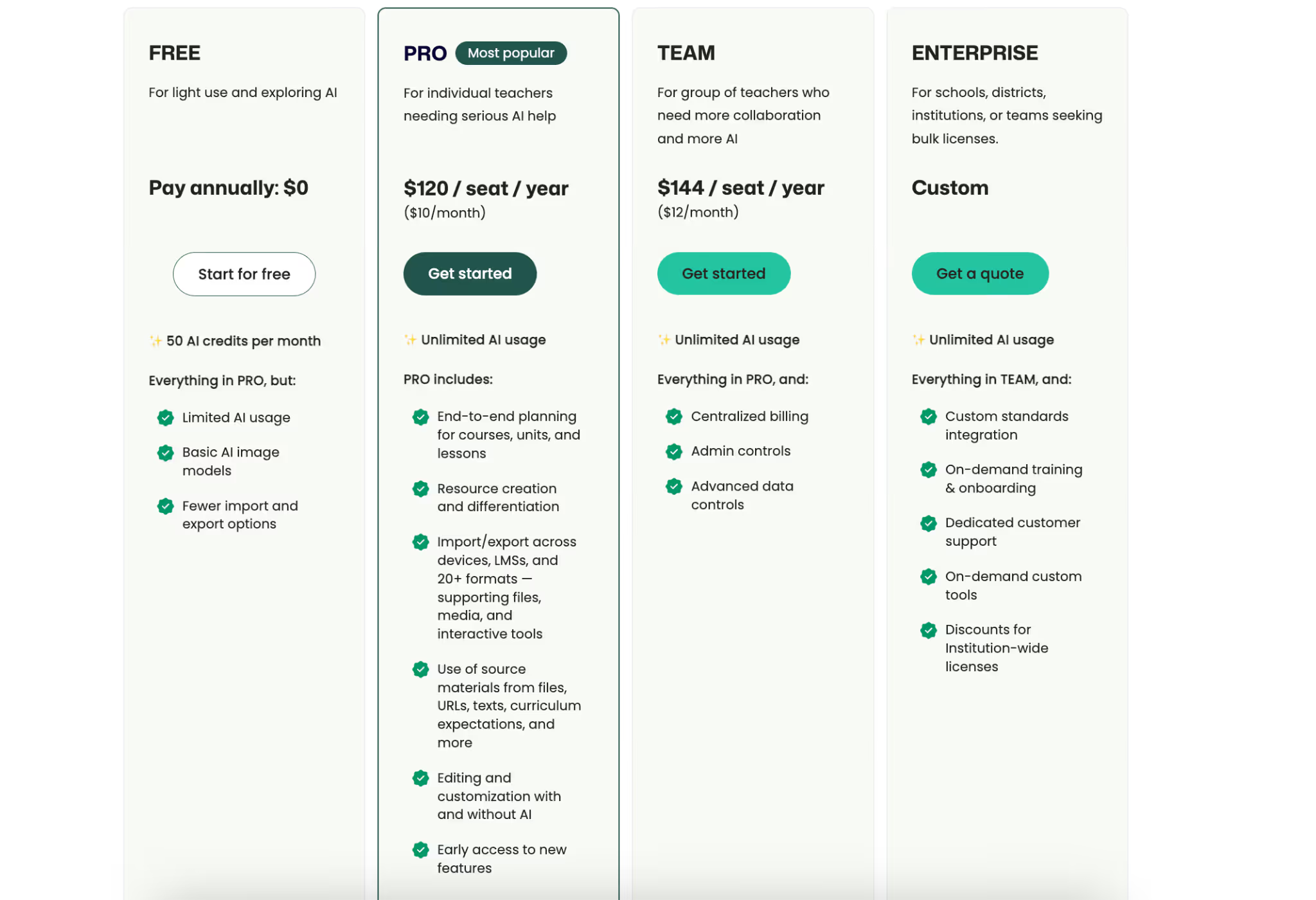
Monsha’s reading comprehension question generator is designed around assessment creation, not casual AI use. It generates reading passages and questions for them.
Instead of asking teachers to figure out prompts or formats, it guides them through a structured flow that’s similar to how you design quizzes and tests in real classrooms.
This makes a lot of difference when you’re working under time pressure and need something usable, not experimental. The reading comprehension questions you generate are not one-time-use, you can create any resource you want from them.
In a real classroom, teachers rarely start from a blank page. You might be working with a chapter PDF, a newspaper article, Youtube video, or simple text to create comprehension questions. Monsha allows you to bring in these existing materials directly, instead of rewriting or copying them into a new format.
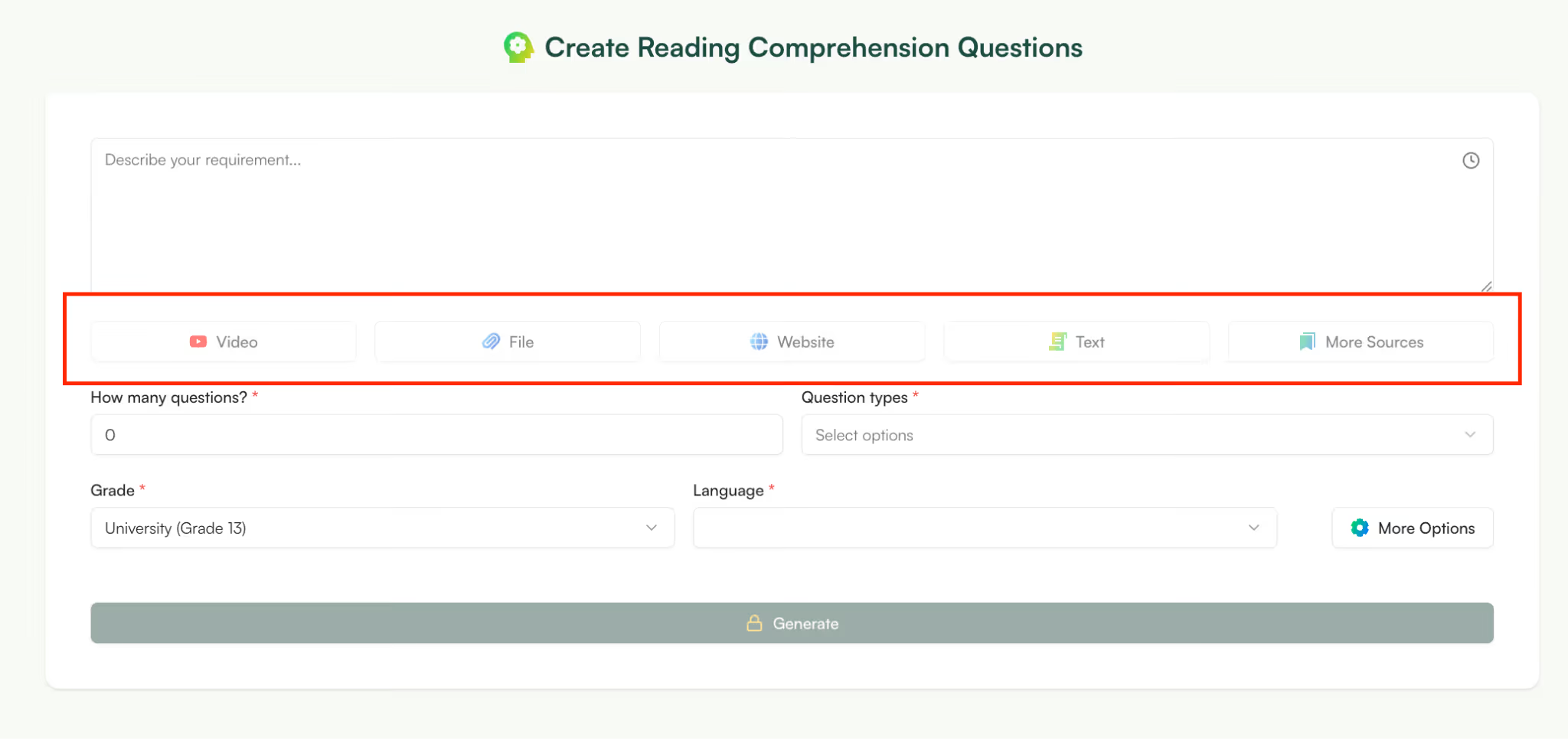
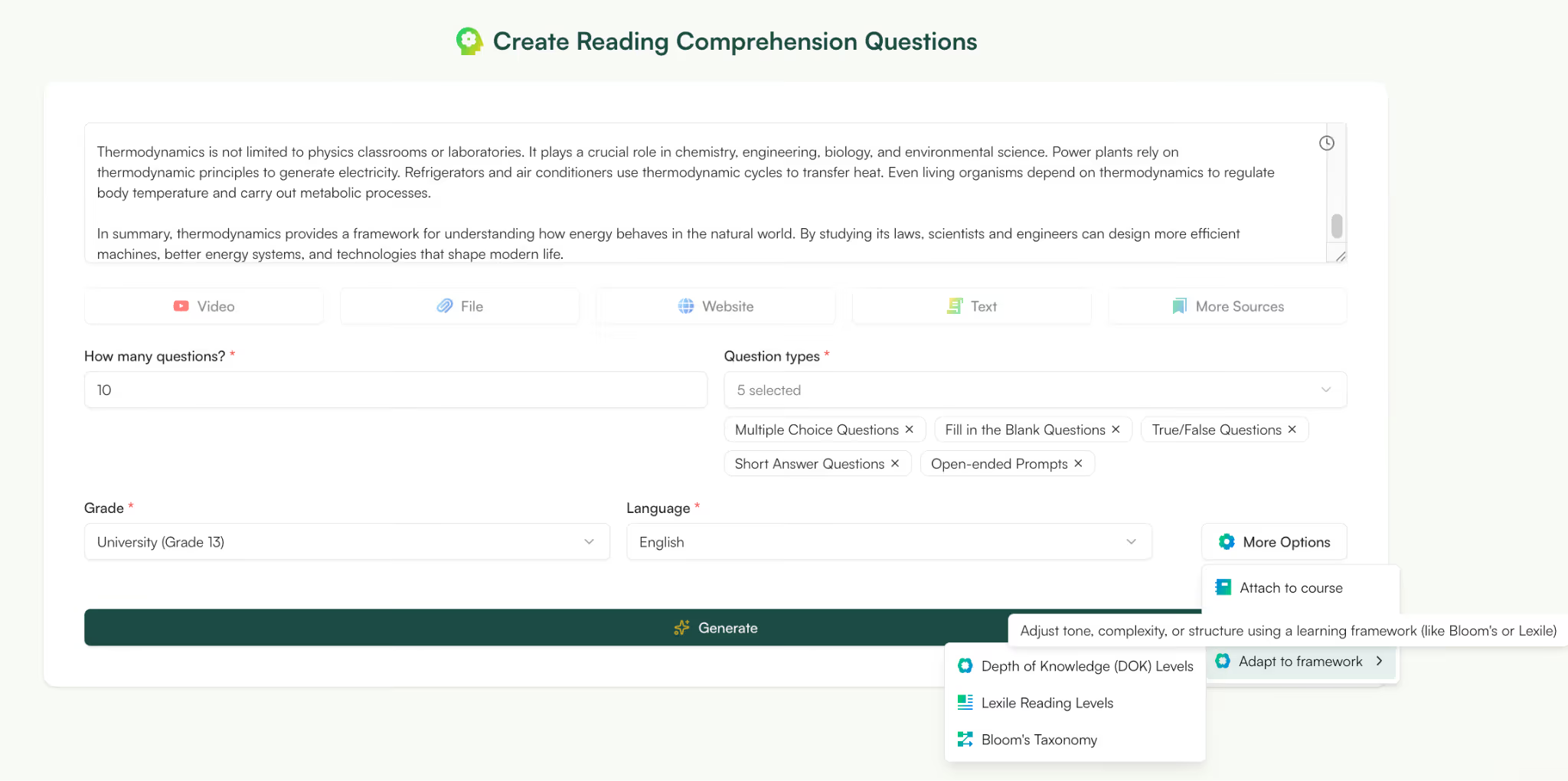
With Monsha, you can select the source, number of questions, type of questions, grade level, language and framework.
You can generate MCQs, fill in the blanks, true/flase, essay questions and much more in Monsha. Its AI question generator understands the passage and pulls in-depth questions, instead of simple MCQs.
Also, the Monsha question generator is quite intuitive. For example, you can generate questions for a nonfiction article to check its interpretation and meaning, not just “what happened.” So, although AI generated, your questions are deep and impactful.
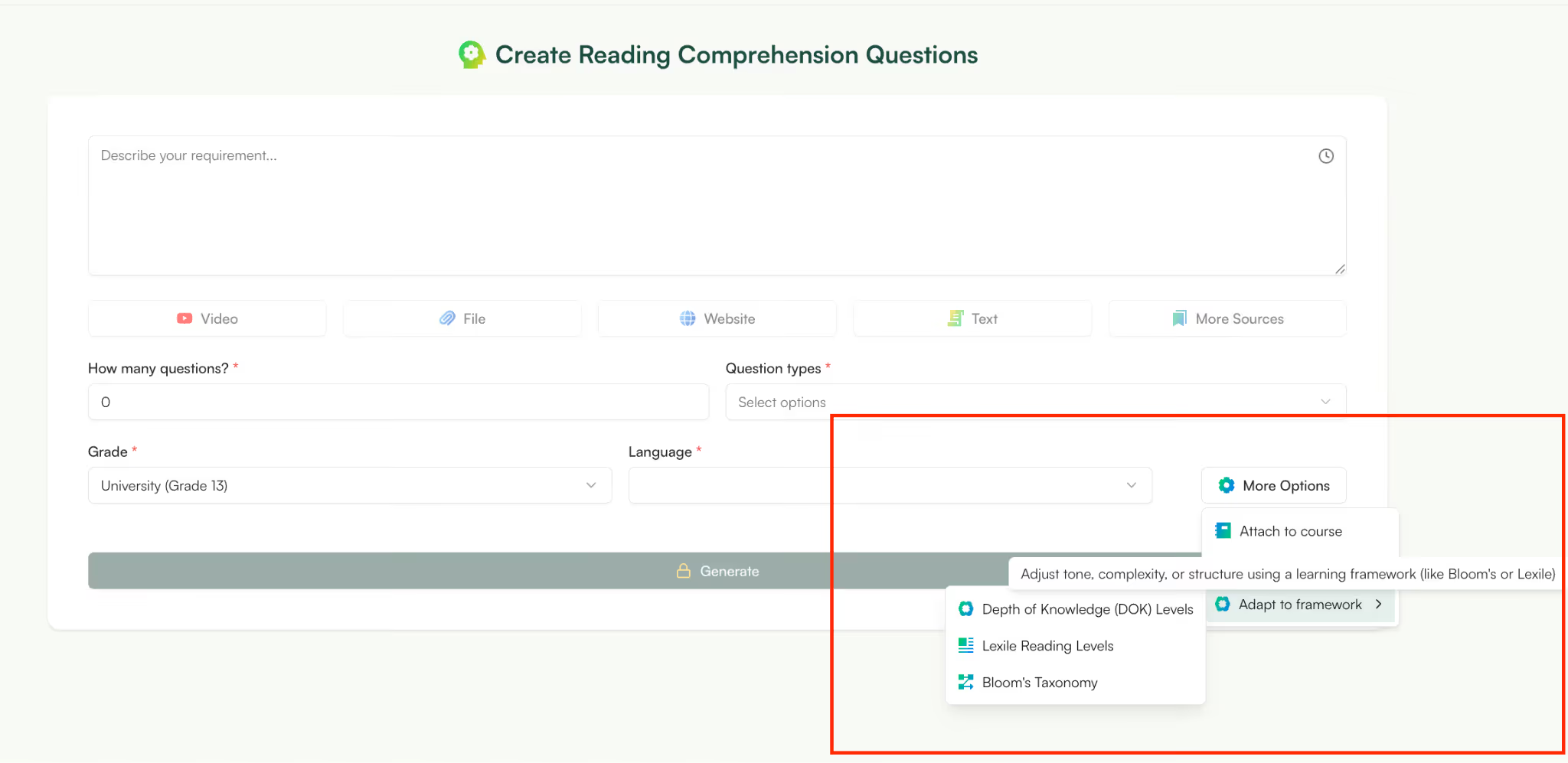
Sometimes, you need simpler questions for one class and more challenging ones for another, without starting over each time. To achieve this, you simply select ‘adapt to framework’ and choose what you want to adjust - Depth of Knowledge, Lexile reading levels, Bloom’s Taxonomy.
Monsha is the best tool to create differentiated resources whether they’re worksheets, presentations or reading comprehension questions.
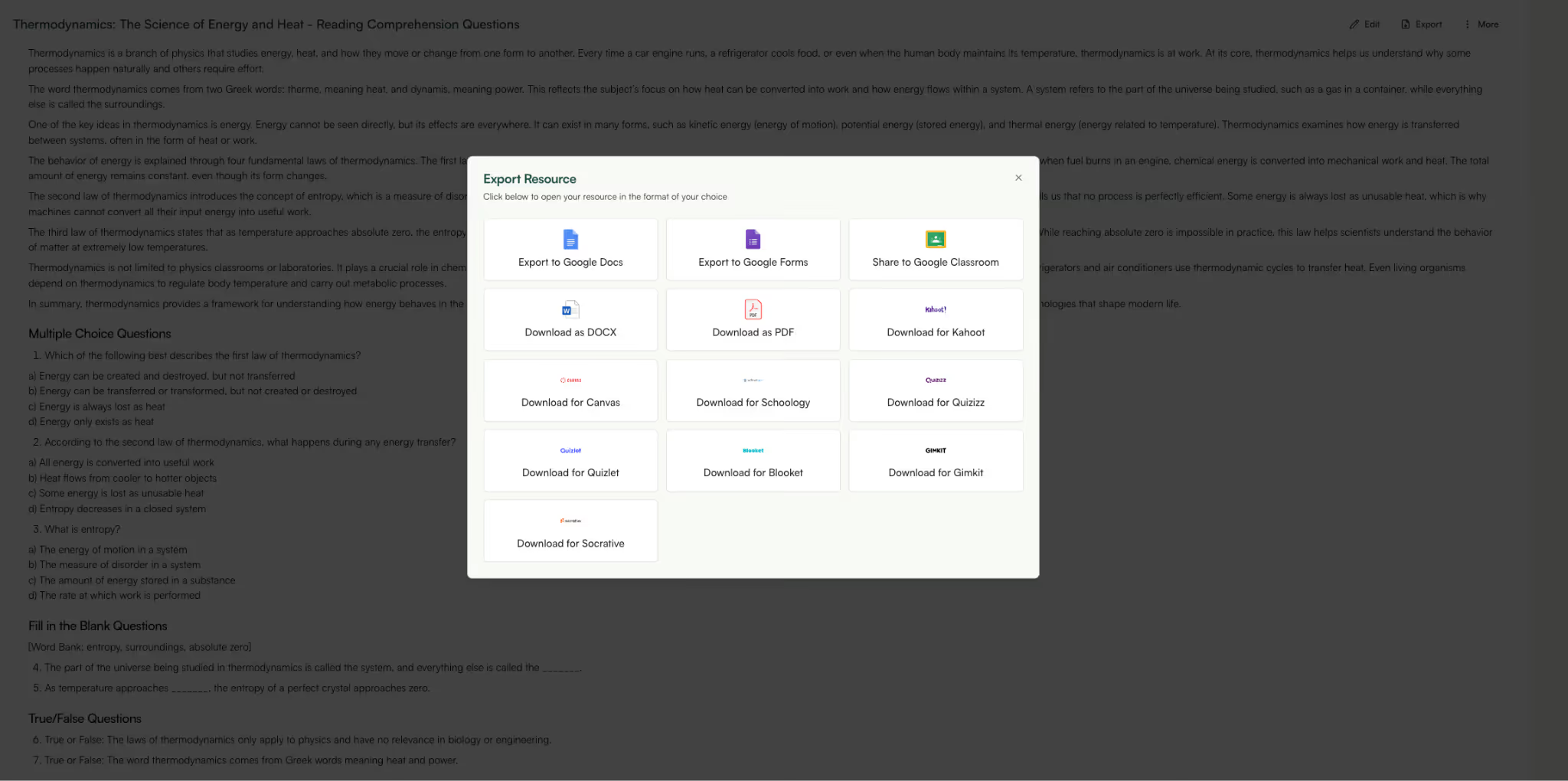
Many AI tools generate text that still needs formatting, restructuring, or rewriting before it can be used with students.
Monsha’s outputs are already shaped like quizzes or assessments, which you can use immediately.
If you’re preparing an exit ticket or a short comprehension check, this saves significant time. You can export questions as Google Docs, Google Forms, DOCX, PDF or even share to Google Classroom.

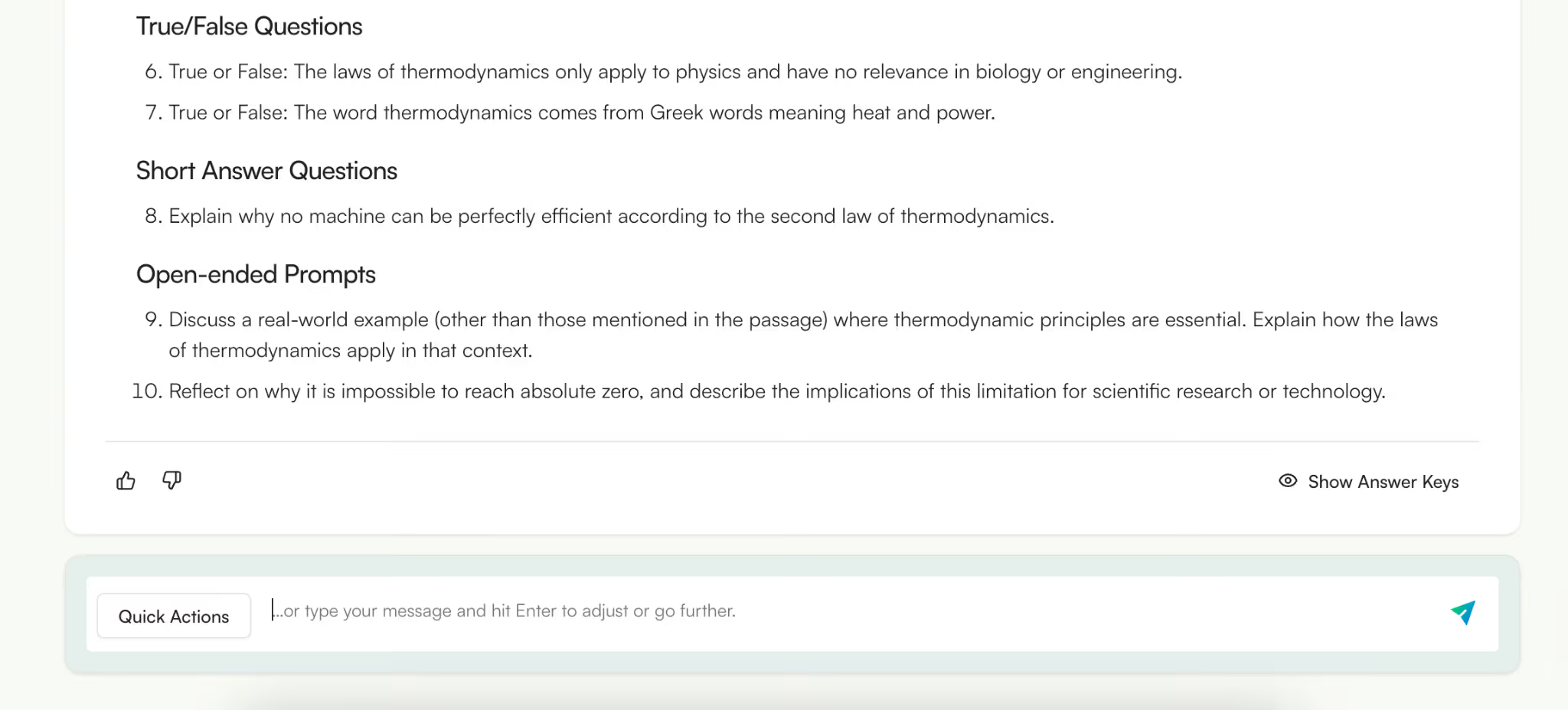
Monsha has an easy to use editor right inside the app. You can change text, layout, or add images and tables to your document. You also get a prompt bar where you can chat with the editor and tell it what you want to change and it will implement those changes immediately.
Monsha is best for teachers who:
It may be less suitable if you:
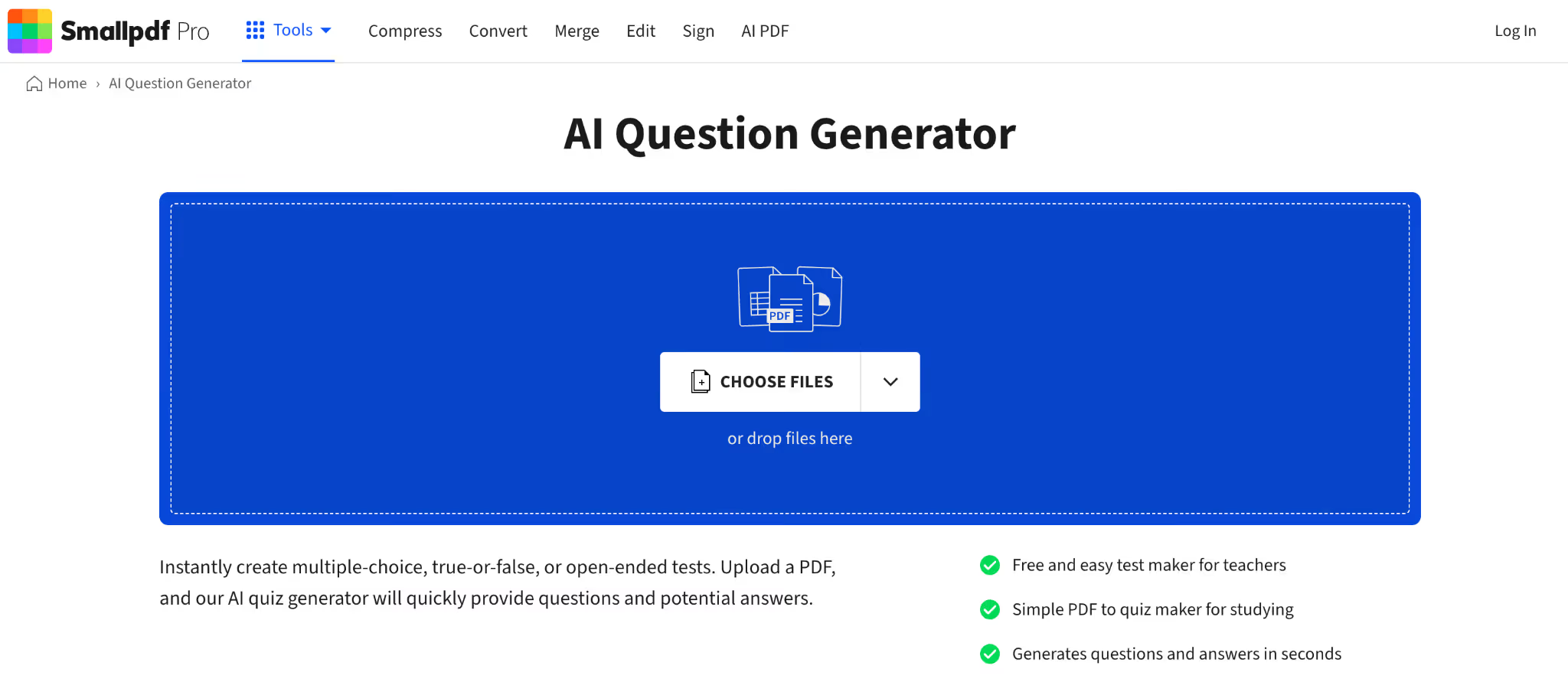
Smallpdf’s question generator is basically a tool that allows you to work with PDFs - compress them, edit them, sign them etc. It’s also positioned itself as an AI question generator from PDF.
In many classrooms, reading materials are shared as PDFs - textbook chapters, scanned worksheets, or downloaded articles. Smallpdf allows teachers to upload those PDFs and generate questions from it without copying the text into another tool.
Smallpdf functions well as a general AI question generator, especially for basic comprehension checks. It typically produces questions that focus on key ideas and facts from the document.
For example, if you upload a short informational passage, you’ll get a usable set of questions that reflect the main points.
That said, the questions tend to stay surface-level and may need refinement if you’re aiming for deeper analysis or higher-order thinking. It’s more about speed than instructional depth.
You can generate MCQs, true/fasle and open ended questions. It works well if you’re looking to quickly generate questions one time and don’t need to connect them to a course.
Smallpdf is one the few AI reading comprehension question generators that work on any device including iOS, Android, Mac, Windows and Linux -check.
Smallpdf is best for teachers who:
It may be less suitable if you:
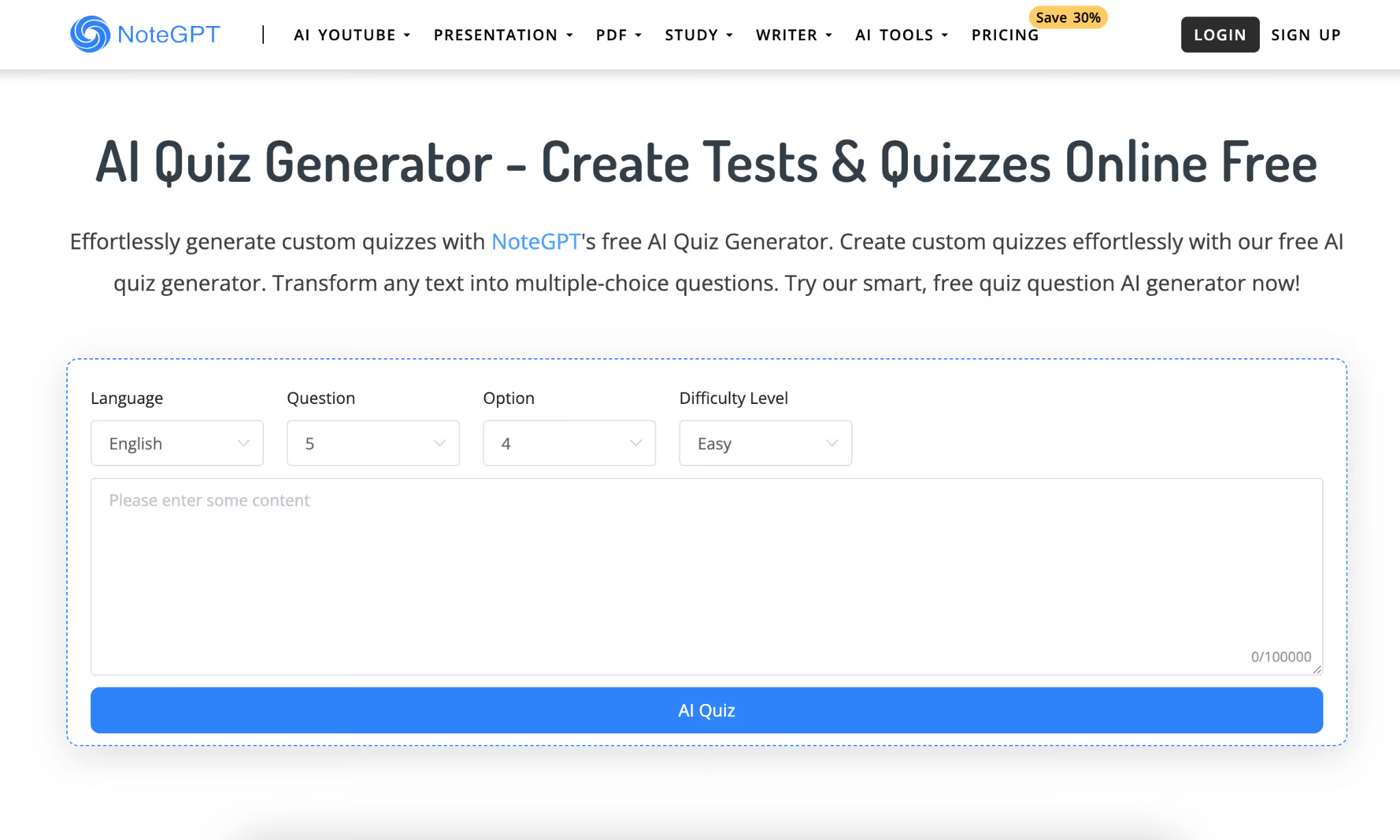
NoteGPT is an all-in-one learning assistant that works for both students and teachers. It has specific features around PDFs and one of them in an AI quiz generator from PDFs. Like Smallpdf, NoteGPT also only works with PDFs or pasted text.
NoteGPT is centered around PDFs so you can either upload a PDF or paste text to generate quiz-style questions. This makes NoteGPT a practical AI question generator when you have limited time.
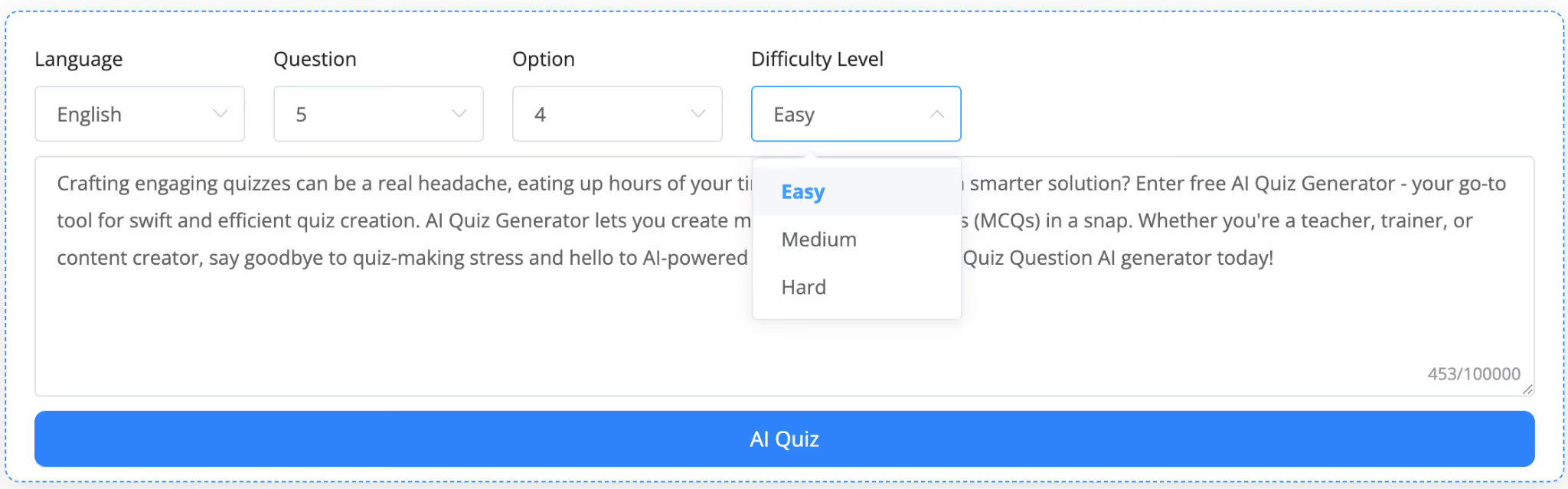
You can select how difficult you want your questions to be. This comes in handy when you’re creating questions for students with learning difficulty.
NoteGPT is best for teachers who:
It may be less suitable if you:
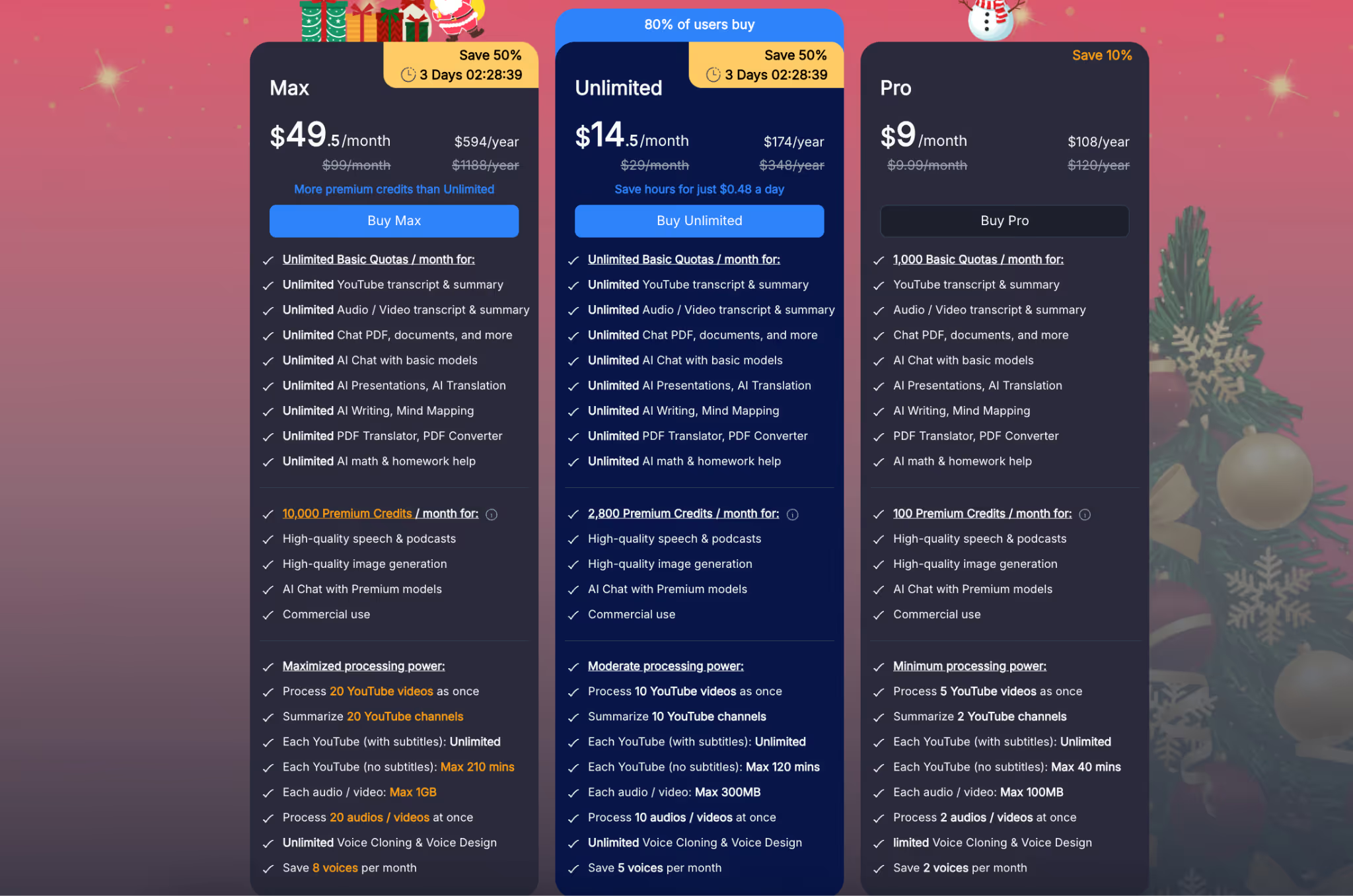
ChatGPT works as a general-purpose AI question generator rather than a dedicated reading comprehension or assessment tool. You can use it to generate questions from pasted text, passages, or documents by prompting it directly.
Paste a reading passage or text and ask the AI to generate comprehension questions from it. This is useful when you already have the content and want to quickly draft questions without using a separate tool.
One real advantage of ChatGPT is that teachers can explicitly ask for certain question types or difficulty levels. For example, you can prompt it to generate MCQs, short-answer questions, or higher-level thinking questions, and specify whether they should be easy, moderate, or challenging.
ChatGPT is most effective for teachers who are comfortable guiding AI with specific instructions. If a teacher knows exactly what kind of questions they want, ChatGPT can produce them quickly.
If you don’t like prompting, you can create custom GPTs to create comprehension questions. Then, you won’t have to rewrite the same prompts again. Once you customize your GPT, you can just upload your passage and it will generate questions for you.

ChatGPT is best for teachers who:
It may be less suitable if you:
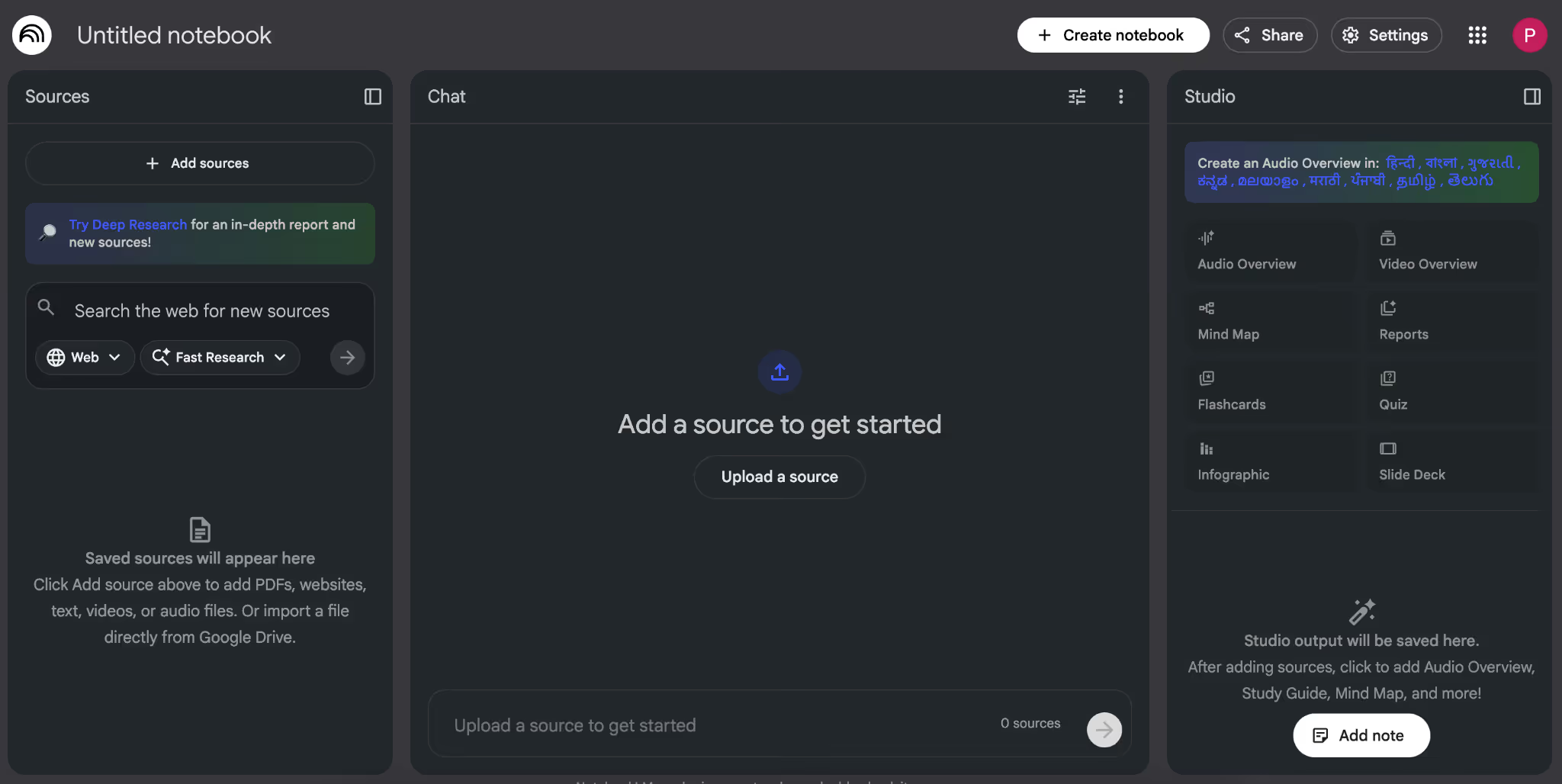
NotebookLM can also act as an AI question generator. The best part is, all your questions are grounded strictly in those sources. However, everything is driven through prompts and artifacts, not preset classroom workflows.
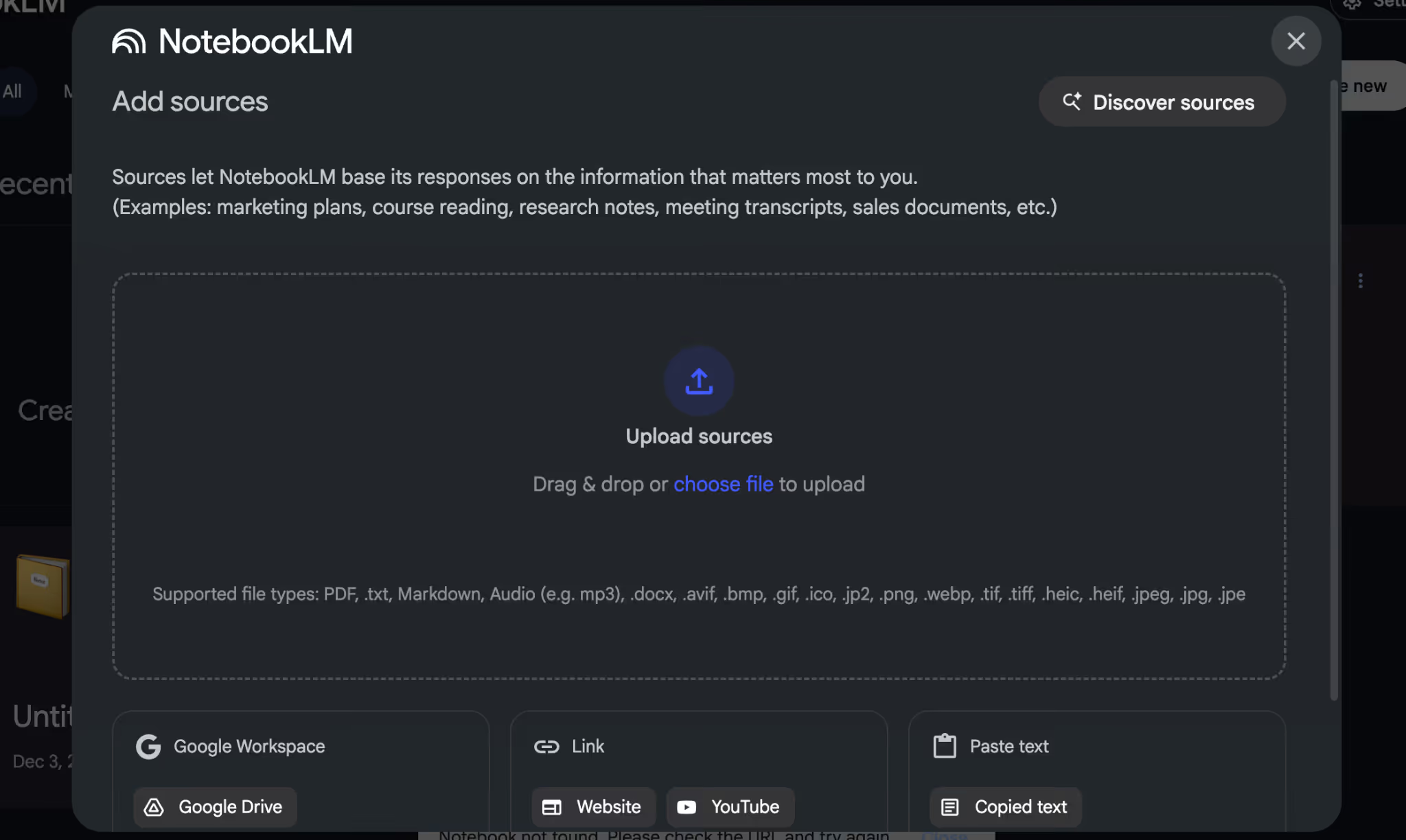
Just like in Monsha, you can upload PDFs, videos, images, ebooks, and text documents to NotebookLM and it will use everything as the source. This is useful when a lesson pulls from more than one resource, such as a chapter reading plus a video explanation.
You can then ask the AI to generate comprehension questions that reference all uploaded materials together.
NotebookLM can generate different sets of questions from the same source material by prompting it for varying depth or focus. You can ask for simpler comprehension questions first, then request more analytical or discussion-based questions from the same passage.
NotebookLM can convert AI generated questions into structured study materials such as worksheets or study guides. For example, after generating comprehension questions, you can ask the tool to format them into a printable worksheet or organized handout.
However, these worksheets are text-based and still require review before classroom use. The tool helps assemble the content, but you still have to edit them as per your teaching style.
One standout capability of NotebookLM is its ability to generate visual summaries and infographic-style representations related to the content and questions. You can ask it to create diagrams, concept breakdowns, or visual explanations that support comprehension questions.
For instance, you can ask it to create a diagram-based question where students have to refer to the image to answer questions.
NotebookLM is best for teachers who:
It may be less suitable if you:
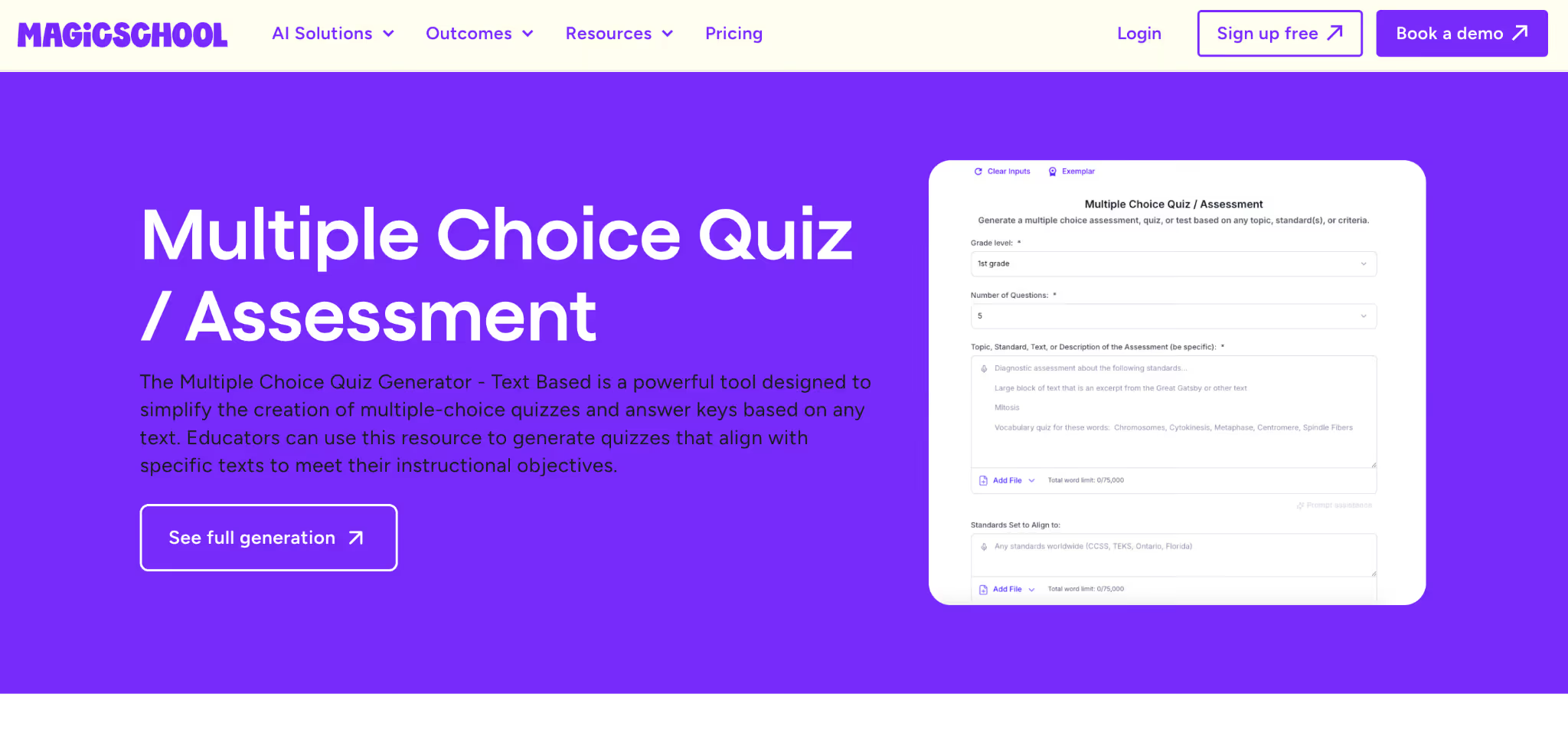
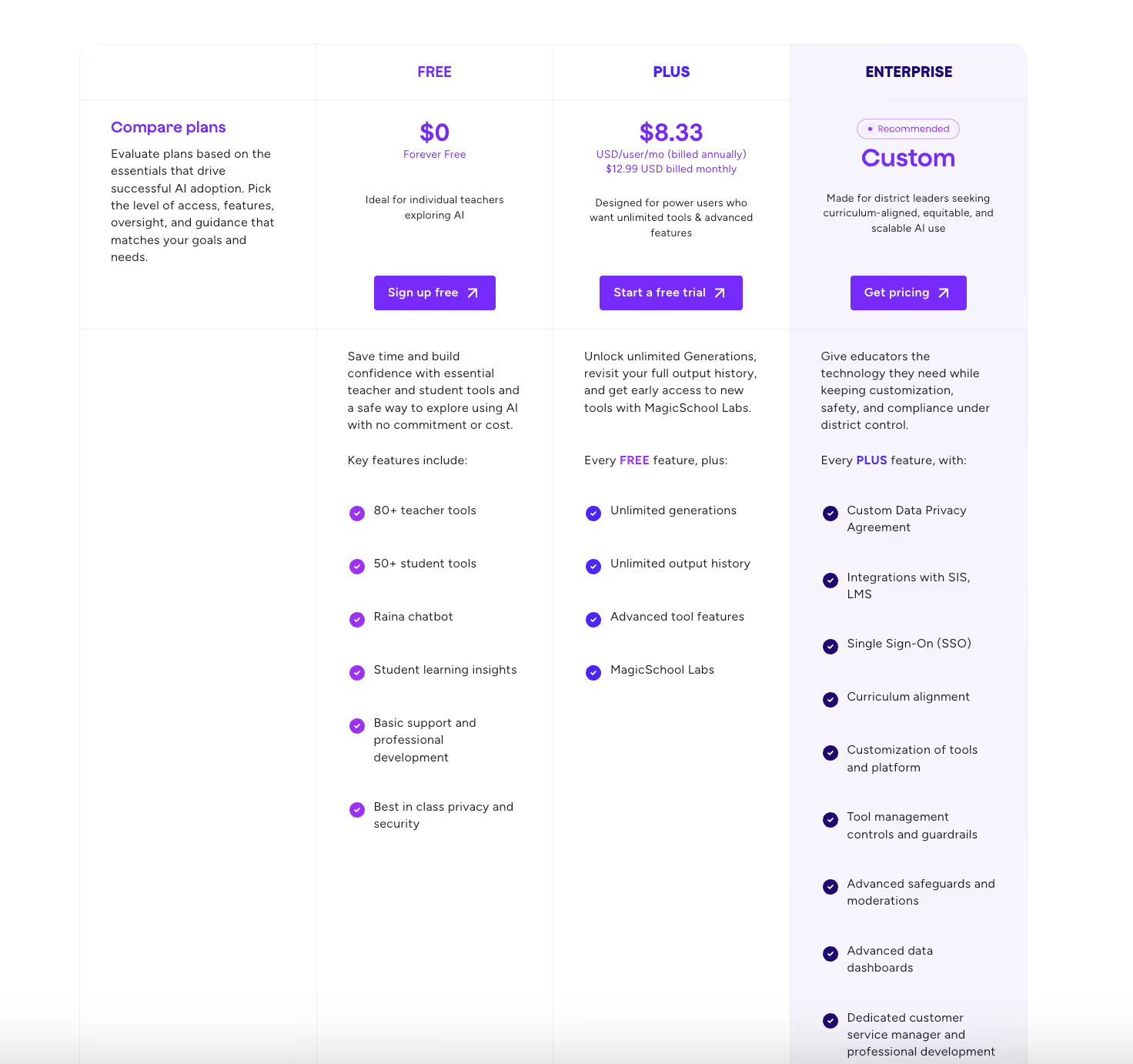
MagicSchool AI is built specifically for teachers and classroom workflows. Its multiple-choice quiz and assessment tool that generates structured questions quickly without writing prompts.
MagicSchool AI lets you generate multiple-choice questions by entering a topic or pasting text. This works well when you want quick comprehension or recall-based questions from a reading passage.
For example, you can paste a short article and instantly create MCQs to check understanding at the end of a lesson.
One of MagicSchool’s strongest features is built-in control over grade level and difficulty. You get to specify whether questions should be simpler or more challenging, which is helpful when teaching the same content across different classes
MagicSchool AI includes sample outputs and an exemplar-driven workflow. You don’t need to figure out how to “ask the AI correctly” to get usable results. You fill in a few fields, review the generated questions, and adjust if needed. This is great for teachers who are new to AI or don’t want to spend time refining prompts.
The multiple-choice questions generated by MagicSchool are formatted clearly and don’t require heavy restructuring. You can use them directly for quizzes, exit tickets, or formative assessments.
MagicSchool AI is best for teachers who:
It may be less suitable if you:
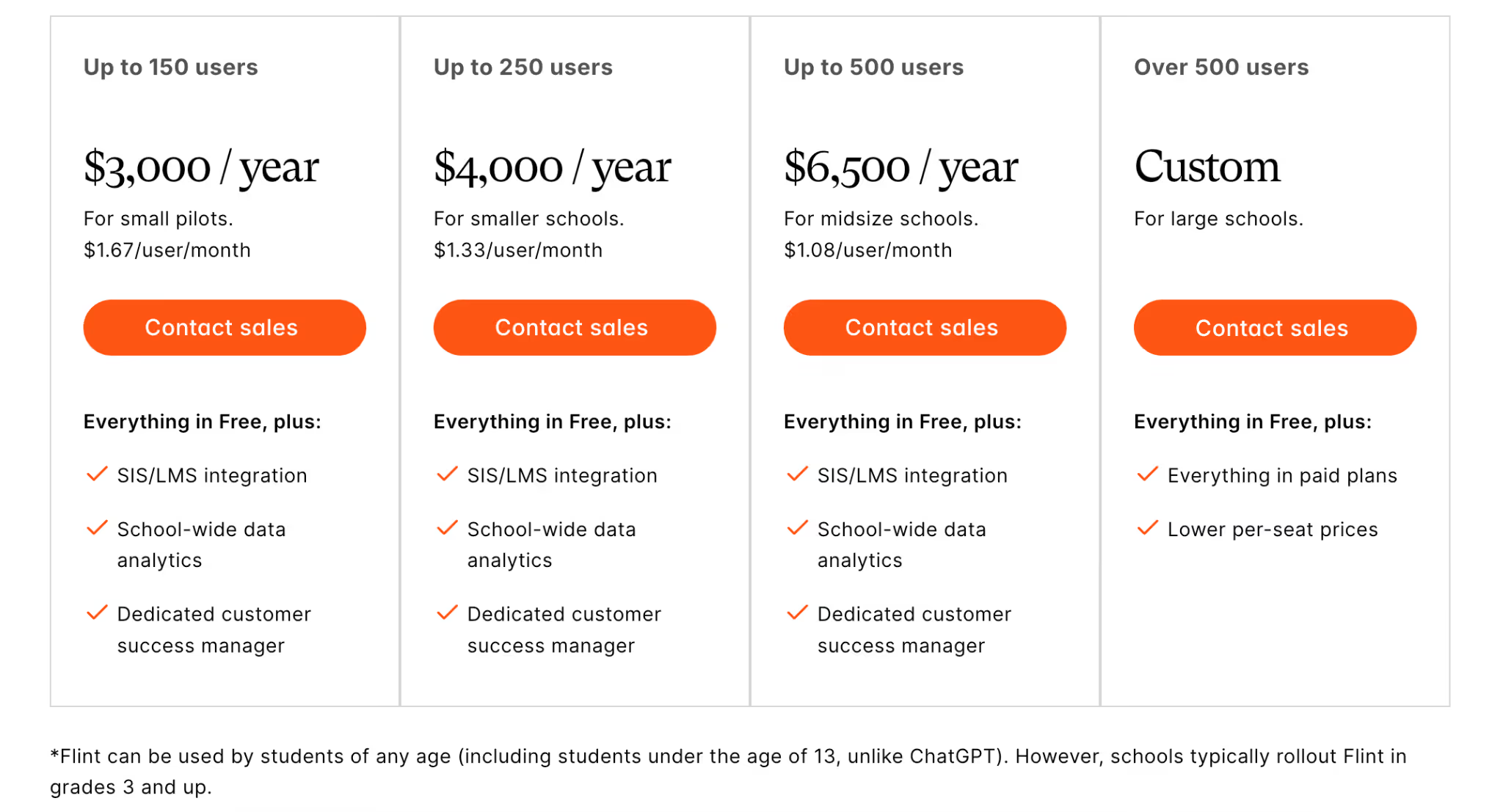
Flint’s Text-Dependent Question Generator is built specifically for standards-aligned reading instruction. The tool focuses on generating questions that require students to refer directly to the text, rather than relying on background knowledge or opinion.
In Flint, you paste a reading passage and generate questions that explicitly reference details, ideas, and evidence from that text. It’s great to test close reading skills, where students must justify answers using the passage itself.
For example, an ELA teacher can input a short story or nonfiction excerpt and receive questions that push students to cite specific lines or ideas. The questions stay grounded in the text rather than drifting into generic comprehension prompts.
Flint is useful when you want students to actually look at the passage again instead of guessing or answering from memory. You can use the same text to generate simpler questions first, then ask for questions that make students explain why something happened or point to evidence.
For example, you might start with “What does the author say here?” and then move to “Which line in the text supports this idea?” This makes it easier to plan lessons that slowly build comprehension instead of jumping straight to hard questions. You decide how deep the questions go based on how you use the tool.
The questions Flint generates are well suited for guided reading, small-group discussion, or whole-class analysis. You can use them to prompt discussion where students must return to the text to support their answers.
Flint keeps the workflow simple: input the text, generate questions, review, and use. There’s no need for prompt engineering, which lowers the barrier for everyday classroom use.
However, the tool is focused narrowly on text-dependent questions rather than offering multiple assessment formats. It works best when that specific instructional need is clear.
Flint is best for teachers who:
It may be less suitable if you:
Once you step back and look at these tools side by side, the difference isn’t about intelligence or output quality. It’s about what happens after the questions are generated.
Most tools stop at generation. Monsha doesn’t.
With Monsha, reading comprehension questions aren’t a dead end. You can adapt them for different students, reuse them across classes, and turn them into quizzes, worksheets, Google Forms, or presentations without rebuilding everything from scratch. That matters when reading comprehension is something you do every week, not once in a while.
Other tools still have a place. Some are great for quick checks. Others work well for close reading or content exploration. And a few are useful when you just want ideas fast. But they all require you to stitch together the rest of the workflow on your own.
Monsha is the only tool in this list that treats reading comprehension as part of a system, not a single task. It’s built for teachers who want consistency, reuse, and control without spending extra time formatting, rewriting, or starting over.
If reading comprehension questions are a regular part of your teaching, Monsha isn’t just the best option here, it's the one that actually holds up over time.
And it’s completely free to use.
An AI reading comprehension question generator is a tool that creates questions based on a passage, PDF, article, or other learning material. Teachers use it to quickly check whether students understood what they read, instead of writing questions from scratch. Some tools only generate basic recall questions, while others support deeper comprehension and reuse across classes.
Yes. Many tools now work as an AI question generator from PDF, allowing teachers to upload chapters, worksheets, or articles and generate questions directly from them. This is especially helpful when your reading material already exists as a document. Tools like Smallpdf focus purely on PDFs, while platforms like Monsha allow you to generate questions from PDFs and then reuse them across quizzes, worksheets, or forms.
Free AI question generators are usually good for quick or occasional use. They can help with discussion starters, homework checks, or informal comprehension questions. However, most free tools require manual editing, formatting, or rewriting if you want to reuse questions across classes. Teachers who generate reading comprehension questions regularly often need more structure than free tools provide.
Yes, ChatGPT can work as an AI question generator if you paste a passage and ask it to generate questions. It’s flexible and works well when you know exactly what to ask for. However, it doesn’t provide built-in controls, classroom-ready formats, or reuse options. Many teachers use ChatGPT for drafting ideas, then move questions into another tool or document for actual classroom use.
An AI question generator usually focuses on producing questions from text. An assessment tool goes further, helping teachers organize those questions into quizzes, worksheets, or tests that can be reused or shared. This difference matters if reading comprehension is part of your weekly teaching routine. Some tools stop at generation, while others support the full assessment workflow.
Some AI tools allow basic difficulty selection or prompt-based variation, which helps create easier or harder questions from the same passage. More advanced tools support differentiation by adjusting reading level, depth of thinking, or instructional framework. This is useful when the same text needs to work for multiple groups of students. Not all tools support this equally, so it’s worth checking before committing.
The best tool depends on how often you create comprehension questions and how much reuse you need. If you only need quick, one-off questions, simpler AI tools may be enough. If you regularly build quizzes, worksheets, or assessments and want to adapt questions for different students without starting over, a teacher-first platform like Monsha tends to fit better into long-term classroom workflows.
Yes. Even the best AI reading comprehension question generators should be reviewed before classroom use. Teachers need to check clarity, alignment with learning goals, and appropriateness for their students. The value of a good tool is not that it replaces teacher judgment, but that it reduces the time spent on drafting, formatting, and rebuilding questions.




AI in Education Content
Pooja Uniyal works closely with teachers and schools to understand and guide how AI is being used in real classrooms today. Her work at Monsha focuses on capturing practical teaching workflows and turning them into clear, usable guidance for educators exploring AI in their daily planning.
Join thousands of educators who use Monsha to plan courses, design units, build lessons, and create classroom-ready materials faster. Monsha brings AI-powered curriculum planning and resource creation into a simple workflow for teachers and schools.
Get started for free


.avif)
.avif)