Five back-to-school jobs, five free AI tools, one each: planning, differentiating, slides, quick checks, parent emails. Plus where every free tier stops.

If you have tried an AI tool for lesson planning and quietly gone back to doing it by hand, you are not alone. A lot of what these tools hand you is generic, and cleaning it up can take longer than just starting fresh. That does not mean the whole idea is a waste of your time, though. A few back to school AI tools for teachers are genuinely useful, they are free, and each one does a single real job well.
Here is how to spot the useful ones, and the five free tools I would actually set up.
Search for back to school AI tools for teachers and you will get lists of twenty or fifty, and most of those tools will do something for you. The question is whether what they hand back is worth the time it takes to fix.
That is the test I use, and it comes down to three questions.
That third question is where most teachers give up, and honestly, it is fair. One teacher on r/Teachers put the cleanup at 30 minutes to an hour for a single generated lesson plan, which is about what the plan would have taken from scratch.
So the list below is short. Five tools, one job each, and for each one I have said plainly what the free version gets you and where it falls down. Fair warning on that last part: one of the five is made by the company publishing this article, and it has the same kind of limits as the rest.
Planning is the biggest job between you and the first day, and the one worth handing to a real tool rather than a general chatbot.
Let me take the strongest objection first, because it is a fair one. Ed Finch, a UK primary teacher, wrote that "the planning is as much about me and about my pupils as it is about the material." He is right. An analysis of 310 AI-generated civics lesson plans found 45% of the activities sat at Bloom's "remember" level and only 2% at "evaluate", and writing a longer prompt barely moved it.
In my opinion both of those are arguments about what you hand over. So is the plan still yours? That depends on what you put in. If you already have the unit worked out on a legal pad, attach it and let Monsha build the document. If you are starting from a blank page, type the topic and expect to fix things.
For this walkthrough I used a 7th grade life science unit on cell structure, three 50-minute periods.
Try it below just by typing your requirement and hitting that Generate button:
Now, step 5 is the answer to that Bloom's research. If you want analysis and evaluation rather than recall, set it there instead of hoping the tool works it out on its own.
Here is the prompt I typed:
Three 50-minute lessons on cell structure and function for 7th grade life science. Use the attached reading. Students have done basic microscope work but have not seen organelles labelled before.
For the longer standards-aligned version, see the full walkthrough.
On the finished plan, click More, then Create more resources based on this output. You can generate questions, a worksheet, or slides off the same content. This is the part that saves the most time in August.
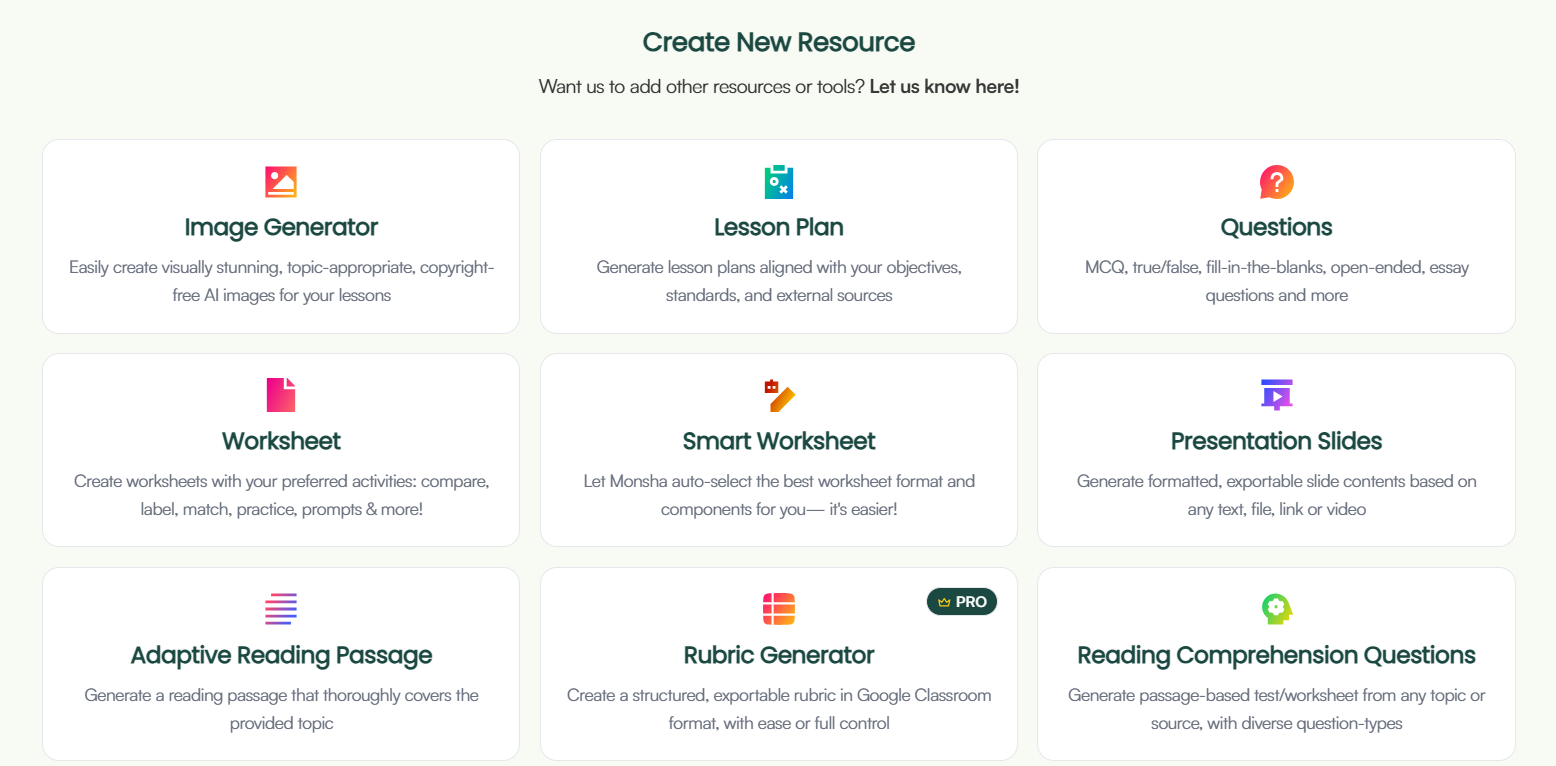
The worksheet and questions come out close to the plan. The slides, though, are the weak spot. Monsha builds a slide outline first, and the deck it generates usually carries less than that outline did. Enough teachers have written in about it that it is worth saying plainly. So edit at the outline stage, while the text is still yours to fix, and expect to top the deck up afterwards.
Now, the sub plan. There is no Sub Plan button, but the workaround is easy. Open Create Anything, use Attach then Monsha Resource to pull in the plan you just built, and ask for a substitute-ready version. Edutopia recommends the same move: attaching the plan beats prompting from scratch.
Hopefully that is one unit off your list. If you only build one before students arrive, make it the unit you rewrite every single year anyway.
If what you need doesn't fit any of those, Create Anything builds it straight from your prompt, and they add new tools every couple of weeks.
Every unit has the one reading that is fine for most of your class, too hard for four kids, and too easy for three more. Most years you either retype it at two levels the night before, or you let it go and reteach the bottom third later.
Thankfully, that is the exact job Diffit is built for. Paste your text, drop in a URL, upload a PDF, or just type the topic, and it hands back a reading passage with comprehension questions and a vocabulary list. Then you adjust the reading level, the length, or the language and run it again. I put the organelles reading from that 7th grade cell structure unit through it twice, once at a 5th grade level and once at 8th, so the students who need the scaffold and the students who are ahead are working from the same content on the same day.
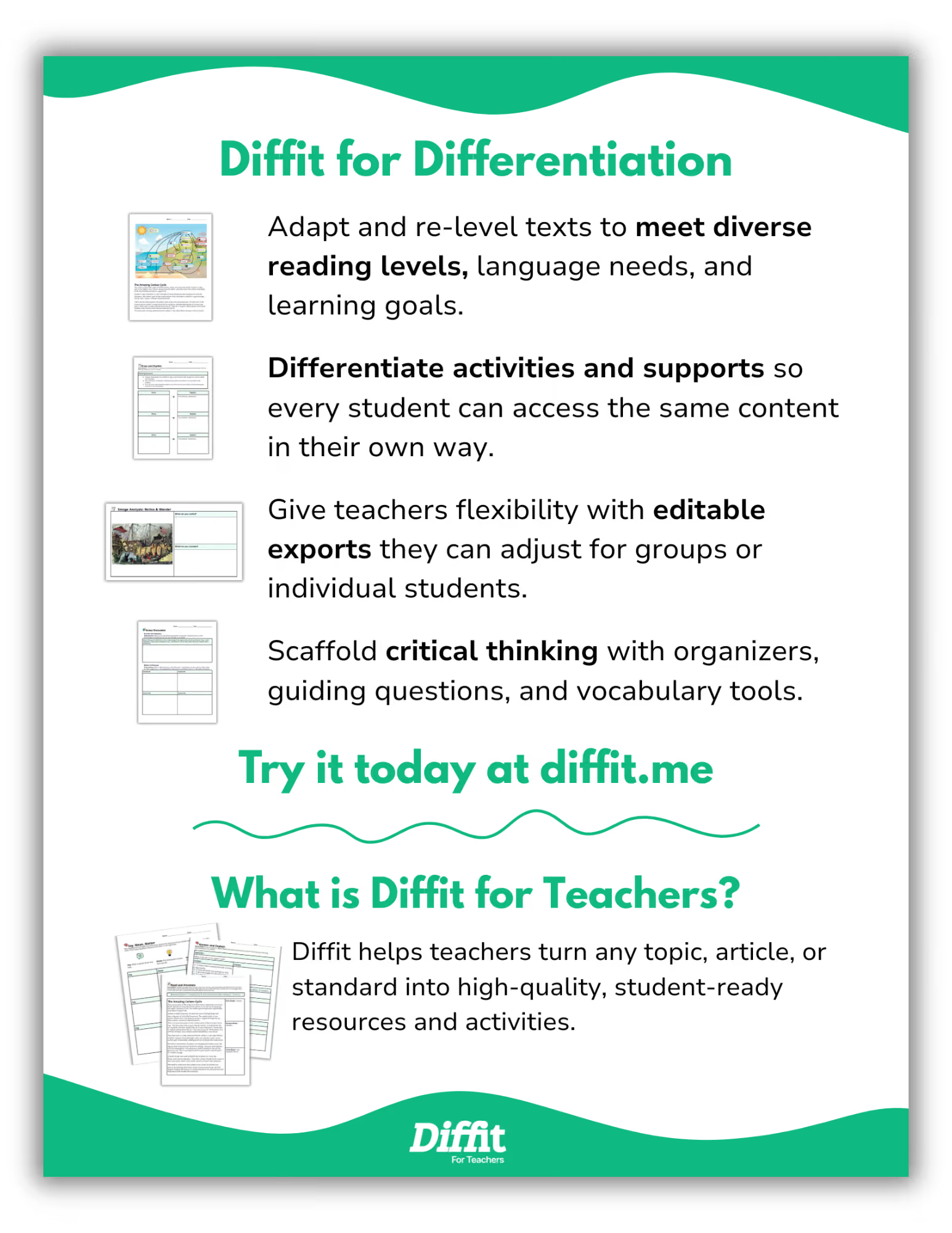
The free version does that whole job, and the paywall sits on the getting-it-out and the extras rather than on the leveling itself. Free gets you the leveled passage, the questions and the vocabulary as a PDF you print or share. Paid adds the export into Google Docs, Slides, Forms and Classroom, the standards and DOK alignment, the graphic organizers, and longer inputs like novels. So if you are happy printing PDFs, the free account is a real tool and not a preview of the paid one. One thing to watch: new accounts start with premium switched on for a trial window, so notice which features you actually reach for before it ends. The exact prices are in the cost table further down.
Now, do you need Diffit at all if you are already planning in Monsha? For leveling a passage, probably not. On anything you have already made, click More, then Differentiate, and you get Adjust Grade Level, Adjust Lexile Reading Level, Adjust DOK Level, Adapt to Bloom's Taxonomy, and Translate into 60+ languages, working on the plan and the worksheet you built rather than on a passage you paste in again.
Where Diffit is stronger is what it builds out of one outside source. Hand it an article you found or a PDF from your department and it comes back with a spread of different activity types and graphic organizers built around that source, and it is better at that than most things I have used. The catch is that this is the premium side, so a free account only sees it during the trial. Monsha covers a good part of that job now, and not behind the same wall. The Graphic Organizer tool turns a topic, text or video into student-facing activities with 20+ layouts to pick from, or you describe the one you want, and the Worksheet tool lets you choose the activity types (compare, label, match, practice) instead of taking what you are handed. Not quite the same range off a single source, but close.
So pick the reading your first unit actually turns on, and make the two extra versions this week. It takes about fifteen minutes, which is roughly fifteen minutes more than you will have by the third week of school.
Most of what teachers complain about with AI generated slides is not really a complaint about the design. A high school science teacher on r/Teachers described a deck this way, and nearly two thousand teachers agreed with him:
"Just slide after slide of the same handful of sentences rephrased with random loosely related stock photos."
That is not a design problem, though. Somebody asked a tool to fill thirty slides and it filled thirty slides. So the split I would make is a simple one: the lesson content stays yours, and Canva does the part it is genuinely good at, which is making it look like something.
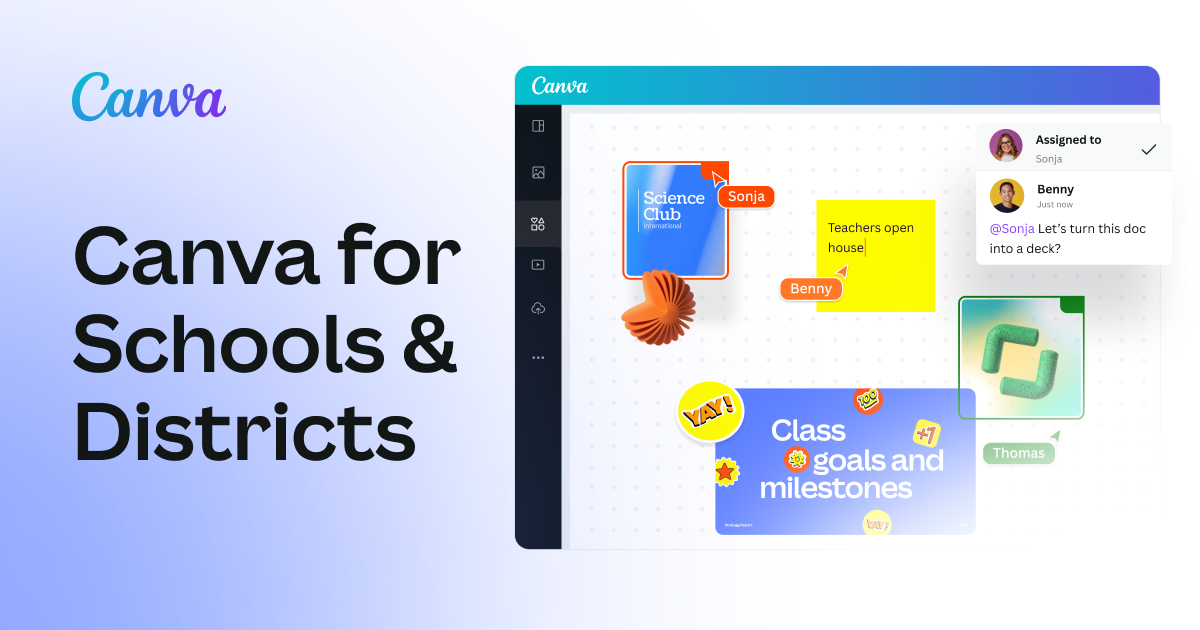
Canva for Education is free for K-12 teachers, and not free in the fourteen-days-then-a-credit-card sense. It's free! If your school address sits on a verified education domain, signing up puts you straight in. If it does not, you upload a photo of your teaching license and they review it within 48 hours, which is a fine wait in July and a worse one the night before open house. It is K-12 only though, so homeschool educators, tutors and college instructors do not qualify.
There is loads of first-week material in there besides slides. Posters, name tags, door signs, bulletin board letters.
What to hand it:
What not to hand it:
If you are already planning in Monsha, most of the deck already exists. The Presentation Maker builds slides from a plan, a file, a website or a video, and you can swap the image on any slide for a web image, an AI one, or a photo of your own board. Export runs to PPT, PDF, DOC and Google Slides, though teachers have written in about the Google Slides version shifting colors and formatting, so open it once before you stand in front of the room.
So if your deck comes out fine, you do not need Canva for the slides at all. Feel free to keep it for the door signs and skip the design step.
Take the reading you leveled in Diffit earlier and build the exit ticket for it now, in July, while the unit is still open in front of you.
You can spend a whole Sunday afternoon building a beautiful Blooket out of four questions that do not check anything, and the class will still have fun. The questions are the part doing the work.
QuestionWell writes the questions. Give it a topic, paste a reading, drop in a YouTube link or a website address, and it pulls out the learning outcomes first, then writes against those. I put the same organelles passage in and asked for a short check on cell parts and what they do. Here is some of what came back:
Which organelle packages proteins and sends them out of the cell?
A. Ribosome B. Golgi apparatus C. Lysosome D. Nucleus
A cell has an unusually large number of mitochondria. What does that tell you about the work it does?
A. It stores extra water B. It uses a lot of energy C. It divides slowly D. It makes its own food
You keep the ones that fit your class, click any question to fix the wording, and send it out. Kahoot, Blooket, Quizizz, Gimkit, Quizlet, Google Forms and Slides, Microsoft Forms and Word, Canvas, Schoology, Moodle, Blackboard. Whatever your students already open.
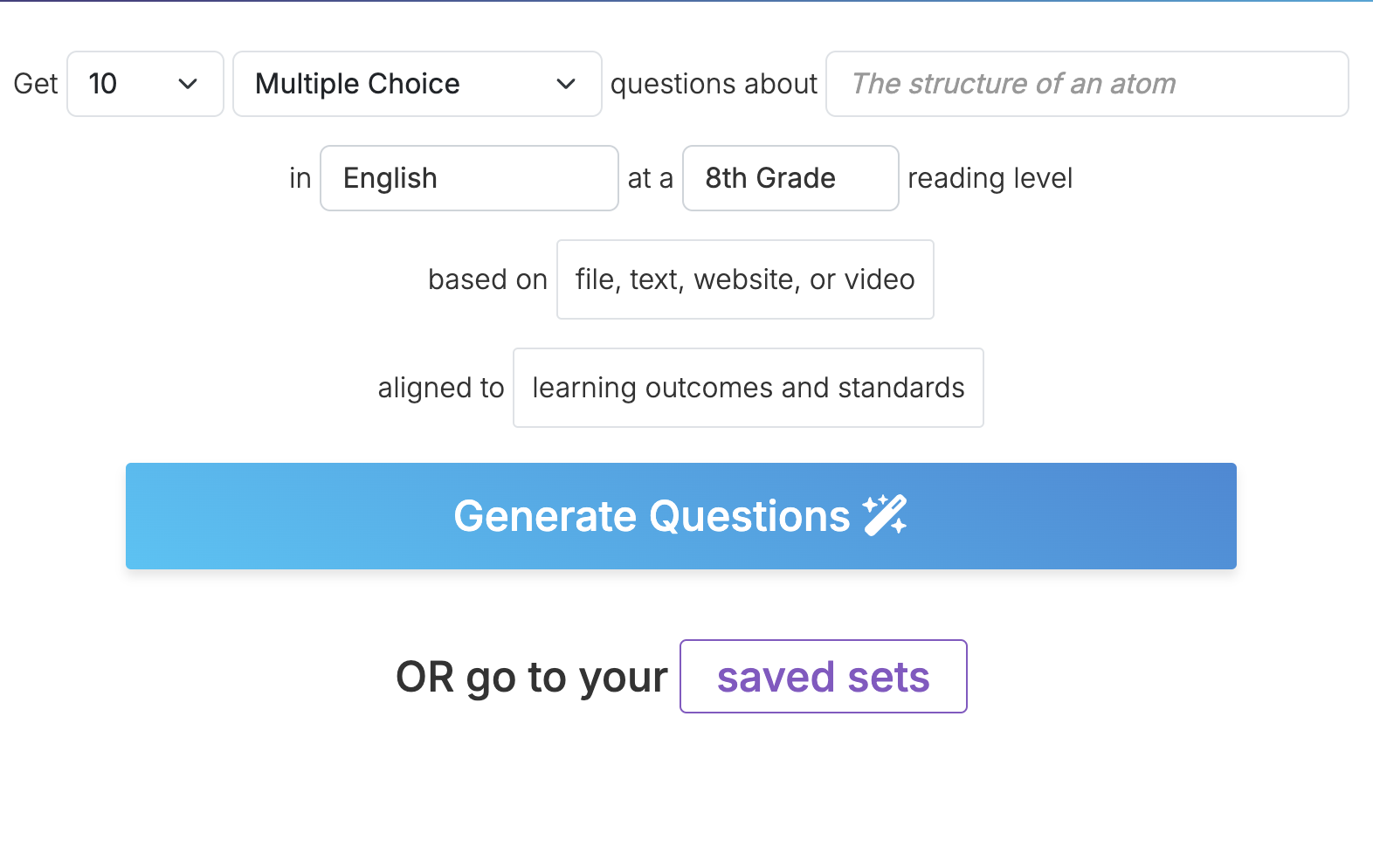
All of that is on the free account, exports included. Fair warning on the reading box: free takes about 1,000 words, so a long article gets cut off before you generate. Premium is $7 a month or $70 a year, which raises the paste limit to roughly 10,000 words and adds fill in the blank, true/false and short answer questions.
If your unit is already in Monsha, you have this without another login. Click More, then Create more resources based on this output, and you get a question set built off the plan you made. The Questions tool exports to the quiz platforms too, Kahoot, Quizizz, Quizlet and Download for Blooket, so the exporting is not the reason to add QuestionWell. If you add it, add it for the questions. Our round-up of quiz generators covers the rest of the field.
That first check tells you something too. You find out which parts of the unit actually landed by the third day of school, while you can still do something about it.
The Meet the Teacher letter. The supply list email. The first-day student survey, the syllabus blurb for your class page, and the note to the family whose kid is already on your radar before you have met them.
None of that is teaching, exactly, but you write all of it anyway, usually in the last week, usually at night. It is also the pile a general chatbot is honestly good at, better than it is at your lesson plans. One teacher on r/Teachers described handing AI "my lesson plans, parent emails, presentations, pretty much all the tedious crap that's not actually teaching."
So which one? Whichever you already have open. For a letter home, ChatGPT, Claude and Gemini are close enough that choosing between them is not worth an evening, and the easiest one is the one you are already signed into.
Also, if you have not looked lately, two of them now have free plans built for teachers. Claude for Teachers and ChatGPT for Teachers are both free for verified US K-12 educators, with sign-up windows running into 2027, and verification runs off your school email address.
Two prompts worth keeping:
Meet the Teacher letter
Write a one-page welcome letter to families for my 6th grade math class. Warm, plain English, around 300 words. Cover how I will communicate during the year, what supplies to send in, and the best way to reach me. Do not put an exclamation point in every sentence.
The email you have been putting off
Here are my notes about a student. [Paste your notes.] Draft an email to the family that opens with something specific and true about their child, states the concern in one sentence, and proposes one next step. Under 150 words, and skip the education jargon.
Then read it before you send it. All the way through, out loud if it's going to every family on your list. The assistant does not know your room, your school, or that your open house ran forty minutes long last year. It will write a warm, competent letter from a teacher who is not you. So give it the ten minutes of rewriting, especially on the first letter home, which is probably the only one all year that families read twice.
All five are free to start, but free covers a different amount of ground in each case, and the thing that tips you into paying is different every time too. Below is where each line sits as of this July.
So which of these will take money off you? Just two. Diffit and QuestionWell, and both are under fifteen dollars a month.
Monsha's row is the one I should be plainest about, since Monsha is publishing this. Free is 500 AI credits a month and it does not run out at the end of the year.
A credit is not a resource, though. A whole unit costs more credits than a set of exit tickets, so 500 is not 500 lesson plans, and August is when you would find that out. Free accounts also get fewer import and export formats.
Then there are the trial windows, which are the part I would actually watch. New Monsha accounts open on 14 days of PRO, and new Diffit accounts open with premium switched on. QuestionWell hands you two weeks of it for finishing the setup checklist.
So a tool you liked in July can be a smaller tool by mid September. If you are trying one of these out this month, it is worth knowing which features are the trial and which ones are yours to keep.
The one genuinely free door is the pair of teacher plans from the last section, if you teach K-12 in the US. Claude for Teachers gives you a full year if you sign up by June 30, 2027, and ChatGPT for Teachers is free through June 2027. If your school address is on an accredited domain, then verification takes about a minute. If it is not, the ordinary free versions still write a letter home fine.
If I were setting all of this up this week, I would run everything on free through September and pay for nothing. By then you will know which one you opened twice a week, and in my opinion that is the only one worth putting your own money on.

Here is a question a teacher left under one of those "top AI tools for teachers" videos:
"If I can only master ONE standalone tool from your list to help with my lesson prep and marking this year, which one do you think provides the absolute best value for a beginner?"
I understand the impulse to ask for one name. The more useful question, though, is how many of these you need at all. Fewer than the internet tells you, is the honest answer. Two is usually enough, three if your jobs are spread out.
Not all five, necessarily. The five above are matched to five jobs, and most teachers are not carrying all five of those jobs at once.
If somebody else builds the slides for your grade level, then skip that one. If your department hands you the readings already leveled, then skip that one too. Nobody is checking. Start with whichever job ate your hours last year.
Most of us have the folder anyway. Six or eight logins made in August, and by October you're opening two of them. When ISTE and ASCD asked a thousand US teachers what would help most, learning one tool at a time was part of the answer, and for August that is probably the right pace.
If you do want to see the whole field before you pick, see our longer comparison of 18 AI tools for teachers, sorted by job. And yes, I do hear how that sounds one paragraph after telling you to use fewer.
The seventh grade cell structure unit in this article is real, and it is done. The plan, two leveled versions of the organelles reading, a deck I had to top up by hand afterwards, and a set of exit tickets. Three days of life science, put together in July, sitting in a folder.
If I had built that unit in October instead, it would have happened at eleven at night, and it would have been worse. That is the real argument for doing it now, while you still have the room.
So take a unit you teach every year and know cold, and build that one first, in the Lesson Plan tool. On a unit you know, you will spot a bad draft in about four seconds. Hopefully that is one less late night waiting for you in October.




AI for Teachers
We’re the Monsha Team—a group of educators, engineers, and designers building tools to help teachers combat burnout and get back to life.. Our blogs reflect real classroom needs, drawn from conversations with educators around the world and our own journey building Monsha.
Join thousands of educators who use Monsha to plan courses, design units, build lessons, and create classroom-ready materials faster. Monsha brings AI-powered curriculum planning and resource creation into a simple workflow for teachers and schools.
Get started for free

.avif)
.avif)