Looking for the best way to create student handouts in 2025? This guide compares the top handout tools—design, assessment, and AI-powered options—and shows how Monsha simplifies handouts for classroom teaching.
.avif)
If you’ve been teaching for a while, you already know this truth: creating student handouts is never just “making a worksheet.”
It usually means juggling multiple tools - one to write content, another to design it, a third to turn it into a quiz, and yet another to actually share it with your class. You might already be using Canva for layouts, Google Forms or Quizizz for practice, and Google Classroom or Microsoft Teams to distribute everything.
And yet, every time you plan a lesson, you still end up rebuilding the same material in slightly different formats.
That’s exactly why teachers are now looking beyond individual tools and searching for a smarter way to create handouts for classroom teaching, ideally using an AI handout generator that fits into real teaching workflows, not just content creation.
In this guide, we’ll look at the best handout tools for teachers in 2026, focusing on what each tool does really well and where it fits in your lesson flow.
.avif)
To make this list genuinely useful, we didn’t rely on feature checklists or marketing claims. We evaluated each tool the way teachers actually create and use student handouts in the classroom.
Our guiding question was simple:
“How well does this tool help you generate, adapt, and use handouts for classroom teaching, day after day?”
Here’s how we assessed every tool in this guide:
We focused on whether a tool helps you generate student handouts that are ready to use in class, whether that’s worksheets, practice material, or interactive activities. Tools that support only one part of the process were evaluated for that specific role, rather than as complete solutions.
Each feature was evaluated against real teaching scenarios - lesson prep, homework, revision, assessments, and hybrid learning. If a feature didn’t clearly save time or improve clarity for students using handouts for classroom learning, it wasn’t included.
We looked at how easily you can adapt handouts for different subjects, topics, and grade levels. This is especially important if you’re using an AI handout generator or free handout generator to create materials for multiple classes or reuse them across the year.
Handouts are rarely one-and-done. We evaluated whether you can edit, reuse, export, or extend student handouts into worksheets, quizzes, or other classroom materials without starting from scratch.
Finally, we looked at how each tool fits into a teacher’s full workflow - from handout creation to classroom delivery. Some tools focus on design, others on assessment or distribution. Monsha stands out by combining AI handout generation with follow-on materials in a single, teacher-first flow.
How to read this guide: Each tool in this list is presented for what it does best. If you already use certain tools, this guide helps you see exactly where they fit and whether switching to a free AI handouts generator like Monsha makes sense for simplifying your classroom workflow.
Based on our research, here are top 5 handout generators for teachers:
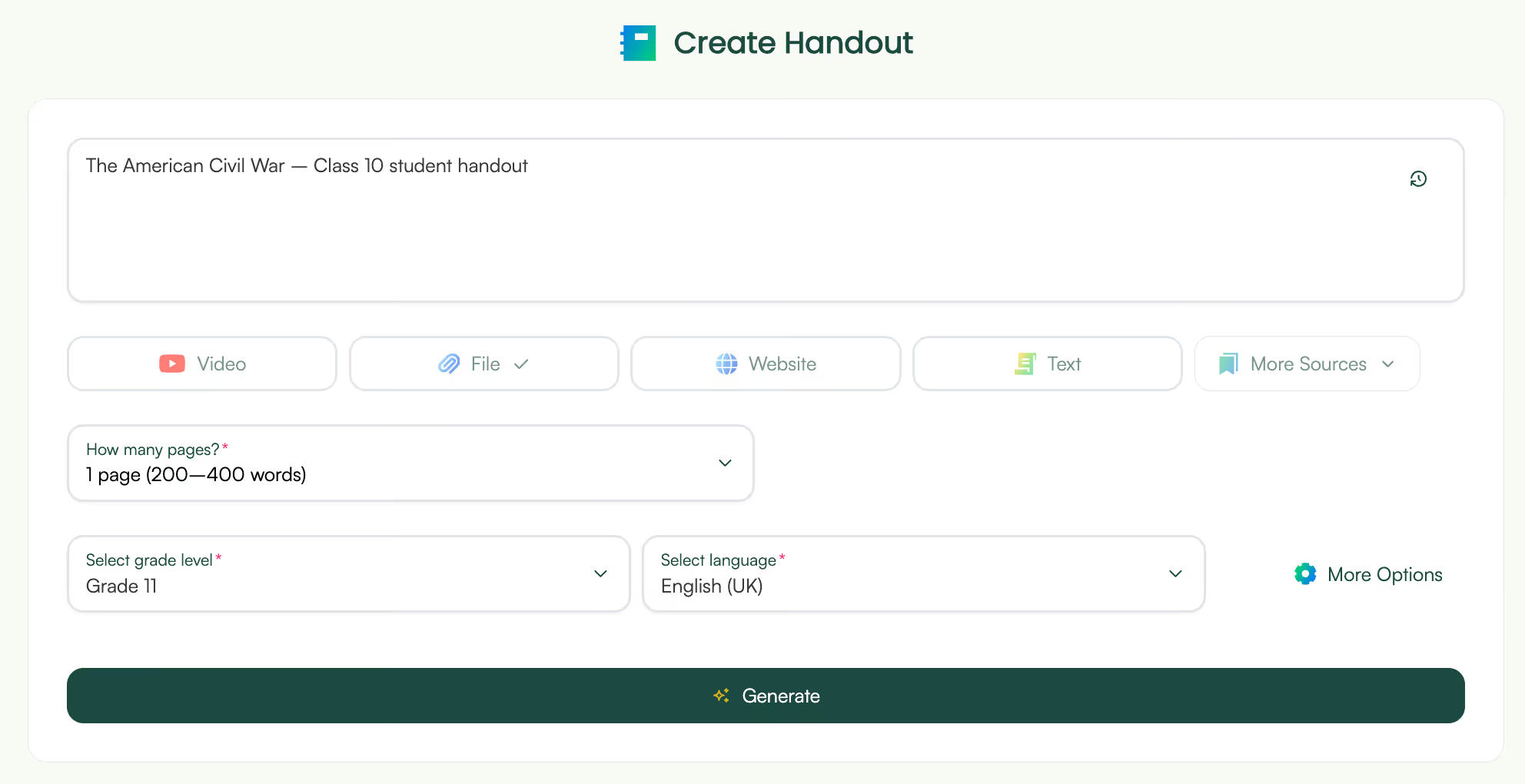
Monsha is an AI tool for teachers that helps with end-to-end resource creation. It helps you create resources, edit them, export and share them and use them to create more teaching resources.
1. Start with your lesson, not a blank page
With Monsha, you don’t open an empty document and wonder where to begin. You start with what you already have or already know.
You can:
Monsha then turns that input into a structured student handout automatically. This is especially useful when you’re short on time and need handouts for classroom use without building everything from scratch.
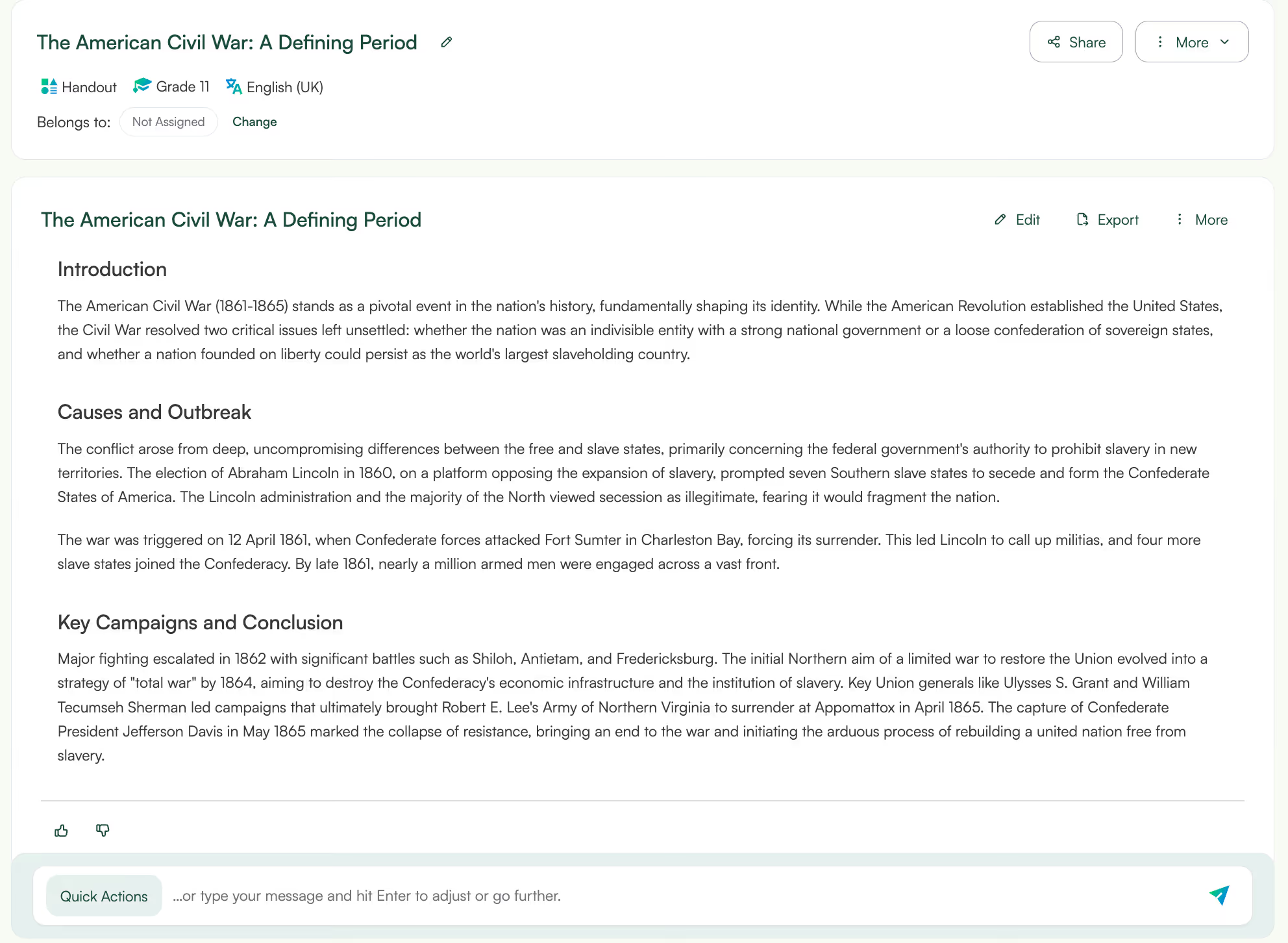
2. AI-generated, student-ready handouts in seconds
When you enter a topic - say “The American Civil War – Class 10 student handout”- Monsha analyses it and generates a clean, organised handout.
You get:
Everything is written for students, not for teachers, which makes Monsha a practical AI handout generator for real classrooms, not just idea drafts.
3. Edit and refine like a normal document
Once the handout is generated, you’re not locked into the AI output. You can:
The editor works like a regular document editor, so adjusting the handout to match your teaching style feels familiar. This matters when you want student handouts that sound like you, not generic AI text.
4. Export classroom-ready handouts as PDFs
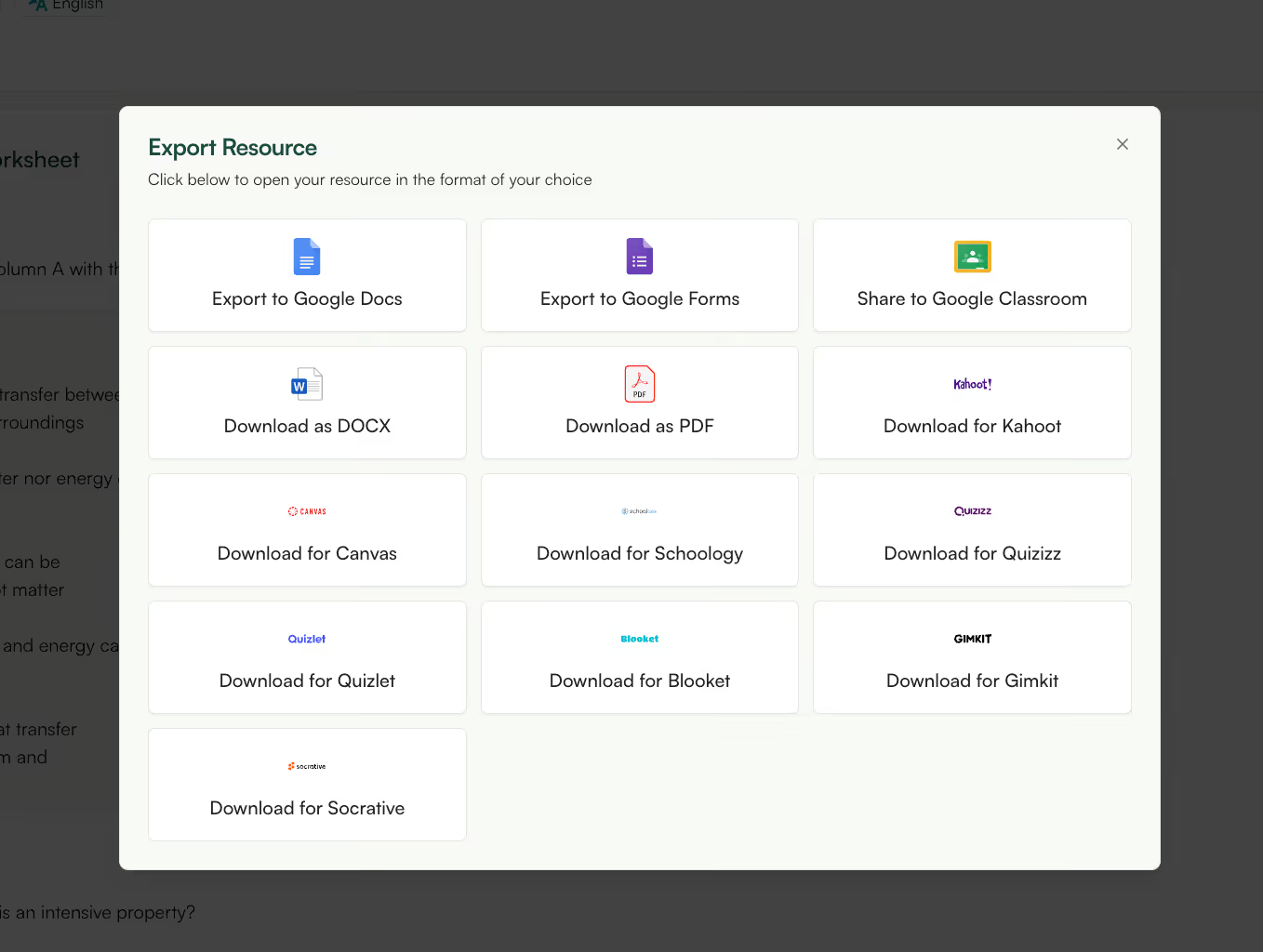
When the handout looks right, you can export it as a PDF and use it immediately, print it, upload it to Google Classroom, or share it digitally.
That makes Monsha useful as both an AI handout generator and a free handout generator for everyday lessons, revisions, or substitute classes.
5. Instantly generate worksheets, quizzes, or slides from the same handout
This is where Monsha really saves you time. Right below the handout, you can generate worksheets, quizzes and slides, all based on the same content.
So instead of rewriting instructions or rephrasing explanations for each resource, everything stays consistent across your lesson. For teachers who want a free AI handouts generator that supports an entire lesson flow, this removes a lot of repetitive work.
6. Keep your entire lesson aligned without extra effort
Because your handout, worksheet, and quiz come from the same source, students don’t get confused by mismatched wording or instructions.
This makes Monsha especially useful when you’re teaching:
You create once, then reuse confidently.
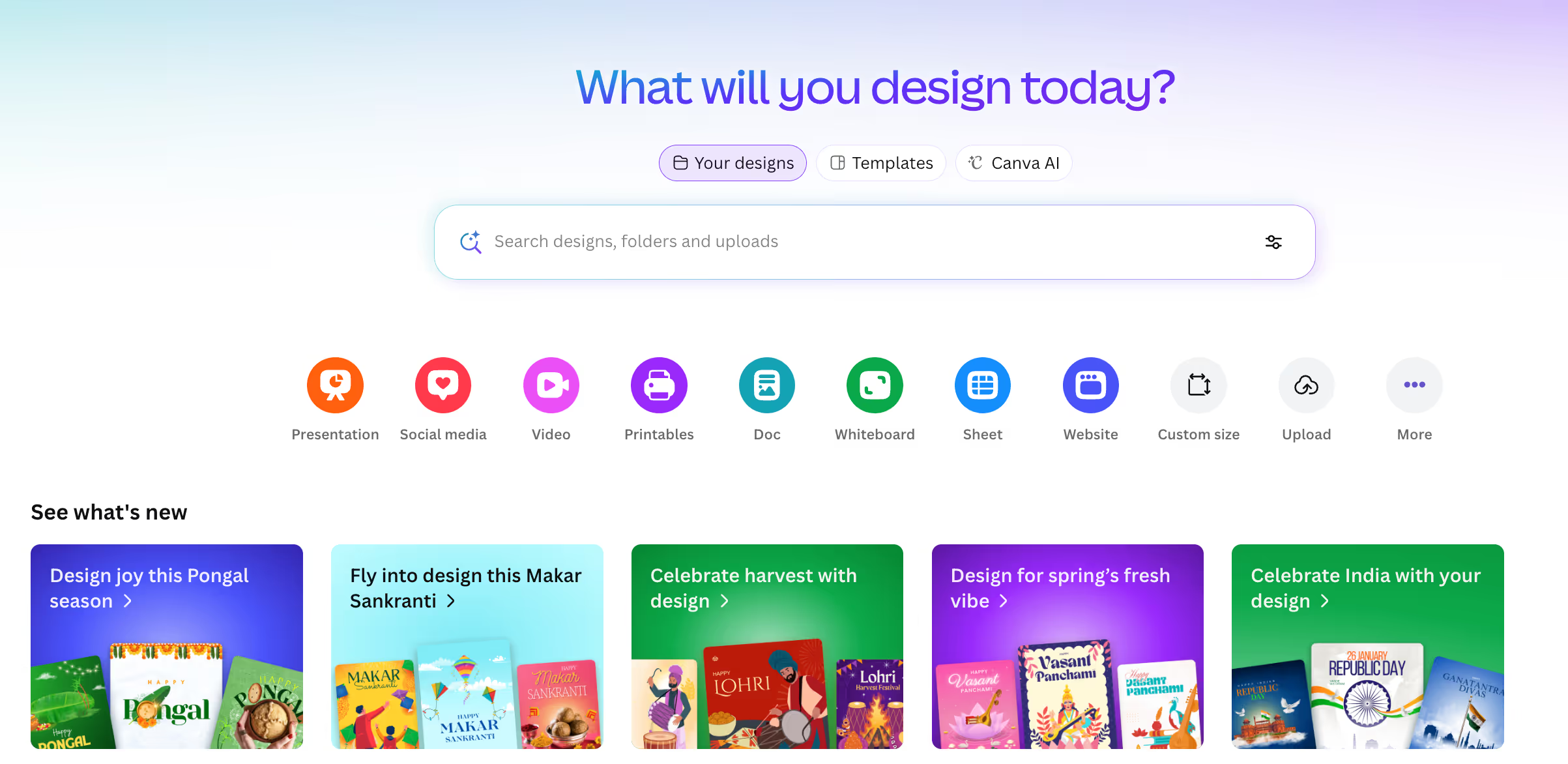
While it’s not an AI handout generator in the teaching sense, many teachers use Canva as a free handout generator to design polished handouts for classroom use once the content is already decided.
1. Ready-made handout and worksheet templates: If visuals matter to you, Canva makes it easy to design clean, attractive student handouts using templates. You can quickly adapt layouts without worrying about formatting from scratch, great for posters, worksheets, and visual classroom materials.
2. AI help for writing and design tweaks: Canva’s AI features help you rephrase text or improve layouts, which speeds up editing. While it’s not a full AI handout generator for teaching content, it does help you polish handouts once the content is already there.
3. Interactive elements inside digital handouts: You can add small interactive elements like polls or simple quizzes to your digital handouts. This works well when you want handouts for classroom engagement, especially in online or hybrid classes.
4. Export and share in multiple formats: Once your handout is ready, you can export it as a PDF or share it digitally. This makes Canva useful as a free handout generator for teachers who want flexibility in how they distribute materials.
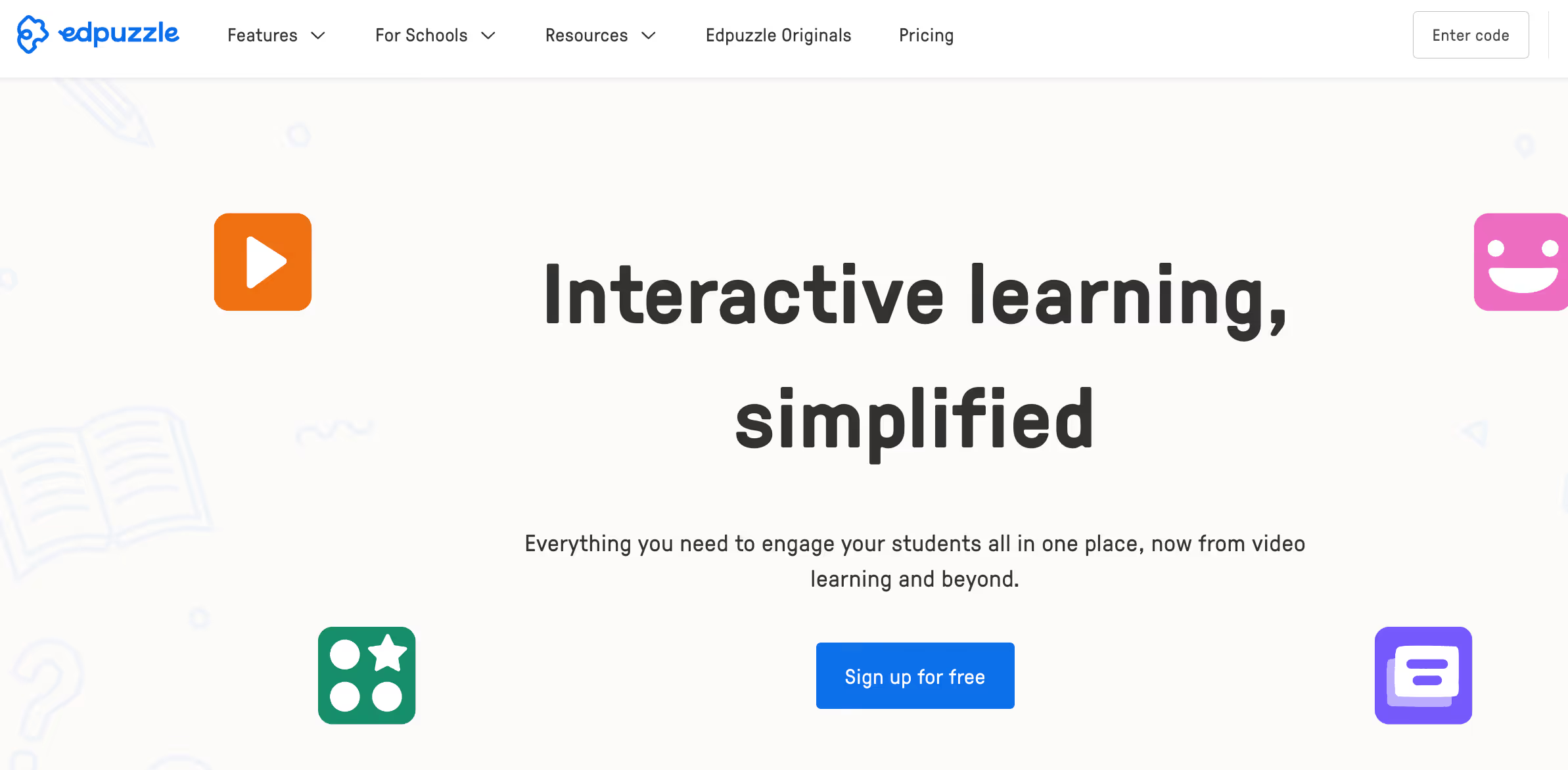
If your lessons rely heavily on video, Edpuzzle turns that video into an active learning experience. Instead of sharing a passive link, you can use Edpuzzle to create interactive student handouts built around video content.
1. Turn videos into interactive student handouts: Edpuzzle lets you take a video and turn it into an interactive lesson by adding questions inside it. Instead of giving students a passive video link, you’re giving them student handouts that require attention and responses.
2. Add questions directly inside the content: You can insert MCQs or open-ended questions at specific moments in the video. This makes Edpuzzle useful when you want handouts for classroom learning that check understanding as students go, rather than after the lesson ends.
3. Add notes and audio explanations: If you usually explain things verbally in class, Edpuzzle lets you add audio notes or written explanations directly into the video. This helps students who need extra clarity without you creating a separate worksheet or document.
4. Trim videos to match your lesson: You can cut out irrelevant parts of a video so students only see what matters. That way, your video-based student handouts stay focused and aligned with your lesson goals.
5. Assign video handouts like regular classwork: Once your interactive video is ready, you can assign it to your class and track completion. It works well when video is the handout, but it won’t help if you also need printable or text-based materials.

When the goal of a handout is practice or assessment, Google Forms and Quizizz are tools many teachers already trust. They’re commonly used to create quiz-style student handouts for homework, revision, or quick understanding checks.
1. Distribute student handouts digitally, instantly: When you finish creating student handouts, Google Classroom or Microsoft Teams is where they actually come to life.
You can assign handouts to a specific class, set a due date, and make sure every student gets the same version at the same time. If you teach multiple sections, this saves you from emailing files or printing stacks of paper.
2. Attach Docs, Forms, Slides, or PDFs as classroom handouts: You can attach worksheets, reading handouts, quizzes, or revision PDFs, whether you created them using a free handout generator, an AI handout generator, or manually.
For example, you might attach:
This flexibility is why many teachers rely on Classroom or Teams daily.
3. Track submissions without chasing students: Instead of asking “Who submitted?” Every day, you can instantly see which students turned in their student handouts and who hasn’t.
This is especially helpful for homework-based handouts, asynchronous or hybrid classrooms and large class sizes where manual tracking is impossible. It gives you clarity without extra admin work.
4. Keep handouts organized by class, topic, and date: All your handouts stay neatly organized by class and assignment. So when students ask, “Where’s that worksheet from last month?”, you don’t have to dig through folders.
For teachers managing multiple subjects or grades, this structure makes handouts for classroom teaching easier to reuse year after year.
5. Ideal when you already have your handouts ready: Many teachers intentionally use Google Classroom or Teams after creating content elsewhere. If you already use an AI handout generator or a free AI handouts generator, these platforms make sure your materials are delivered, tracked, and managed smoothly, without adding chaos.
Custom
Google Forms is a go-to tool when your handout is meant to collect responses rather than present long content. Many teachers use it to create simple, structured student handouts for quizzes, exit tickets, surveys, or short practice activities.
1. Create quiz-style student handouts for practice or revision: Sometimes, a handout isn’t about reading, it’s about doing. Google Forms and Quizizz let you create student handouts that work like guided practice sheets or revision checks.
Teachers often use these for:
They’re especially effective when time is limited.
2. Use multiple question types to match learning goals: You can mix MCQs, short answers, checkboxes, or polls depending on what you want to test.
For example:
This makes these tools practical for handouts for classroom assessment, not just formal tests.
3. Give students instant feedback while they practice: One big reason teachers choose Forms or Quizizz is instant feedback. Students know immediately what they got right or wrong, which makes these tools perfect for:
You don’t have to manually check every response.
4. Reuse, adapt, and personalize existing quizzes: You can reuse last year’s quizzes, duplicate them for another class, or tweak difficulty levels. Many teachers also adapt public quizzes and turn them into their own student handouts, saving time while keeping content relevant.
5. A strong choice when assessment is the handout: If your goal is to measure understanding rather than explain concepts, these tools work extremely well. Teachers often pair them with an AI handout generator or lesson tool, using Forms or Quizizz as the assessment layer rather than the content layer.
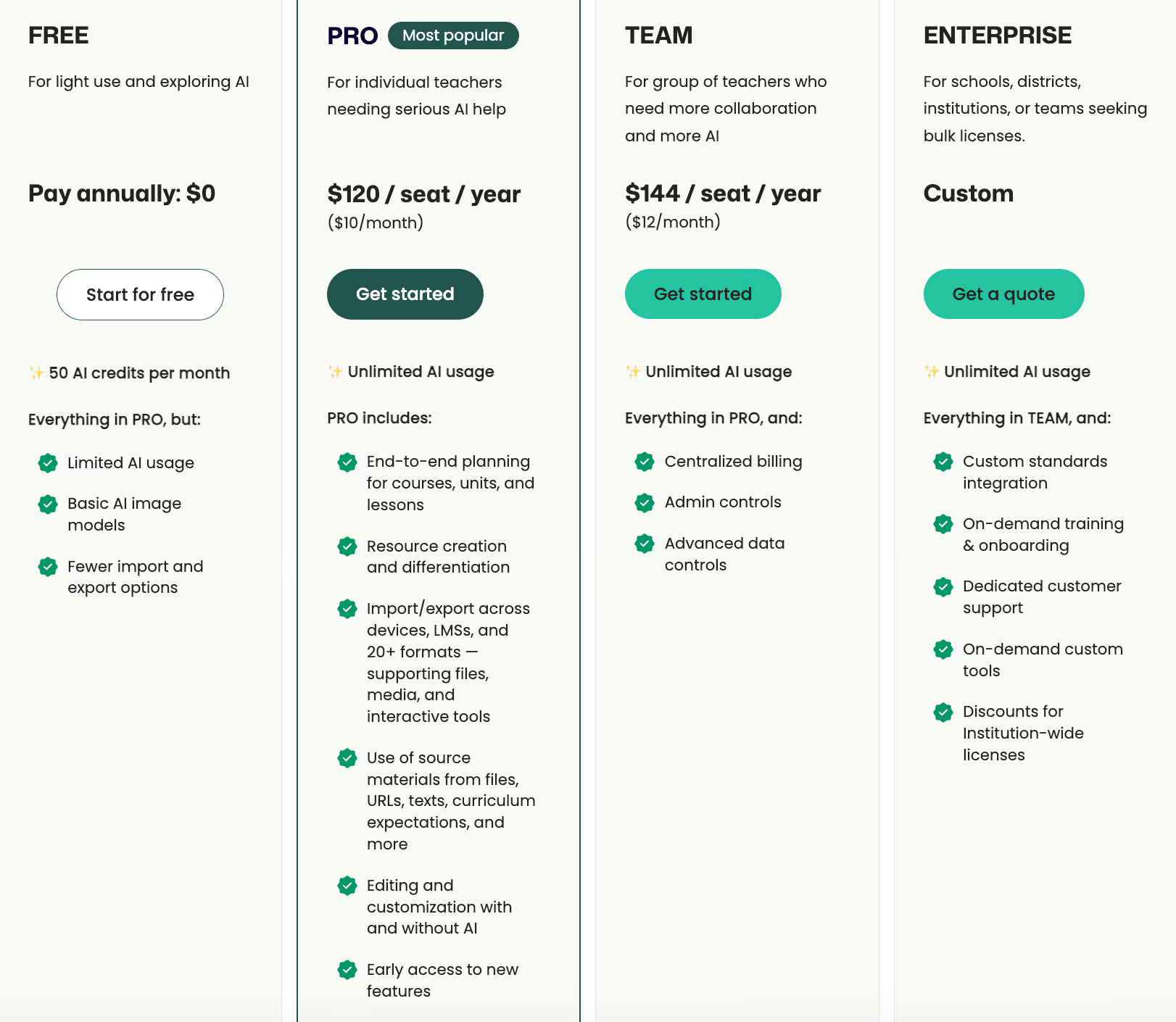
Free
By now, you’ve probably recognized the pattern.
Each of these tools does its job well. The problem is that your teaching workflow doesn’t live in one place when you use them separately. That’s where Monsha changes things.
Instead of starting from a blank page or rebuilding the same lesson across multiple tools, you start with your teaching material - your topic, PDF, video, or existing resource. Monsha turns that into a clear, student-ready handout, then lets you generate worksheets, quizzes, and slides from the same content in one flow.
You’re not just using an AI handout generator. You’re using a system that understands how lessons actually work in the classroom.
For everyday teaching, this means:
If you’re looking for a free AI handouts generator that helps you create complete handouts for classroom teaching - not just isolated worksheets - Monsha is the tool that replaces the juggling act.
At this stage, the choice isn’t about which tool is capable. It’s about which one lets you teach without constantly switching tabs.
And for that, Monsha is the most practical long-term choice.
The best tool depends on whether you want to design, assess, or fully generate handouts. Teachers who want complete, student-ready handouts from lesson content often prefer AI-based tools like Monsha that reduce manual work.
Yes, some AI tools offer free options for creating classroom handouts. These tools help teachers generate student handouts quickly and then edit or export them for classroom use.
Many teachers now start with a topic, document, or video and use AI tools to generate structured handouts. This approach saves time and makes it easier to create classroom-ready materials consistently.
Worksheets usually focus on questions or practice tasks. Student handouts often include explanations, context, and examples along with practice, helping students understand the topic before attempting questions.
Yes, as long as teachers review and adjust them before sharing. AI tools like Monsha allow you to edit and refine handouts so they align with your curriculum and teaching style.
Using AI tools makes it easier to adapt the same topic for different grades. Teachers can quickly regenerate or adjust student handouts without rewriting everything from scratch.
They support handout delivery and assessment, but they do not create handout content on their own. Teachers usually pair them with another tool to generate the actual student handouts.
Consistency is easier when all materials come from the same source. Tools like Monsha let teachers create a handout first and then generate related worksheets or quizzes from it.




AI in Education Content
Pooja Uniyal works closely with teachers and schools to understand and guide how AI is being used in real classrooms today. Her work at Monsha focuses on capturing practical teaching workflows and turning them into clear, usable guidance for educators exploring AI in their daily planning.
Join thousands of educators who use Monsha to plan courses, design units, build lessons, and create classroom-ready materials faster. Monsha brings AI-powered curriculum planning and resource creation into a simple workflow for teachers and schools.
Get started for free

.avif)
.avif)
.avif)