AI Tools for Teachers

Best Khanmigo Alternatives in 2026 for Teachers Who Want More Control

This blog compares the best Khanmigo alternative tools for experienced teachers. See how each platform performs in real classroom workflows and why Monsha stands out as the most practical choice.

Last updated on

January 9, 2026

· Written by

Pooja Uniyal

If you have used Khanmigo, you already understand its value as an AI assistant for teaching. 

You know where it helps and where it starts to feel limiting in day-to-day classroom work.

At this stage, the question is less about whether AI belongs in teaching and more about which tool actually fits your workflow.

What usually comes next is a more specific problem. You still spend time tweaking outputs, adapting materials for different classes, or exporting content into formats you can actually use. That is where many experienced teachers start looking for a Khanmigo alternative - not to replace AI, but to find a tool that fits better into real classroom workflows.

This guide is for teachers who are past the experimentation phase. We compare serious alternatives, focus on day-to-day usability, and show which tools truly reduce prep time without adding friction.

Let’s get into it.

monsha app CTA

Khanmigo in a nutshell

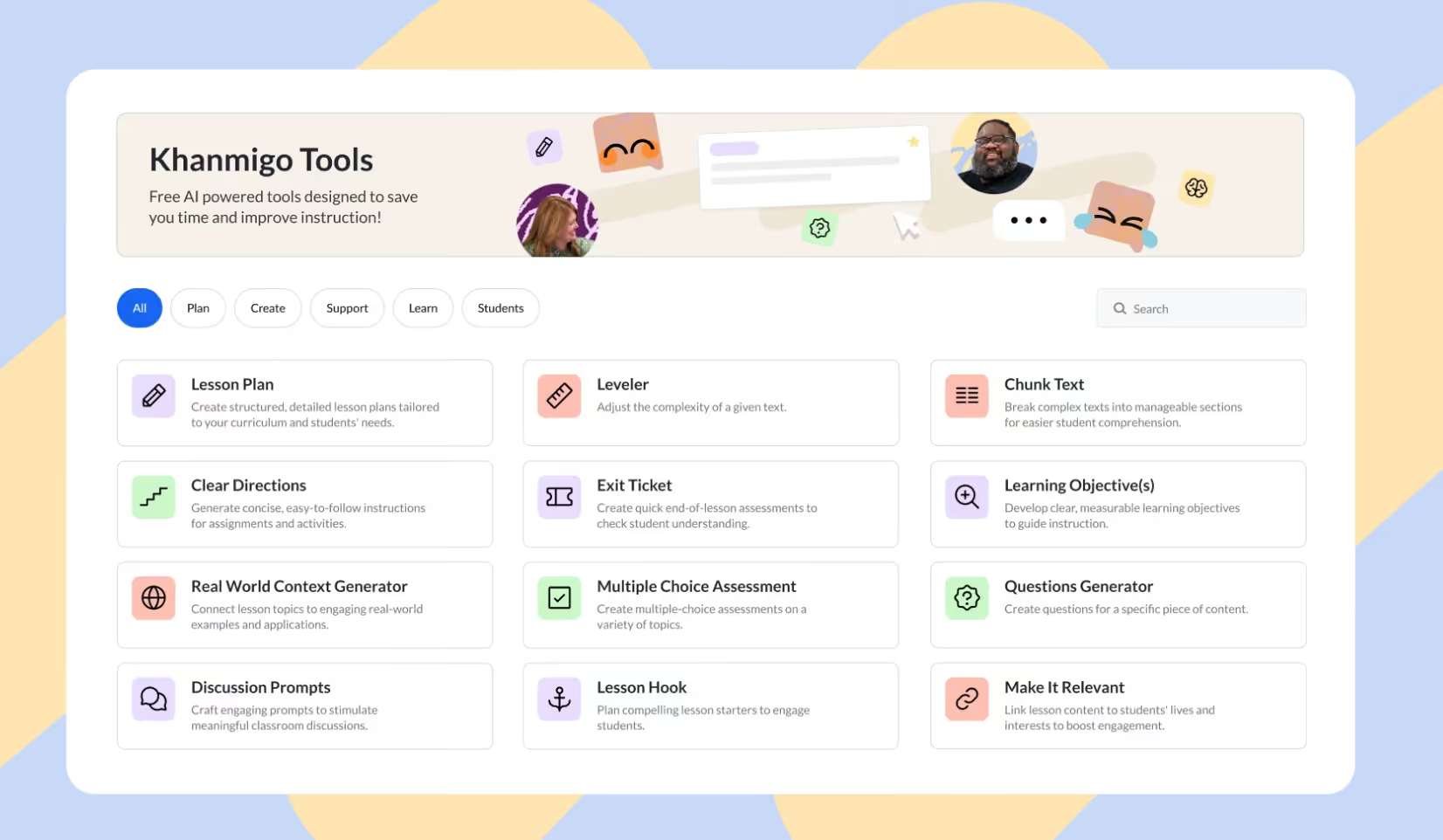
khanmigo homepage

Khanmigo is an AI teaching assistant built by Khan Academy to support teachers with the parts of the job that usually eat up the most time - lesson planning, assessments, differentiation, and communication. 

Think of it as a quiet co-teacher in the background: it helps you plan smarter, create materials faster, and understand how your class is doing, without taking control away from you.

Key features of khanmigo

  • Lesson planning that actually saves time: Khanmigo can draft full lesson plans aligned to standards and Khan Academy content, including clear objectives and engaging hooks (yes, even pop-culture references). It can also summarize recent student work, so you quickly see patterns and adjust your lesson instead of starting from scratch.
  • Fast assessment and content creation: From quizzes and exit tickets to discussion prompts and informational texts, Khanmigo generates instructional materials on demand. It can also create answer keys and grading rubrics, which means tasks like building a rubric or drafting a new assignment go from “later tonight” to “done in minutes.”
  • Built-in differentiation support: Khanmigo helps you adapt lessons for different learners by simplifying or leveling text, suggesting groupings, and connecting content to student interests. This makes differentiation feel more manageable, especially when you’re teaching mixed-ability classrooms with limited prep time.
  • Easier communication and reporting: Writing newsletters, parent emails, and progress updates is much quicker with Khanmigo. Features like class snapshots give you a high-level view of student performance, making it easier to write focused reports or decide which concepts need reteaching.

Where Khanmigo falls short

  • You still need to double-check outputs: Khanmigo is helpful, but it’s not flawless. It can occasionally produce inaccurate responses or reflect bias, especially on more complex topics, so teachers should treat it as a starting point, not a final answer.
  • Not designed for direct student use: Khanmigo is mainly a teacher tool. Students can’t use it independently unless access is enabled by a school or district, which limits its use for student-led practice or exploration.
  • Online-only and sometimes prompt-sensitive: It requires a reliable internet connection, and there’s no offline mode. Its guided, Socratic style can also feel slow when you want a quick, direct response, and you may need to tweak prompts to get exactly what you’re looking for.

5 Must-Try Khanmigo Alternatives for 2026

Here are top 5 Khanmigo alternatives that you use for your teaching workflow:

Monsha

Monsha is built specifically for teachers who want to create classroom-ready materials, not just generate ideas. Instead of asking you to prompt endlessly, it asks you to work the way teachers already do - with documents, videos, links, and clear instructional goals.

Here are key features of Monsha that makes it a top Khanmigo alternative:
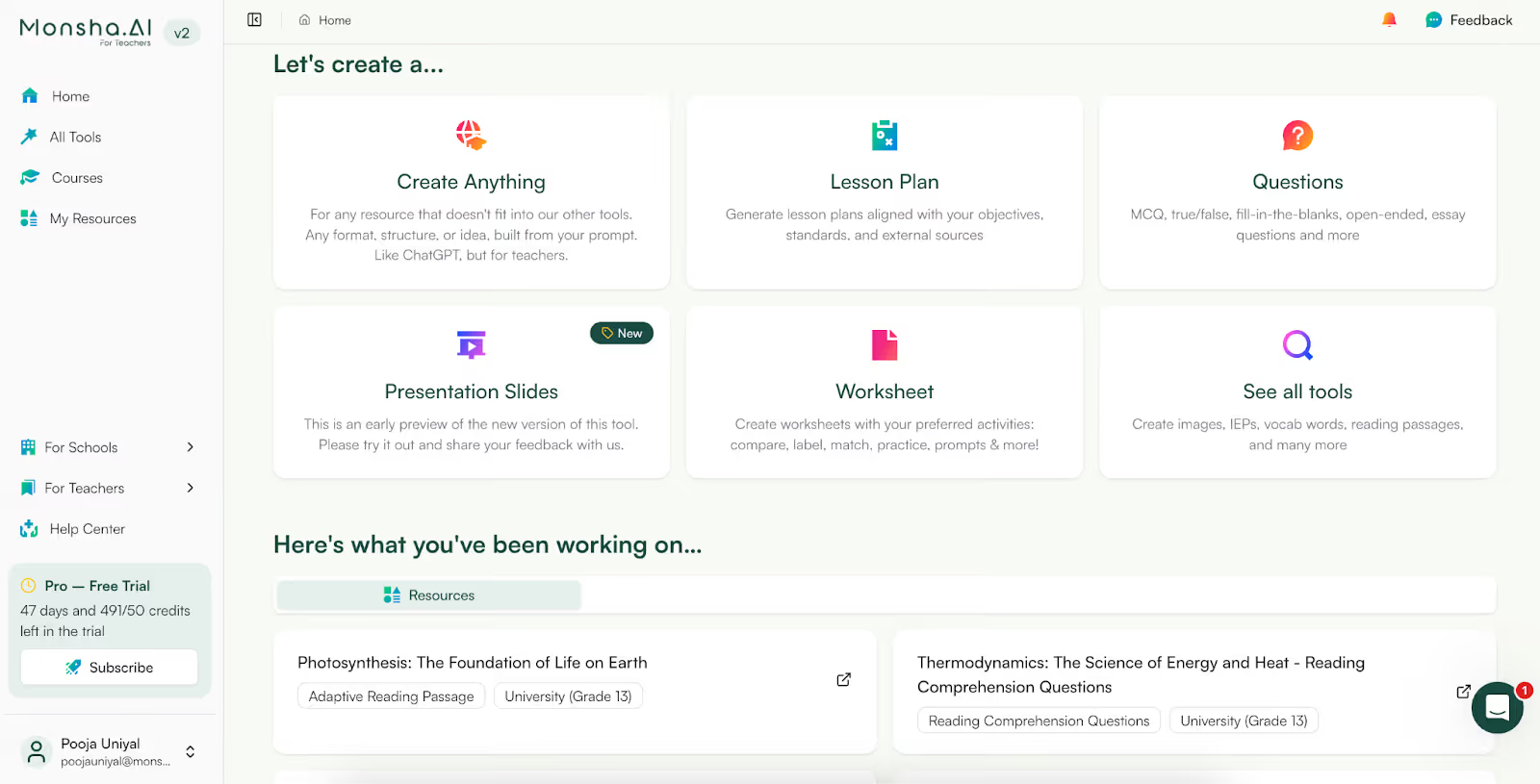
Create lessons, slides, worksheets, and reading comprehension in one flow

monsha feature

Instead of generating a paragraph and then wondering what to do next, Monsha helps you move straight to outputs you can use in class:

You’re not stitching things together from multiple tools, it’s one workflow.
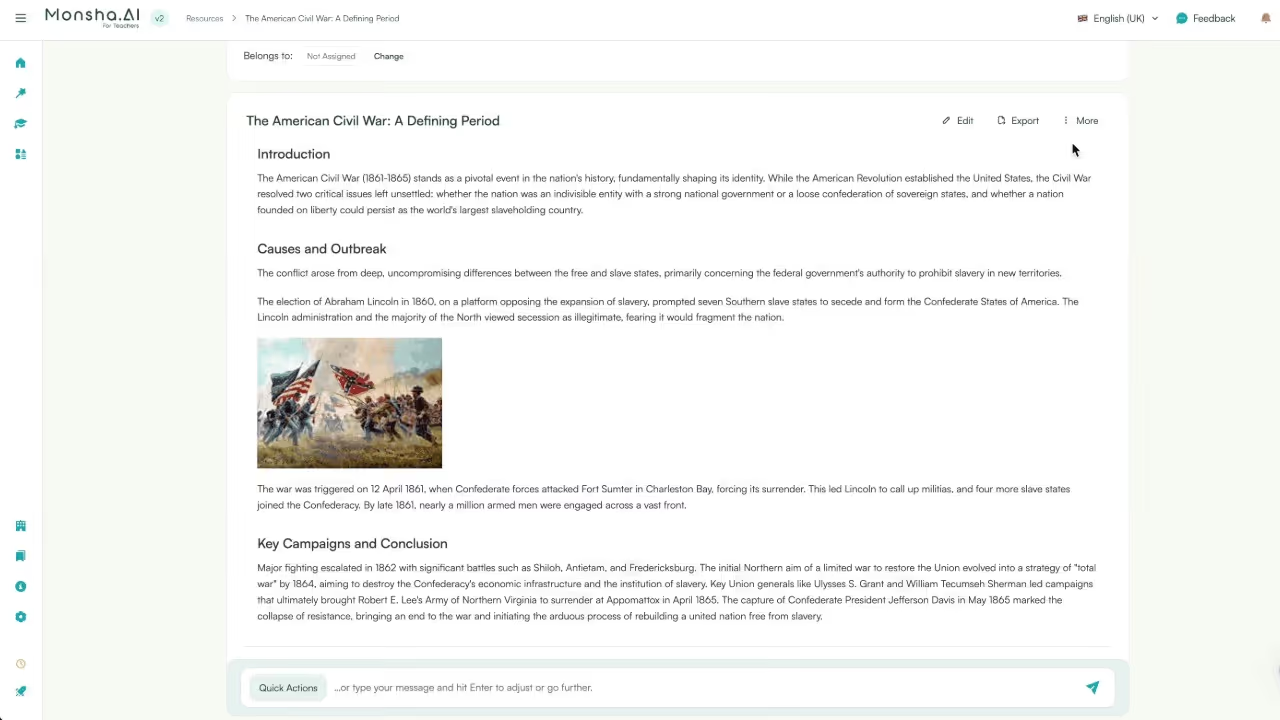
Create multiple resources from one source

monsha feature

This is one of the biggest time-savers I’ve seen. Once you’ve created a resource be it a worksheet, presentation or lesson plan, you can convert it into multiple passages. For example, you can convert a worksheet into handouts or handouts to worksheets.

Similarly, you can create reading comprehensions and convert them into presentations or handouts.

Connect resources to each other

Teaching isn’t isolated content, it’s a sequence.

With Monsha, you can:

  • Link a reading passage to its worksheet
  • Tie comprehension questions to a specific lesson
  • Build a progression from explanation → practice → assessment

This makes planning feel intentional, not fragmented. ChatGPT can’t do this because it doesn’t think in terms of connected instructional resources.
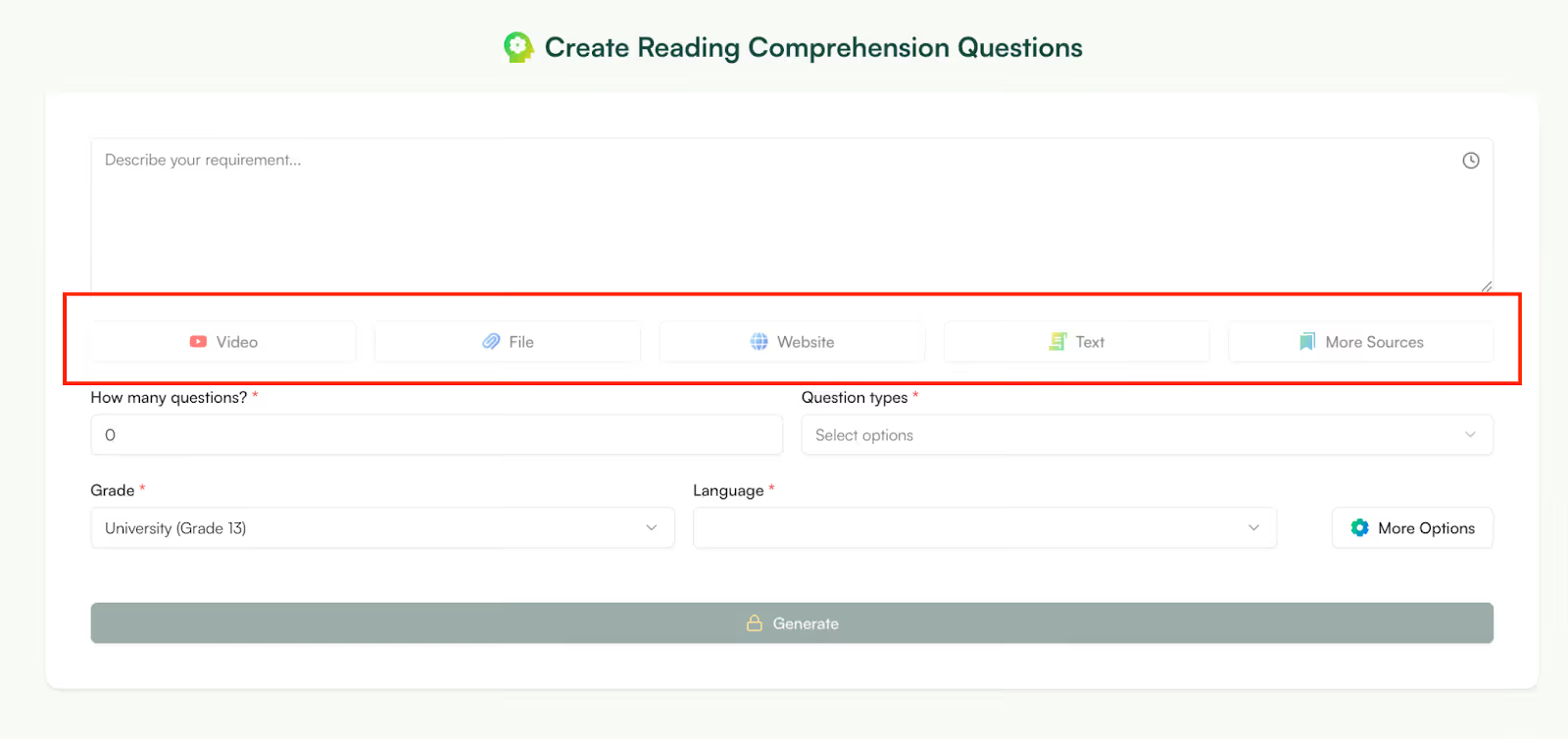
Works from real teaching inputs (not just prompts)

monsha feature

This is where Monsha really stands out among alternatives to ChatGPT for teachers. You can start from:

  • A PDF or document you already use
  • A YouTube video you want to turn into a lesson
  • A link or article students need to read

Instead of summarizing for you and stopping there, Monsha helps you teach from that material.
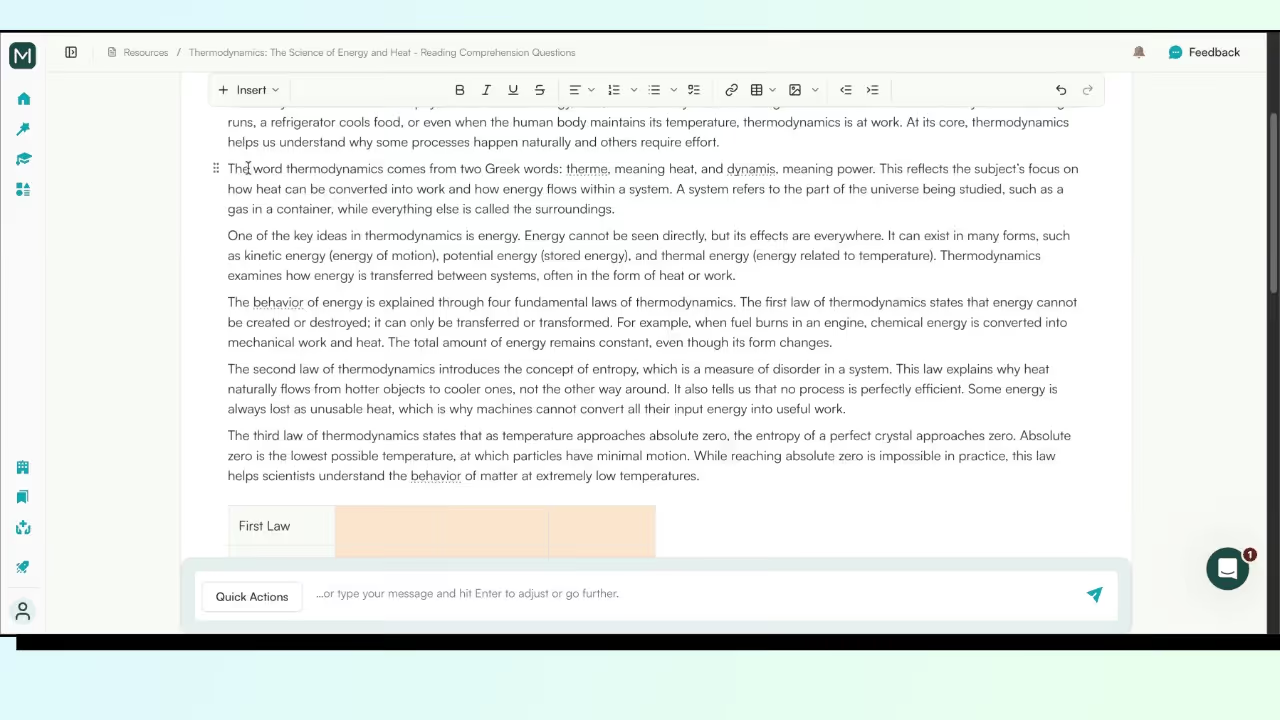
Powerful editor built for refinement

monsha feature

Monsha’s editor is very powerful yet very easy to use.

You can:

  • Edit text inline
  • Add tables, images, equations, or structured sections
  • Refine tone and difficulty without re-prompting
  • Add images
  • Move blocks with drag and drop 

Designed for iteration, not regenerationWith ChatGPT, if something’s off, you often regenerate the whole thing but with Monsha, you tweak:

  • One section
  • One question
  • One explanation

That saves time and mental energy, especially when you’re preparing for multiple classes.

Export in any format you want

Monsha is built for the school ecosystem. While ChatGPT can only export as a PDF or .xsv file, Mosha can export your resource to Google Classroom, Kahoot, Canvas, Schoology, Quiz and many more formats. 
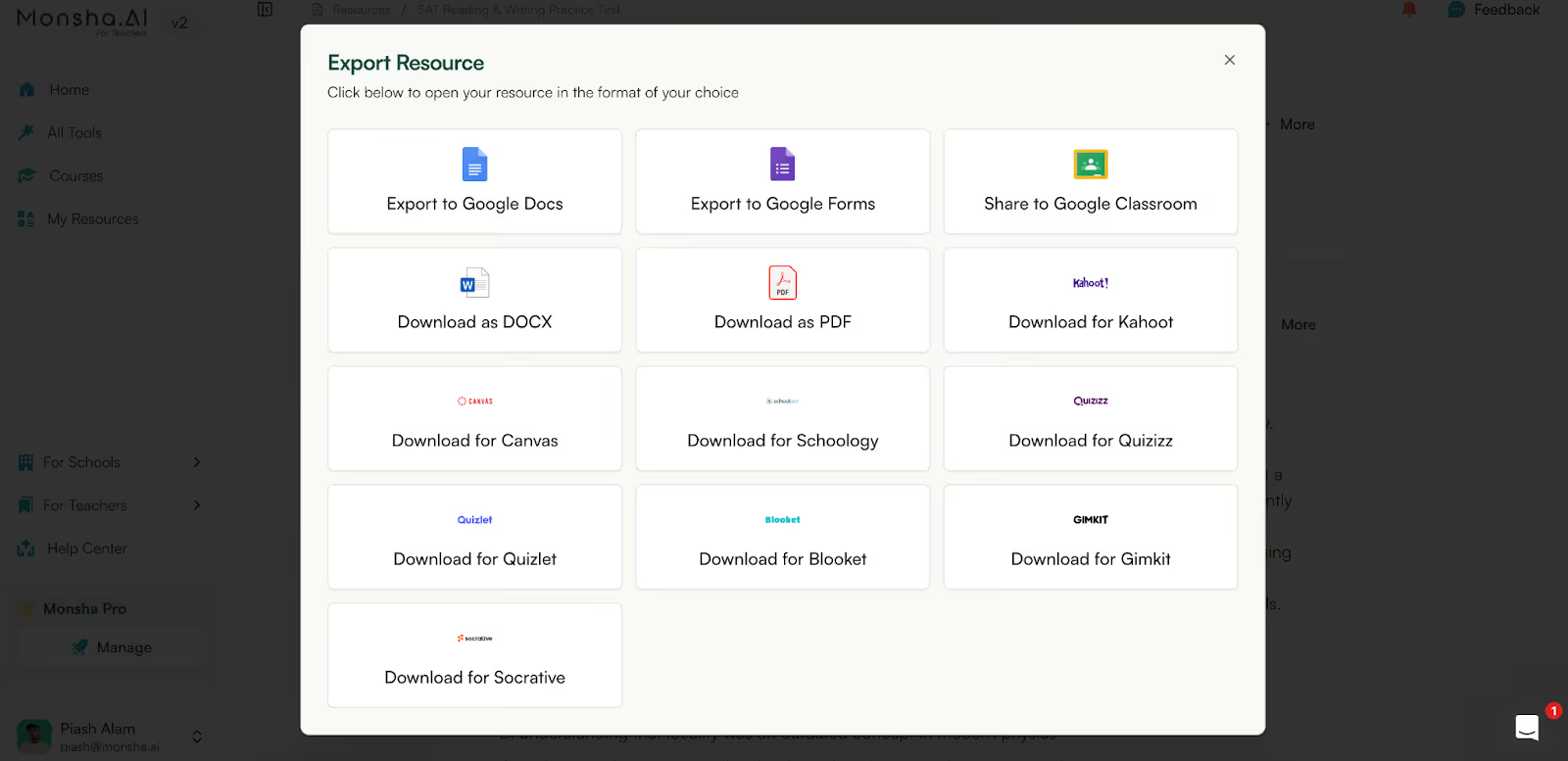
monsha feature

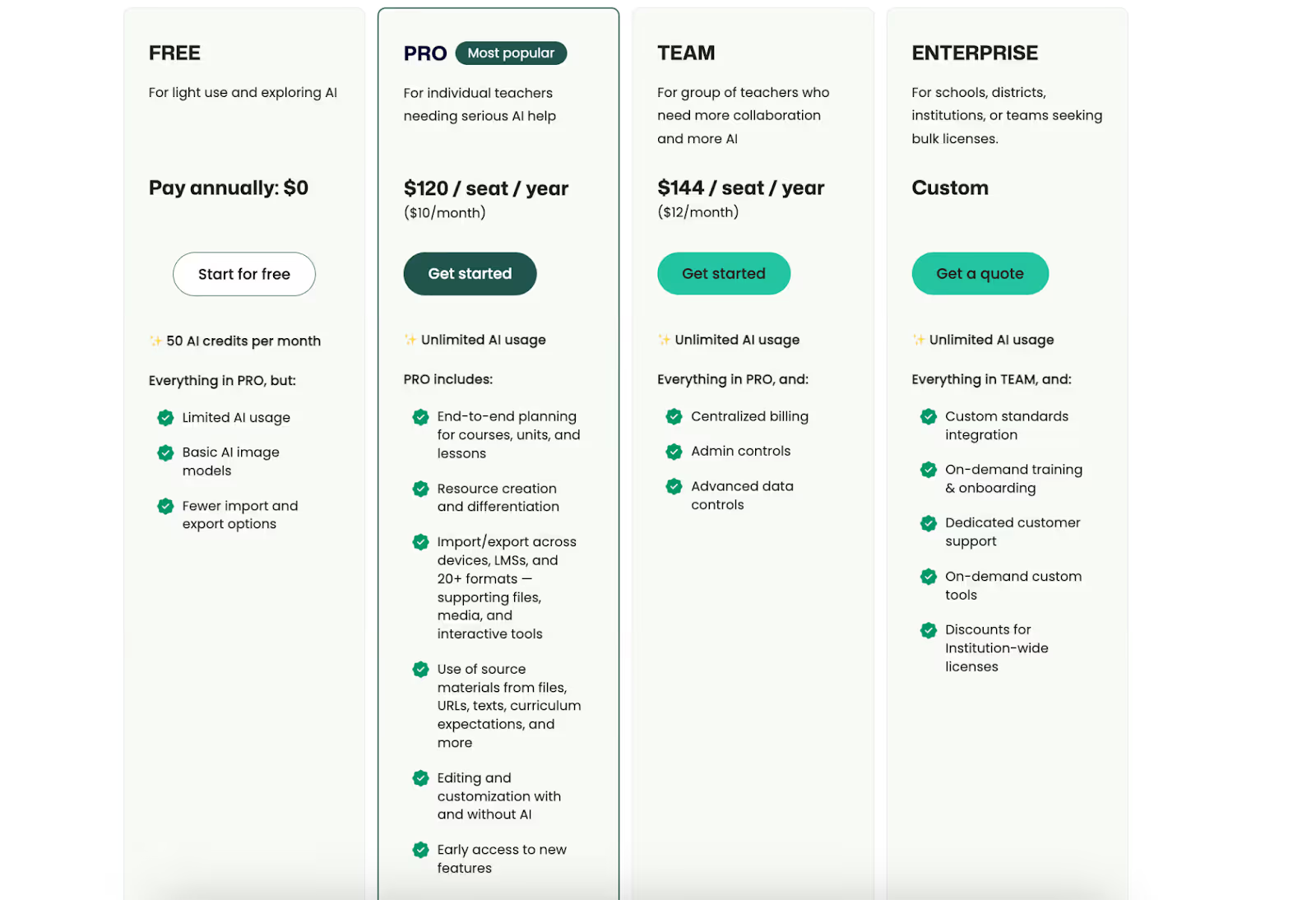
Pricing

  • Free plan available 
  • Pro: $120/seat/year
  • Team: $144/seat/year
  • Enterprise: Custom
monsha pricing

Mia by LearnQ.ai

If you’re looking for a Khanmigo alternative that’s more student-facing and exam-focused, Mia is built specifically around SAT prep and personalized tutoring.

Here are top features that make Mia a top khanmigo alternative: 

  • Multiple tutor modes: Mia teaches the same concept in different ways, using analogies, interactive quizzes, or even role-play scenarios. This keeps students engaged and helps teachers reinforce ideas using formats that match different learning styles.
  • Personalized study planning: It starts with a diagnostic SAT test and builds a custom study plan based on each student’s weak areas. Teachers can use these insights to align classwork and homework with what students actually need to improve.
  • Real-time SAT updates: Because Mia has live internet access, it stays updated on the latest SAT changes, exam patterns, and official guidelines. This helps teachers keep lessons and strategies aligned with the most current exam requirements.
  • Clear, step-by-step explanations: For SAT math problems, Mia breaks down solutions step by step, including calculations. Teachers can use these explanations as model answers or to clearly demonstrate problem-solving methods in class.
  • Interactive follow-up questions: After explaining a solution, Mia often asks follow-up questions to check understanding. This Socratic approach encourages critical thinking and gives teachers ready-made prompts for class discussions.
  • 24/7 AI assistance: Mia is available anytime to answer student doubts, even outside school hours. This extends learning beyond the classroom and reduces pressure on teachers to handle routine questions during class time.

Pricing

Not mentioned on the website

Rtest.ai

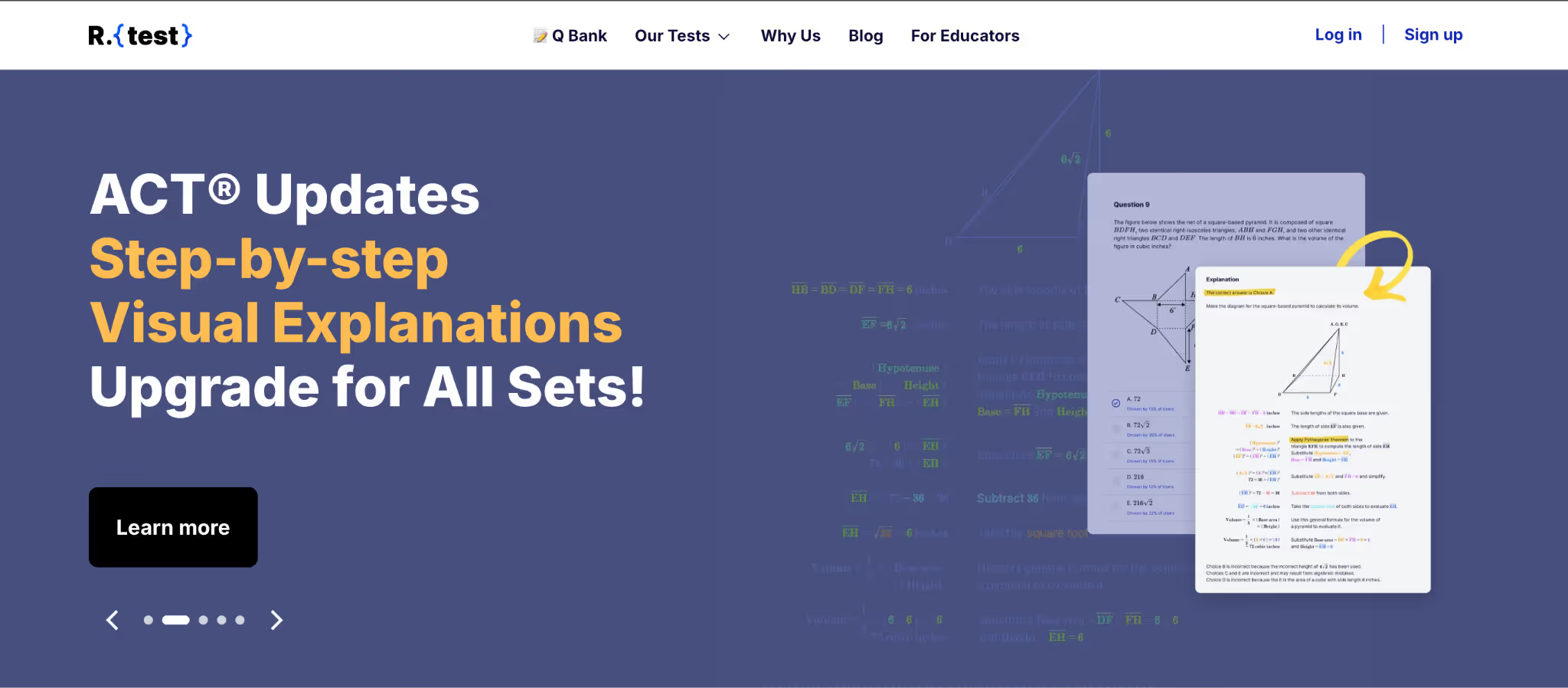
rtest ai homepage

If you want a Khanmigo alternative that focuses heavily on exam readiness and analytics, Rtest.ai is built around realistic test practice and performance tracking rather than lesson creation.

Here are top features that make Rtest.ai a top khanmigo alternative: 

  • Adaptive test simulation: Rtest.ai uses stage-adaptive tests and item-adaptive mini tests that adjust difficulty based on how a student performs. This closely mirrors real SAT and ACT exams, helping students get comfortable with the adaptive format while giving teachers a clearer picture of skill gaps.
  • Fast diagnostic reports: Students can complete a short diagnostic test and get a full score report within 30 to 40 minutes. Teachers and counselors do not have to wait days for results and can quickly adjust lessons or tutoring plans based on immediate feedback.
  • Detailed performance analytics: Reports break down performance by topic, time spent, strengths, and weaknesses. Teachers can also see class-level trends, which makes it easier to spot concepts that need more time or a different teaching approach.
  • Step-by-step visual explanations: Every question comes with a clear, visual explanation showing how to reach the correct answer. Teachers can reuse these explanations in class to walk students through common mistakes and better problem-solving strategies.
  • Large question bank with customization: With over 1,500 questions, teachers can create custom practice sets based on topic, skill, or difficulty. This makes it easy to build worksheets or quizzes that match exactly what is being taught in class.
  • Unlimited practice access: Rtest.ai offers plans that allow unlimited practice for a fixed period. Teachers can confidently encourage extra practice without worrying about students running out of attempts.
  • Teacher dashboard and class management: The platform includes a dashboard where teachers can add students, assign tests, and track progress in one place. This reduces admin work and makes it easier to monitor how the entire class is performance.

Pricing

Not mentioned on the website

AI Tutor by TutorOcean

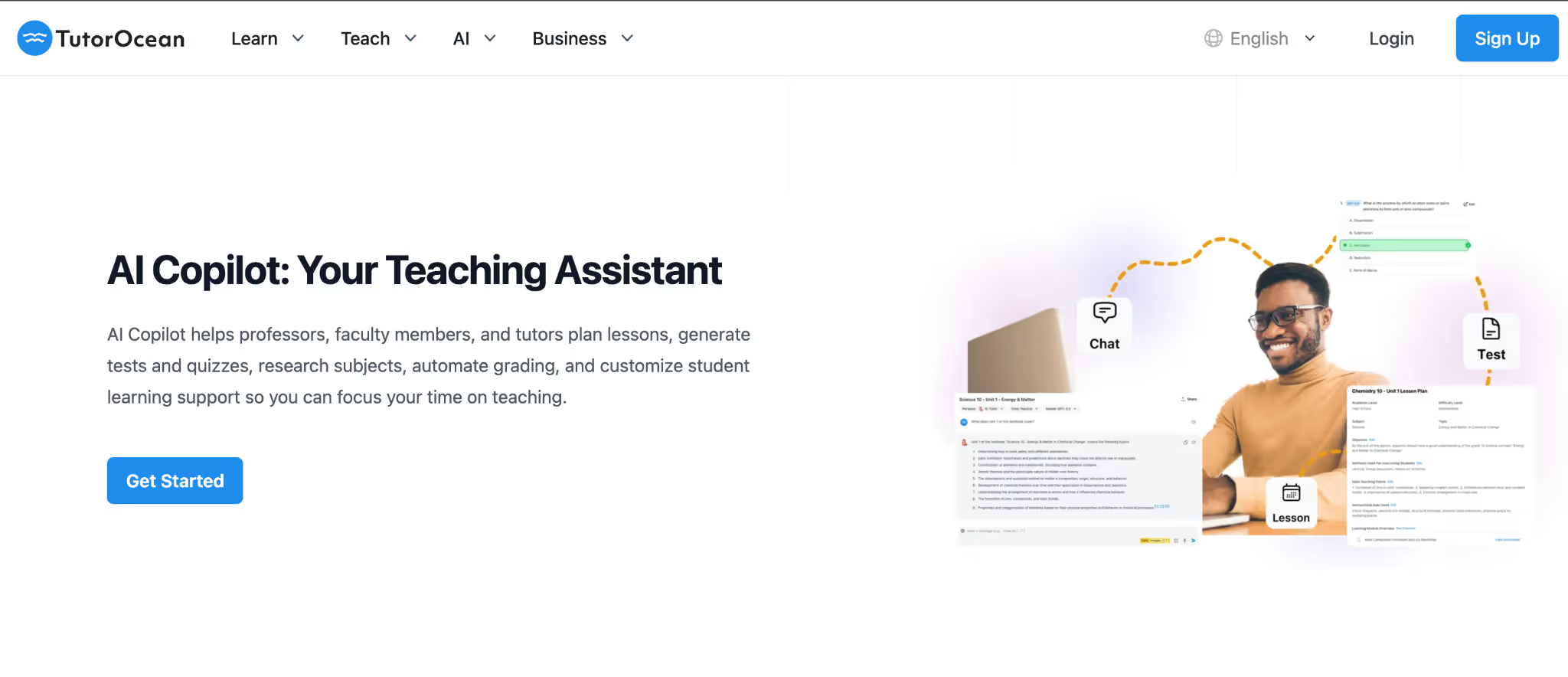
tutor ocean homepage

If you are looking for a Khanmigo alternative that works directly with your own curriculum and gives students hands-on support, AI Tutor by TutorOcean leans more toward classroom-aligned learning and homework help.

Here are top features that make AI Tutor by TutorOcean a top khanmigo alternative: 

  • Custom content upload: Teachers and students can upload textbooks, notes, or course materials into the platform. The AI then uses only this content to generate quizzes, lesson ideas, and answers, so everything stays aligned with what you are actually teaching.
  • Works across subjects and grade levels: AI Tutor supports a wide range of subjects, from elementary math to college-level writing and languages. This makes it useful for teachers handling multiple classes or schools looking for one tool that fits different subjects.
  • 24/7 homework and doubt support: Students can ask questions anytime and get step-by-step explanations outside class hours. Teachers can rely on this support knowing routine doubts are handled, leaving classroom time for deeper discussions and instruction.
  • AI-generated practice tests: The platform can quickly create quizzes and review tests with instant feedback. Teachers can use these for pop quizzes or revisions, while students get clear explanations for mistakes right after submitting.
  • Personalized lesson and study planning: AI Tutor breaks topics into structured modules and drafts lesson outlines or study schedules. This helps teachers save planning time while still keeping flexibility to adjust lessons as needed.
  • Writing and essay support: The tool helps students with essay outlines, grammar checks, and clarity improvements. Teachers can use it as a writing coach that models good structure without doing the thinking for the student.
  • Multi-AI engine for balanced answers: AI Tutor runs on multiple AI models, which helps cross-check responses and reduce one-sided explanations. This can be useful for complex questions and classroom discussions.
  • Optional human tutor support: When AI is not enough, the platform allows access to live tutors. Teachers can recommend this for students who need extra one-on-one or small-group help, combining AI efficiency with human guidance.
facebook community link

Pricing:

Not mentioned on the website
Brisk Teaching

brisk teaching homepage

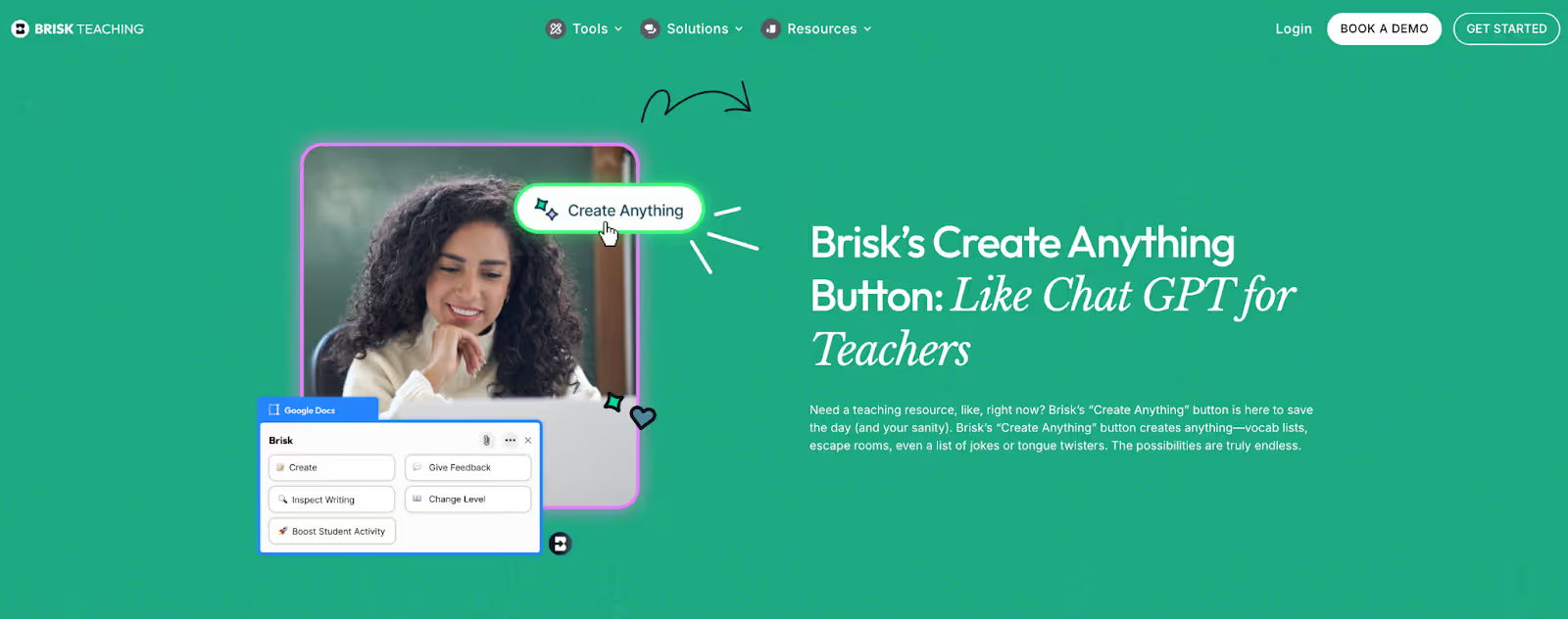
Unlike ChatGPT or more full-stack AI tools for teachers, Brisk isn’t trying to replace your planning process. It’s designed to speed up the small, repetitive tasks that quietly eat into your day - especially if you already live inside Google Docs.

Key features that make BriskTeaching a great Khanmigo alternative:
  • One-click lesson planning: With Brisk, you can generate a lesson outline directly inside Google Docs and adjust grade level or subject with minimal setup. It’s especially useful when you’re covering for another class or adapting an existing lesson at the last minute.
  • AI feedback on student writing: Instead of manually writing the same comments again and again, Brisk helps you generate feedback on student work, focus on clarity, structure, or grammar and save time without sacrificing quality.
  • Curriculum-aligned suggestions: Brisk nudges outputs toward curriculum relevance rather than generic responses, which makes it feel more classroom-aware than ChatGPT in quick-use scenarios.

Pricing

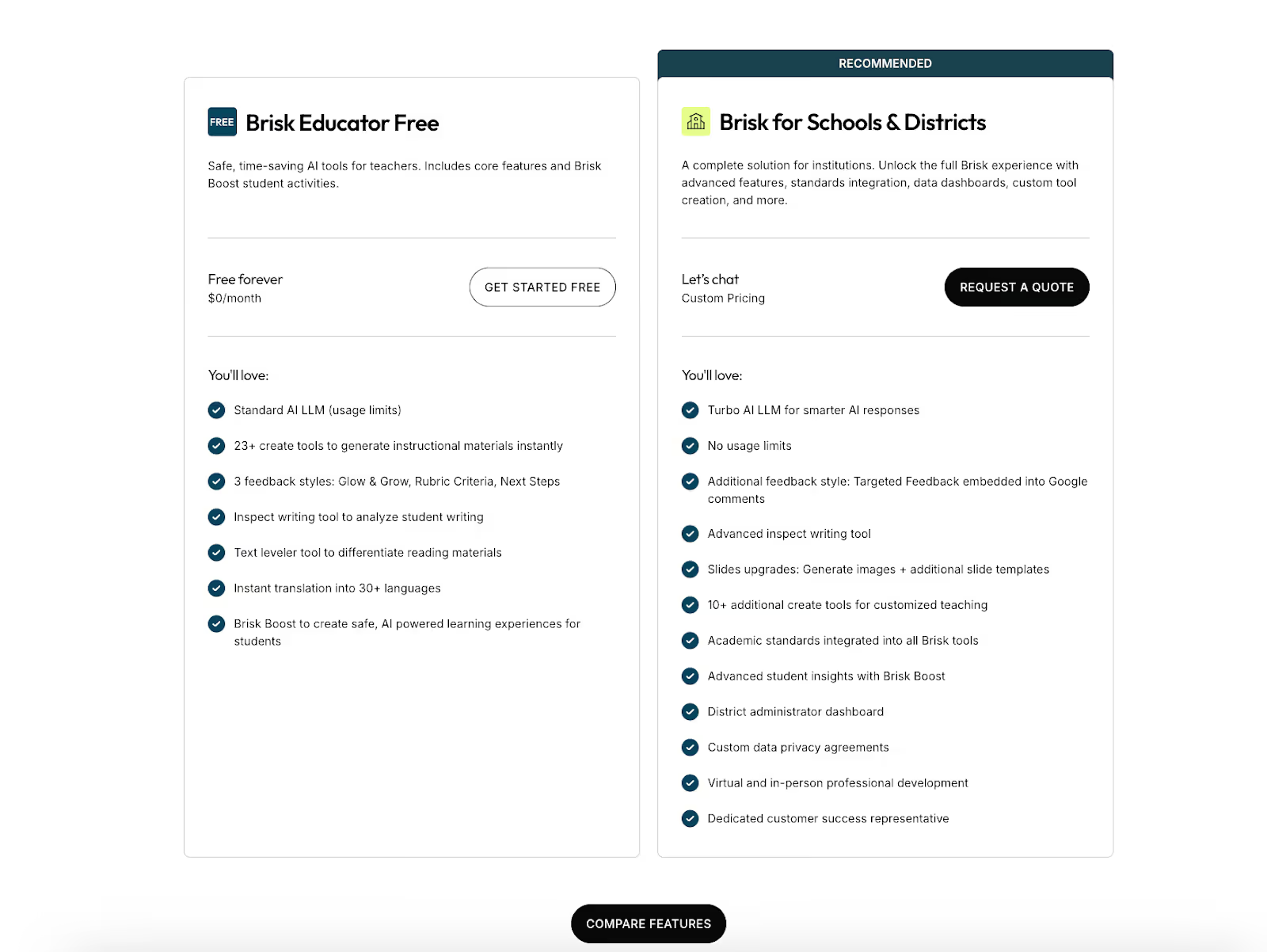
  • Free plan available
  • Brisk for school: Custom plan
birsk teaching pricing

Final verdict: Why Monsha stands out

All the tools we covered do something well. Some focus on test prep, some on interactive lessons, and others on AI tutoring or analytics. But when you look at the full picture of a teacher’s day, Monsha clearly comes out on top.

Monsha is built specifically for teachers who want speed, control, and classroom-ready outputs. It helps you create worksheets, lesson materials, and assessments that are easy to customize, export, and actually use with students. Unlike many Khanmigo alternatives that lean heavily toward test prep or student self-study, Monsha stays teacher-first and workflow-focused.

Most importantly, Monsha does not try to replace teaching. It removes the busywork around it. You spend less time formatting, rewriting, or adapting content, and more time focusing on instruction and student outcomes.

If you want one tool that fits naturally into everyday teaching without added complexity, Monsha is the most practical and well-rounded choice.

Try Monsha today.

monsha app CTA

Frequently Asked Questions about Khanmigo Alternatives

1. What does “khanmigo alternative” mean in the context of education tools?
A khanmigo alternative refers to any AI teacher assistant or tutoring platform that offers similar or complementary features to Khanmigo. These tools may focus on lesson planning, adaptive learning, content creation, assessments, or student support, depending on what educators need.

2. What are the top alternatives to Khanmigo for teachers?
Teachers often look at several tools beyond Khanmigo, such as Mia by LearnQ.ai, Rtest.ai, AI Tutor by TutorOcean, and interactive platforms like Cognito. Each option has unique strengths, such as test prep, personalized practice, custom content uploads, or multimedia lessons.

3. Are there free or low-cost Khanmigo alternatives?
Yes, some alternatives offer free tiers or lower cost options depending on features. For example, many AI tutoring or homework help apps provide free access to basic tools for practice problems or explanations, though more advanced teacher-focused features may require paid plans.

4. How do Khanmigo alternatives differ from Khanmigo itself?
Khanmigo is deeply integrated with Khan Academy’s curriculum and excels at guided, standards-aligned support. Many khanmigo alternatives focus on other strengths: adaptive test practice, custom content uploads, interactive quizzes, or broader subject coverage beyond the Khan Academy ecosystem.

5. Can a Khanmigo alternative replace Khanmigo completely?
It depends on your goals. Some tools may outperform Khanmigo in specific areas like test prep or analytics, while others are more flexible for custom curriculum use. Teachers often use a mix of tools to cover everything they need in the classroom.

6. Do Khanmigo alternatives work for all grade levels?
Many alternatives support a wide range of subjects and grade levels, from elementary content to higher education support. The exact coverage varies by tool, so teachers should check whether a platform aligns with their classroom goals and age groups.

7. Are these alternatives easy to use for experienced teachers?
Most modern AI education tools are designed with user friendliness in mind. Many offer intuitive interfaces, templates, and quick content generation to help experienced teachers integrate them into their workflow without steep learning curves.

8. How should I choose the best Khanmigo alternative for my classroom?
Evaluate your priorities first. If your main need is test prep and performance analytics, choose tools with strong adaptive practice features. If you want custom lesson content and differentiation support, look for tools with content upload and multimedia capabilities. Comparing tools based on real classroom use cases helps make a clear choice.


Pooja Uniyal

AI in Education Content

Pooja Uniyal works closely with teachers and schools to understand and guide how AI is being used in real classrooms today. Her work at Monsha focuses on capturing practical teaching workflows and turning them into clear, usable guidance for educators exploring AI in their daily planning.

Read more from this author

AI lesson planning and teaching resources in one place

Join thousands of educators who use Monsha to plan courses, design units, build lessons, and create classroom-ready materials faster. Monsha brings AI-powered curriculum planning and resource creation into a simple workflow for teachers and schools.

Get started for free