This guide shows teachers how to use an AI math worksheet generator to create targeted math worksheets by skill, level, and difficulty—using a simple, step-by-step process in Monsha.
.avif)
Teachers often spend hours searching for worksheets that match a specific math skill, only to find problems that are too easy, too hard, or slightly off from what was actually taught.
So you download one worksheet, edit the numbers, remove a few questions, add new ones, and still end up with practice that’s “good enough” instead of exactly right. This constant tweaking eats into planning time and makes math practice feel more like busywork than reinforcement.
An AI math worksheet generator removes this friction by showing teachers how to use AI to generate math worksheets by skill, level, and difficulty, so every worksheet is built around the lesson you taught, not a generic template.
You’ve been creating math worksheets forever. Then why this sudden push to use AI? Well, the benefits of creating math worksheets with AI outweigh your comfort with manual worksheet creation.
Suppose you want to create a math worksheet with 15 algebra problems for tomorrow. You write the equations, increase the difficulty gradually, check every solution, format fractions properly, and add an answer key. Then you realise you need another version for a different section. If you teach multiple grades, maybe 5th class math worksheet practice in the morning and ratio worksheets in the afternoon.
But when you create worksheets with AI reduces that cycle to minutes. You can create math worksheets with AI instead of rebuilding similar problem sets again and again.
Math isn’t like writing a paragraph. Fractions need alignment, exponents need correct placement, tables collapse when pasted into docs, and BODMAS questions become unreadable if formatting breaks. Even copying from one platform to another can turn clean equations into plain text.
A dedicated AI math worksheet generator handles math formatting properly - whether you’re generating algebra worksheet generator outputs, place value worksheets with charts, or geometry worksheets with structured layouts - so you don’t spend extra time fixing spacing and symbols.
In one classroom, you often need three levels of the same concept. Some students need basic subtraction worksheets or additional worksheets. Others are ready for challenge-level one step equation worksheets or advanced ratio worksheets. Creating those versions manually means rewriting questions while keeping the skill focus consistent.
When you create math worksheets online free using AI, you can generate multiple variations quickly - easier sets, mixed practice, or higher-difficulty versions - without redesigning the whole sheet.
Students respond better when the worksheet looks intentional. A time table worksheets page with clean grids feels different from a plain list of sums. Counting money worksheets need realistic coin combinations. Telling time PDF free resources require clock visuals. Fractions worksheets benefit from clear models.
When you generate math worksheets online, you can structure these elements properly so the sheet looks organized and printable instead of like raw text copied into a document.
The best way to create a Math worksheet using AI is by using Monsha.
Monsha is an AI Math worksheet generator that also lets you create multiple teaching resources like presentation slides, lesson plan, worksheets, handouts, reading passages and many more.
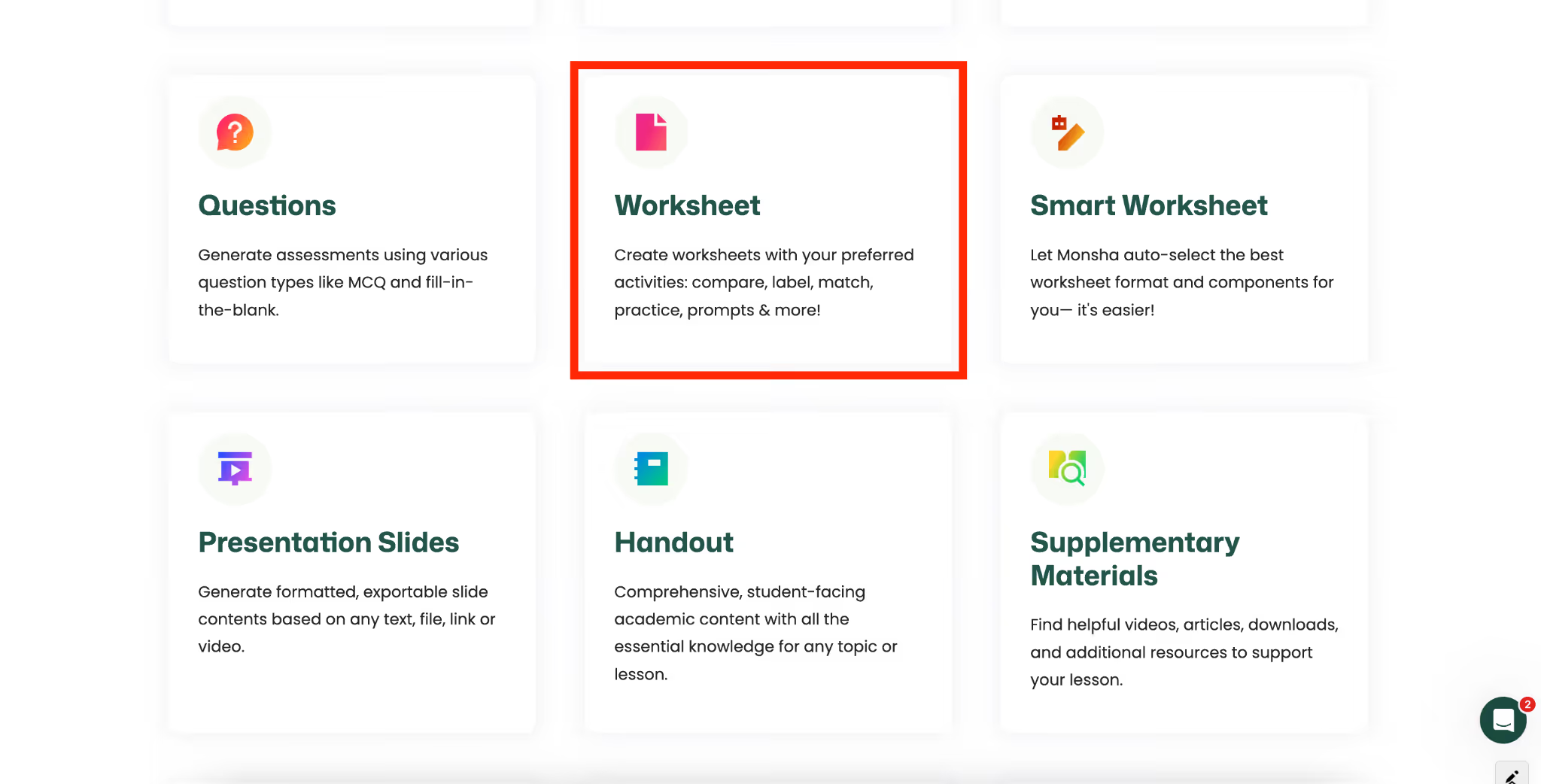
The platform is an end-to-end AI teaching assistant that helps you with resource creation, editing and export. Just like many other teaching resources, you can create a Math worksheet with Monsha.
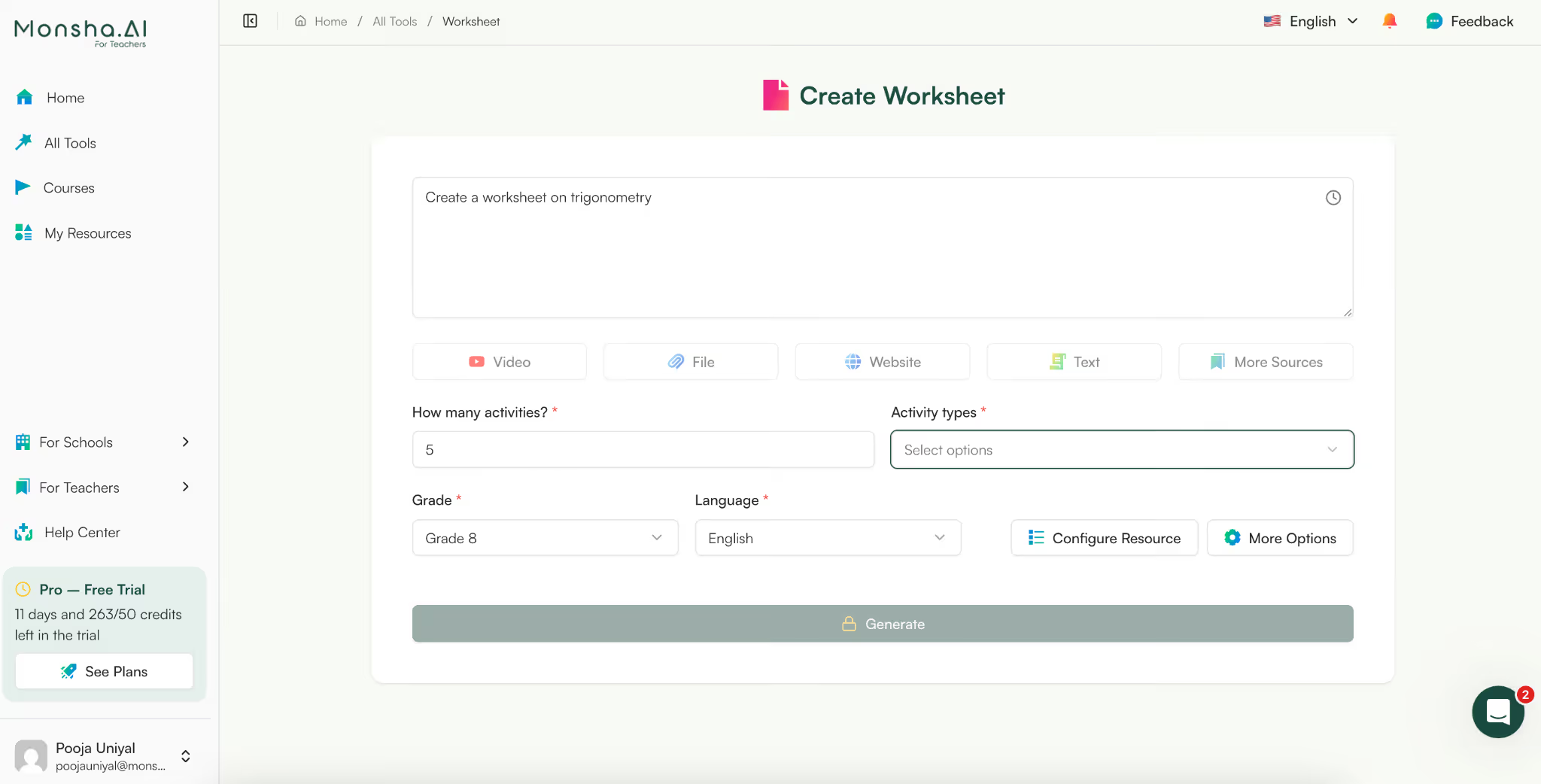
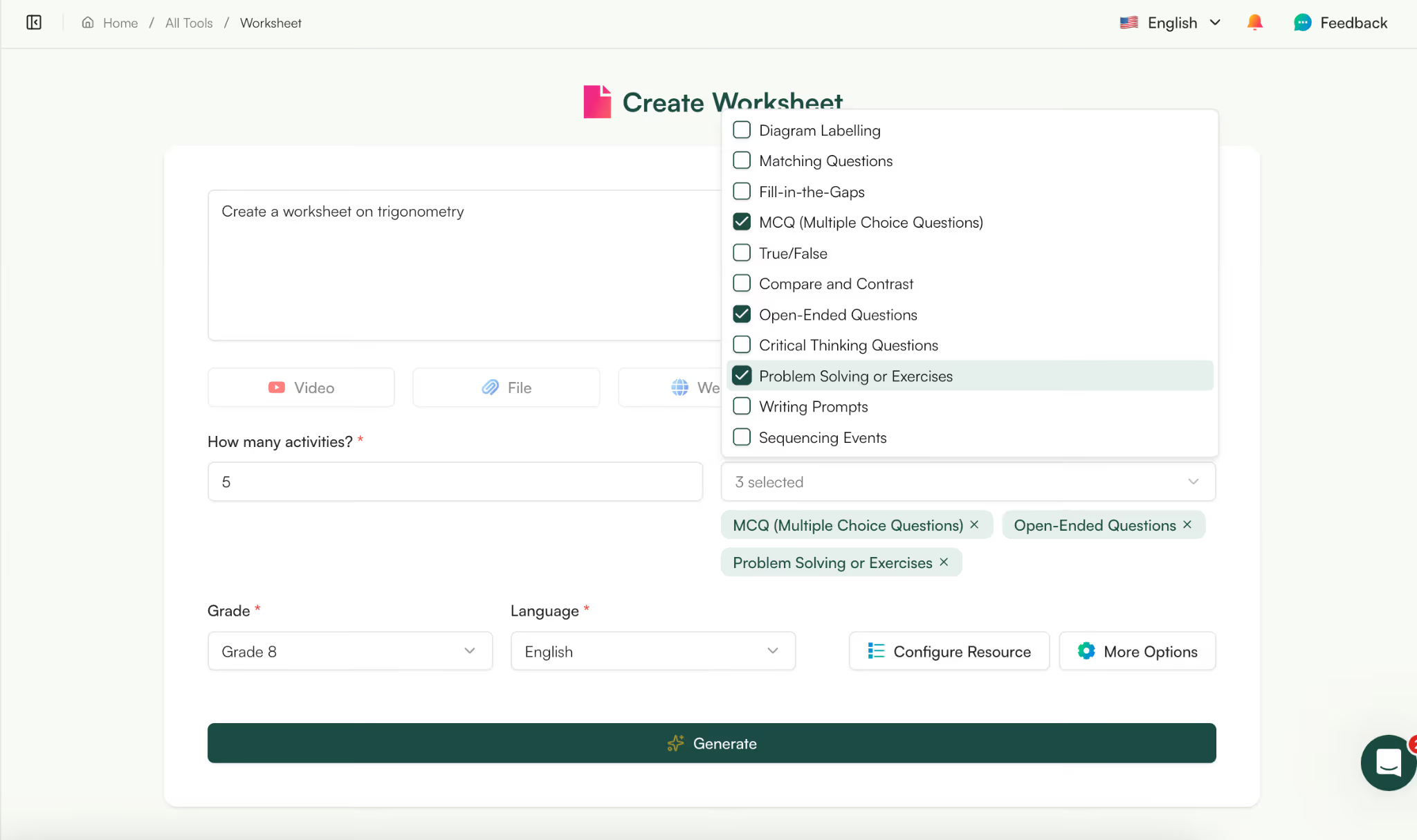
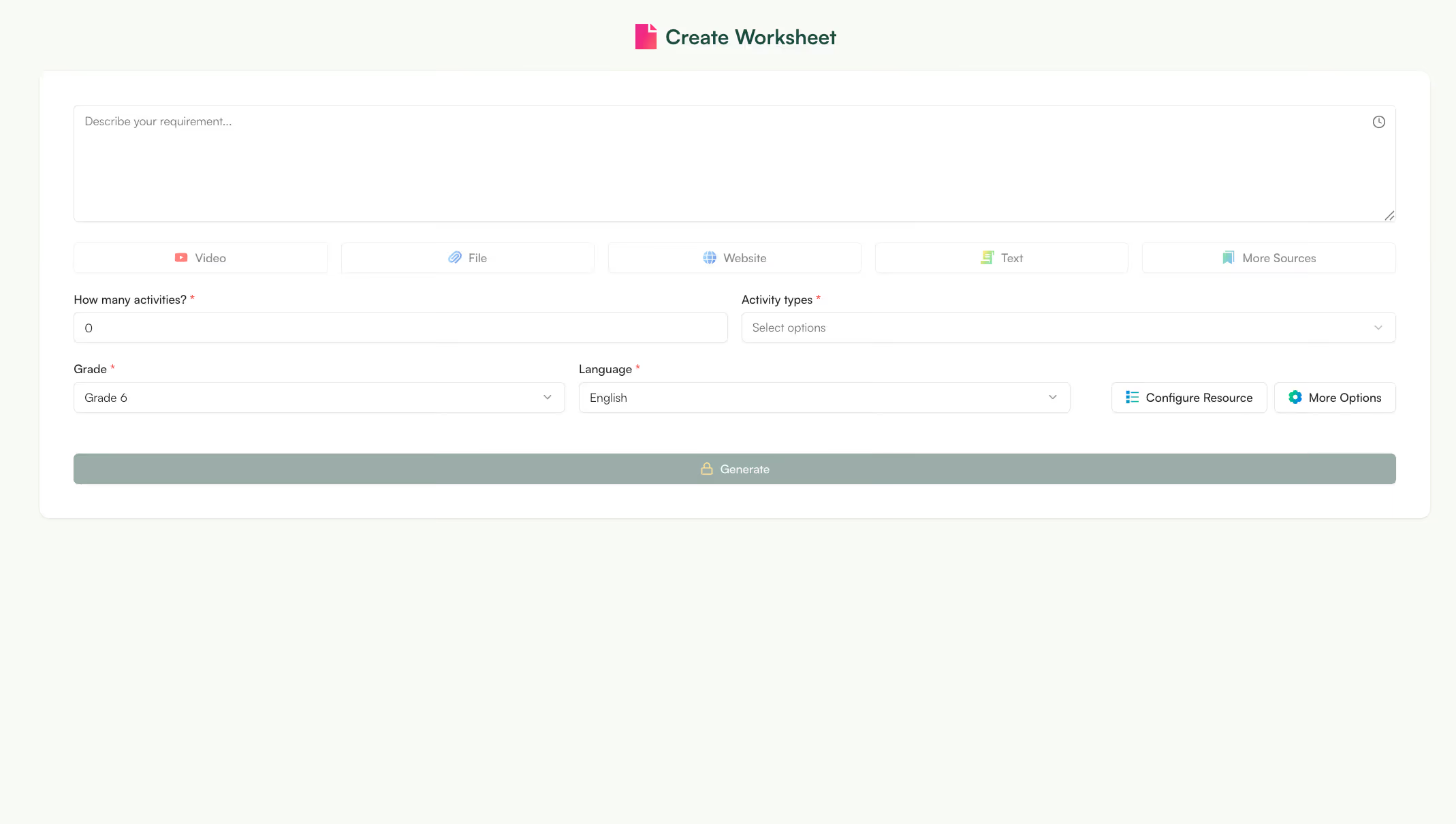
As you can see, I’ve selected MCQs, open-ended questions and problem solving questions as they are more suitable for a Math worksheet where students have to solve problems to write answers. If you don’t select one option, Monsha will automatically generate some or all kinds of activities for your Math worksheet.
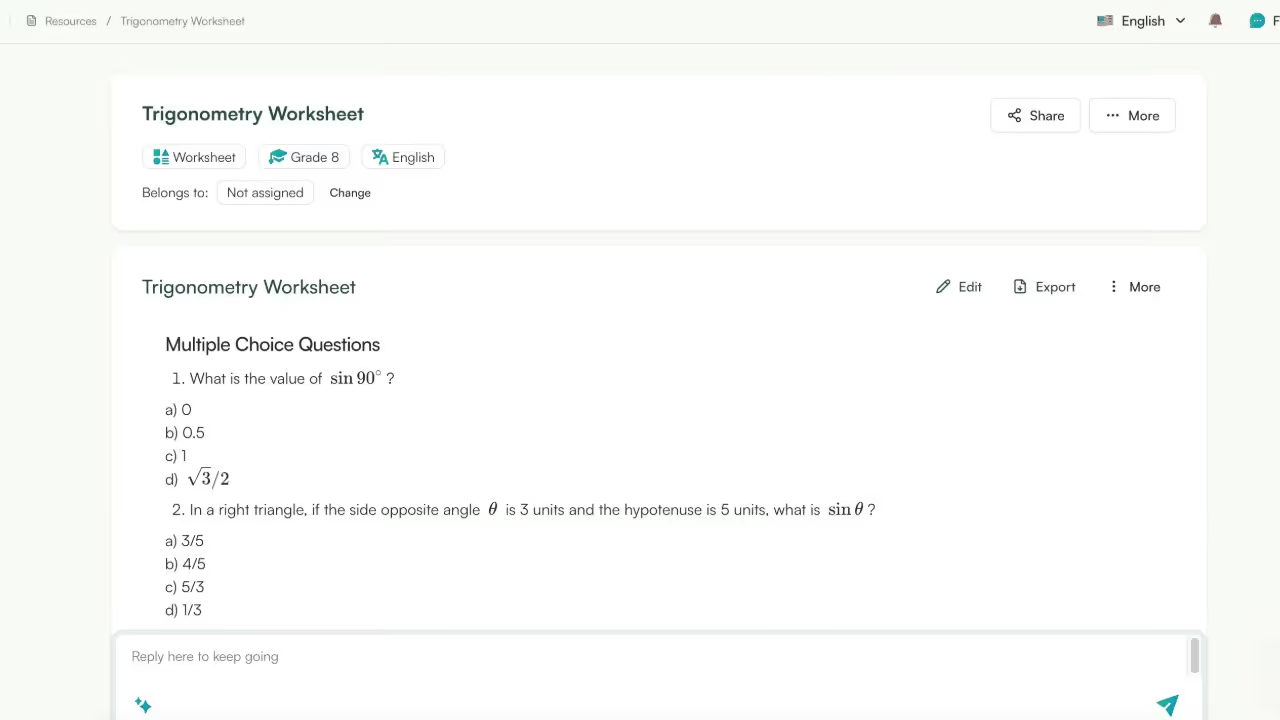
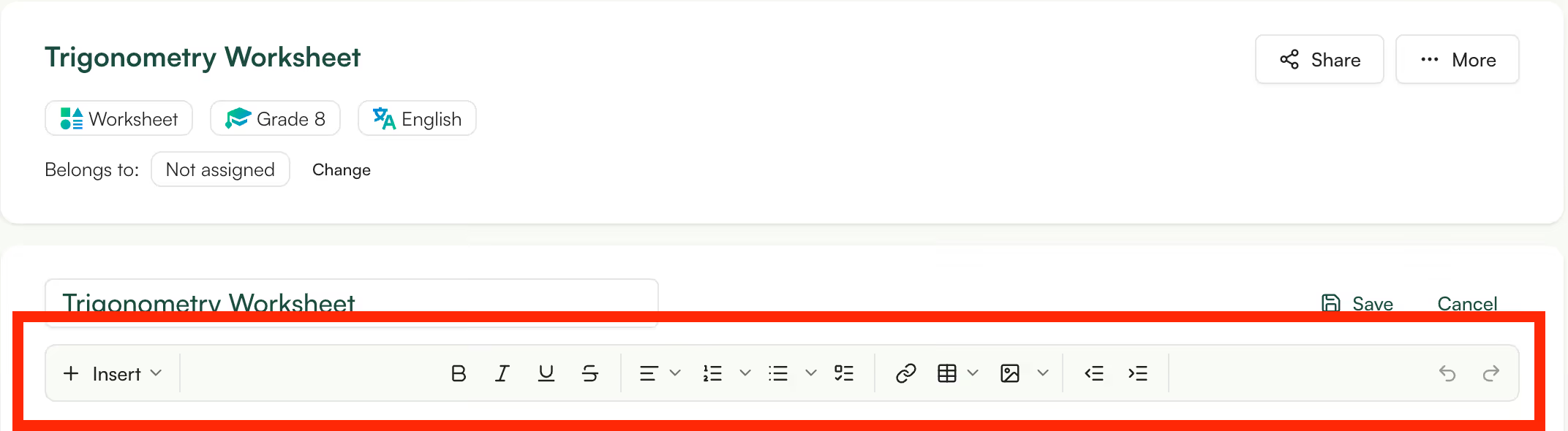
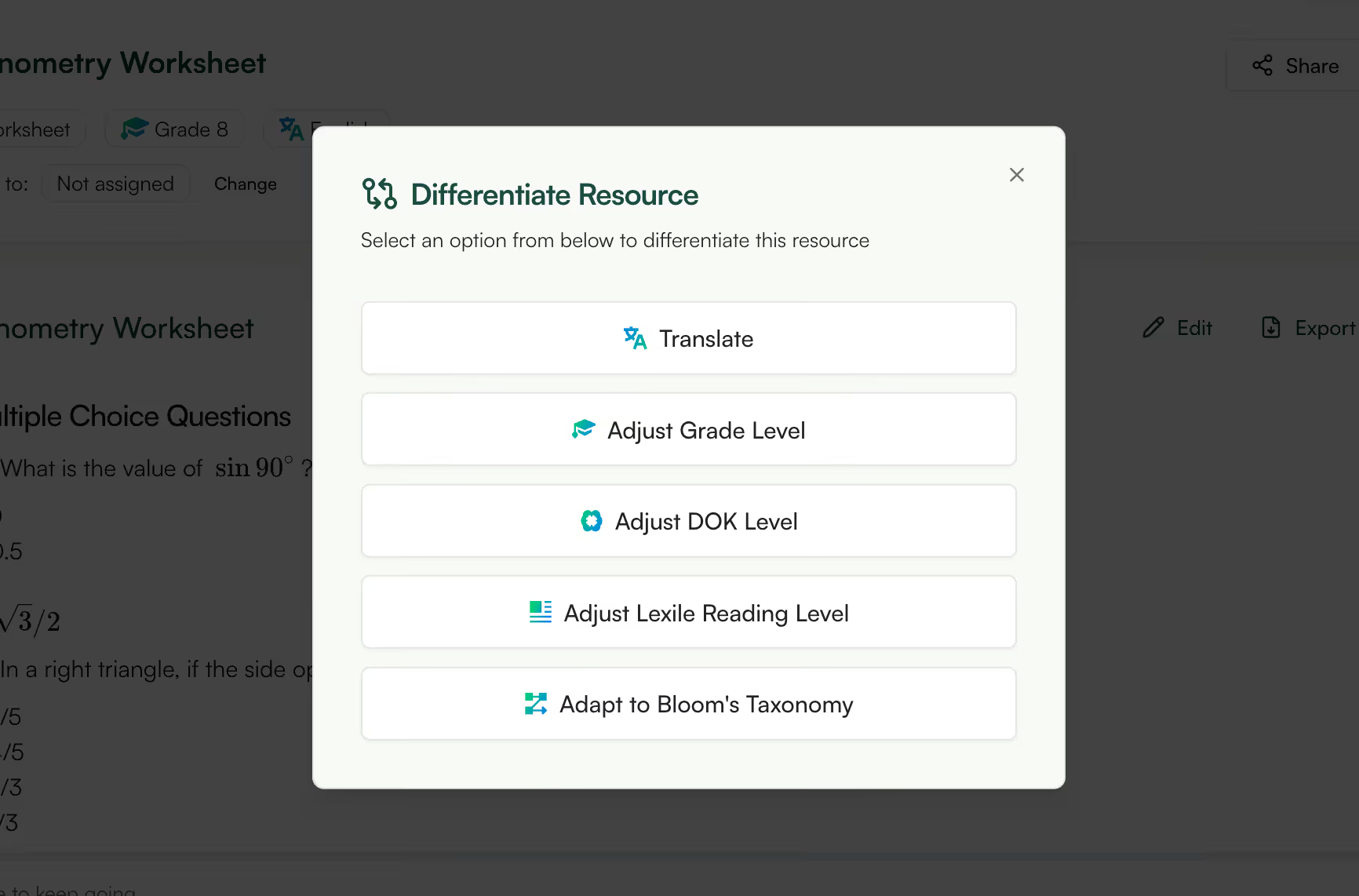
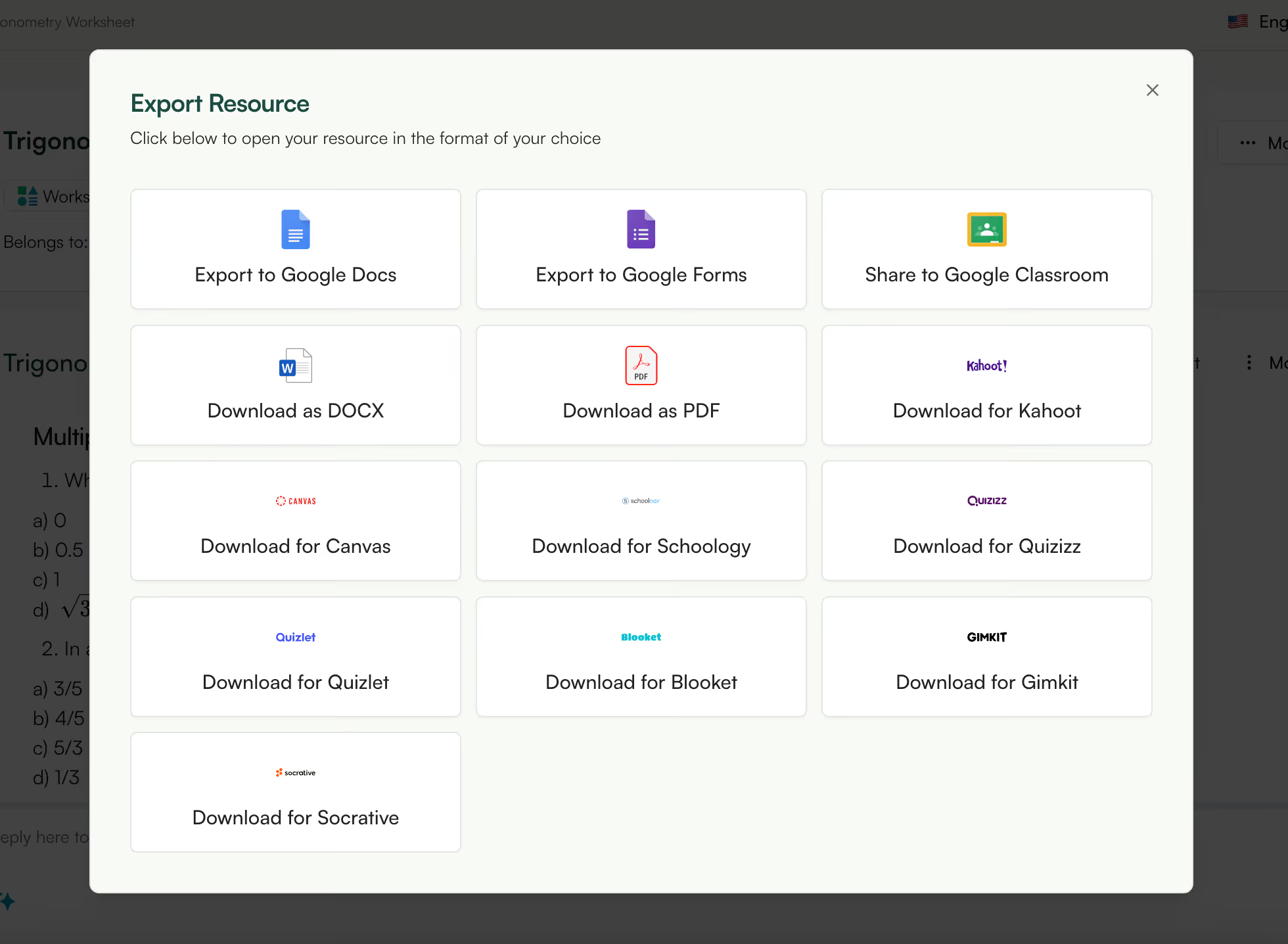
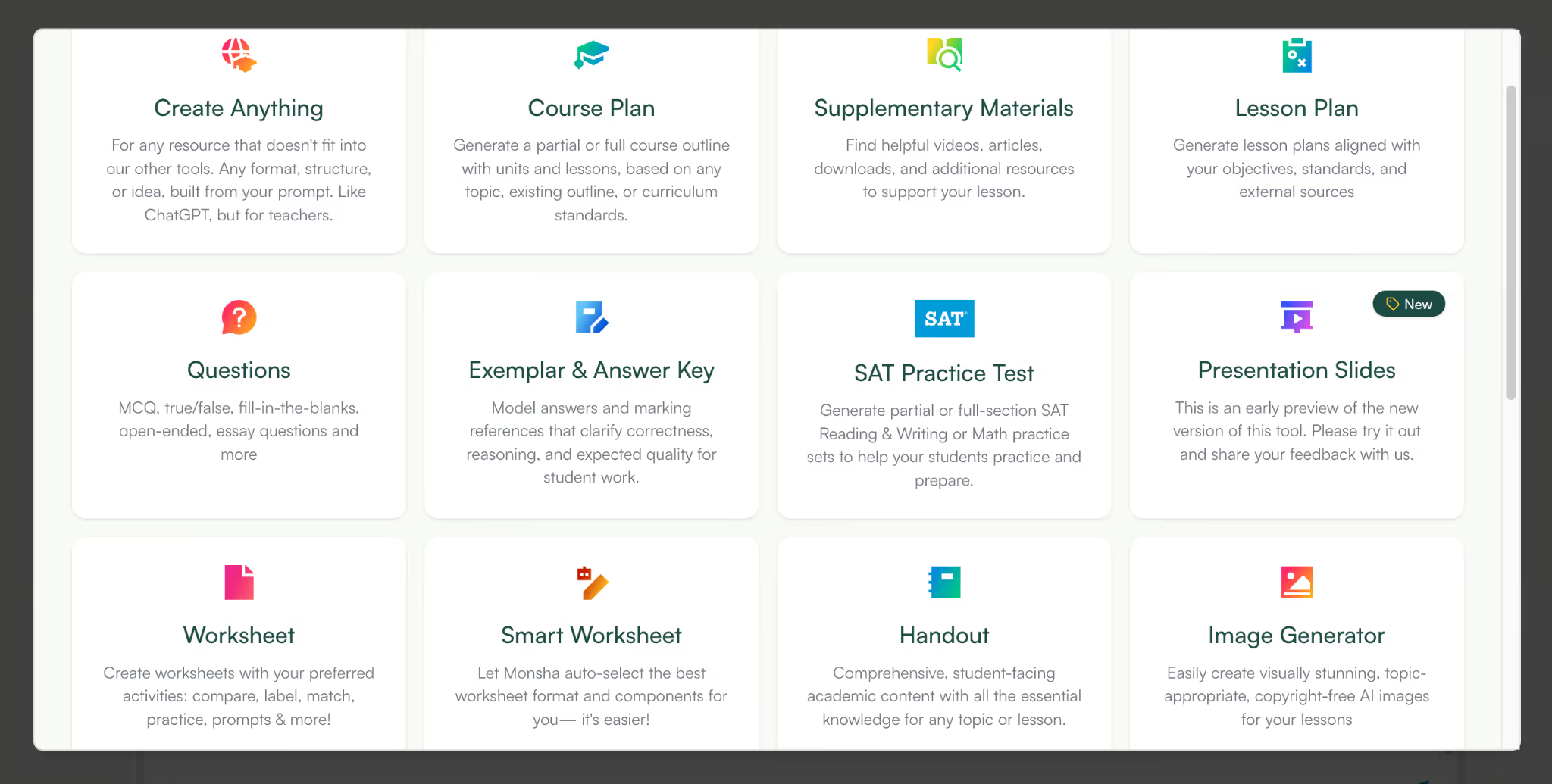
Now that you have your worksheet, you can also create an Exemplar and answer key for it. Monsha has a dedicated Exemplar and answer key generator that shows students what a high-quality response looks like and sets clear expectations for accuracy, structure, and depth.
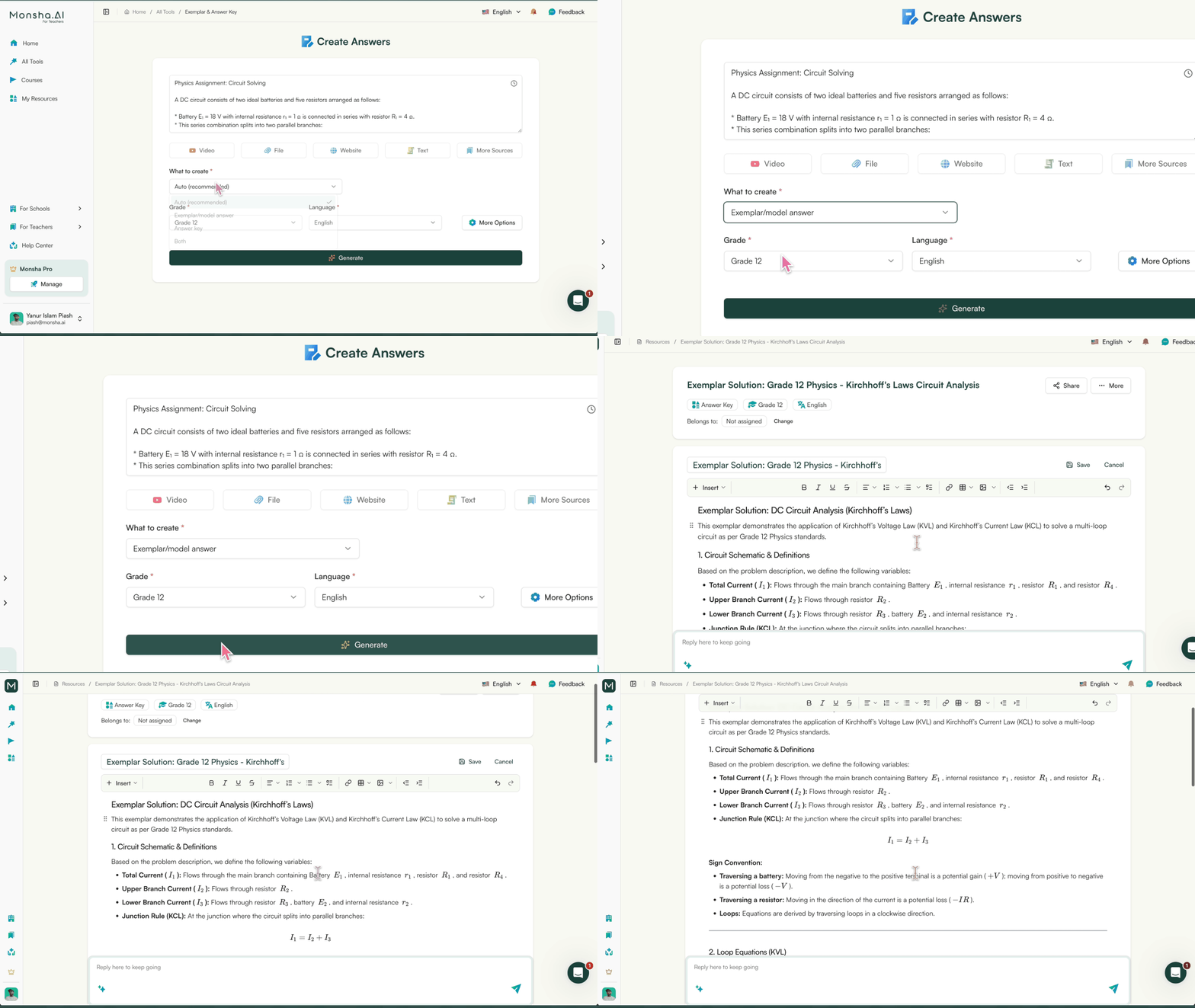
An answer key provides the correct answers or solution steps, helping students self-check their work and teachers assess understanding quickly.
Try it now — no need to switch tabs
Describe your worksheet topic below, pick your activity types and grade, and Monsha will build it for you in seconds.
Monsha's AI math worksheet generator lets you create worksheet on any topic:
Normally, algebra worksheets focus only on addition or jump straight into equations. But in this algebra worksheet by Monsha, you’ll find multiplication, addition of like terms, distributive property, and one step equation worksheets on the same sheet.
.gif)
Whether you’re building a quick class task or a full assessment-style sheet, the algebra worksheet generator gives you structured problems that are ready to print.
You can create math worksheets online free and control the level of difficulty, the mix of skills, and the depth of questions without spending your planning period formatting expressions or rewriting messy output.
Applied math only works when the questions feel real. In this applied math worksheet by Monsha, students calculate discounts, interpret tables, compare ratios, and work through real-world scenarios involving percentages, speed, budgeting, and data. The problems are built around situations they can picture, not abstract numbers floating on a page.
.gif)
In this calculus worksheet by Monsha, students move from basic differentiation to product and quotient rule problems, and then into real applications like rate of change and optimization. The sheet builds steadily, ending with a graph-based challenge so students apply what they’ve learned instead of repeating the same type of question.
.gif)
Decimals worksheets work best when students see how they apply outside the textbook. In this decimals worksheet by Monsha, students practice addition, subtraction, and multiplication of decimals, then move into word problems involving money and measurement. The questions are arranged from straightforward calculations to slightly more demanding problems, so students build confidence as they go.
.gif)
You can also create a fractions worksheet by Monsha where students work through equivalent fractions, addition and subtraction, multiplication of fractions, and visual models that help them understand what the numbers actually mean. Word problems push them to apply fraction skills in real situations instead of repeating the same type of calculation.
.gif)
Place value gets confusing when students can’t clearly see how numbers are built. In this place value worksheet by Monsha, students work directly inside place value charts, expand numbers, compare them, and break them into thousands, hundreds, tens, and ones. The worksheet makes the structure visible instead of turning it into guesswork.
.gif)
With Monsha’s AI math worksheet generator, you can create math worksheets with AI that focus only on the place value skills you’re teaching that day. You can create math worksheets online free and instantly generate clean charts and number breakdown exercises without drawing tables or formatting columns yourself.
Times table worksheets need repetition and variety. In this time table worksheet by Monsha, students solve rapid-fire multiplication problems, complete fill-in grids, and attempt a short timed challenge section. It looks like the kind of sheet you’d hand out for focused practice, not a random list of sums pulled together at the last minute.
.gif)
Geometry makes more sense when students can actually see what they’re working with. In this geometry worksheet by Monsha, you can create math worksheets that include diagram-based questions, calculation practice, and mixed review in one clean layout.
.gif)
Students identify shapes, calculate perimeter and area, label angles, and solve problems using clear diagrams instead of plain text descriptions. Each question gives them something concrete to look at and measure, not just numbers on a page.
In this counting money worksheet by Monsha, students identify coins, add mixed denominations, calculate totals, and solve small purchase problems using realistic price tags. The sheet includes “make this amount” questions and multi-coin combinations so students practice building totals instead of just adding two obvious numbers.
.gif)
If you’ve ever tried to create varied coin combinations yourself, you know it gets repetitive fast. Monsha’s AI math worksheet generator handles that variation for you. You can generate a fresh set of counting money worksheets in seconds and use them immediately, without spending time inventing new totals or checking whether the combinations actually make sense.
In this ratio worksheet by Monsha, students simplify ratios, complete ratio tables, and solve real problems involving recipes, scale drawings, and comparisons. The sheet includes equivalent ratios and proportion-based questions so students move beyond basic simplification and actually work through reasoning steps.
.gif)
When you build ratio worksheets manually, it’s easy to repeat the same number patterns or forget to increase difficulty. Monsha’s AI math worksheet generator creates ratio worksheets that progress naturally - from straightforward simplification to multi-step proportion problems - so you get a balanced sheet without adjusting every question yourself.
In this BODMAS worksheet by Monsha, students solve expressions that mix brackets, orders, division, multiplication, addition, and subtraction in the same problem. The sheet starts with straightforward order-of-operations questions and moves into multi-step expressions with nested brackets, so students practise applying the rule correctly instead of guessing the sequence.
.gif)
Writing BODMAS questions manually often means double-checking every solution and reworking expressions that turn out too easy or too messy. Monsha’s AI math worksheet generator creates balanced BODMAS worksheets with the right level of complexity, so you can hand out structured order-of-operations practice without recalculating each answer yourself.
Whether you’re building algebra worksheets with multiplication and one step equation worksheets, structured ratio worksheets, clean BODMAS questions, or visual time table worksheets and counting money worksheets, Monsha can automate all - while keeping the formatting intact and the progression logical.
What really sets Monsha apart as an AI math worksheet generator is control. You can create differentiated versions of the same worksheet in minutes - one for support, one for core learners, one for challenge - without rewriting problems.
And when the sheet is ready, you export it cleanly without losing equations, fractions, tables, or layout. No broken formatting. No rebuilding in another tool.
If you want to create math worksheets with AI and actually use them immediately, Monsha makes that part simple. And it’s free to use.
An AI math worksheet generator is a tool that creates math worksheets automatically based on inputs like skill, grade level, and difficulty. Instead of downloading and editing generic worksheets, teachers can use AI to generate math worksheets that align exactly with what they taught in class.
To understand how to use AI to generate math worksheets, teachers typically start by specifying the math skill, selecting a grade or learning level, and choosing the difficulty. The AI then generates a worksheet with questions tailored to those settings, ready to print or assign digitally.
Most AI math worksheet generators allow teachers to control grade level and complexity, which helps keep worksheets age-appropriate. Alignment improves significantly when teachers define specific skills instead of broad topics like “addition” or “fractions.”
Yes. One of the biggest advantages of an AI math worksheet generator is the ability to create multiple versions of the same worksheet at different difficulty levels. This makes it easier to support struggling students, core learners, and fast finishers without creating separate worksheets manually.
AI-generated math worksheets can be used for assessments when teachers choose low-scaffold or recall-based questions. By adjusting difficulty and limiting hints, teachers can generate math worksheets suitable for quizzes, exit tickets, or quick checks for understanding.
In most cases, AI reduces editing significantly, but teachers may still review worksheets for clarity or classroom fit. The benefit of using AI to generate math worksheets is that the structure and skill alignment are already in place, minimizing manual changes.
AI math worksheet generators don’t replace teaching or lesson planning—they replace the repetitive work of finding and modifying worksheets. Teachers still decide the skill, level, and difficulty; AI simply generates the worksheet faster and more accurately.
Yes, when used thoughtfully. Teachers remain in control of the content, and AI-generated math worksheets are best used as practice, review, or assessment tools that support—not replace—instruction.




AI in Education Content
Pooja Uniyal works closely with teachers and schools to understand and guide how AI is being used in real classrooms today. Her work at Monsha focuses on capturing practical teaching workflows and turning them into clear, usable guidance for educators exploring AI in their daily planning.
Join thousands of educators who use Monsha to plan courses, design units, build lessons, and create classroom-ready materials faster. Monsha brings AI-powered curriculum planning and resource creation into a simple workflow for teachers and schools.
Get started for free

.avif)
.avif)
.avif)