Compare seven free AI courses for teachers, all with certificates. Time, credential, format, and the kind of teacher each one fits. Pick one tonight.
Many of us have been meaning to take a free AI course since the start of the school year. There are loads of them. The hard part is figuring out which one is worth the 30 to 90 minutes, ends with a certificate we can show our admin or put on LinkedIn, and sends us back to class with something useful to try.
Below are seven of them, side by side, with the time, the credential, and the kind of teacher each one fits.
Picking the course shouldn't take longer than the course. Below is the side-by-side. One row per course, and the columns answer the questions teachers actually ask first: time to complete, credential and who issues it, skill level and format, best suited for, and cost. Feel free to skim the row that matches you, then jump down to that course's section.
Everything here is free at the level shown. A couple have a paid upgrade or a longer paid track sitting next to the free part. We've put those in the notes column rather than the headline cell, so the table isn't quietly misleading anyone.
The narratives below take the courses in this same order. Hopefully one of those rows is the right one for you to open tonight.
Honestly, this is the part most teachers get stuck on. Seven courses, all free, all promising a certificate, and no clean way to tell which one is the right starting point. The answer depends on where you are with AI right now and what you want at the end. Below are six short reader states and the courses I'd point you toward for each one.
If you have never really used AI before, the safest place to start is Google's Generative AI for Educators. Two hours, three modules, a certificate at the end, and zero technical background assumed. The Common Sense and OpenAI course is just as beginner-friendly but leans more into safety and responsible use, which is a good fit if your school is already asking those questions. Either is fine. Pick the framing you want to hear first.
If you want the shortest legitimate intro and a clear path to keep going after, take a look at Monsha's Generative AI for Educators and Teachers. Disclosure first: Monsha runs the blog you are reading. The course is twenty to thirty minutes, ends with a badge plus certificate, and stacks into two further levels (resource creation, then lesson planning) you can take once you finish the first one. If "thirty minutes tonight, more later if I want it" sounds about right, this is the one.
If you have used ChatGPT here and there but never had a real structure for it, the right pick is AI for Education's AI Course for Educators. It's the most hands-on of the seven. Two hours of actual prompt practice with worked examples will get you further than reading one more framework explanation.
If you want depth and a thinking framework, not a quick intro, Anthropic's AI Fluency for Educators is the one. About three hours, a four-component framework, and a final assessment at the end. Fair warning, this is the longest and most demanding course on the list. It's also the only one here that gives you something to fall back on when the tools change next year, which they will.
If you want a credential built to be displayed on LinkedIn with lifetime validity, Canva's AI in the Classroom certification is the one I'd point you at. Sixty minutes, a 20-question test, and a certificate with no expiry. If you already live in Canva, this is an easy first credential to add.
If your school runs on Google Workspace or Microsoft 365, just match the platform. The Google course pairs naturally with a Google school. Microsoft's AI for educators path, plus the Elevate Educator Credential launching May 2026, is the better fit if you live in Teams and OneNote.
If two of these fit you, the shorter course usually wins. The narratives below take the courses in the same order as the table, so jump to the one your filter pointed at.
Generative AI for Educators (with Gemini) is Google's free two-hour course for K-12 teachers, co-developed with MIT RAISE (Responsible AI for Social Empowerment and Education) at MIT Open Learning. The course is built around three modules.
Tools featured throughout are Gemini and NotebookLM. Both are free for teachers with a personal Google account, and both are familiar territory if Google Workspace is already running on your school's machines.
The course is self-paced, you can pause and pick it up later, and there are no prerequisites. It assumes no technical background. The friction most teachers cite when they put off enrolling is rarely the time, more often the "I'm not a tech person" feeling.
A Google certificate of completion, downloadable as a PDF, issued by Grow with Google.
Fair warning on the PD-credit question. Google's own page says the certificate is presentable to your district for professional development credit, "depending on district and state requirements." That's a real caveat. A Google certificate isn't a Google PD credit, but it does land differently in a folder than a generic platform-issued certificate from a name your principal hasn't heard of. The MIT RAISE collaboration helps at the institutional-credibility layer too.
.avif)
Disclosure first: Monsha runs the blog you're reading, which makes this entry awkward to write. We've kept it in the same shape as every other course on the list, because leaving our own work off a list of seven and pretending you wouldn't notice is sillier than putting it on. Here is what's actually inside the program, what you walk away with, and the kind of teacher we built it for.
The Monsha Certified AI Educator Program is three free, self-paced courses that build on each other. Level 1 is a 20-to-30-minute intro to AI in the classroom. Level 2 teaches resource creation with Monsha. Level 3 teaches curriculum and lesson planning. Each level ends with a badge and a downloadable certificate, and the credentials stack across the program. A teacher can take Level 1 tonight and stop, or work through all three over a few weekends.

The shortest legitimate intro on the list. About 20 to 30 minutes, self-paced, free, no prerequisites. The course covers what generative AI is, how it's already shaping teaching, where it can save you time on lesson prep and resource creation, and the ethical questions every teacher should sit with before bringing it into class. Tools are kept platform-agnostic at Level 1, so the course sits alongside whichever AI tool your district has on the approved list. There is also a deeper walk-through of what's in Level 1 for anyone who wants more detail before clicking through.
This is where Monsha enters the picture as a tool. You learn to generate worksheets and lesson materials, differentiate them for the kids who need it, expand examples, and export everything into your existing workflow, aligned to your lesson objectives or curriculum standards. This is the level for teachers who want to stop typing the same worksheet for the third time this year, and who already plan to do their resource creation inside one teacher-specific platform. The perk on this one is one to two months of free Monsha Pro access on top.
Level 3 covers the longer arc: building courses, structuring units, writing lesson plans, and keeping resources, standards, and pacing aligned in one place. The fit is a teacher who is comfortable with what Level 2 covered and wants the planning side too. This is the deeper end of the program.
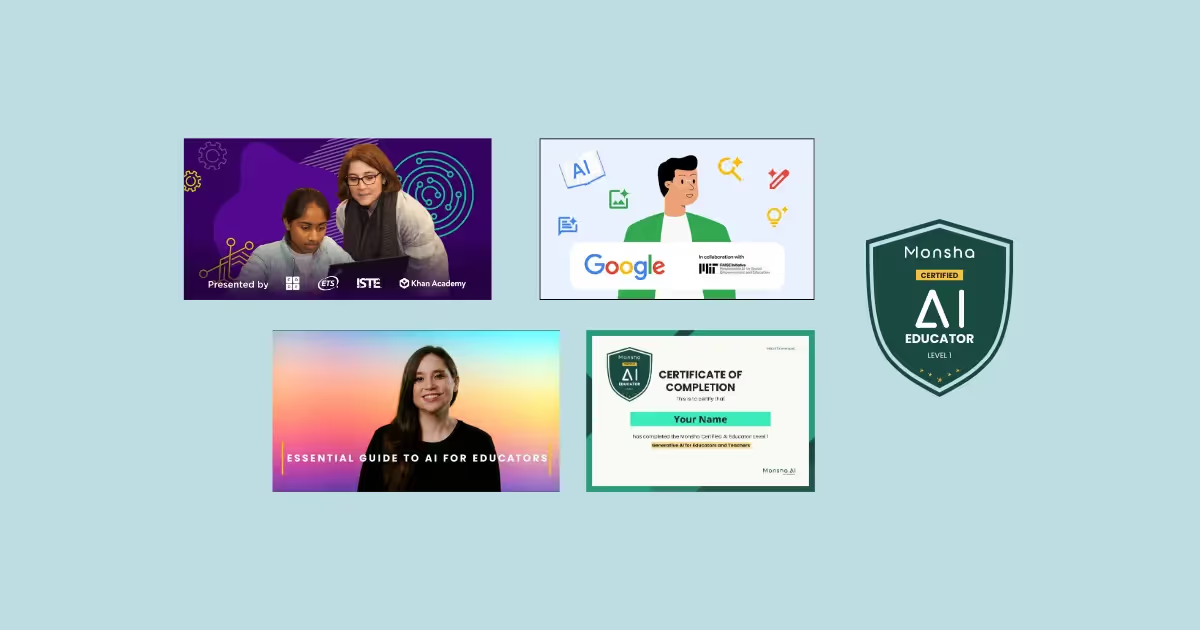
A Monsha-issued badge and a downloadable PDF certificate at the end of each level. The credentials stack across the program, so a teacher who finishes all three has a longer, more detailed certificate to show than someone who stopped at Level 1. Teachers do regularly add the certificate to their LinkedIn profile under Licenses & Certifications, and a number have mentioned printing it for their PD folder. Whether your district counts it for PD credit is a district call, the same as every other course on this list.
Most courses on this list fold safety and responsible-use into a single module near the back. ChatGPT Foundations for K-12 Educators runs it the other way. The course was built jointly by Common Sense Education and OpenAI in late 2024, hosted at commonsense.org, and threads safety, privacy, and responsible AI use through all eight lessons instead of parking the topic at the back.
The format is one hour, eight lessons, self-paced, free. Across the eight, you'll cover what ChatGPT actually does and where it falls over, the policy and privacy questions teachers need to answer for parents and admin, and a prompt-writing structure the course calls the CRE framework: Context, Role, Expectations. CRE is the artifact most teachers walk out holding. It's a three-step scaffold that turns "write me a quiz on photosynthesis" into something that produces a usable 6th grade quiz, not a generic page lifted off the open web.
The responsible-use thread earns its place here because it lands before the moment it would have helped. At some point, a teacher will paste a student's graded paper into a chatbot to draft feedback faster, or run a class roster through a free tool to generate example sentences. The course gives you a working position, and a vocabulary, before that paste lands. That's most of why a "safety course" earns its hour, even though the phrase sounds dry on paper.
EdWeek's reporting on the early-cohort numbers is worth a look too: 98% of teachers said the course gave them new ideas or strategies they could apply.
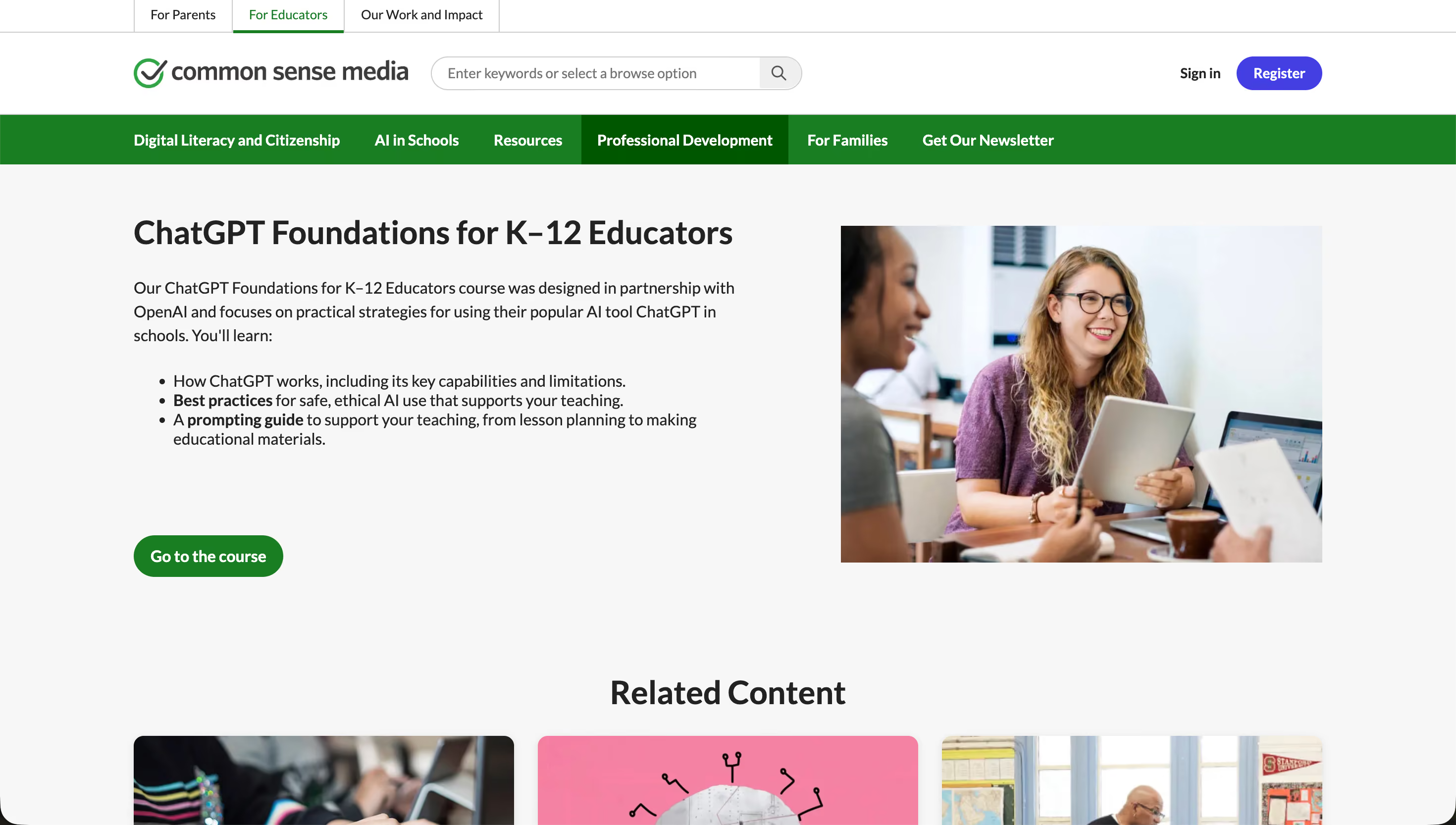
A Common Sense Education certificate of completion and the CRE framework as a portable artifact. The certificate downloads as a PDF, and Common Sense Media has been a recognised name in K-12 PD for a long time, so the issuer line reads as legitimate to most admins. The framework is the thing you'll keep using after the course closes. Most teachers never explicitly name a prompt structure they're working from, and naming one is what makes prompts repeatable from week to week.
Fifteen thousand teachers have enrolled, and around five thousand of them stopped to leave a review. That's the loudest endorsement on this list. Every other course here leans on the name of the issuer for credibility. This one leans on what teachers said about it after they finished.
The course is two hours, free, self-paced, and lives at aiforeducation.io/ai-course. It's hands-on from the start. Where the Common Sense and OpenAI course hands you a framework first, this one hands you a prompt to try, and then another, and then another. ChatGPT is the tool the lessons are built around, but the patterns transfer cleanly to Gemini, Claude, or whatever your school has approved. It's the course for teachers who want fifty prompts they can use Monday morning, not a framework to think about first.
Here's one of the reviews sitting on the course page now:
"Very informative! This course made me change my bias towards AI from seeing it as a nuisance to understanding it as a tool."
That kind of comment shows up over and over in the review block, which is the closest thing to overhearing teachers in your own staffroom say what they actually thought.
A working set of prompt patterns you've tried at least once, plus a certificate from AI for Education. The certificate is available on completion, though the page does not push it the way the Canva or Google entries do. The thing you'll keep using after the course closes is the prompt habit, not the PDF.
This is the depth course on the list. AI Fluency for Educators is a roughly three-hour, free, self-paced course from Anthropic Academy, built for teachers who want to understand how to work with AI before they pile up a stack of prompts.
It's co-developed by Prof. Rick Dakan (Ringling College) and Prof. Joseph Feller (University College Cork), and built on their AI Fluency Framework. Four lessons, about 35 minutes of video, the rest in in-depth exercises.
The course is taught around the framework's 4Ds:
Three modes of working sit alongside the 4Ds: Automation, Augmentation, and Agency. Each describes a different level of teacher control, and the modes are what turn the 4Ds from theory into something you can actually use on a Tuesday.
A certificate of completion from Anthropic, issued after a final assessment that asks you to apply the framework rather than pass a quiz. The framework itself is the bigger artifact. Most courses on this list teach you a specific tool. This one teaches you a way of thinking about whichever tool you end up using.
The tools on this list will all be replaced inside the next couple of years. The framework is the part of this course that will still be useful when the model you're using today gets swapped for the next one. That's most of why a three-hour course earns its place above the one-hour ones, even though the math looks like the wrong way around.
If Canva is already open in three tabs of your Monday-morning browser, this is the easiest credential on the list to add. AI in the Classroom is a free, self-paced course from Canva Design School, built around the Magic Studio suite. About 60 minutes, eight short lessons, beginner level.
Across the lessons, the tools you'll learn are:
No prior AI experience assumed. If you already use Canva for posters and slide decks, the lessons mostly read as "here's the AI button you haven't clicked yet," not a new platform to learn.
A Canva-issued digital certification with no expiry date, earned by passing a 20-question test at the end of the course. The page describes it as "perfect for your CV and LinkedIn," and at the end of the test there's a one-click flow to add the credential to your LinkedIn profile and share it as a post.
Now, this is the only course on the list whose credential is built to be displayed rather than filed. Most certificates here are PDFs you save and rarely look at again. Canva's is built for the LinkedIn line. If "I'd like one credential that actually shows up next to my name online" describes you, this is the one to take. Canva does recommend re-taking the test every 12 months or so, since the lessons update as the tools do.
This is actually two things stacked together. As of early May 2026, Microsoft Elevate for Educators is launching this month, and the AI for educators learning path it sits on top of has been live and free on Microsoft Learn for a while already. So a teacher starting in May might find one piece fully open and the other still finishing its rollout.
The credential half is the new piece. Microsoft built it with ISTE and ASCD, the two recognised PD bodies most US K-12 admins know by name. That pairing is what upgrades this entry from a useful Microsoft Learn path to a credentialed one.
The training itself is free, modular, and self-paced. Today the AI for educators path covers three core modules:
The Elevate credential adds two tracks on top. Explore (General) covers the Microsoft 365 tools a teacher uses every day: Teams, OneNote, PowerPoint Recorder, Forms. Explorer (AI) covers AI concepts and tools specifically. Both tracks feed into the same credential, and you can take them in either order.
.avif)
Microsoft Learn module badges on each completed module, plus the new Microsoft Elevate for Educators credential at the end. The ISTE and ASCD names on the issuer line are what give the credential weight a standalone Microsoft badge would not have. As always, whether your district counts it for PD credit is a district call.
If your school already pays for Microsoft 365 and your admin has heard of ISTE, this is one to keep an eye on across May. If not, take whichever course matched you in the picker section above and let this one sit.
The top seven cover the courses most teachers will reach for first, but they aren't the only ones worth a teacher's hour. If you've already heard of one of the entries below and you've been wondering why it didn't make the cut, that's a fair instinct. A few of these sit close enough that they belong on this page either way. Here are six more, in case the right course for you lives in this list instead of the one above.
Now, these are listed because they're credible, not because the top seven left a gap. If one of them looks like a closer fit than anything above, take that one. Hopefully the right course for you was somewhere on this page either way. The list is a list, not a ranking.

Most free PD courses end the same way. The certificate downloads, the tab closes, and Monday morning looks pretty much like last Monday morning. The fix isn't another course on top of this one. It's one tool, used on the lesson you're already planning this week.
Three tool categories are where most teachers go next. Pick the one closest to whatever course you just finished.
The one move that turns any of these into a habit is to pick one and stop. Don't try to learn three at the same time. Use the tool you picked on this week's planning, and watch where it gets stuck. Real classroom examples of teachers using AI across a normal week, and a longer walkthrough of how one teacher uses a single tool across a full teaching workflow, are useful for keeping the thread going once the course is closed. The course closes when you stop watching. The habit starts the next time you sit down to plan a lesson and open the tool you said you would. That part doesn't come with a certificate.
Here are six of the questions teachers ask most often before picking a course. Short answers grouped here so they're easier to find than scrolling back through the entries.
There isn't one best course for every teacher. The strongest fit depends on what you're starting from. If you've never used AI before, Google's Generative AI for Educators is the safest first pick. If you want the shortest legitimate intro, Monsha's Level 1. If you want depth and a thinking framework, Anthropic's AI Fluency for Educators. The "How to pick" section above runs through the other starting points. Take whichever one fits where you actually are.
Most of the courses on this list take between 20 minutes and 3 hours. Monsha's Level 1 is the shortest at 20 to 30 minutes. Canva is 60 minutes. Common Sense and OpenAI is one hour, eight lessons. Google and AI for Education are about two hours each. Anthropic's AI Fluency for Educators is the longest at roughly three hours. Microsoft's path is modular, so you can take it in sittings. All seven are self-paced, so the times here are estimates, not deadlines.
All seven on the main list, yes. Every one ends with a downloadable certificate or badge. Canva's has lifetime validity and is built for LinkedIn. Anthropic's comes after a final assessment. The honourable mentions vary: Code.org is video-series-light on a credential, and Alison's certificate is a paid upgrade on a free course. Each entry above names the issuer and what the credential looks like.
LinkedIn, yes. Most of these certificates fit the Licenses & Certifications block of your profile, and Canva has a one-click flow that adds it for you. PD credit is the harder one. The honest answer is the same every time: it's a district call, not a course call. You take the certificate to your PD coordinator and find out. About 43% of US K-12 teachers had received some AI training by fall 2024 (EdWeek Research Center), so it isn't an unfamiliar conversation any more.
Start with the shortest course that still gives you a real foundation. Google's Generative AI for Educators (about 2 hours) and Monsha's Level 1 (20 to 30 minutes) are both built for teachers with zero prior AI use. Google goes wider on what AI can do for teaching tasks. Monsha's Level 1 is the fastest legitimate intro. The "How to pick" section above runs through five other starting points if neither of those is the fit. Either way, take one tonight. The right course is the one you actually open.
No. Every course in the top seven on this list is built for teachers with no prior AI or coding experience. The Common Sense and OpenAI course says it directly. Google's, Monsha's, AI for Education's, and Canva's all assume you've never opened a chatbot before. Anthropic's course is heavier on the thinking framework but still doesn't ask you to write code. If "I'm not a tech person" is what's been holding you off, that's the most common starting point on this list, not the exception.
Pick one. Start it tonight. Finish it this week.
The honest reason most teachers haven't finished a free AI course isn't really about time. The tab stays open, and Sunday turns into next Sunday. Seven free courses on this page. Whichever one you pick, just open it sometime between tonight and Friday.
If you want a longer path with progression rather than a single course, Monsha's three-level Certified AI Educator program takes you from the 30-minute intro through resource creation and into full lesson planning, one weekend at a time.
The course many of us have been meaning to take since the start of the school year is on this list. It just needs you to actually open it.




AI for Teachers
We’re the Monsha Team—a group of educators, engineers, and designers building tools to help teachers combat burnout and get back to life.. Our blogs reflect real classroom needs, drawn from conversations with educators around the world and our own journey building Monsha.
Join thousands of educators who use Monsha to plan courses, design units, build lessons, and create classroom-ready materials faster. Monsha brings AI-powered curriculum planning and resource creation into a simple workflow for teachers and schools.
Get started for free

.avif)