BACK TO SCHOOL 2026
Ease into the new school year with ready-made resources for your first weeks, 20+ AI teaching tools, and our free downloadable guide on planning your year with Monsha.
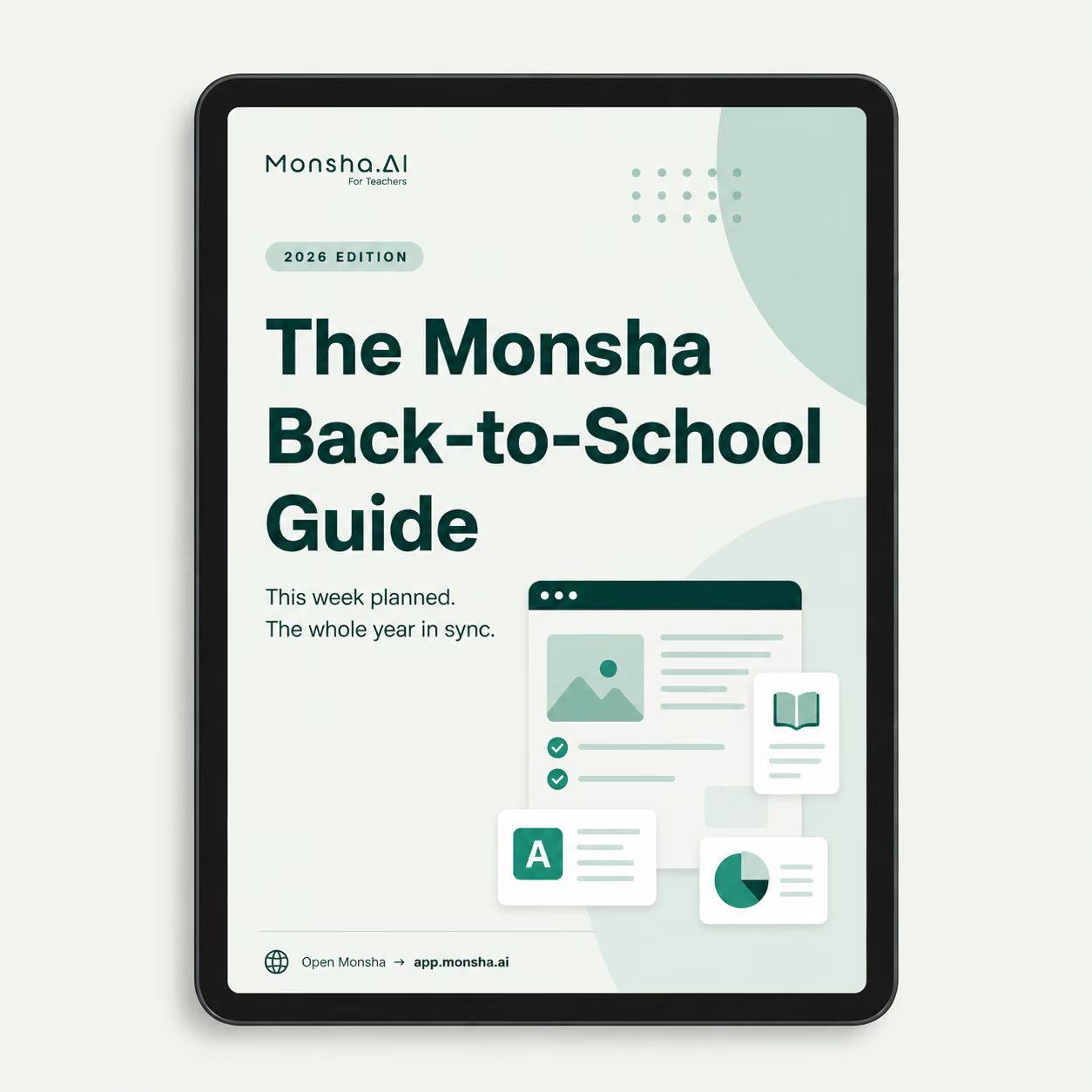
A free guide for starting your school year with Monsha. It covers some recommended tools, hacks, starting guidelines, and everything else you need to plan your lessons, get your materials ready, and adapt or share them with your students. There's also a small thank-you from us near the end.
If you set Monsha down at the end of last school year, quite a lot happened over the break:
Check out these teacher-made resources from our newly launched resource library (free). Download one as it is, or save it to your account and change whatever you want.Try these as you start your year with Monsha.
Try these as you start your year with Monsha.
Describe what next week needs, and generate it.
Send it go Google, Word, PDF, or straight to your LMS
Translate it, or shift the grade or reading level for a student who needs it.
Chat with a resource to adjust it, or turn it into a follow-up.
Set up one class for the semester and let it hold your lessons.
Send a link to a colleague, or straight to students. No account needed.
We'll show your leadership how schools use the TEAM plan and answer their questions. It takes about 20 minutes.
Book a demoEvery teacher who joins through your link earns you ⚡250 credits. And if your whole school comes on board, you earn practically unlimited credits.
Refer nowWe'll run a hands-on AI-for-educators session for your teachers - an intro, practice time, and their questions answered.
Request a free PDOur free course and certification program for teachers learning to use AI effectively.
Ready-to-run slide decks for your staff PD sessions.
Live sessions on using Monsha across subjects, recorded for you to review anytime.
Ready-made prompts for lesson plans, worksheets, quizzes, and more.
Guidance and templates for writing your school's AI policy.
Swap ideas with other teachers using AI, in our Facebook group.

Palm Beach County School District, Florida

I’ve been speaking to everyone about the ease of your site. I enjoyed the fact that there were different question types and that you were able to modify the question levels or styles without much effort. Using it almost every day to redo and update assignments.
I really am enjoying Monsha and can’t wait to spread the word about it.

Central Holmes Christian School, Lexington, MS
I use Monsha a lot. Sometimes I even feel like I’m bothering y’all with how often I’m on it 😅 but I really appreciate this app so much. Even during summer break, I’m using it to get ahead on lessons for next year.
.avif)
Ohse Home School, Oklahoma
I love this platform - this has made homeschooling easier for me from planning lessons to creating spelling, reading and English worksheets.
It's been a life-saver for my school year no matter what your religion may God bless you all!

Zenith International School, Malaysia
Your presentation content is great based on the pdf file I provided. I teach maths in my case i needed to make presentation more interesting for the kids, not boring blank pages with text. Like artworks, graphics or real images that relate to my subject. Thank you for that 😍

Professional Learning Developer
This tool is fantastic! This really makes it more of an all-in-one-stop shop for me now that you've added the PPT tool upon my request.
It is very intuitive as far as the prompt is concerned. And I like the options to add links, content, previous resources, and especially the YouTube feature.

High school math teacher in the US
The worksheets look great. Thank you so much for taking care of this, it's so rare to find a resource that works with latex for math! I'm thrilled!

Khuangnapittayakun School, Thailand
I can create an entire course to include grading rubric within minutes when before it would take me weeks.
In S.E. Asia, the resources are whatever teachers can pirate but Monsha has changed that for me.. now I can create and enjoy the task for a change.

Italian teacher and trainer
Monsha was a wonderful discovery, and I always recommend it in my AI training courses!
The tools they offer are all very effective, but my favorite is "Comprehension Questions," one of the best I've tried across various platforms! Great work!

Maths Teacher, The Teach for Nigeria
I've shared this tool to my colleagues here in Nigeria and they are already falling in love with it.
I actually do use Monsha for everything. From baseline assessment to lesson planning to formative evaluations and of course to summative assessment.

English Teacher, Educación de la prov. Argentina
I was fortunate to chat directly with you guys (creators). Every suggestion I shared was received with enthusiasm, you worked on it and got back sincerely.
I have been impressed with how you improve it based on the actual needs of educators. And kept it clean and simple.
Monsha is an AI teaching tool that helps teachers with lesson planning, curriculum planning, and classroom resource creation. Educators use it to build aligned lessons, generate worksheets and assessments, and differentiate instruction faster.
Monsha creates full lesson plans from a topic, file, standard, or objective. It generates learning goals, activities, questions, and differentiated materials. Teachers can edit, customize, and export their AI-generated lesson plans to Google Docs, Slides, Word, or PowerPoint.
What can Monsha generate besides lesson plans?
Monsha generates worksheets, quizzes, reading passages, presentations, vocabulary lists, rubrics, warm-ups, exit tickets, comprehension questions, and other classroom resources. It also adapts teacher-provided materials into ready-to-use instructional content.
Does Monsha support AI curriculum planning?
Yes. Monsha helps design full course outlines, map units, organize standards, and structure curriculum across a semester or year. Teachers can create AI-powered unit plans and connect them to daily lessons and assessments.
Can Monsha align lesson plans to curriculum standards?
Monsha supports major standards used in the US, UK, Australia, Canada, IB programs, and international schools. Teachers can generate standards-aligned lesson plans, objectives, and assessments with a few selections.
How does Monsha handle differentiation and student needs?
Monsha can adjust reading level, cognitive demand, skill focus, and language. Teachers can translate materials, simplify or enrich content, scaffold steps, and create variations for different learner groups.
Is Monsha an AI resource generator for all subjects?
Yes. Monsha works for math, science, English, humanities, languages, arts, early years, vocational subjects, and more. It supports elementary, middle, and high school teachers worldwide.
Can I export AI-generated resources to Google Classroom or Microsoft?
Yes. Teachers can export to Google Docs, Google Slides, Google Forms, Microsoft Word, Excel, PowerPoint, or PDF. Monsha fits directly into Google Classroom and Microsoft-based workflows.
Do teachers need AI skills to use Monsha?
No. Monsha is designed for teachers, not prompt experts. You choose the goals or materials and Monsha builds the lesson or resource automatically.
What integrations does Monsha support?
Monsha integrates with Google Workspace and Microsoft 365. Teachers can export to Docs, Slides, Forms, Word, Excel, PowerPoint, PNG, PDF, and more formats, depending on the resource. Schools can sync with Google Classroom, Canvas, Schoology, and other LMS systems for assignment creation and material publishing.Single sign-on is supported through Google and Microsoft. Monsha also supports quiz platforms like Kahoot, Quizlet, Quizizz, Socrative and many more.
What formats can I export my content to?
Google Docs, Slides, Sheets, Forms, Word, Excel, PowerPoint, PDF, PNG, JPEG, QTI, IMSCC, and many others, depending on the content. Lesson plans, worksheets, assessments, images, reading passages, slides, and unit plans can all be exported.
Is Monsha safe for schools?
Yes. Monsha does not require identifiable student data and aligns with FERPA, COPPA, GDPR, and major education privacy standards. Planning and content generation work independently of student records.
Is Monsha free to try?
Yes. Teachers can begin lesson planning, curriculum planning, and resource creation for free. Schools can upgrade for collaboration, shared curriculum, and expanded features.
Who can benefit from using Monsha?
K–12 and higher education teachers, international school educators, homeschool teachers, tutors, instructional coaches, and anyone who creates lessons and curriculum can use Monsha to work faster and produce higher-quality instructional materials.
Can Monsha generate lessons and resources from my own materials?
Yes. Monsha can build lessons and teaching resources from almost any source. You can import files from Google Drive or your device, including PDFs, images, Word docs, presentations, spreadsheets, and worksheets. Monsha also works with URLs, articles, and YouTube videos. It analyzes the content and generates aligned lessons, worksheets, questions, slides, and differentiated materials based on what you upload.
Join thousands of educators who use Monsha to plan courses, design units, build lessons, and create classroom-ready materials faster. Monsha brings AI-powered curriculum planning and resource creation into a simple workflow for teachers and schools.
Get started for free